
Download the DreamFace App to Create Anywhere

Download on
App Store

Download on
Google Play

Install APK on
Android
Language
English- English
- Português
- 简体中文
- 繁體中文
- 日本語
- Español
- Bahasa Indonesia
- ไทย
- Tiếng Việt
- हिन्दी
- Русский
- Italiano
- 한국어
- मराठी
- Nederlands
- Norsk
- ਪੰਜਾਬੀ
- Polski
- Dansk
- Suomi
- Français
- Deutsch
- Svenska
- Kiswahili
- తెలుగు
- Türkçe
- বাংলা
- اردو
- العربية
- فارسی
- Ελληνικά
Language
Chasing Jade
Upload Image
Click to upload an image 1
Click to upload an image 2
Try with our sample images
Sample Filter


4.9

Chrome Store

Global Users

4.9
Apple Store
Trusted by Leading Institutions Worldwide












How to Make a Chasing Jade Couple Portrait
step 1 Upload Two Portraits
Add one clear photo for the man and one for the woman, with visible faces and simple backgrounds for cleaner blending.
step 2 Choose Chasing Jade
Select Chasing Jade to apply the snowy wuxia couple style, ornate armor details, and close heroic composition.
step 3 Generate and Share
Create your final image, then download or share your regal warrior-couple portrait anywhere you like.
Why Chasing Jade Stands Out
Dragon Armor Detail
Blend two portraits into a black-and-crimson warrior look with ornate gold dragon armor, engraved shoulder plates, and a regal wuxia finish.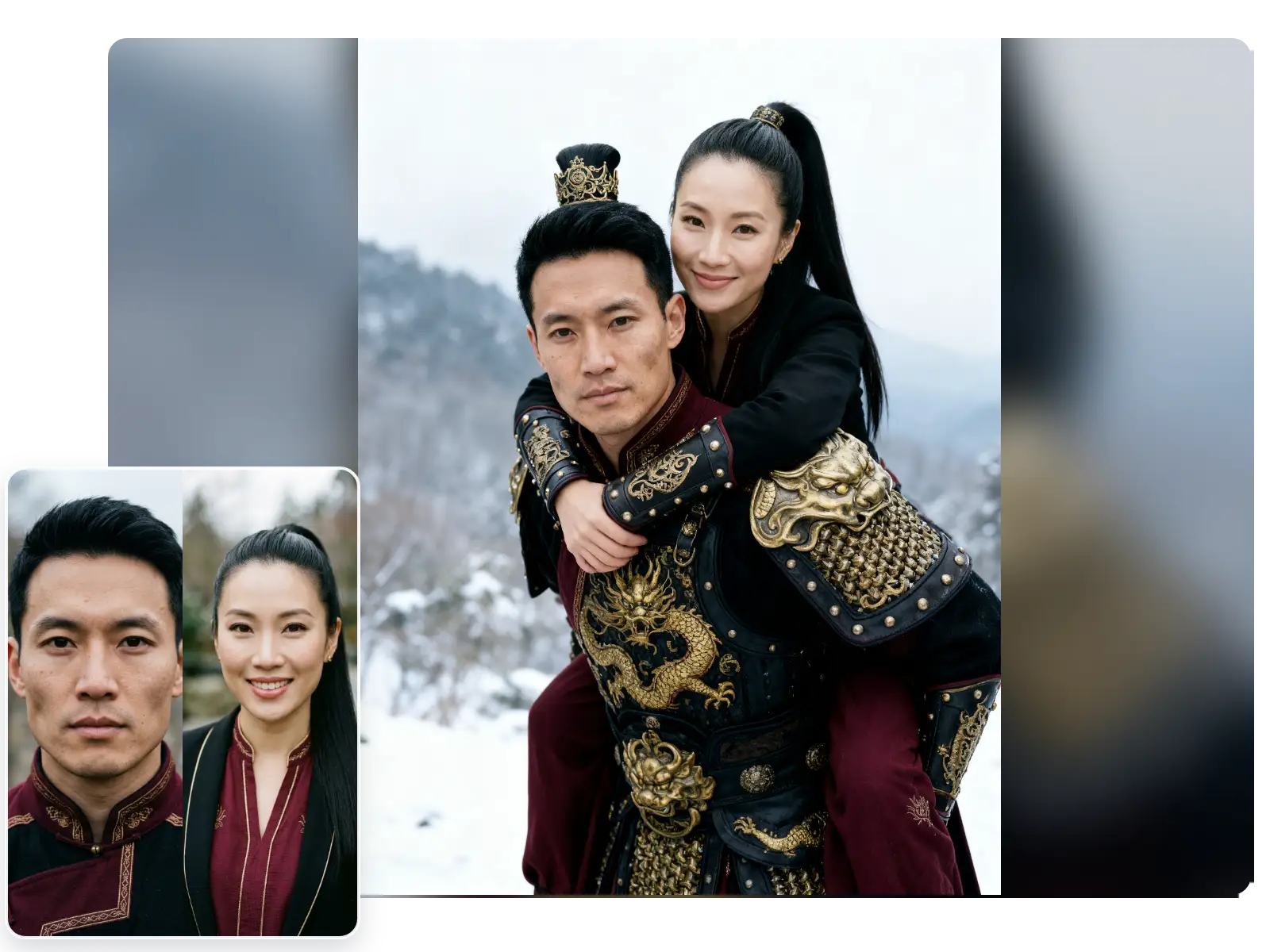
Snowy Mountain Duo Mood
Build a cold mountain backdrop with soft winter haze and close piggyback-style framing that feels protective, playful, and heroic.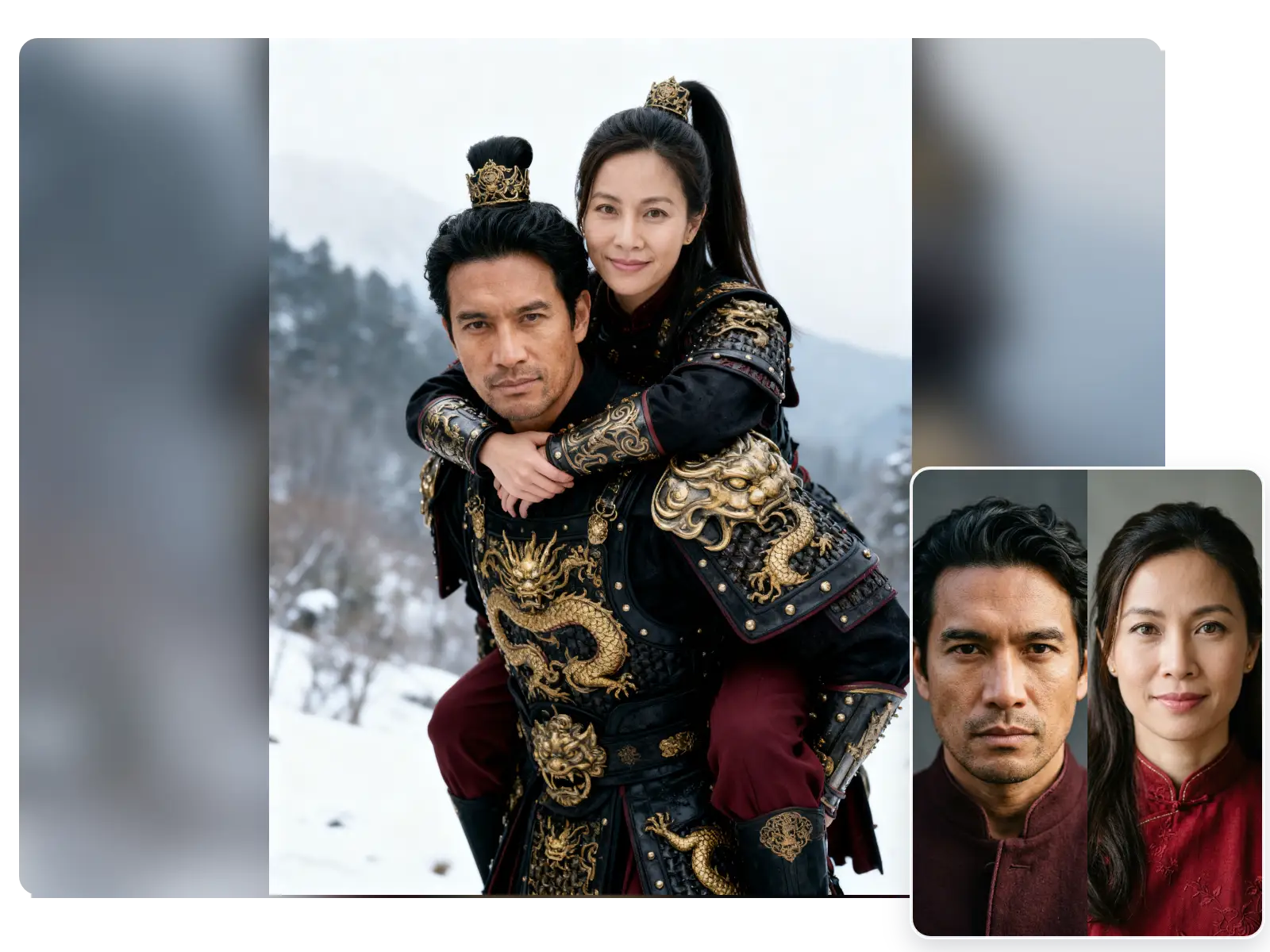
Made for Two Separate Portraits
Designed for one man and one woman upload, Chasing Jade helps align both faces into one balanced historical-fantasy couple scene.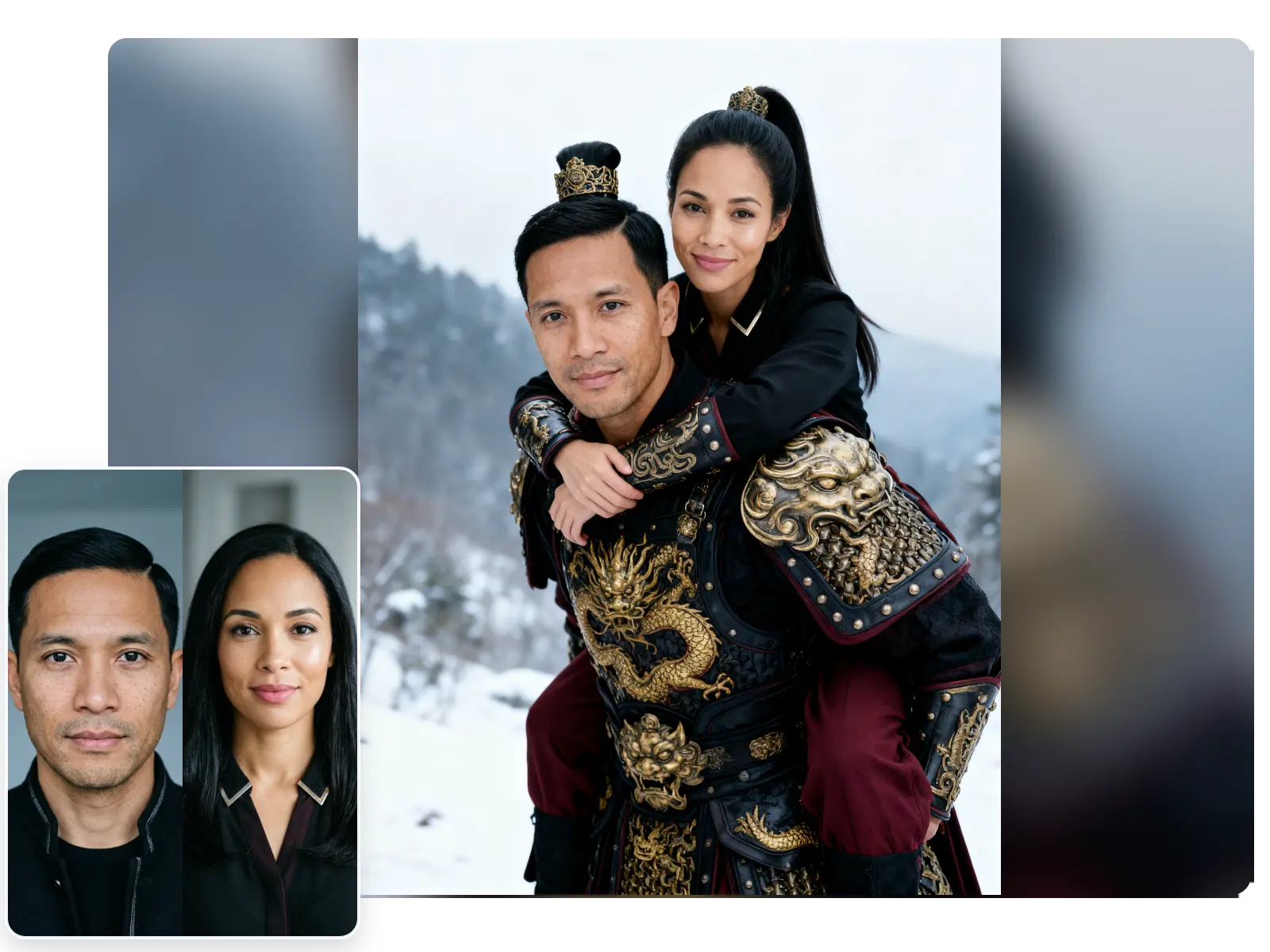
Fast Two-Photo Creation
Upload two clear portraits, choose Chasing Jade, and get a polished warrior-couple image you can download or share in a few taps.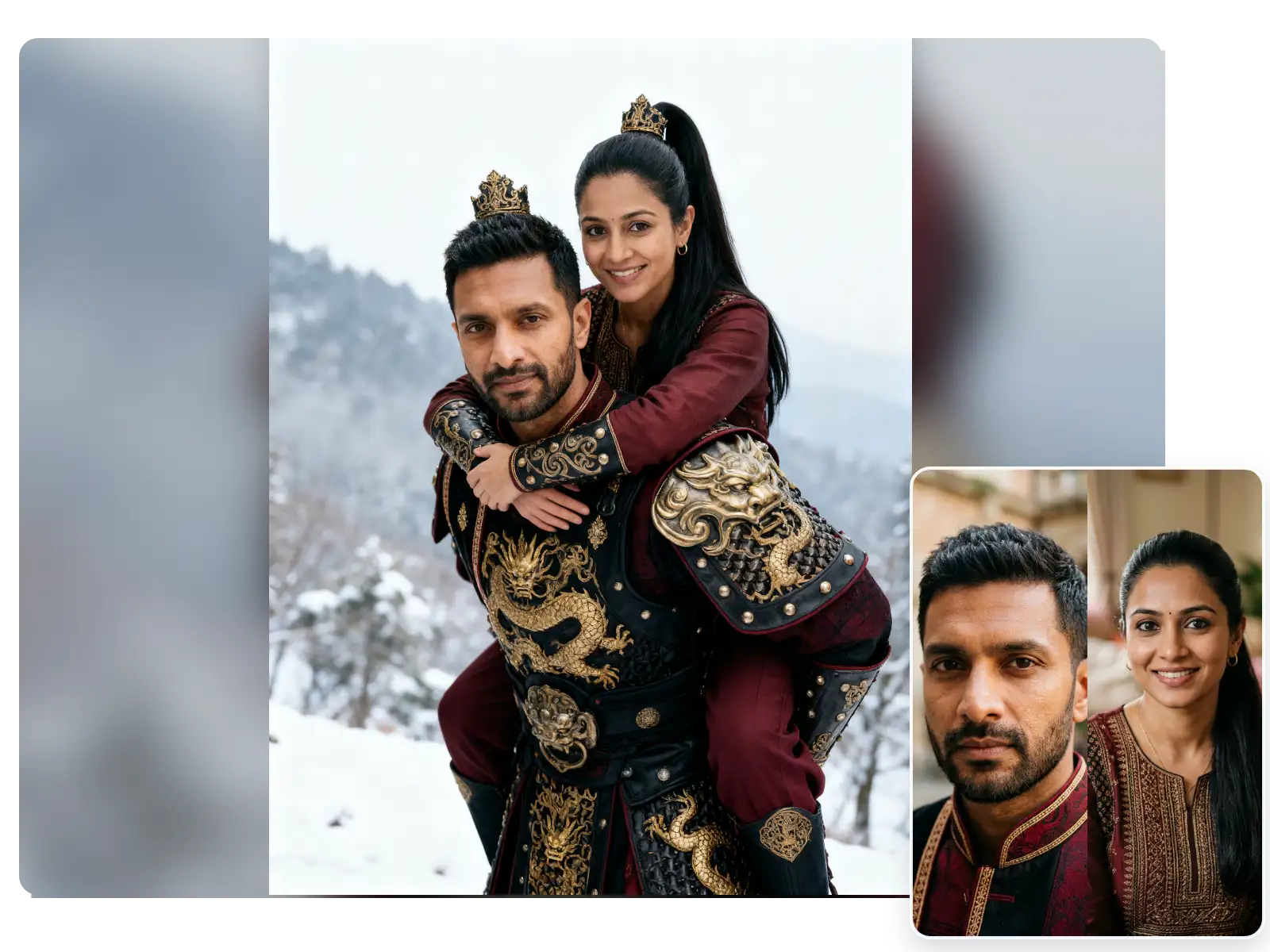
More Valuable Features from Dreamface
AI Filter
Try more anime, illustrated, and stylized looks on the same photo when users want to compare this filter with other visual transformations.
Background Remover
Remove busy backgrounds before generation so portraits, couple shots, and pet photos keep more focus on the main subject.
Photo Enhance
Sharpen blurry photos and recover detail before using the filter for cleaner faces, textures, and more polished final results.
AI Hug
Create warm hugging animations when the template leans more comforting, sweet, reunion-like, or emotionally soft than overtly romantic.
Frequently Asked Questions
Do I need one male photo and one female photo for Chasing Jade?
Yes. This template is built for a two-person man-and-woman result, so one clear portrait for each role gives the most natural warrior-couple styling.
What kind of photos work best for this snowy warrior look?
Use front-facing or slightly angled portraits with good face lighting, visible hairlines, and uncluttered backgrounds. Clean head-and-shoulders shots usually work best.
Will Chasing Jade add the dragon armor and crown details automatically?
Yes. The template is designed around dark red-and-black royal armor, gold dragon motifs, and regal headpiece styling, so those details are part of the generated look.
Does the filter create the snowy mountain background and close pose?
It can place both subjects into a cold outdoor fantasy setting with winter scenery and a close heroic pose inspired by the template's piggyback-style composition.
Can selfies still work, or do I need professional portraits?
Regular selfies can work well as long as the faces are sharp, evenly lit, and not heavily cropped. Avoid sunglasses, face obstruction, or strong filters on the source photos.
How long does it take to generate and download?
Generation is usually quick. After upload, just select the template, create the image, and download or share the finished result once it is ready.