DreamFace
- AI Tools
- Template
- Gallery
- Blog
- Pricing
- API


Language
En- English
- Português
- 简体中文
- 繁體中文
- 日本語
- Español
- Bahasa Indonesia
- ไทย
- Tiếng Việt
- हिन्दी
- Русский
- Italiano
- 한국어
- मराठी
- Nederlands
- Norsk
- ਪੰਜਾਬੀ
- Polski
- Dansk
- Suomi
- Français
- Deutsch
- Svenska
- Kiswahili
- తెలుగు
- Türkçe
- বাংলা
- اردو
- العربية
- فارسی
- Ελληνικά
Language
Start Now
LEGO Character
Upload Image
Click to upload an image
Try with our sample images
Sample Filter


4.9
'%3e%3cg%3e%3cpath%20d='M11.1034615625,1.816990478790283C11.4702615625,1.0737404787902831,12.5300515625,1.0737404787902831,12.8968515625,1.816990478790283L15.2941515625,6.674462478790283C15.4398515625,6.969602478790283,15.7214515625,7.174172478790283,16.047151562499998,7.221502478790283L21.4076515625,8.000432478790284C22.2278515625,8.119612478790284,22.5553515625,9.127592478790284,21.9618515625,9.706122478790283L18.0829515625,13.487052478790282C17.8472515625,13.716852478790283,17.7397515625,14.047852478790283,17.7953515625,14.372252478790283L18.7110515625,19.711052478790283C18.8511515625,20.527952478790283,17.9937515625,21.150952478790284,17.2601515625,20.765252478790284L12.4654515625,18.244552478790283C12.1741515625,18.091452478790284,11.8261515625,18.091452478790284,11.5348615625,18.244552478790283L6.7402115625,20.765252478790284C6.0065815625,21.150952478790284,5.1491515625,20.527952478790283,5.2892615625,19.711052478790283L6.2049515625,14.372252478790283C6.2605915625,14.047852478790283,6.1530415625,13.716852478790283,5.9173515625,13.487052478790282L2.0384295625,9.706122478790283C1.4449195625,9.127592478790284,1.7724199625,8.119612478790284,2.5926495625,8.000432478790284L7.9531815625,7.221502478790283C8.2788915625,7.174172478790283,8.560461562499999,6.969602478790283,8.7061215625,6.674462478790283L11.1034615625,1.816990478790283Z'%20fill='%23F0A000'%20fill-opacity='1'%20style='mix-blend-mode:passthrough'/%3e%3c/g%3e%3cg%20mask='url(%23master_svg1_5_13539)'%3e%3c/g%3e%3c/g%3e%3c/svg%3e)
Chrome Store

Global Users

4.9
Apple Store
Trusted by Leading Institutions Worldwide












How to Use the Brick-Style Character Filter
step 1 Choose the LEGO Character Filter
Open the LEGO Character filter in DreamFace to start a playful photo-to-character transformation designed for avatars, profile pictures and social posts.
step 2 Upload One Clear Portrait
Add a selfie or portrait with one visible face. Good lighting, a simple background and minimal blur help the AI create a cleaner brick-style character.
step 3 Generate and Share Your Avatar
Click Create to generate your brick-style character image, then download it for social profiles, messages, creative projects or fun before-and-after posts.
AI LEGO-Style Character Filter Features
Photo to Brick-Style Character
Turn a selfie or portrait into a playful brick-style character with blocky shapes, bright toy-like colors and a fun avatar look while keeping the face recognizable..webp)
Recognizable Blocky Avatar
DreamFace keeps key facial cues from your photo, then rebuilds the portrait into a clean blocky character that feels personal, colorful and easy to share.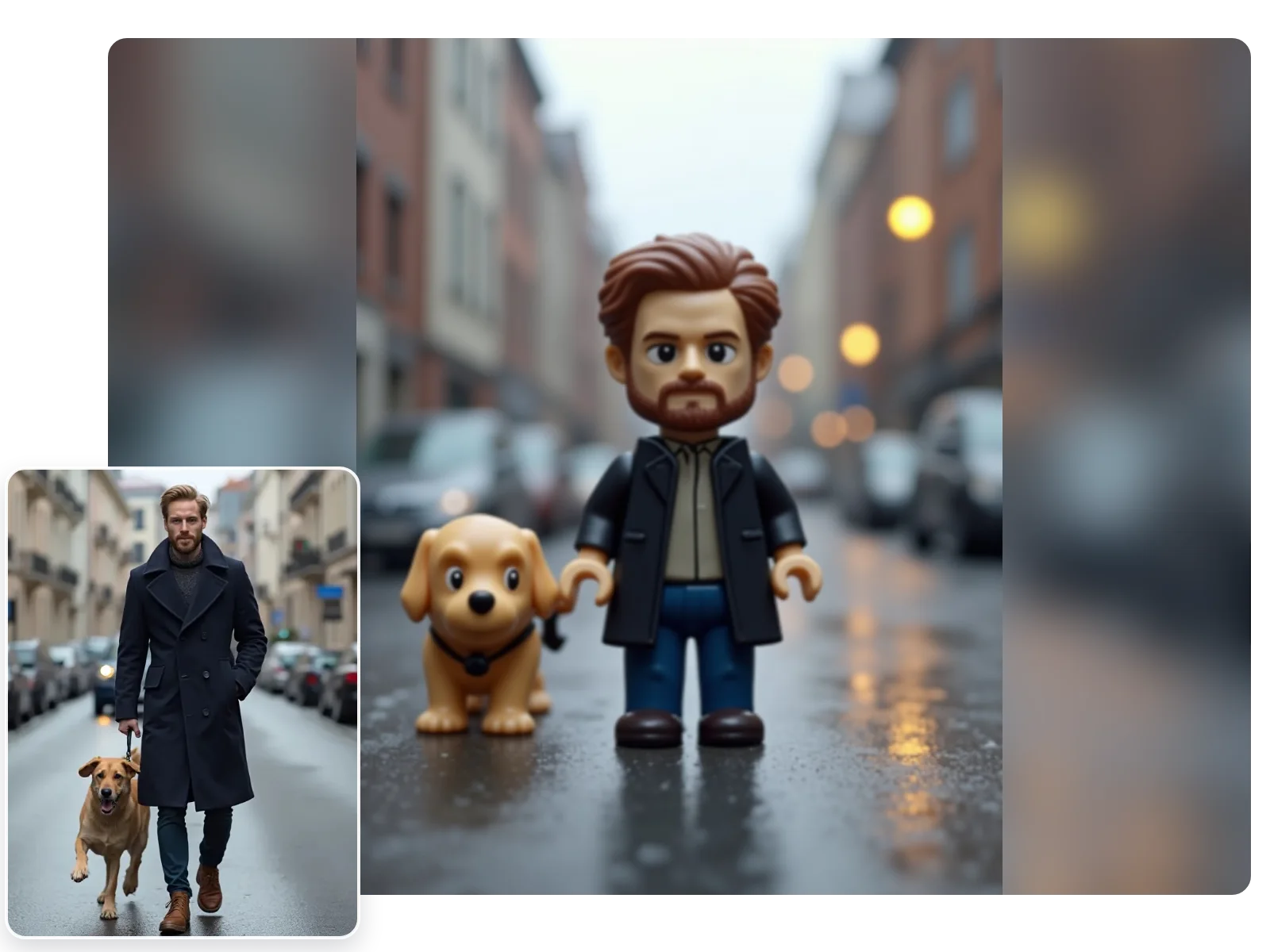
Toy-Like Character Details
Create a character effect with simplified features, smooth plastic-like styling, bold shapes and a playful toy-world feel for profiles, chats and social posts..webp)
Fast Brick-Style Character Filter
No Photoshop, prompt writing or manual editing. Upload one clear portrait, choose the LEGO Character filter and generate a downloadable avatar in seconds.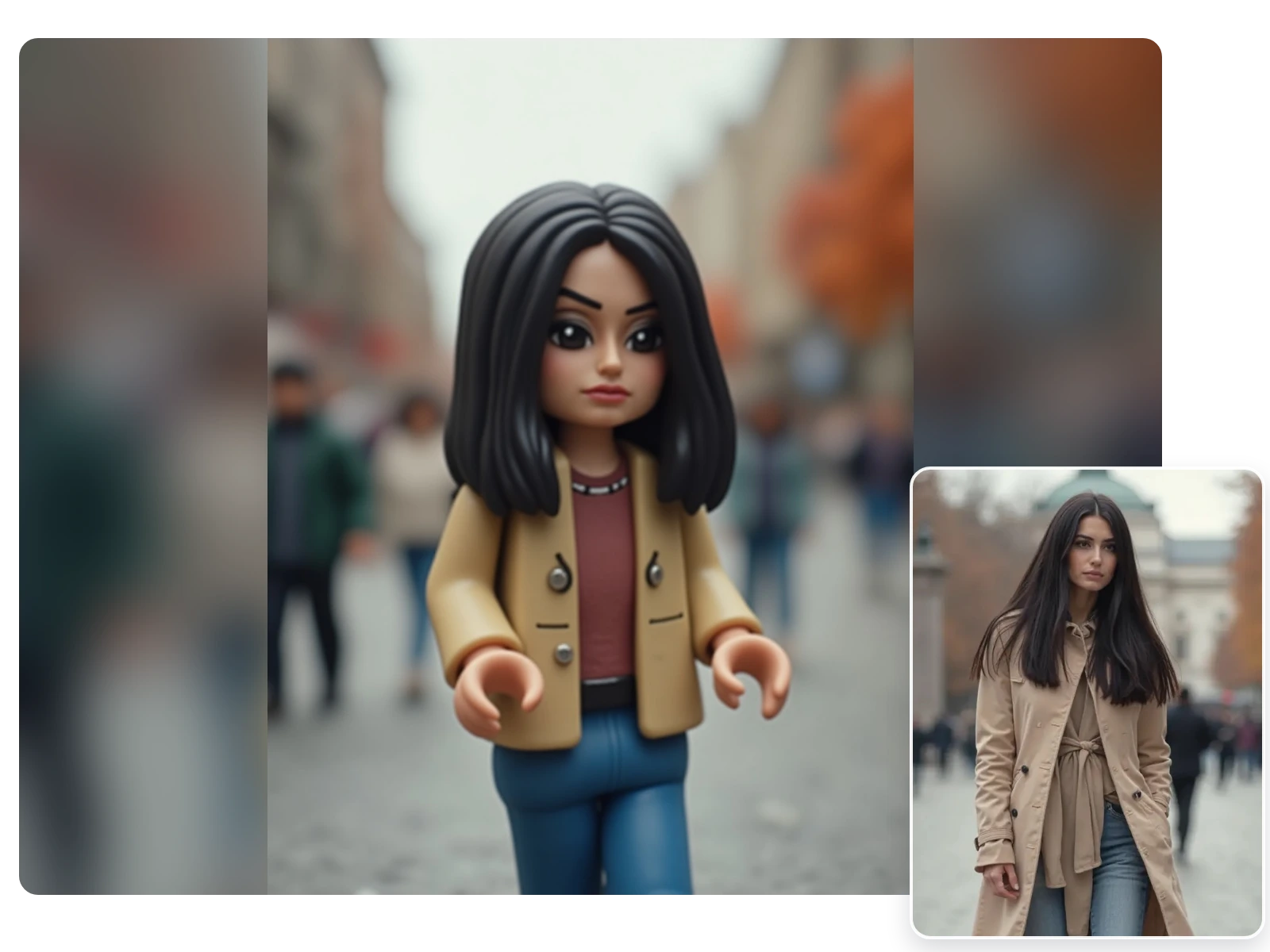
More Valuable Features from Dreamface
AI Lego Generator
Create more LEGO-style portraits, brick-style avatars and toy-inspired character images from everyday photos.
AI Filter
Try more DreamFace AI filters for cartoon portraits, stylized avatars, creative characters and one-photo transformations.
Photo Enhance
Sharpen blurry portraits before generation so the brick-style character result starts from a clearer source photo.
Background Remover
Remove busy backgrounds after creating your brick-style avatar so the final image is easier to use as a profile picture or sticker.