
'%3e%3cg%3e%3cpath%20d='M12.04834,6.05824C12.09325,4.8457799999999995,12.43703,3.78081,13.0715,2.89055C13.7092,1.995784,14.7633,1.3601670000000001,16.2063,1C16.215899999999998,1.0440338,16.2259,1.088092,16.2363,1.131979L16.2363,1.3623509999999999C16.2363,1.884725,16.1084,2.48372,15.856,3.14258C15.5915,3.78052,15.1781,4.38093,14.6291,4.92281C14.1157,5.40028,13.6406,5.71638,13.2207,5.85928C13.0822,5.9003,12.89209,5.94066,12.66255,5.97701C12.45842,6.00853,12.25362,6.03563,12.04834,6.05824ZM12.28933,7.85741C10.6594,7.85741,9.52778,6.42896,7.91997,6.42896C6.31224,6.42896,3,7.89332,3,12.9488C3,18.0043,5.94131,21.2617,6.27029,21.642C6.599209999999999,22.0224,7.36005,23,8.5387,23C9.71744,23,11.00787,22.0715,12.28933,22.0715C13.5707,22.0715,15.1836,23,16.2365,23C17.2895,23,17.7226,22.5747,18.4392,21.8411C19.1558,21.1074,20.5227,18.8686,21,17.5248C20.2137,17.061,18.1298,15.8019,18.1298,12.9488C18.1298,11.0468,18.831200000000003,9.4667,20.2341,8.20853C19.3138,7.02216,18.2464,6.42896,17.0318,6.42896C15.2099,6.42896,13.9193,7.85741,12.28933,7.85741Z'%20fill='%23000000'%20fill-opacity='1'/%3e%3c/g%3e%3c/g%3e%3c/svg%3e)
'%3e%3cg%3e%3cpath%20d='M6.2985500000000005,2L14.60082,10.81153L16.7432,8.537289999999999C13.81573,6.65184,9.89484,4.122529999999999,8.13152,2.985321L6.95017,2.225593C6.74135,2.090554,6.5177700000000005,2.0178354,6.2985500000000005,2ZM5.0312551,3.05499C5.0144537,3.1518100000000002,5,3.24911,5,3.35357L5,20.7675C5,20.8406,5.0138389,20.9085,5.0234395,20.9782L13.4695,12.0125L5.0312551,3.05499ZM18.1511,9.444659999999999L15.7321,12.0125L18.1089,14.5354C19.3682,13.7252,20.2405,13.1626,20.3372,13.1007C20.7653,12.8229,21.007,12.4039,20.9998,11.94614C20.9934,11.49683,20.7516,11.09514,20.340400000000002,10.84799C20.2484,10.79194,19.387999999999998,10.24048,18.1511,9.444659999999999ZM14.60082,13.2134L6.3235600000000005,22C6.48437,21.9703,6.64498,21.9194,6.79859,21.8209C7.01141,21.6833,12.76069,17.9805,16.701,15.4428L14.60082,13.2134Z'%20fill='%23000000'%20fill-opacity='1'/%3e%3c/g%3e%3c/g%3e%3c/svg%3e)


4.9
'%3e%3cg%3e%3cpath%20d='M11.1034615625,1.816990478790283C11.4702615625,1.0737404787902831,12.5300515625,1.0737404787902831,12.8968515625,1.816990478790283L15.2941515625,6.674462478790283C15.4398515625,6.969602478790283,15.7214515625,7.174172478790283,16.047151562499998,7.221502478790283L21.4076515625,8.000432478790284C22.2278515625,8.119612478790284,22.5553515625,9.127592478790284,21.9618515625,9.706122478790283L18.0829515625,13.487052478790282C17.8472515625,13.716852478790283,17.7397515625,14.047852478790283,17.7953515625,14.372252478790283L18.7110515625,19.711052478790283C18.8511515625,20.527952478790283,17.9937515625,21.150952478790284,17.2601515625,20.765252478790284L12.4654515625,18.244552478790283C12.1741515625,18.091452478790284,11.8261515625,18.091452478790284,11.5348615625,18.244552478790283L6.7402115625,20.765252478790284C6.0065815625,21.150952478790284,5.1491515625,20.527952478790283,5.2892615625,19.711052478790283L6.2049515625,14.372252478790283C6.2605915625,14.047852478790283,6.1530415625,13.716852478790283,5.9173515625,13.487052478790282L2.0384295625,9.706122478790283C1.4449195625,9.127592478790284,1.7724199625,8.119612478790284,2.5926495625,8.000432478790284L7.9531815625,7.221502478790283C8.2788915625,7.174172478790283,8.560461562499999,6.969602478790283,8.7061215625,6.674462478790283L11.1034615625,1.816990478790283Z'%20fill='%23F0A000'%20fill-opacity='1'%20style='mix-blend-mode:passthrough'/%3e%3c/g%3e%3cg%20mask='url(%23master_svg1_5_13539)'%3e%3c/g%3e%3c/g%3e%3c/svg%3e)
Chrome Store
Download the DreamFace App to Create Anywhere
Language
EnglishDreamFace Text To Speech is a next-generation AI voice engine built for creators, marketers, educators, and storytellers. Powered by advanced neural speech synthesis, it delivers realistic pronunciation, emotional nuance, and smooth pacing across multiple voice styles and languages.
Try with our samples
 Jackson babyFemale|Child
 GraceFemale
 Nina-1.2xFemale|Rapid
Chrome Store

Apple Store
Global Users
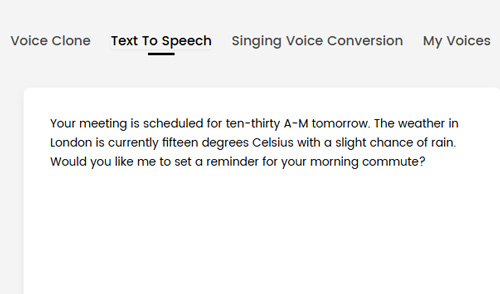
Type or paste your script into the editor. You can write from scratch or refine your content using the built-in AI writing assistant.
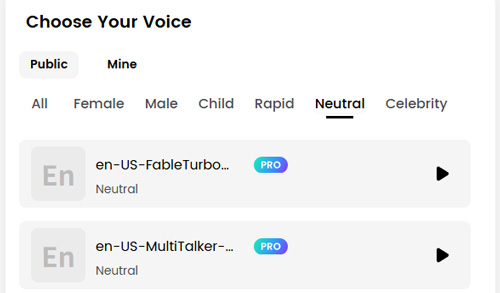
Browse a diverse library of voices and preview tones, emotions, and speaking speeds to match your content’s purpose.

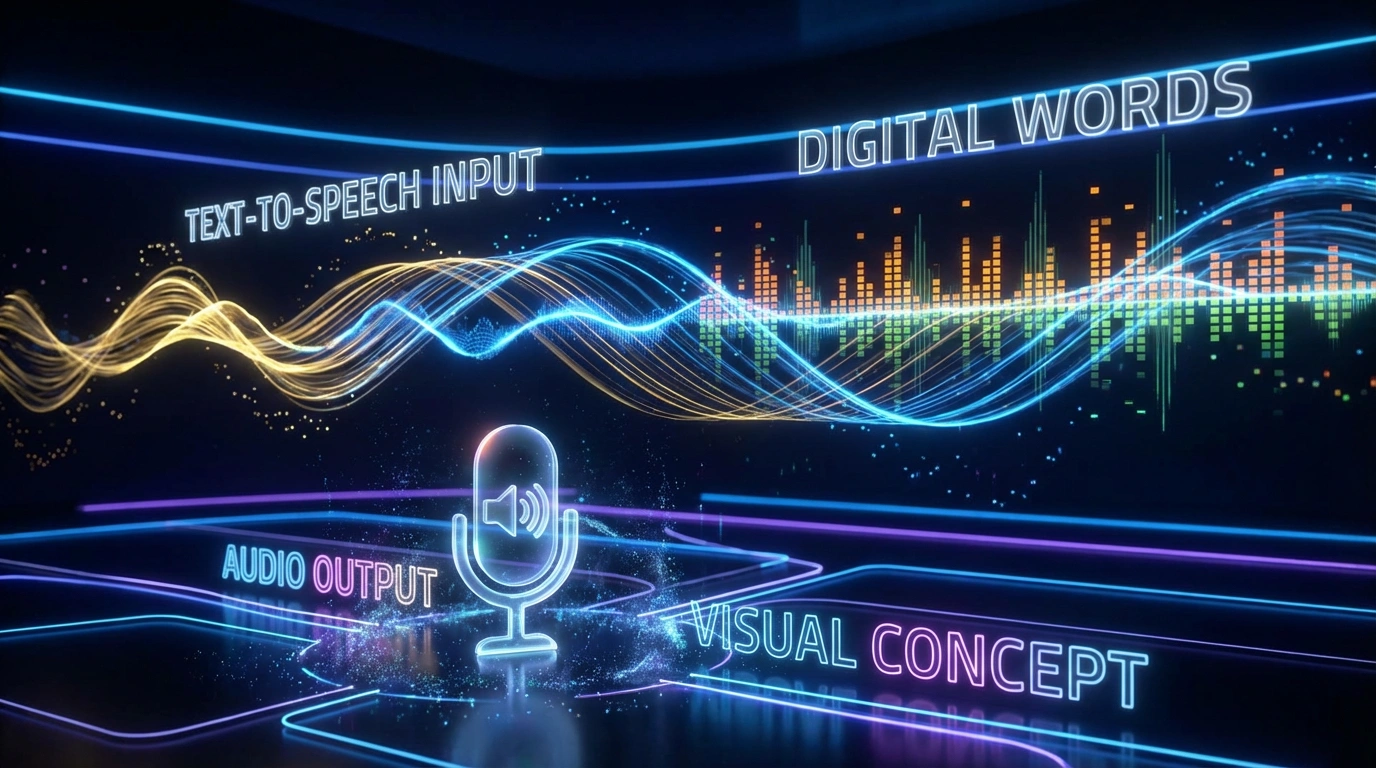
Click generate to instantly create high-fidelity audio, ready for videos, podcasts, presentations, or animations.
















What Users Are Saying
Voices That Actually Sound Human
I’ve tried a lot of TTS tools, but this one genuinely surprised me. The voice sounds natural, with smooth pacing and clear pronunciation. It works perfectly for narration and short-form videos without that robotic feel.Saved Me Hours on Voiceovers
Instead of recording multiple takes, I now generate clean audio in seconds. The speed control and voice options make it easy to match different content styles. It’s become a core part of my workflow.Great for Multilingual Content
I use Text to Speech for international videos, and the results are consistently clear. Switching languages and voices is seamless, and the pronunciation feels accurate. It’s incredibly helpful for reaching a wider audience.Perfect for Social Media Videos
The voices fit perfectly with reels, shorts, and TikToks. I can test different tones quickly and see what works best. It’s fast, flexible, and doesn’t require any audio editing skills.Professional Quality Without a Studio
I don’t have recording equipment, but the output sounds studio-ready. The audio is clean and balanced, even for longer scripts. It’s ideal for presentations, explainers, and educational content.More Than Just Basic Text to Speech
What I like most is that it’s part of a bigger Voice Studio. Between script polishing, voice options, and future features, it feels like a complete solution. It’s simple to use but powerful when you need more control.Voices That Actually Sound Human
I’ve tried a lot of TTS tools, but this one genuinely surprised me. The voice sounds natural, with smooth pacing and clear pronunciation. It works perfectly for narration and short-form videos without that robotic feel.Saved Me Hours on Voiceovers
Instead of recording multiple takes, I now generate clean audio in seconds. The speed control and voice options make it easy to match different content styles. It’s become a core part of my workflow.Great for Multilingual Content
I use Text to Speech for international videos, and the results are consistently clear. Switching languages and voices is seamless, and the pronunciation feels accurate. It’s incredibly helpful for reaching a wider audience.Perfect for Social Media Videos
The voices fit perfectly with reels, shorts, and TikToks. I can test different tones quickly and see what works best. It’s fast, flexible, and doesn’t require any audio editing skills.Professional Quality Without a Studio
I don’t have recording equipment, but the output sounds studio-ready. The audio is clean and balanced, even for longer scripts. It’s ideal for presentations, explainers, and educational content.More Than Just Basic Text to Speech
What I like most is that it’s part of a bigger Voice Studio. Between script polishing, voice options, and future features, it feels like a complete solution. It’s simple to use but powerful when you need more control.