DreamFace

En
    Language
  • English
  • Português
  • 简体中文
  • 繁體中文
  • 日本語
  • Español
  • Bahasa Indonesia
  • ไทย
  • Tiếng Việt
  • हिंदी
  • Русский
  • Italiano
  • 한국어
  • मराठी
  • Nederlands
  • Norsk
  • ਪੰਜਾਬੀ
  • Polski
  • Dansk
  • Suomi
  • Français
  • Deutsch
  • Svenska
  • Kiswahili
  • తెలుగు
  • Türkçe
  • বাংলা
  • اردو
  • العربية
  • فارسی
  • Ελληνικά
Start Now
left
Chrome Store
4.9

Chrome Store

right
left
20,000,000+

Global Users

right
left
Apple Store
4.9

Apple Store

right

We trusted by Famous institutions worldwide

How to Use AI Face Swap Online

step1

Upload a Face Photo

Upload a clear front-facing photo so DreamFace can detect facial details, expression points, and face shape before creating the AI face swap.

step2

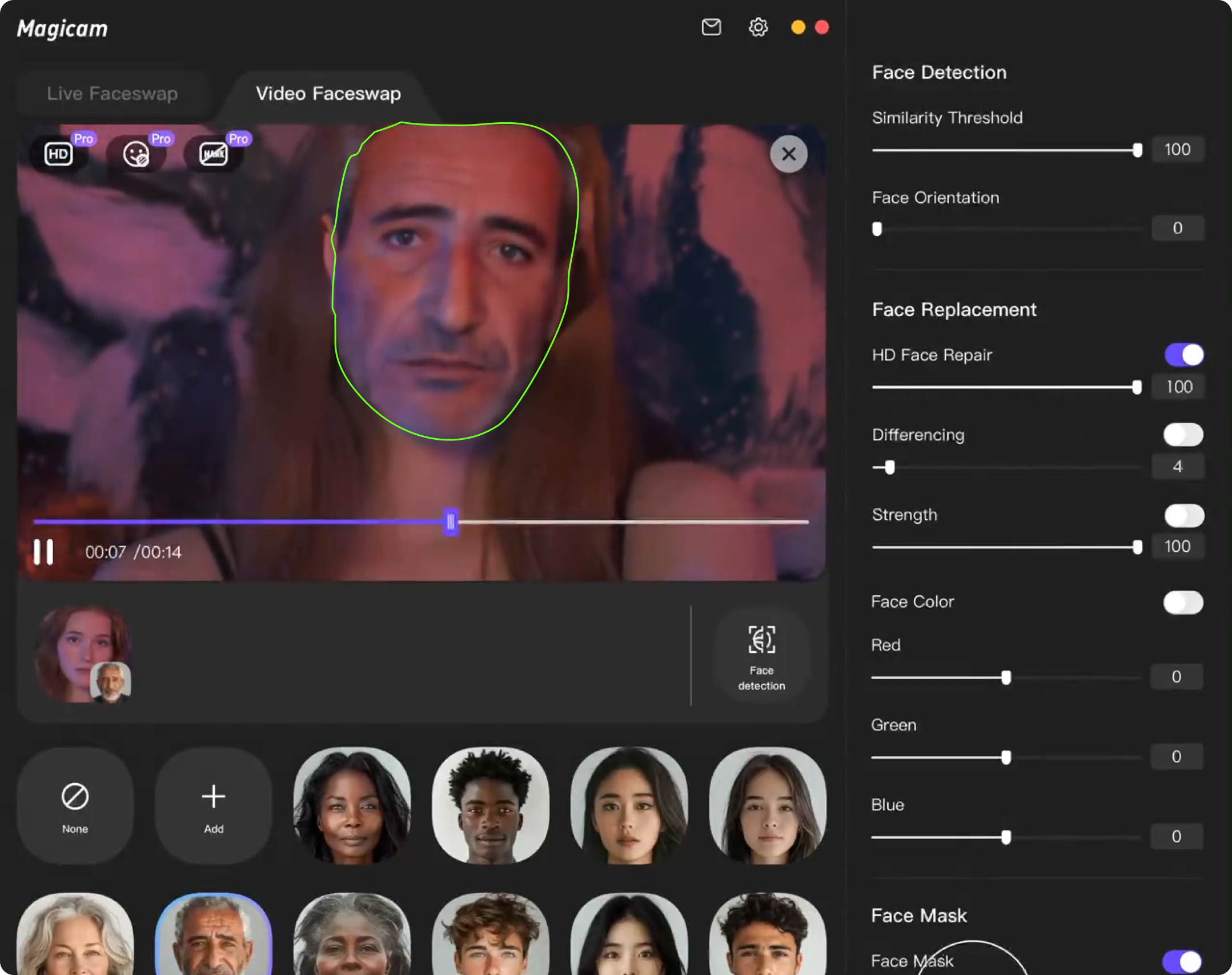
Choose a Face Swap Video

Pick a ready-made video template or upload your own clip. DreamFace matches your photo to the video so the face swap looks natural in motion.

step3

Generate and Download Your Swap

Create your AI face swap video, preview the result, and download a share-ready clip for TikTok, Reels, presentations, memes, or personal projects.
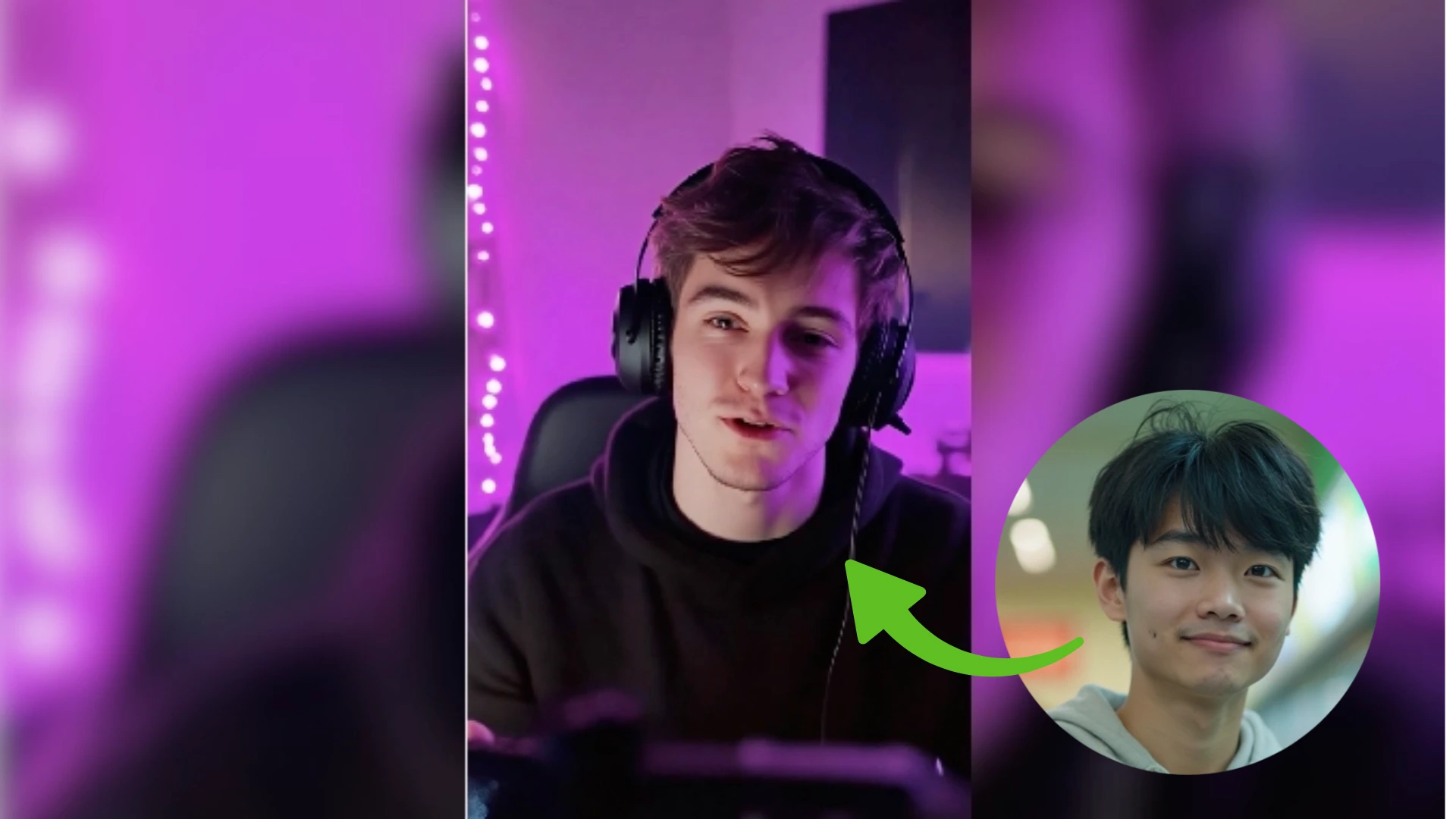
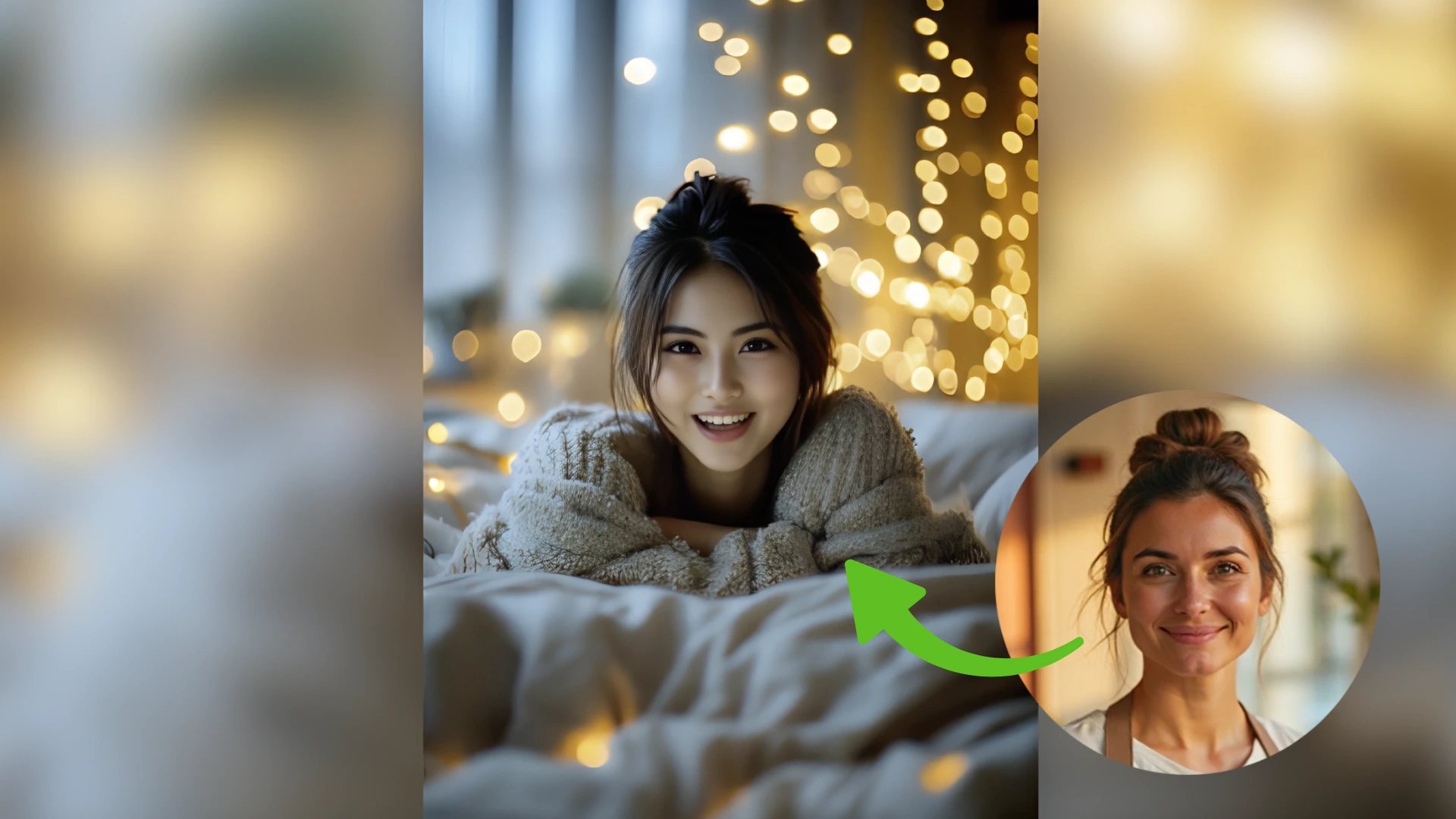
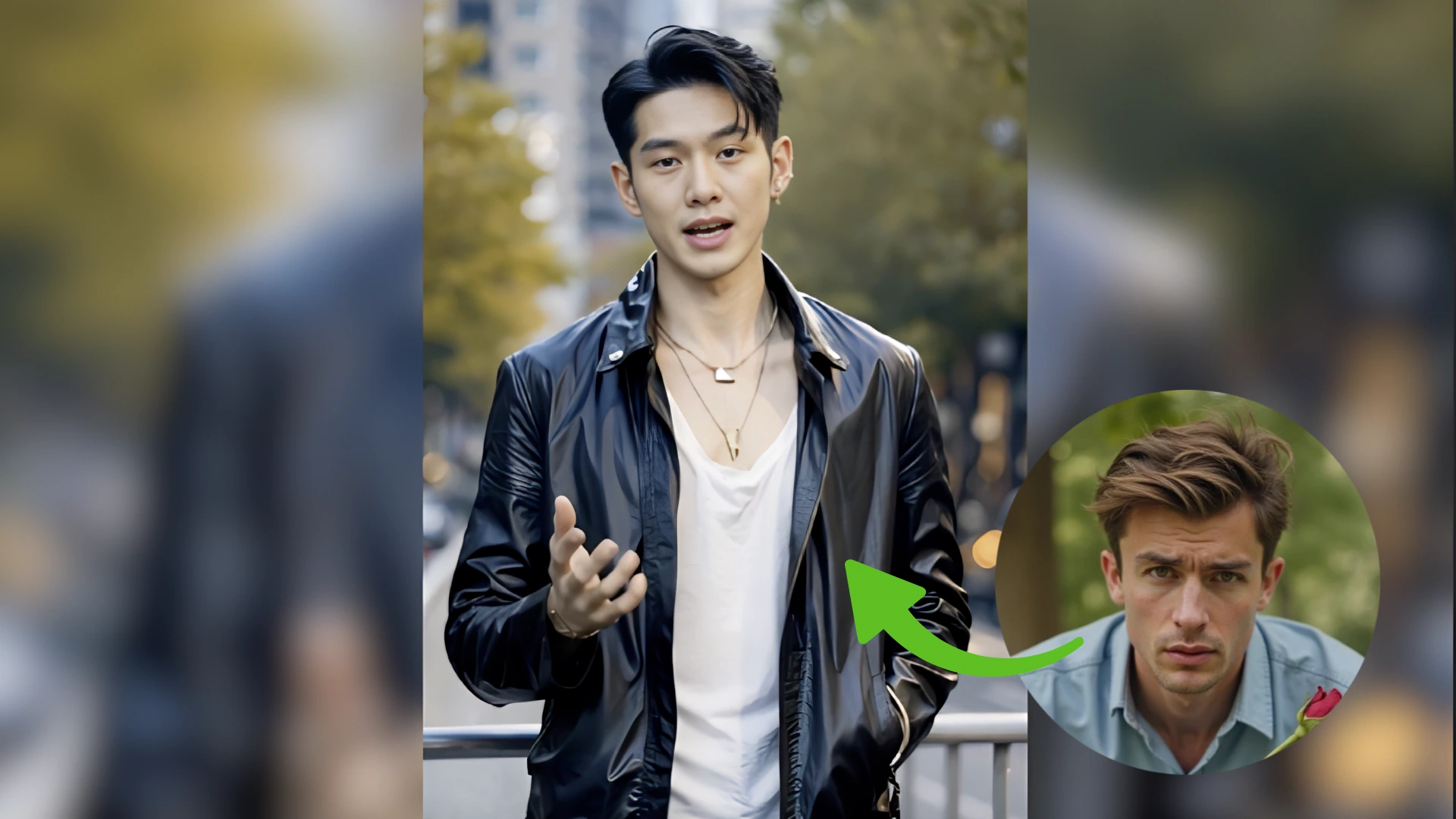
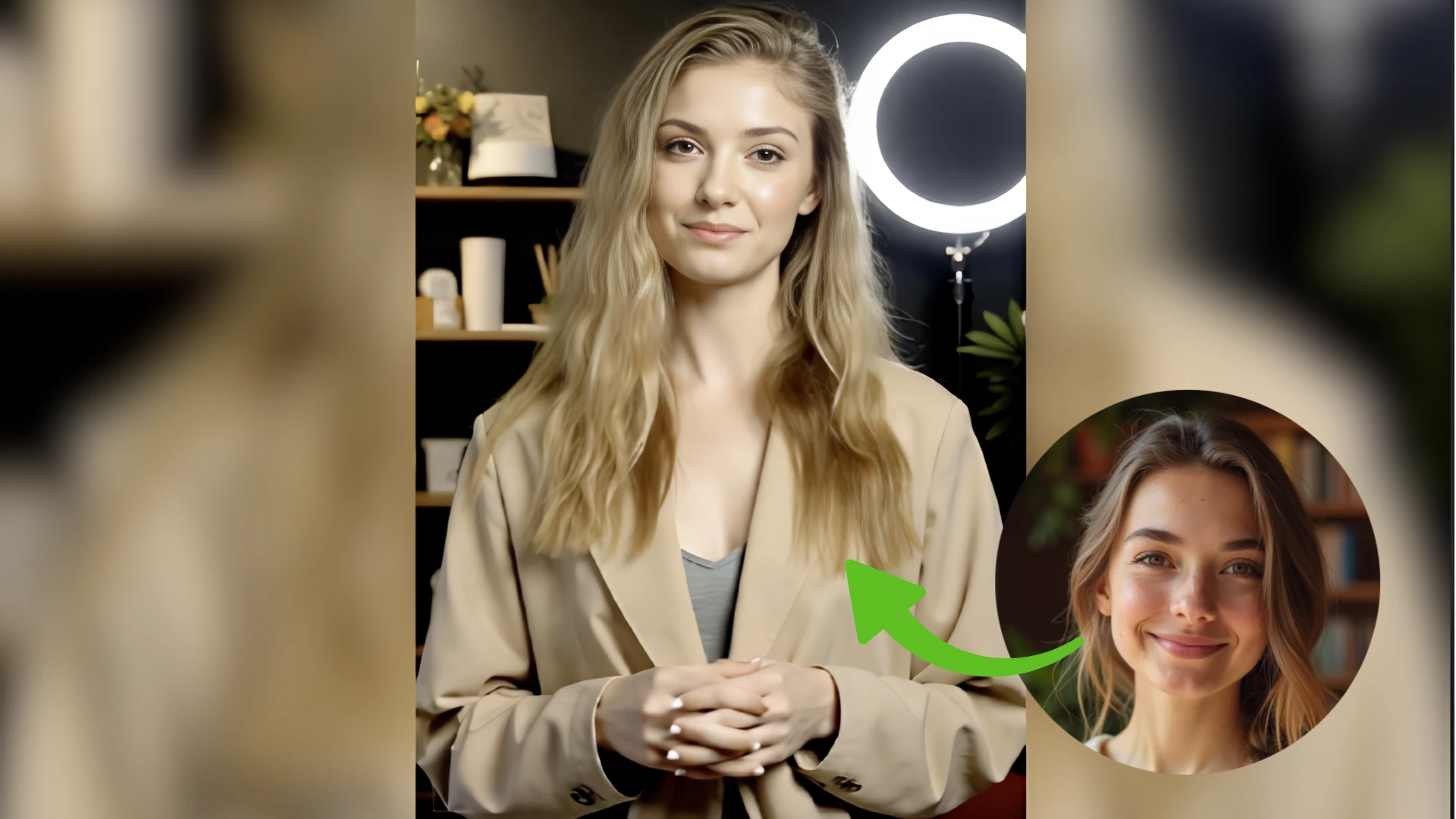
AI Face Swap Features for Realistic Video Results

Realistic AI Face Swap for Videos

Swap faces in videos with natural alignment, expression matching, and smooth blending. DreamFace helps your uploaded face follow the movement and mood of the original clip.
Realistic AI Face Swap for Videos

Template and Custom Video Face Swap

Start fast with face swap templates or upload your own video for a custom result. Create character clips, creator videos, presentations, and shareable social content.
Template and Custom Video Face Swap

Face Swap Videos for Social and Work

Use AI face swap online for short-form posts, avatar videos, marketing drafts, entertainment, and personal projects without learning complex video editing software.
Face Swap Videos for Social and Work

Online Face Swap Tool, Safe to Try

Create face swap videos directly online with a free trial and secure processing. Upload your photo, test the result, and download when the video looks right.
Online Face Swap Tool, Safe to Try

Frequently Asked Questions

Why Choose DreamFace AI Face Swap Online

Photo-to-Video Face Swap

Turn one clear face photo into a realistic face swap video. DreamFace maps the face onto your selected clip so expressions, angles, and motion feel more natural.

Natural Facial Alignment

The AI face swap engine focuses on face shape, lighting, and expression consistency, helping reduce stiff cutouts and obvious edits in the final video.

Free Trial for Quick Testing

Try the online face swap workflow with free downloads, compare templates, and see whether the result fits your social post, avatar, or creative video idea.

Privacy-Focused Processing

Your uploaded photos and generated face swap videos are processed securely. For best results and responsible use, upload content you own or have permission to use.

More Valuable Features from Dreamface

Face Swap
Use real-time face and voice change for streams, meetings, and recordings when you want a live version of the face swap workflow.
AI Video Generator
Create AI videos from text, images, or templates, then build more complete clips around your face swap ideas and social content concepts.
Avatar Video
Turn a photo or clip into a talking avatar video with lip sync, voice options, and realistic facial animation for creator or business content.
Video Enhancer
Enhance resolution, sharpen details, and improve color so your face swap videos look cleaner before posting or sharing online.

They Love Dreamface

The face swap looked natural

I uploaded one clean selfie and used a short video template. The final face swap looked much more natural than the apps I had tried before.

Fast enough for social posts

I needed a quick clip for TikTok, and the whole process was simple: upload, pick a video, generate, download. No editing timeline needed.

Good for testing content ideas

I use DreamFace to mock up creator-style videos before spending time on a full shoot. It helps me see whether an idea will work visually.

Custom videos make it useful

The templates are fun, but uploading my own clip is what made the tool useful for me. I can make face swap videos that fit my own content.

Clear workflow and solid output

The steps are easy to follow, and the result was clean enough to share after one try. A better source photo made the second version even stronger.

Helpful for short-form videos

DreamFace makes it easy to create a realistic face swap video for Reels or Shorts without learning video editing software.

The face swap looked natural

I uploaded one clean selfie and used a short video template. The final face swap looked much more natural than the apps I had tried before.

Fast enough for social posts

I needed a quick clip for TikTok, and the whole process was simple: upload, pick a video, generate, download. No editing timeline needed.

Good for testing content ideas

I use DreamFace to mock up creator-style videos before spending time on a full shoot. It helps me see whether an idea will work visually.

Custom videos make it useful

The templates are fun, but uploading my own clip is what made the tool useful for me. I can make face swap videos that fit my own content.

Clear workflow and solid output

The steps are easy to follow, and the result was clean enough to share after one try. A better source photo made the second version even stronger.

Helpful for short-form videos

DreamFace makes it easy to create a realistic face swap video for Reels or Shorts without learning video editing software.