DreamFace

Language

En
    Language
  • English
  • Português
  • 简体中文
  • 繁體中文
  • 日本語
  • Español
  • Bahasa Indonesia
  • ไทย
  • Tiếng Việt
  • हिंदी
  • Русский
  • Italiano
  • 한국어
  • मराठी
  • Nederlands
  • Norsk
  • ਪੰਜਾਬੀ
  • Polski
  • Dansk
  • Suomi
  • Français
  • Deutsch
  • Svenska
  • Kiswahili
  • తెలుగు
  • Türkçe
  • বাংলা
  • اردو
  • العربية
  • فارسی
  • Ελληνικά
Start Now
Chrome Store
4.9

Chrome Store

20,000,000+

Global Users

Apple Store
4.9

Apple Store

Trusted by Leading Institutions Worldwide

How to Build a Virtual Model with AI

step 1

Describe or Upload a Reference Face

Start from a text description or an existing reference photo for the persona's look.

step 2

Lock the Look, Change the Scene

Keep the same face while adjusting outfit, pose, and setting for each new image.

step 3

Generate a Set and Download

Create a batch of consistent photos and download the ones you want to use.

Fanvue Models Generator Features

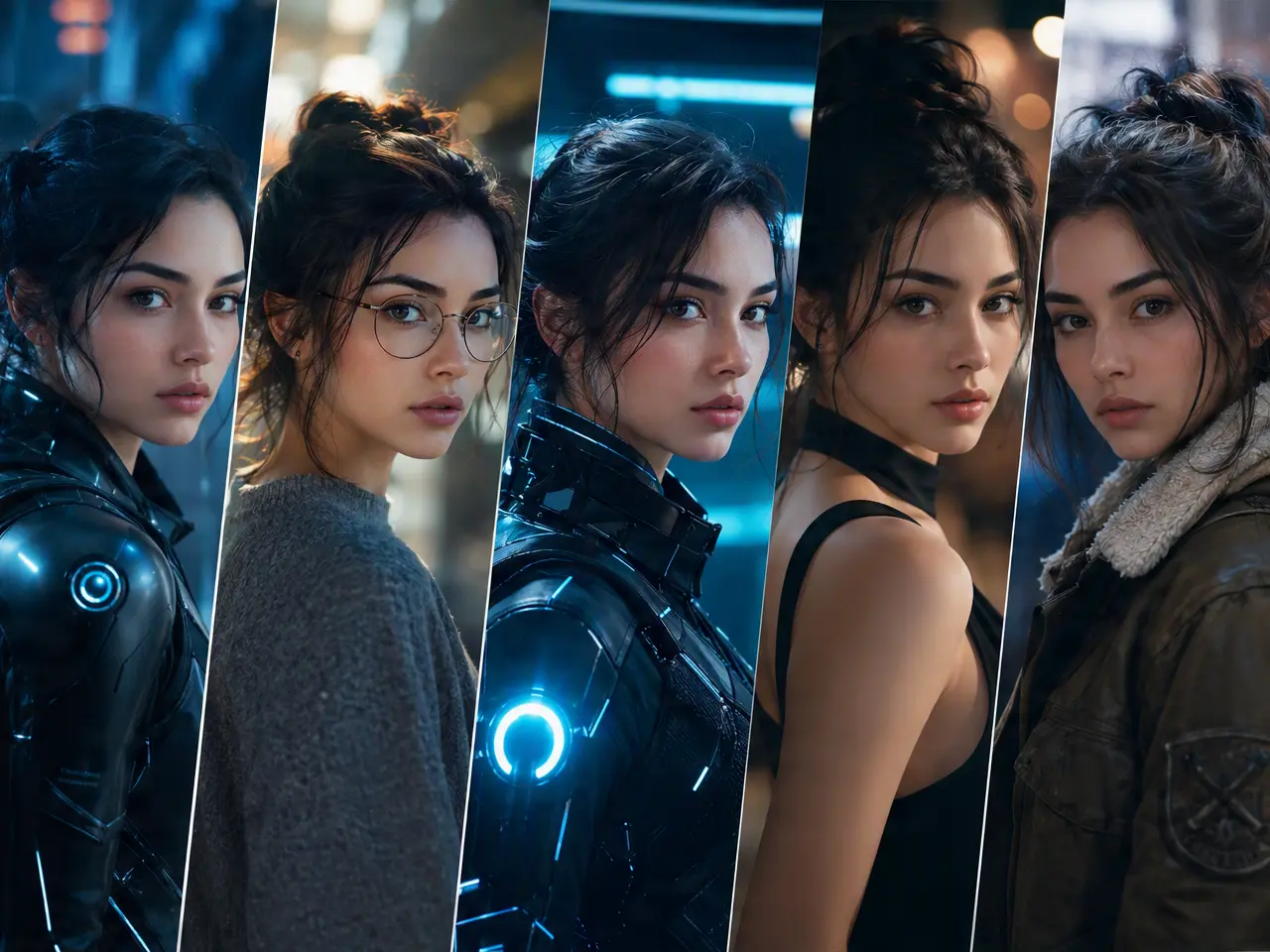
Consistent Face Across Every Photo

Lock in one face and generate new photos of the same persona instead of a different-looking face each time.
Consistent Face Across Every Photo

Multiple Outfits and Settings

Keep the face fixed while changing wardrobe, backdrop, and pose for a varied but coherent photo set.
Multiple Outfits and Settings

Portrait-Quality Output

Images come out at a resolution suited to a profile photo or content post, not a rough draft.
Portrait-Quality Output

Generate a Batch Ahead of Time

Create several looks in one session so you have a stock of images ready before you need to post.
Generate a Batch Ahead of Time

Frequently Asked Questions

Why Use DreamFace for a Virtual Model Persona?

One Face, Many Scenes

The same generated face carries across outfit and setting changes, which is the hard part of building a believable persona.

High-Resolution Portraits

Output is sized for profile photos and post-ready images, not a small preview thumbnail.

Wardrobe and Style Variety

Vary clothing, lighting, and backdrop without regenerating a new face each time.

You Decide What Gets Published

DreamFace generates the images. Publishing, labeling, and following a platform's creator and verification rules, including Fanvue's own policies, is up to you.

More Valuable Features from Dreamface

AI Video Generator
Create AI product videos, ad clips, launch teasers, ecommerce demos, and social product content from prompts, images, or templates.
AI Video
Use DreamFace AI Video to turn static product images or text into lifelike video animations with templates, references, and start or end frames.
Video Enhancer
Enhance product clips with AI upscaling, sharper details, better color, and higher-resolution output before publishing ads or ecommerce videos.
Background Remover
Remove product photo backgrounds and prepare clean cutouts for product video scenes, ads, marketplace clips, and branded social promos.

They Love Dreamface

Consistency Was the Hard Part

Every AI photo tool I tried before gave me a slightly different face each time, this actually held the look steady.

Batched a Week of Content

Generated a set of looks in one sitting instead of starting from scratch for every post.

Good Starting Point

I used it to test a persona concept before deciding whether to invest more time building out a profile.

Appreciated the Disclosure Reminder

The FAQ nudging me to label AI content properly was a useful reminder, not something I would have thought to check.

Wardrobe Variety Helped

Being able to change outfits without losing the face made the set feel like one person, not five different renders.

Quick to Test Ideas

Tried a few different looks before settling on the one I wanted to build a profile around.

Consistency Was the Hard Part

Every AI photo tool I tried before gave me a slightly different face each time, this actually held the look steady.

Batched a Week of Content

Generated a set of looks in one sitting instead of starting from scratch for every post.

Good Starting Point

I used it to test a persona concept before deciding whether to invest more time building out a profile.

Appreciated the Disclosure Reminder

The FAQ nudging me to label AI content properly was a useful reminder, not something I would have thought to check.

Wardrobe Variety Helped

Being able to change outfits without losing the face made the set feel like one person, not five different renders.

Quick to Test Ideas

Tried a few different looks before settling on the one I wanted to build a profile around.