DreamFace
- AI Tools
- Template
- Gallery
- Blog
- Pricing
- API


Language
En- English
- Português
- 简体中文
- 繁體中文
- 日本語
- Español
- Bahasa Indonesia
- ไทย
- Tiếng Việt
- हिंदी
- Русский
- Italiano
- 한국어
- मराठी
- Nederlands
- Norsk
- ਪੰਜਾਬੀ
- Polski
- Dansk
- Suomi
- Français
- Deutsch
- Svenska
- Kiswahili
- తెలుగు
- Türkçe
- বাংলা
- اردو
- العربية
- فارسی
- Ελληνικά
Language
Start Now
Old Photo Restoration
Upload Image
Click to upload an image
Try with our sample images
Sample Filter


4.9
'%3e%3cg%3e%3cpath%20d='M11.1034615625,1.816990478790283C11.4702615625,1.0737404787902831,12.5300515625,1.0737404787902831,12.8968515625,1.816990478790283L15.2941515625,6.674462478790283C15.4398515625,6.969602478790283,15.7214515625,7.174172478790283,16.047151562499998,7.221502478790283L21.4076515625,8.000432478790284C22.2278515625,8.119612478790284,22.5553515625,9.127592478790284,21.9618515625,9.706122478790283L18.0829515625,13.487052478790282C17.8472515625,13.716852478790283,17.7397515625,14.047852478790283,17.7953515625,14.372252478790283L18.7110515625,19.711052478790283C18.8511515625,20.527952478790283,17.9937515625,21.150952478790284,17.2601515625,20.765252478790284L12.4654515625,18.244552478790283C12.1741515625,18.091452478790284,11.8261515625,18.091452478790284,11.5348615625,18.244552478790283L6.7402115625,20.765252478790284C6.0065815625,21.150952478790284,5.1491515625,20.527952478790283,5.2892615625,19.711052478790283L6.2049515625,14.372252478790283C6.2605915625,14.047852478790283,6.1530415625,13.716852478790283,5.9173515625,13.487052478790282L2.0384295625,9.706122478790283C1.4449195625,9.127592478790284,1.7724199625,8.119612478790284,2.5926495625,8.000432478790284L7.9531815625,7.221502478790283C8.2788915625,7.174172478790283,8.560461562499999,6.969602478790283,8.7061215625,6.674462478790283L11.1034615625,1.816990478790283Z'%20fill='%23F0A000'%20fill-opacity='1'%20style='mix-blend-mode:passthrough'/%3e%3c/g%3e%3cg%20mask='url(%23master_svg1_5_13539)'%3e%3c/g%3e%3c/g%3e%3c/svg%3e)
Chrome Store

Global Users

4.9
Apple Store
Trusted by Leading Institutions Worldwide












How to Restore Old Photos with AI
step 1 Upload a Scan or Photo
Upload an old print, scanned image, or faded family photo you want to repair.
step 2 Let AI Repair and Colorize
DreamFace analyzes the image, reduces visible damage, improves detail, and can add natural-looking color to black-and-white photos.
step 3 Download the Restored Image
Review the result, keep the version that looks right to you, and download it for archive, print, or sharing.
Old Photo Restoration Features and Use Cases
Restore Faded and Yellowed Photos
Bring old prints back into view by reducing fading, correcting dull contrast, and improving facial detail. This helps family photos look clearer without losing their original character.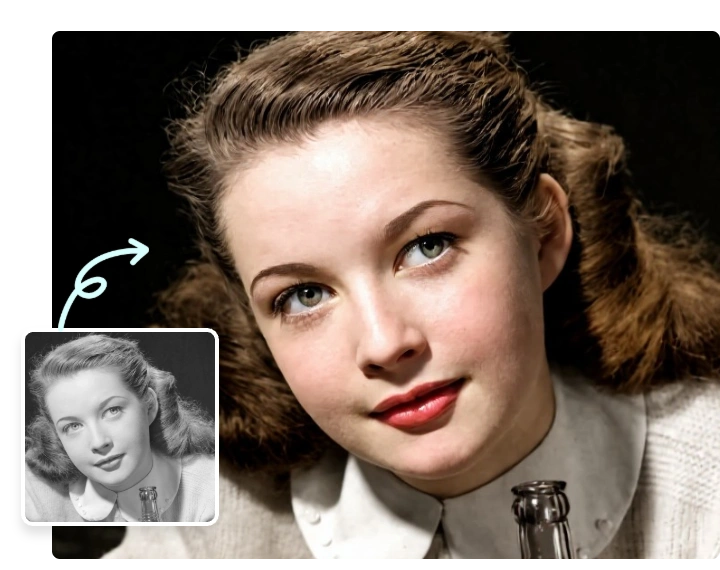
Repair Scratches, Stains, and Tears
Use AI to clean up visible damage such as scratches, dust marks, stains, and light tears. The restoration focuses on making portraits and keepsakes look cleaner and easier to preserve.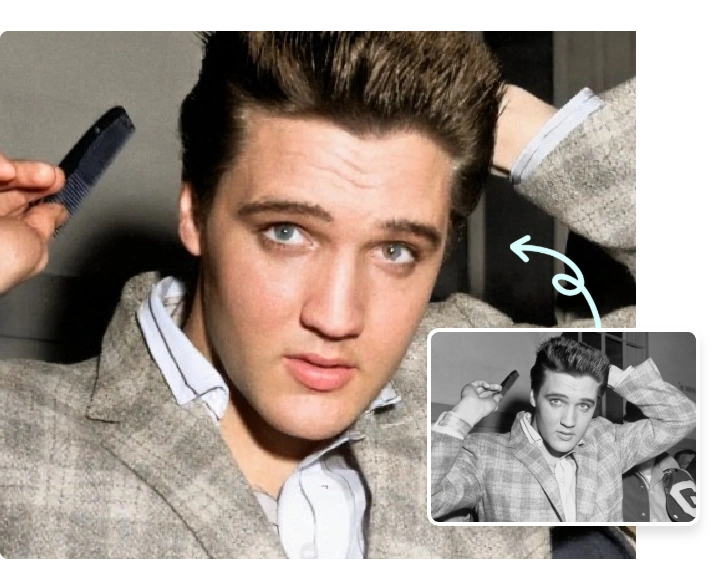
Colorize Black-and-White Portraits
Add realistic color to black-and-white photos when you want a refreshed version of a family portrait, wedding photo, or childhood memory. The result stays natural instead of overly stylized.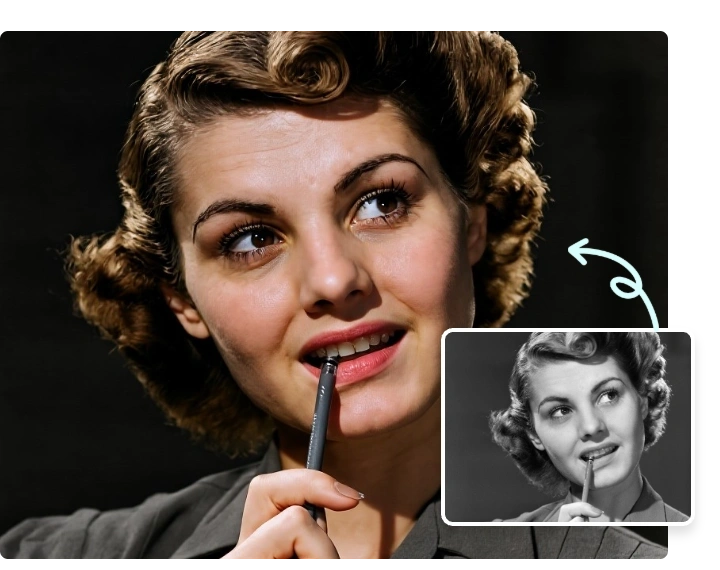
Download Clear Results for Archive or Print
Save restored images in a cleaner, higher-quality version that works well for digital archives, family albums, framed prints, and sharing with relatives.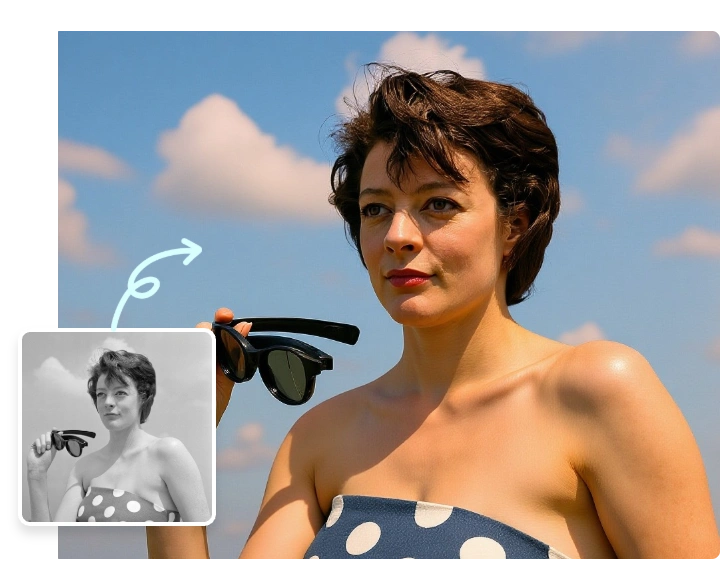
More Valuable Features from Dreamface
Photo Enhancer
Sharpen soft scans, clean up blur, and improve facial detail when a restored photo still needs extra clarity before you save or print it.
Background Remover
Remove distracting backgrounds or isolate a restored portrait when you want a cleaner family-photo edit for albums, collages, or memorial designs.
AI Image Detector
Check whether an image looks AI-generated when you need extra authenticity review around restored, edited, or widely shared visuals.
Text to Image
Create companion visuals, tribute graphics, or reimagined concepts from prompts after you restore an old memory and want to build extra creative assets around it.