DreamFace
- AI Tools
- Template
- Gallery
- Blog
- Pricing
- API


Language
En- English
- Português
- 简体中文
- 繁體中文
- 日本語
- Español
- Bahasa Indonesia
- ไทย
- Tiếng Việt
- हिन्दी
- Русский
- Italiano
- 한국어
- मराठी
- Nederlands
- Norsk
- ਪੰਜਾਬੀ
- Polski
- Dansk
- Suomi
- Français
- Deutsch
- Svenska
- Kiswahili
- తెలుగు
- Türkçe
- বাংলা
- اردو
- العربية
- فارسی
- Ελληνικά
Language
Start Now
Full Arm Tattoo
Upload Image
Click to upload an image
Try with our sample images
Sample Filter


4.9
'%3e%3cg%3e%3cpath%20d='M11.1034615625,1.816990478790283C11.4702615625,1.0737404787902831,12.5300515625,1.0737404787902831,12.8968515625,1.816990478790283L15.2941515625,6.674462478790283C15.4398515625,6.969602478790283,15.7214515625,7.174172478790283,16.047151562499998,7.221502478790283L21.4076515625,8.000432478790284C22.2278515625,8.119612478790284,22.5553515625,9.127592478790284,21.9618515625,9.706122478790283L18.0829515625,13.487052478790282C17.8472515625,13.716852478790283,17.7397515625,14.047852478790283,17.7953515625,14.372252478790283L18.7110515625,19.711052478790283C18.8511515625,20.527952478790283,17.9937515625,21.150952478790284,17.2601515625,20.765252478790284L12.4654515625,18.244552478790283C12.1741515625,18.091452478790284,11.8261515625,18.091452478790284,11.5348615625,18.244552478790283L6.7402115625,20.765252478790284C6.0065815625,21.150952478790284,5.1491515625,20.527952478790283,5.2892615625,19.711052478790283L6.2049515625,14.372252478790283C6.2605915625,14.047852478790283,6.1530415625,13.716852478790283,5.9173515625,13.487052478790282L2.0384295625,9.706122478790283C1.4449195625,9.127592478790284,1.7724199625,8.119612478790284,2.5926495625,8.000432478790284L7.9531815625,7.221502478790283C8.2788915625,7.174172478790283,8.560461562499999,6.969602478790283,8.7061215625,6.674462478790283L11.1034615625,1.816990478790283Z'%20fill='%23F0A000'%20fill-opacity='1'%20style='mix-blend-mode:passthrough'/%3e%3c/g%3e%3cg%20mask='url(%23master_svg1_5_13539)'%3e%3c/g%3e%3c/g%3e%3c/svg%3e)
Chrome Store

Global Users

4.9
Apple Store
Trusted by Leading Institutions Worldwide












How to Use the AI Tattoo Generator
step 1 Upload Your Photo
Upload a clear photo of your arm or body area so the AI tattoo builder can place the design on a realistic skin preview.
step 2 Choose a Tattoo Style
Pick the direction you want to explore, such as sleeve, full arm, tribal, geometric, blackwork, fine line, watercolor, or realistic tattoo art.
step 3 Generate, Save, and Share
Create your AI tattoo preview, compare ideas, then download the image to share with friends or bring as a visual reference to a tattoo artist.
AI Tattoo Generator Features for Tattoo Design Planning
Realistic AI Tattoo Preview on Your Photo
DreamFace turns your uploaded photo into a tattoo preview so you can see how a design may look on your arm before getting inked. Use it to explore full arm tattoo ideas, sleeve layouts, shading, placement, and overall visual balance without editing software.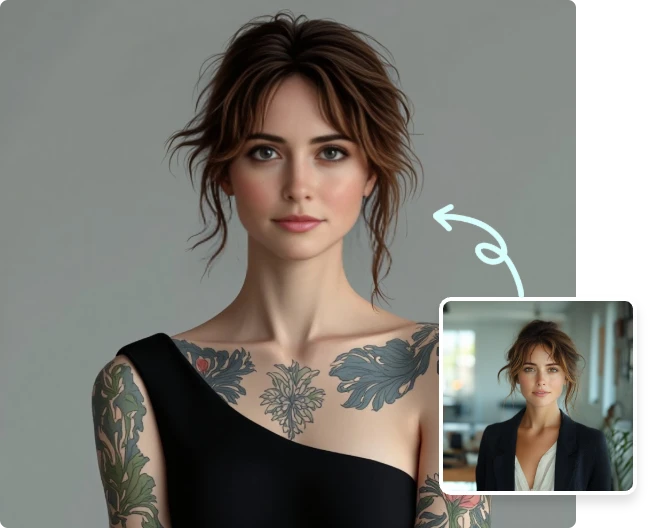
Tattoo Builder for Multiple Styles
Test different tattoo directions in one online workflow, from tribal and geometric patterns to blackwork, fine line, watercolor, traditional, and realistic tattoo designs. The page is built for fast style exploration when you are still comparing tattoo ideas.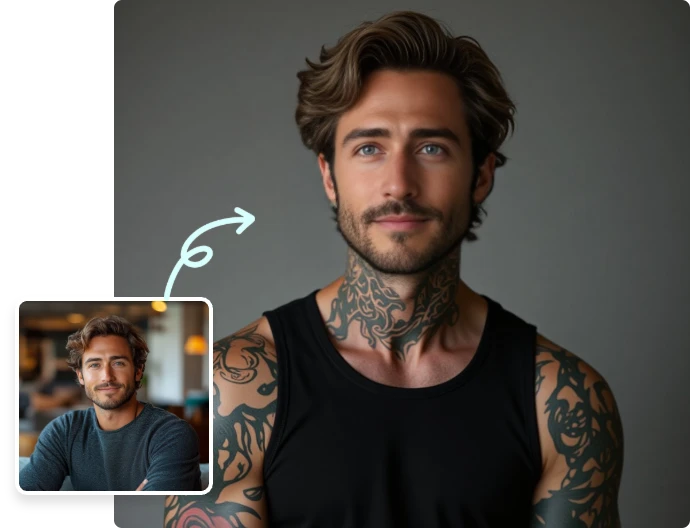
Fast Full Arm and Sleeve Tattoo Ideas
Generate a visual direction quickly when you need tattoo inspiration, a sleeve concept, or a full arm tattoo reference. Upload one photo, choose the look, and use the AI-generated result to narrow down what feels right.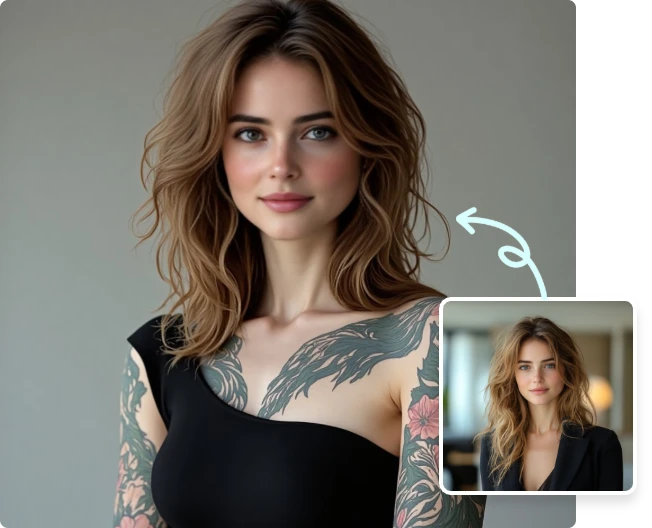
Useful Reference for Tattoo Planning
Use the AI tattoo design as an inspiration image, not a final stencil. Save your favorite preview, note the placement and style, then discuss the details, safety, and final artwork with a professional tattoo artist.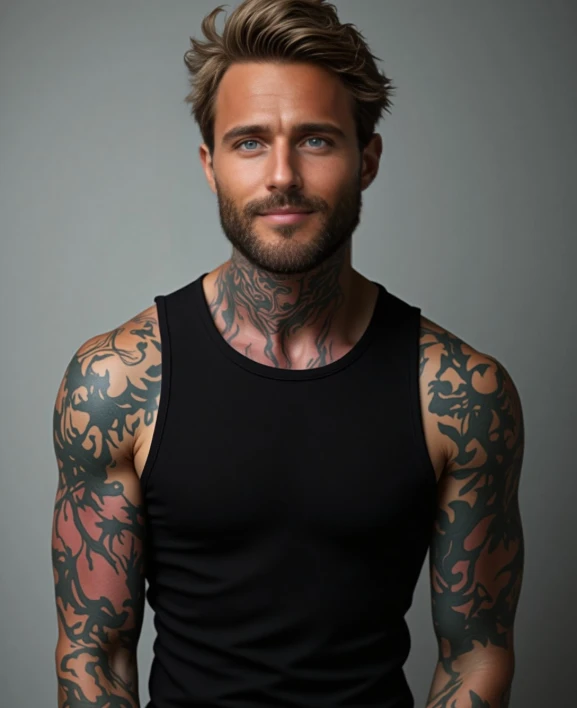
More Valuable Features from Dreamface
AI Filter
Explore DreamFace AI filters for photo-to-style transformations, including tattoo looks and other portrait effects that help you test visual identities from one upload.
Text to Image
Turn written tattoo ideas into visual directions before trying them on a photo. Useful for symbols, sleeve themes, blackwork concepts, and custom tattoo moodboards.
Background Remover
Clean up portrait or body photos before sharing tattoo previews, moodboards, or design references with friends, clients, or your tattoo artist.
Photo Enhancer
Sharpen blurry reference photos and improve visible detail so tattoo previews look clearer when you compare placement, linework, and shading ideas.