DreamFace

Language

En
    Language
  • English
  • Português
  • 简体中文
  • 繁體中文
  • 日本語
  • Español
  • Bahasa Indonesia
  • ไทย
  • Tiếng Việt
  • हिन्दी
  • Русский
  • Italiano
  • 한국어
  • मराठी
  • Nederlands
  • Norsk
  • ਪੰਜਾਬੀ
  • Polski
  • Dansk
  • Suomi
  • Français
  • Deutsch
  • Svenska
  • Kiswahili
  • తెలుగు
  • Türkçe
  • বাংলা
  • اردو
  • العربية
  • فارسی
  • Ελληνικά
Start Now
Chrome Store
4.9

Chrome Store

20,000,000+

Global Users

Apple Store
4.9

Apple Store

Trusted by Leading Institutions Worldwide

How to Restore a Video to HD

step 1

Upload the Degraded Clip

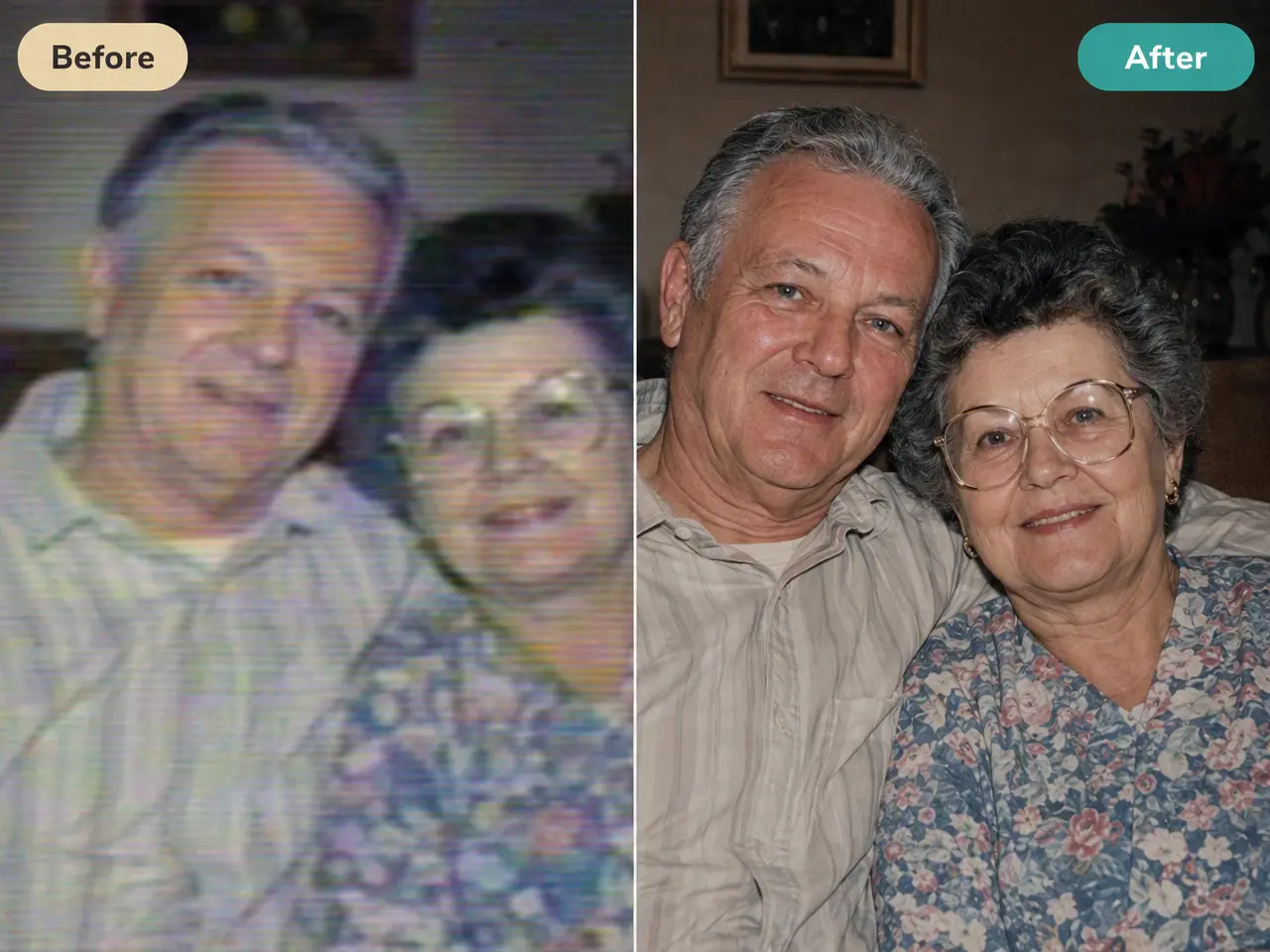
Older file, screen recording, or a redownloaded copy that's picked up compression artifacts, upload it in its current state.

step 2

Run the HD Enhancement

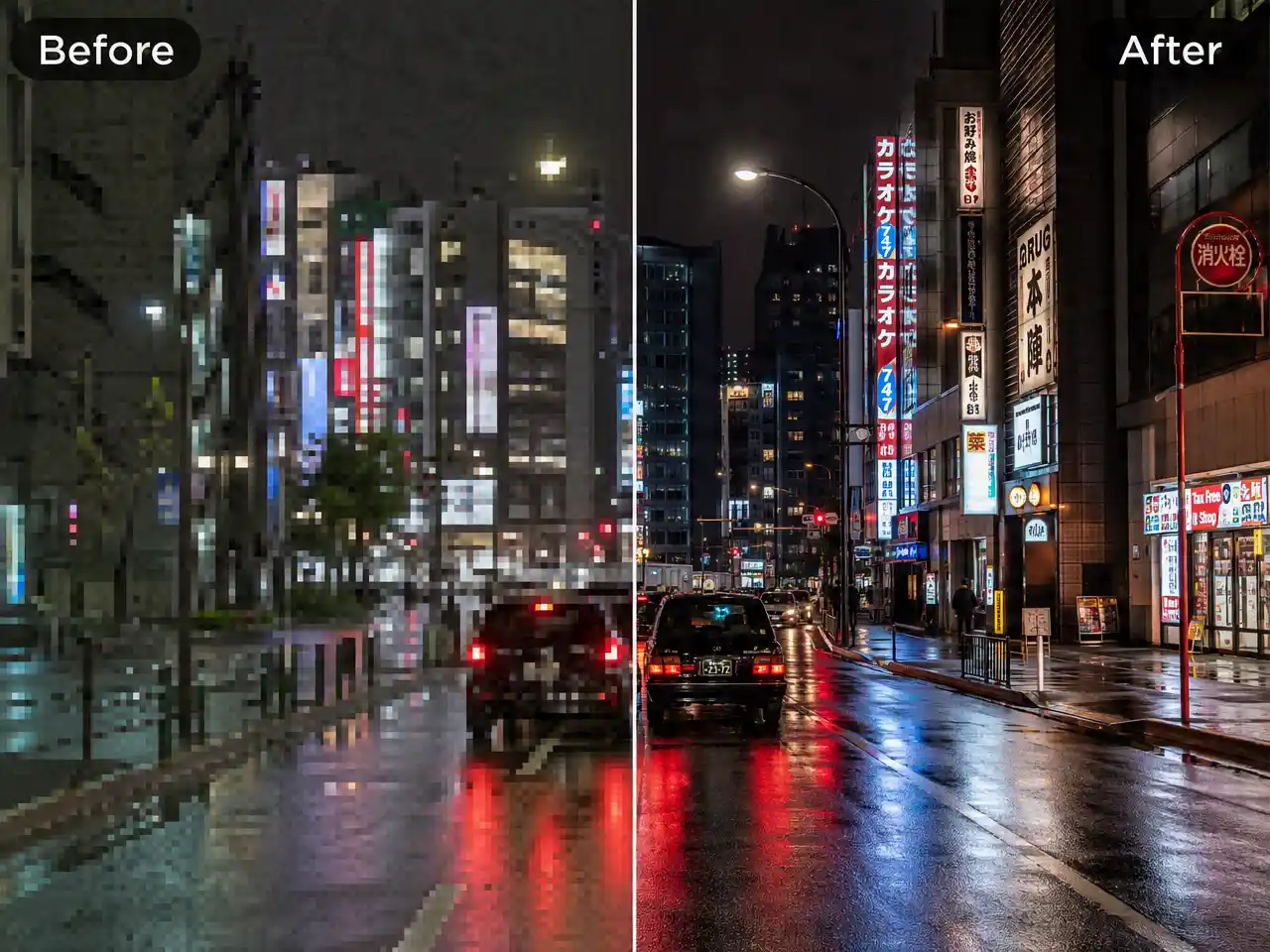
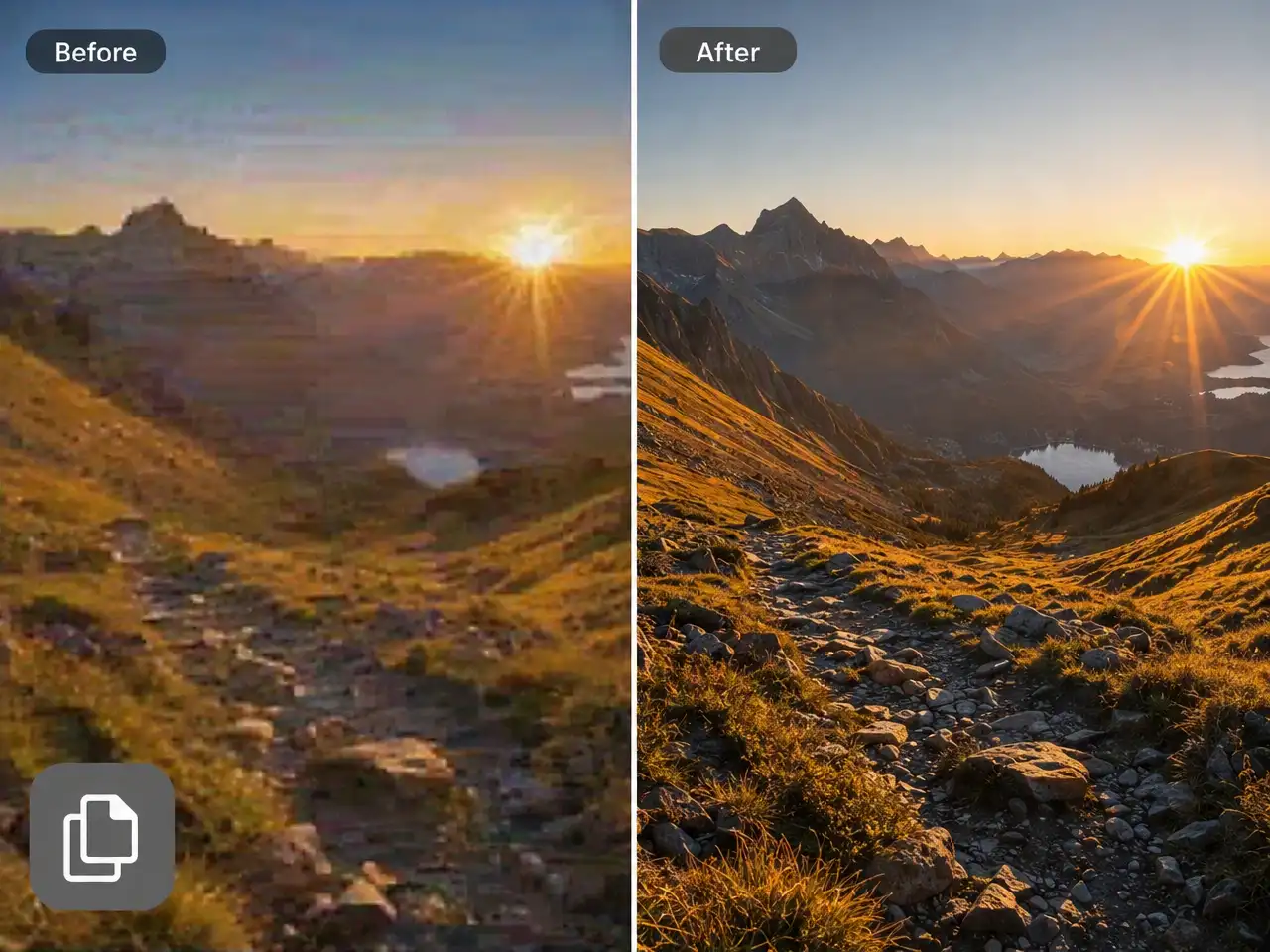
The process rebuilds resolution and reduces compression noise in the same pass.

step 3

Compare and Export

Review the result against the original before downloading. Improvement scales with how much usable detail remained in the source.

AI HD Video Enhancer Features

Recovers Detail From Degraded Source Footage

Designed for genuinely rough input, low original resolution, heavy compression, screen recordings, rather than footage that was already in reasonable condition.
Recovers Detail From Degraded Source Footage

Reduces Compression Noise, Not Just Softness

Repeated re-saving and re-uploading typically leaves blocky artifacts and grain behind. This targets that specific kind of damage rather than applying a general sharpening filter.
Reduces Compression Noise, Not Just Softness

Holds Up Through a Second Round of Compression

A result that only looks improved in the initial preview but degrades again after re-upload has limited practical value. Output here is built to withstand recompression.
Holds Up Through a Second Round of Compression

Works Without Access to the Original File

The untouched source isn't required. A compressed, re-saved copy is a valid starting point.
Works Without Access to the Original File

Frequently Asked Questions

Why Use DreamFace to Rescue Old Footage?

Optimized for Restoration, Not General Polish

The distinction from a general-purpose enhancer is what it's tuned to correct, compression artifacts and resolution loss specifically, rather than marginal sharpening of footage that's already clean.

A Genuine Resolution Increase

Detail is reconstructed at a higher resolution rather than simulated through a sharpening filter applied over the existing frame.

Processes Multiple Clips Efficiently

Several older files can be run through in sequence without reconfiguring settings between each one.

Uploaded Footage Isn't Repurposed

Footage submitted for restoration is used only for that job and isn't stored for other purposes or made public.

More Valuable Features from Dreamface

AI Video Generator
Create AI product videos, ad clips, launch teasers, ecommerce demos, and social product content from prompts, images, or templates.
AI Video
Use DreamFace AI Video to turn static product images or text into lifelike video animations with templates, references, and start or end frames.
Video Enhancer
Enhance product clips with AI upscaling, sharper details, better color, and higher-resolution output before publishing ads or ecommerce videos.
Background Remover
Remove product photo backgrounds and prepare clean cutouts for product video scenes, ads, marketplace clips, and branded social promos.

They Love Dreamface

Background Detail Was Recoverable

An old video I had was reduced to a blur in the background. This restoration made details visible again that hadn't been clear since the original recording.

Recovered a Lost Source File

I no longer had the original file for a clip I'd downloaded, and quality had suffered as a result. This brought it back to something usable.

More Than a Sharpening Effect

A basic sharpen filter I'd tried previously mostly made the existing noise more visible. This process rebuilt detail rather than exaggerating what was already there.

Held Up After Re-Upload

I re-uploaded the enhanced version to the platform it originally came from. It didn't degrade again after their compression, which I hadn't expected.

Processed Several Clips Consecutively

I had a set of older files from the same event and was able to run through all of them without significant setup between each.

Background Detail Was Recoverable

An old video I had was reduced to a blur in the background. This restoration made details visible again that hadn't been clear since the original recording.

Recovered a Lost Source File

I no longer had the original file for a clip I'd downloaded, and quality had suffered as a result. This brought it back to something usable.

More Than a Sharpening Effect

A basic sharpen filter I'd tried previously mostly made the existing noise more visible. This process rebuilt detail rather than exaggerating what was already there.

Held Up After Re-Upload

I re-uploaded the enhanced version to the platform it originally came from. It didn't degrade again after their compression, which I hadn't expected.

Processed Several Clips Consecutively

I had a set of older files from the same event and was able to run through all of them without significant setup between each.