DreamFace
- AI Tools
- Template
- Gallery
- Blog
- Pricing
- API


Language
En- English
- Português
- 简体中文
- 繁體中文
- 日本語
- Español
- Bahasa Indonesia
- ไทย
- Tiếng Việt
- हिन्दी
- Русский
- Italiano
- 한국어
- मराठी
- Nederlands
- Norsk
- ਪੰਜਾਬੀ
- Polski
- Dansk
- Suomi
- Français
- Deutsch
- Svenska
- Kiswahili
- తెలుగు
- Türkçe
- বাংলা
- اردو
- العربية
- فارسی
- Ελληνικά
Language
Start Now
Ghibli
Upload Image
Click to upload an image
Try with our sample images
Sample Filter


4.9
'%3e%3cg%3e%3cpath%20d='M11.1034615625,1.816990478790283C11.4702615625,1.0737404787902831,12.5300515625,1.0737404787902831,12.8968515625,1.816990478790283L15.2941515625,6.674462478790283C15.4398515625,6.969602478790283,15.7214515625,7.174172478790283,16.047151562499998,7.221502478790283L21.4076515625,8.000432478790284C22.2278515625,8.119612478790284,22.5553515625,9.127592478790284,21.9618515625,9.706122478790283L18.0829515625,13.487052478790282C17.8472515625,13.716852478790283,17.7397515625,14.047852478790283,17.7953515625,14.372252478790283L18.7110515625,19.711052478790283C18.8511515625,20.527952478790283,17.9937515625,21.150952478790284,17.2601515625,20.765252478790284L12.4654515625,18.244552478790283C12.1741515625,18.091452478790284,11.8261515625,18.091452478790284,11.5348615625,18.244552478790283L6.7402115625,20.765252478790284C6.0065815625,21.150952478790284,5.1491515625,20.527952478790283,5.2892615625,19.711052478790283L6.2049515625,14.372252478790283C6.2605915625,14.047852478790283,6.1530415625,13.716852478790283,5.9173515625,13.487052478790282L2.0384295625,9.706122478790283C1.4449195625,9.127592478790284,1.7724199625,8.119612478790284,2.5926495625,8.000432478790284L7.9531815625,7.221502478790283C8.2788915625,7.174172478790283,8.560461562499999,6.969602478790283,8.7061215625,6.674462478790283L11.1034615625,1.816990478790283Z'%20fill='%23F0A000'%20fill-opacity='1'%20style='mix-blend-mode:passthrough'/%3e%3c/g%3e%3cg%20mask='url(%23master_svg1_5_13539)'%3e%3c/g%3e%3c/g%3e%3c/svg%3e)
Chrome Store

Global Users

4.9
Apple Store
Trusted by Leading Institutions Worldwide












How to Turn a Photo into Ghibli-Inspired Art
step 1 Upload a Bright, Clear Photo
Choose a portrait, selfie, pet photo, couple picture, travel shot, or landscape. A visible subject and clean lighting usually help the AI create a better result.
step 2 Apply the Ghibli AI Filter
DreamFace restyles your image with soft anime color, warm light, painterly texture, and a cozy storybook mood while keeping the main subject recognizable.
step 3 Preview, Download, and Share
Check the generated result, download your favorite version, and use it as a profile photo, wallpaper, social post, gift image, or creative keepsake.
Create Ghibli-Inspired AI Art from Real Photos
Turn Real Photos into Storybook Anime Art
Start with a portrait, pet photo, couple picture, travel shot, or landscape and create a soft illustrated version that still feels connected to the original moment.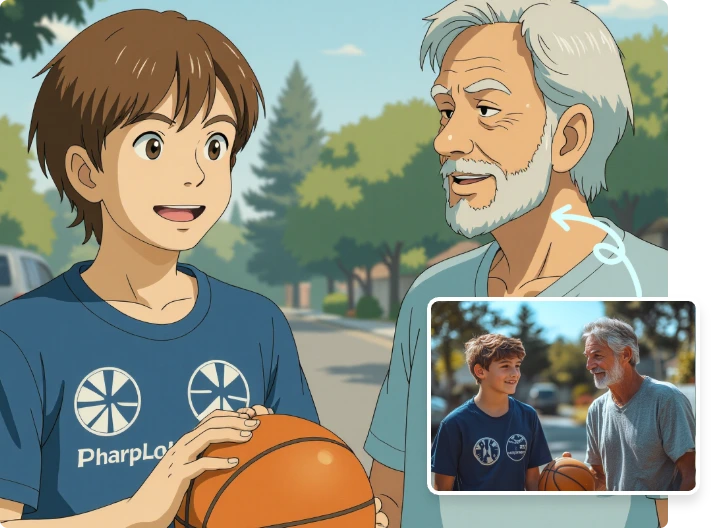
Ghibli-Inspired Color, Light, and Texture
DreamFace adds warm lighting, gentle colors, painterly texture, and a cozy anime mood, helping your image feel more like an illustrated memory than a basic photo filter.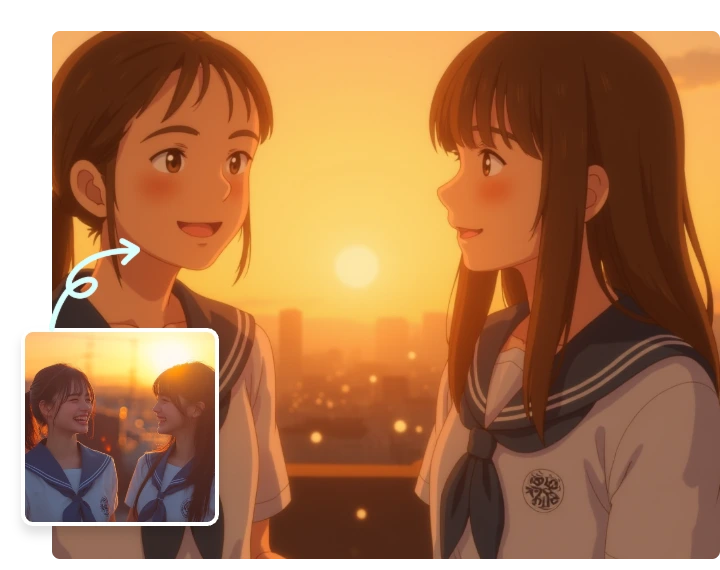
No Prompt Writing or Manual Editing
You do not need design software, long prompts, or complex settings. Upload a clear photo, apply the Ghibli AI filter, preview the result, and download your artwork.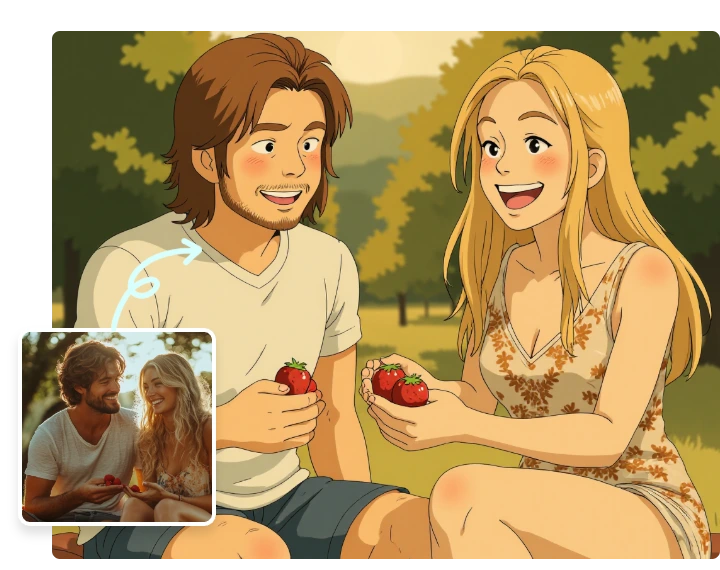
Made for Personal Creative Photos
Create stylized profile pictures, pet portraits, couple keepsakes, travel memories, wallpapers, and social posts through a simple upload-and-generate workflow.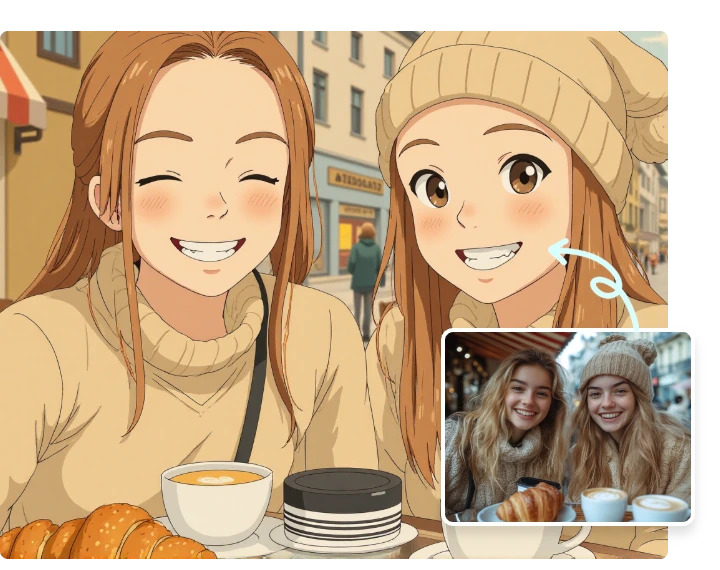
More Valuable Features from Dreamface
AI Filter
Explore more AI photo filters when you want portraits, pets, scenes, or lifestyle shots in different creative styles.
Text to Image
Generate original images from text prompts or guide a new scene when you want more control over style, mood, and composition.
Photo Enhancer
Improve sharpness and visible detail before or after turning a favorite photo into Ghibli-inspired AI art.
Background Remover
Remove busy backgrounds from portraits, product shots, and social images before using them in creative AI edits.