DreamFace
- AI Tools
- Template
- Gallery
- Blog
- Pricing
- API


Language
En- English
- Português
- 简体中文
- 繁體中文
- 日本語
- Español
- Bahasa Indonesia
- ไทย
- Tiếng Việt
- हिन्दी
- Русский
- Italiano
- 한국어
- मराठी
- Nederlands
- Norsk
- ਪੰਜਾਬੀ
- Polski
- Dansk
- Suomi
- Français
- Deutsch
- Svenska
- Kiswahili
- తెలుగు
- Türkçe
- বাংলা
- اردو
- العربية
- فارسی
- Ελληνικά
Language
Start Now
Music Festival
Upload Image
Click to upload an image
Try with our sample images
Sample Filter


4.9
'%3e%3cg%3e%3cpath%20d='M11.1034615625,1.816990478790283C11.4702615625,1.0737404787902831,12.5300515625,1.0737404787902831,12.8968515625,1.816990478790283L15.2941515625,6.674462478790283C15.4398515625,6.969602478790283,15.7214515625,7.174172478790283,16.047151562499998,7.221502478790283L21.4076515625,8.000432478790284C22.2278515625,8.119612478790284,22.5553515625,9.127592478790284,21.9618515625,9.706122478790283L18.0829515625,13.487052478790282C17.8472515625,13.716852478790283,17.7397515625,14.047852478790283,17.7953515625,14.372252478790283L18.7110515625,19.711052478790283C18.8511515625,20.527952478790283,17.9937515625,21.150952478790284,17.2601515625,20.765252478790284L12.4654515625,18.244552478790283C12.1741515625,18.091452478790284,11.8261515625,18.091452478790284,11.5348615625,18.244552478790283L6.7402115625,20.765252478790284C6.0065815625,21.150952478790284,5.1491515625,20.527952478790283,5.2892615625,19.711052478790283L6.2049515625,14.372252478790283C6.2605915625,14.047852478790283,6.1530415625,13.716852478790283,5.9173515625,13.487052478790282L2.0384295625,9.706122478790283C1.4449195625,9.127592478790284,1.7724199625,8.119612478790284,2.5926495625,8.000432478790284L7.9531815625,7.221502478790283C8.2788915625,7.174172478790283,8.560461562499999,6.969602478790283,8.7061215625,6.674462478790283L11.1034615625,1.816990478790283Z'%20fill='%23F0A000'%20fill-opacity='1'%20style='mix-blend-mode:passthrough'/%3e%3c/g%3e%3cg%20mask='url(%23master_svg1_5_13539)'%3e%3c/g%3e%3c/g%3e%3c/svg%3e)
Chrome Store

Global Users

4.9
Apple Store
Trusted by Leading Institutions Worldwide












How to Use the Music Festival Filter
step 1 Upload One Portrait
Start with one clear solo photo. Headshots and upper-body portraits usually work best for this template.
step 2 Choose Music Festival
Pick the Music Festival filter to add stage lights, fireworks, a cheering crowd, and a convertible-led festival entrance look.
step 3 Create and Share
Generate your festival-night portrait, then download it or share it anywhere you want a bold concert-ready image.
Why Try the Music Festival Filter
Main Stage and Fireworks Backdrop
Turn a simple portrait into a concert-night image with stage beams, fireworks overhead, and the scale of a live festival crowd behind the subject.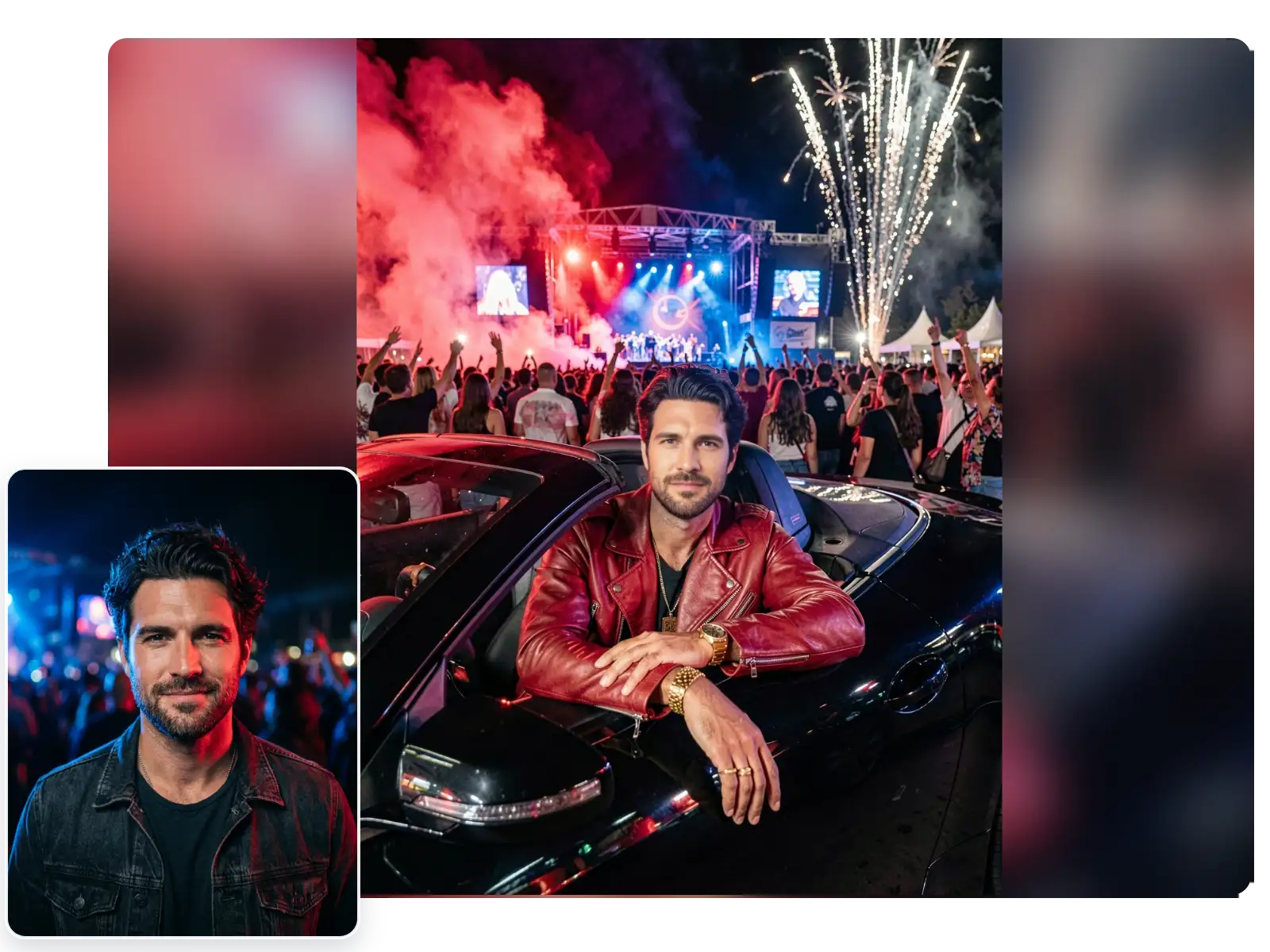
Convertible VIP Arrival Framing
This template stands out with a sleek car-side foreground that makes the result feel like a high-profile festival entrance instead of a generic party edit.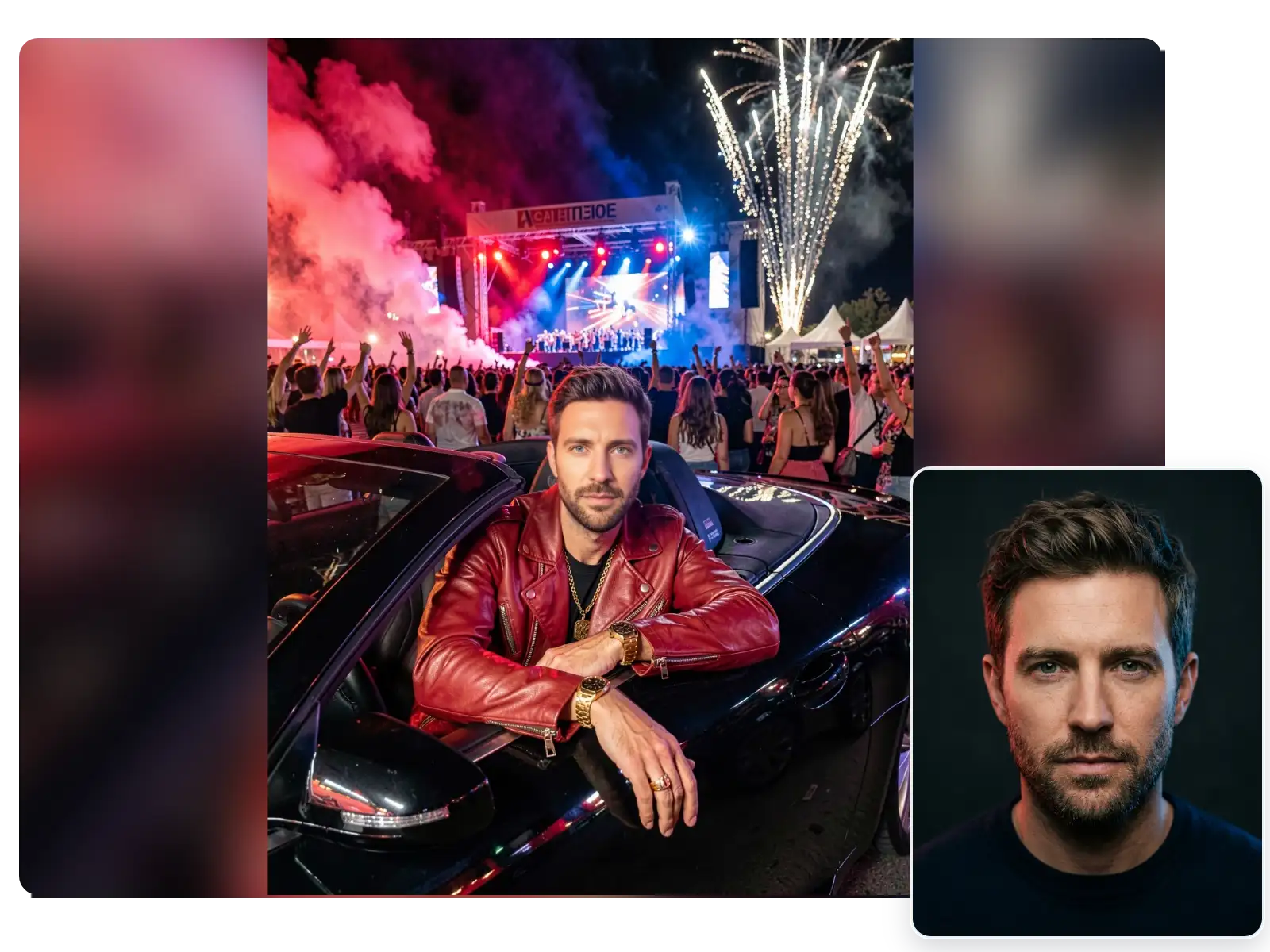
Best for Solo Upper-Body Portraits
It works especially well with one clear adult portrait, giving selfies and upper-body photos the clean subject focus that this nightlife setup rewards.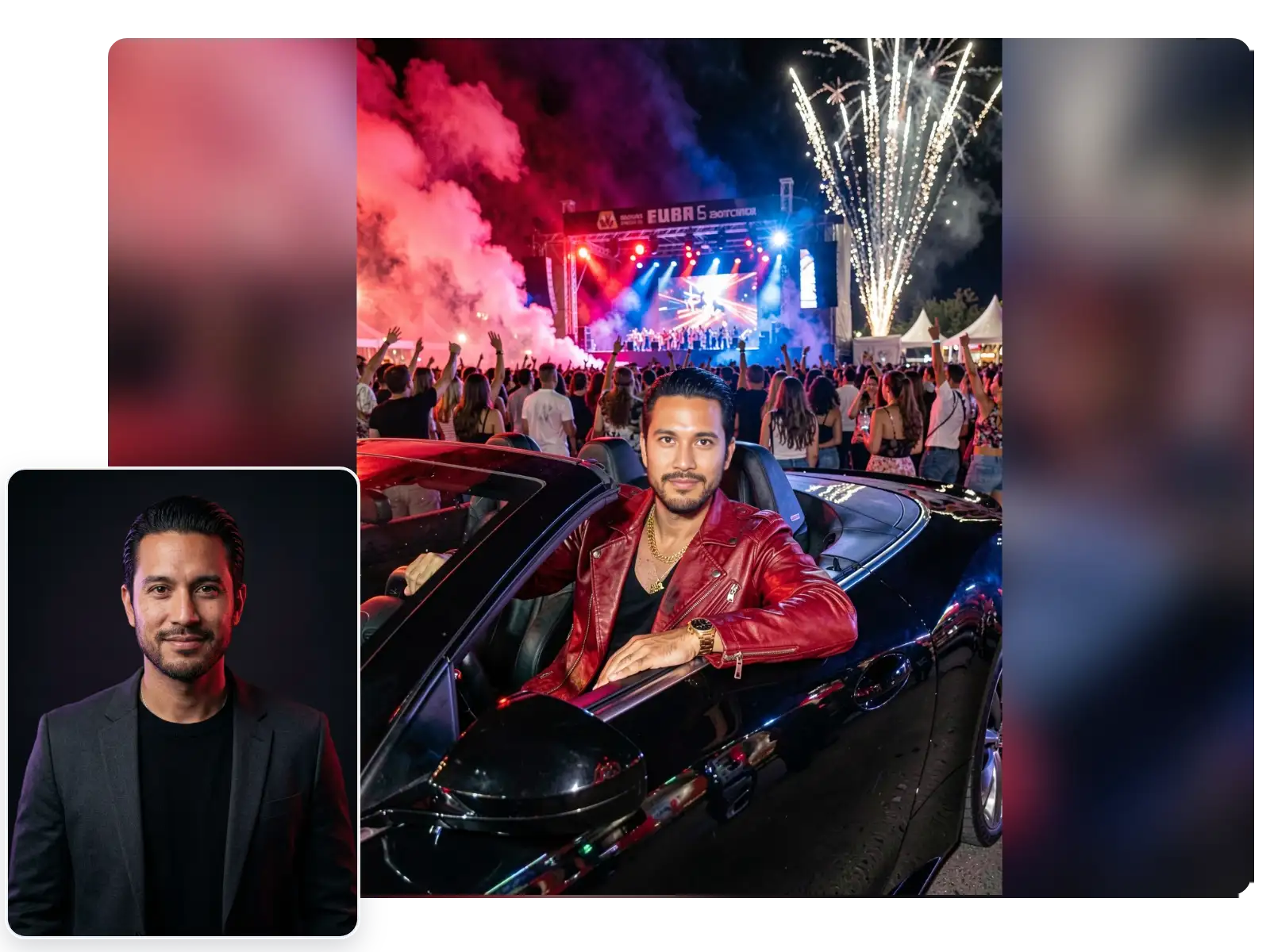
One Photo, Full Concert-Entrance Payoff
Use one upload to generate the full festival look at once, including crowd atmosphere, stage lighting, and a polished hero-shot finish.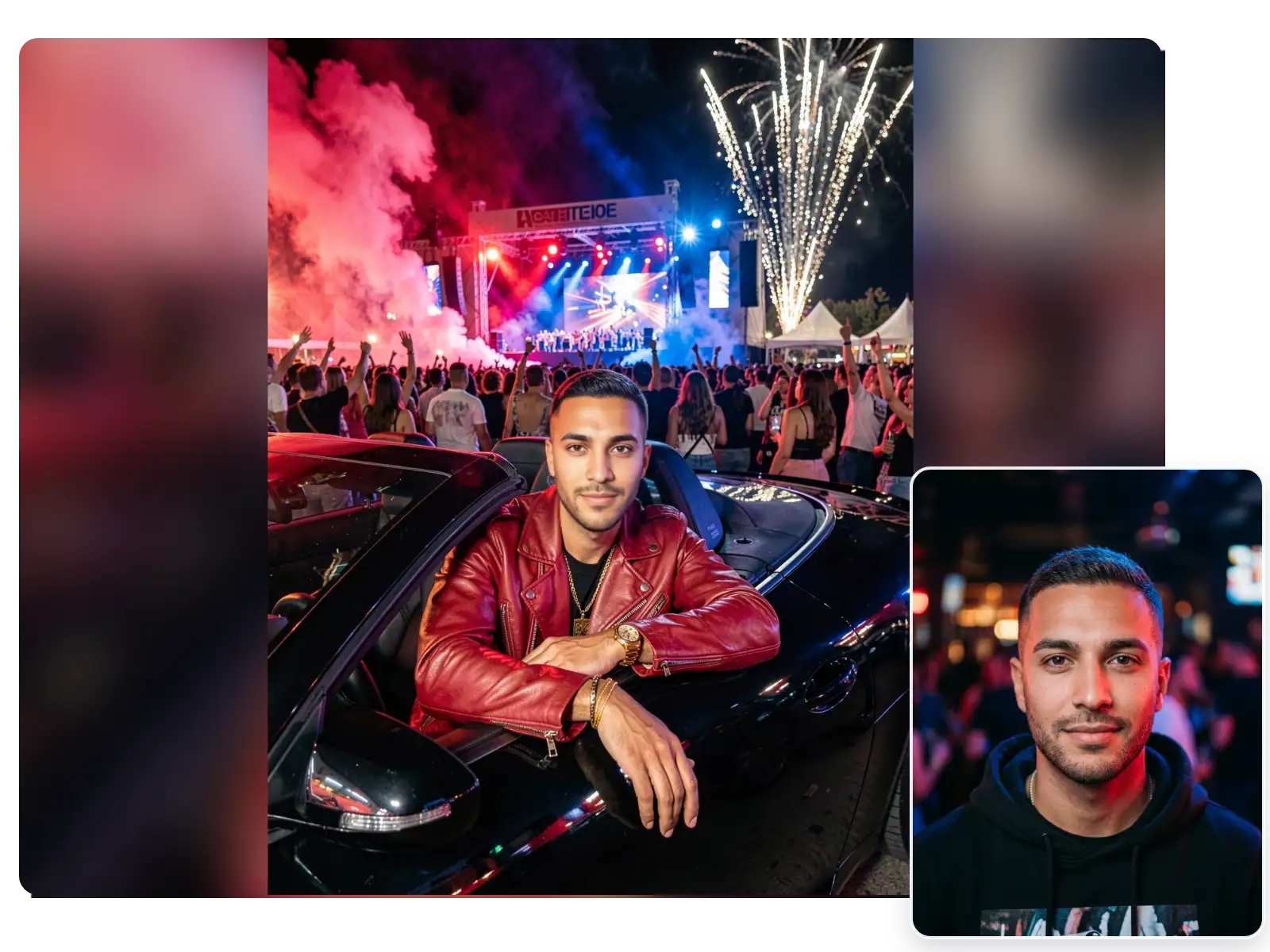
More Valuable Features from Dreamface
AI Filter
Try more anime, illustrated, and stylized looks on the same photo when users want to compare this filter with other visual transformations.
Background Remover
Remove busy backgrounds before generation so portraits, couple shots, and pet photos keep more focus on the main subject.
Photo Enhance
Sharpen blurry photos and recover detail before using the filter for cleaner faces, textures, and more polished final results.
AI Video Generator
Expand the idea beyond static images by generating short AI videos from concepts, visuals, and lightweight story prompts.