


Flux Kontext Prompts for Background Replacement
- Background Replacement
- Flux-Kontext
- AI image generator
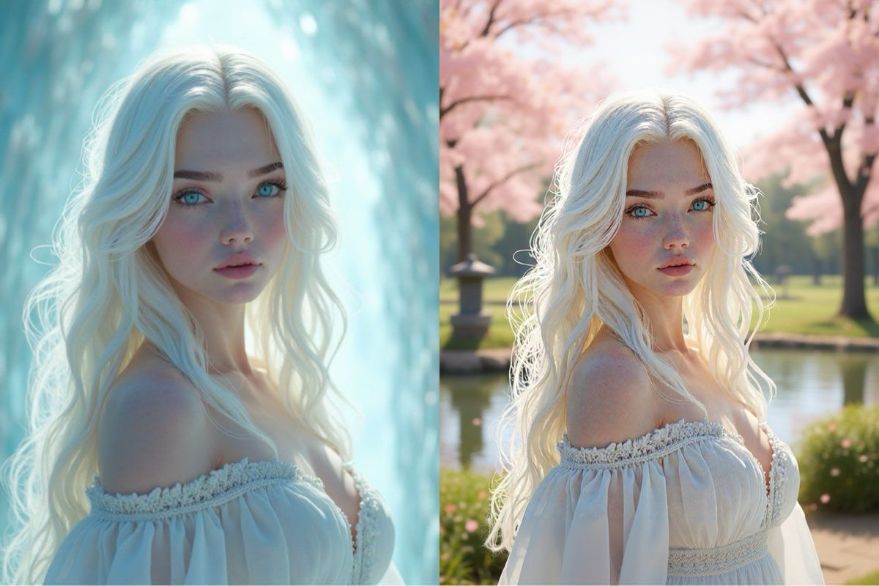
Have you ever captured the perfect shot of a person, only to have it undermined by a less-than-ideal background? Imagine being able to instantly swap that distracting environment for a scenic vista or a bustling cityscape. With AI-powered background replacement, this level of creative control is now at your fingertips.
This technology allows you to isolate your subject and place them in an entirely new setting, transforming the mood and narrative of your photo. Mastering this requires a specific approach to prompting. In this guide, we'll show you how to write precise commands to achieve flawless, professional-grade background replacements.
Note that the effects achievable with the prompts below can be created for free using Dreamface - a free platform to realize your AI image edits.
Flux Kontext AI Background Replacement Prompts
Prompt 1:
Change the background to a serene Japanese zen garden during a calm spring day, with cherry blossom trees in full bloom and petals gently falling. Include a still koi pond and an ancient stone lantern (tōrō). Keep the woman in the exact same position and pose, and adjust the lighting to soft, diffused daylight consistent with a tranquil, overcast sky.
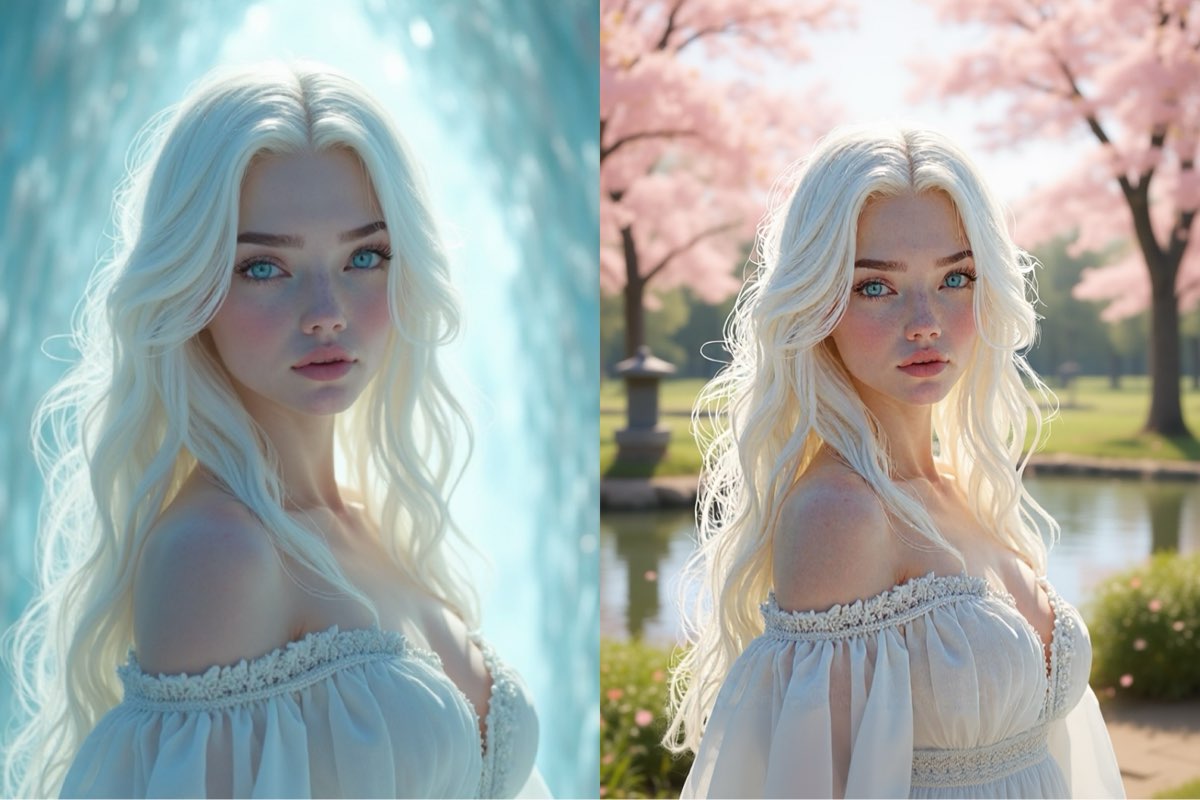
Create this image for free using Dreamface!
Prompt 2:
Change the background to a charming and bustling Parisian street cafe with a cobblestone sidewalk and warm afternoon light, while keeping the smiling woman in the exact same position, scale, and pose. Maintain her facial features, expression, and t-shirt. Ensure the ambient lighting and depth of field match the new vibrant, urban setting.
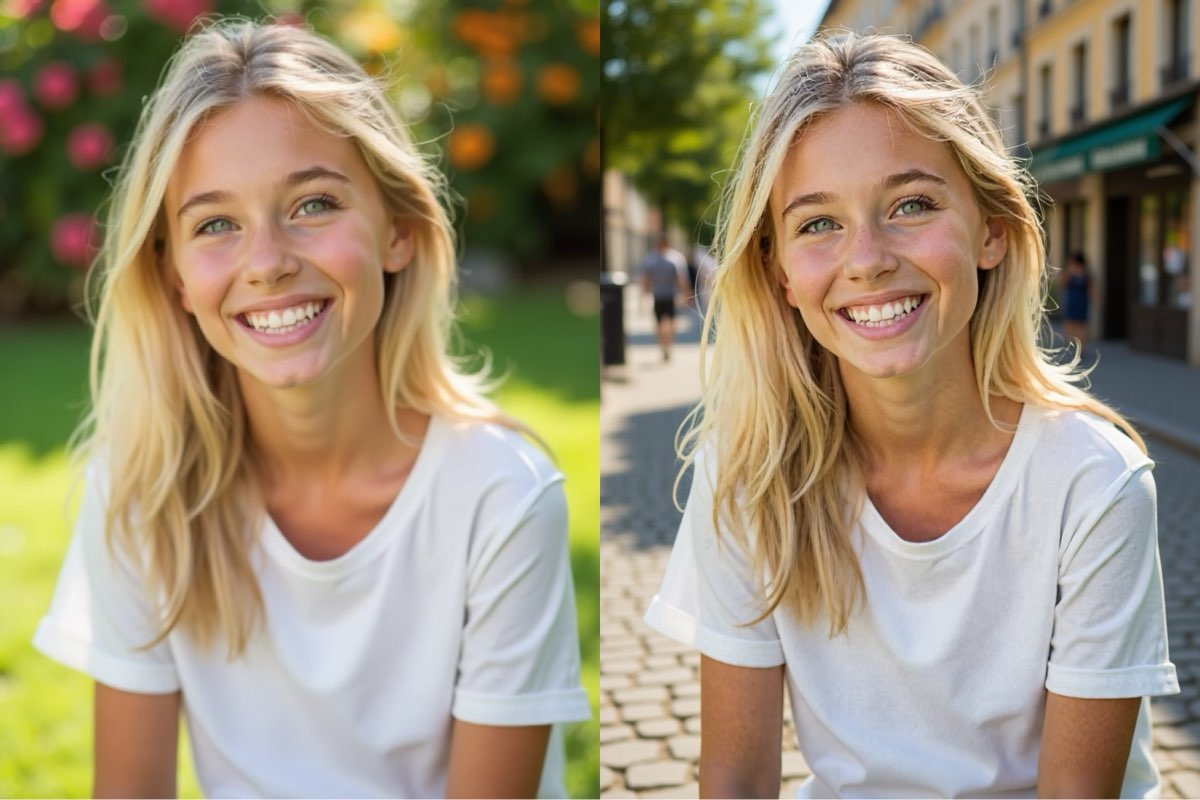
Create this image for free using Dreamface!
Prompt 3:
Change the background to a picturesque Santorini caldera view during the golden hour, featuring its iconic whitewashed buildings and the Aegean Sea, while keeping the woman with the sunhat in the exact same position, scale, and pose. Maintain her facial features, smile, and clothing. Ensure the lighting is changed to a warm, soft, golden-hour glow that realistically illuminates her and the hat.
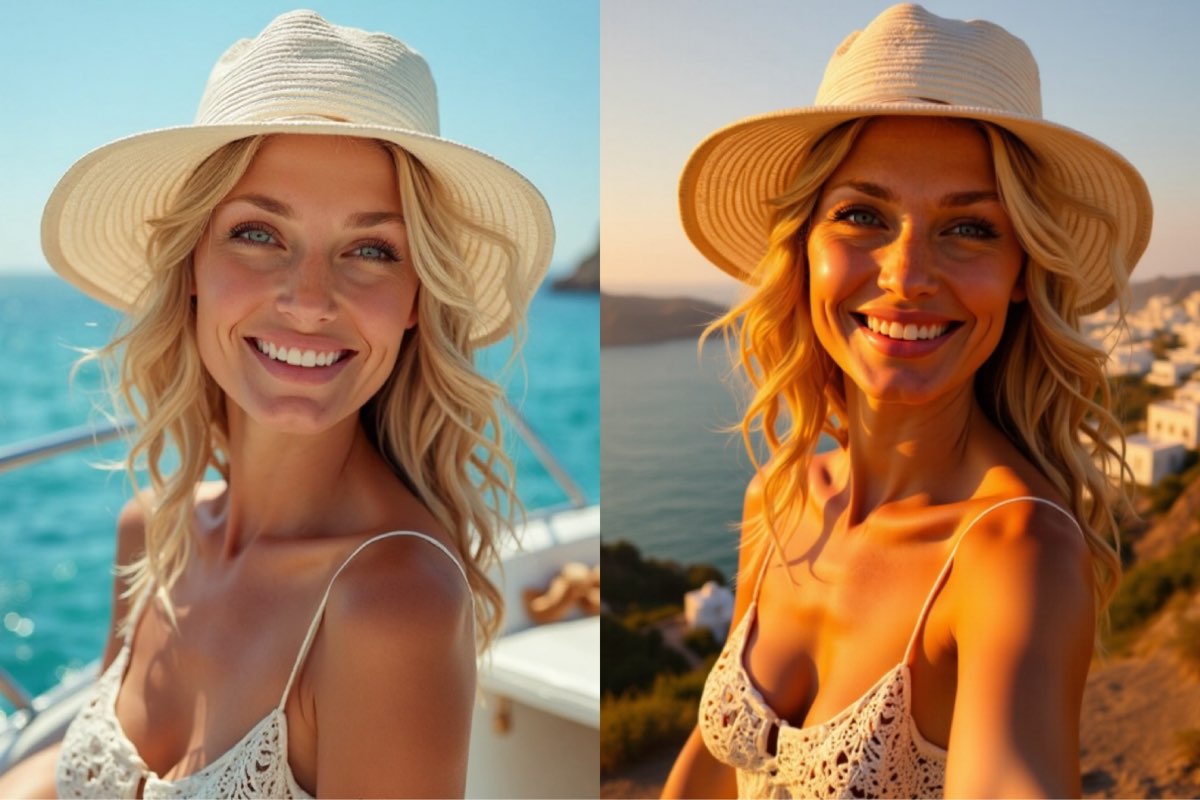
Create this image for free using Dreamface!
How to Write Powerful Background Replacement Prompts
Unlike generating an image from scratch, background replacement is an exercise in precision. Your goal is to command the AI to edit, not recreate.
- Anchor Your Subject: This is the golden rule. To ensure your subject remains unchanged, you must give a direct order. Always include phrases like, "keep the woman in the exact same position, scale, and pose."
- Preserve Critical Details: Go one step further to protect the subject’s integrity. Add commands to "maintain her facial features, expression, and clothing." To keep the original composition, also state, "do not change the camera angle."
- Detail the New Scene: Clearly articulate the new environment. Don't just say "a garden"; specify "a serene Japanese zen garden...with cherry blossom trees in full bloom." The more vivid your description, the better the output.
- Direct the Lighting: For a seamless blend, you must specify the new lighting conditions. Use descriptive terms like "soft, diffused daylight" or "a warm, soft, golden-hour glow that realistically illuminates her."
A New Reality Awaits Your Photos
As you can see, successful AI background replacement hinges on clear, authoritative commands. By anchoring your subject, preserving their details, and describing the new scene and lighting with precision, you can unlock limitless creative potential.
The prompts above are your starting point. The best way to become proficient is through practice. Take these techniques to Dreamface and begin experimenting with your own photos for free. Don't let a dull background define your image—your ability to craft a new world is only a prompt away.
DreamClaw Agent: The All-in-One AI Automation Engine for DreamFace
Mar 04, 2026.jpg)
Seedance 2.0 Prompt Guide: The Ultimate Template for Cinematic AI Videos
Mar 03, 2026
Seedance 2.0 Prompt Guide: The Complete 2026 AI Video Creation Handbook
Feb 28, 2026
Google Nano Banana 2 Review: Pro-Grade Image Generation at Flash-Level Pricing
Feb 26, 2026
What Is a Good Prompt for an AI Image?
Learn how to write better AI image prompts that generate high-quality, consistent, and creative results. Discover examples, best practices, and common mistakes to avoid.
By Sawyer 一 Jul 10, 2025- AI image generator
- Text-to-Image
- AI Image
Illustrious‑SDXL: Anime‑Focused Image Generation Elevated
Introducing Illustrious‑SDXL — a model finetuned for anime and stylized illustration generation. It blends SDXL’s robust architecture with curated anime datasets and aesthetic guidance, making it ideal for creators who want: •Consistent anime character designs •Dynamic action and emotional expression •Rich stylistic variation (shojo, battle, mecha, fantasy, etc.) •Art‑style control with minimal prompting
By Sawyer 一 Jul 10, 2025- AI image generator
- AI Image
- Illustrious SDXL

Seedream 4.5: Better Identity Consistency, with 6 Portrait Styles to Try
Seedream 4.5 is here! In this post, we test its identity consistency in portrait generation and walk you through 6 portrait shooting styles it handles impressively well — with full examples and tips.
By Sawyer 一 Jul 10, 2025- AI image generator
- Seedream 4.5
- AI Image
- AI Filter
- X
- Youtube
- Discord