DreamFace

Language

En
    Language
  • English
  • Português
  • 简体中文
  • 繁體中文
  • 日本語
  • Español
  • Bahasa Indonesia
  • ไทย
  • Tiếng Việt
  • हिन्दी
  • Русский
  • Italiano
  • 한국어
  • मराठी
  • Nederlands
  • Norsk
  • ਪੰਜਾਬੀ
  • Polski
  • Dansk
  • Suomi
  • Français
  • Deutsch
  • Svenska
  • Kiswahili
  • తెలుగు
  • Türkçe
  • বাংলা
  • اردو
  • العربية
  • فارسی
  • Ελληνικά
Start Now
Chrome Store
4.9

Chrome Store

20,000,000+

Global Users

Apple Store
4.9

Apple Store

Trusted by Leading Institutions Worldwide

How to Use the AI GPT Image Generator

step 1

Choose What You Want to Create

Open DreamFace's image tool and select GPT Images 2.5. Start from text for a new picture, or add a reference photo if you want to edit an existing one.

step 2

Write a Specific Prompt

Describe the subject, setting, style, and intended use. For example: "A ceramic coffee cup beside a croissant, soft morning light, editorial photography, empty space at the top for a blog headline."

step 3

Generate, Compare & Download

Generate your image and review the result. Adjust the description to explore another option. For an edit, use your chosen image as the reference and specify the change, then download the version you prefer.

What Can You Make With an AI GPT Image Generator?

Original Visuals for Posts, Covers & Thumbnails

Give a topic its own visual instead of settling for a loosely related stock photo. Describe a scene for a blog cover, a focal object for a thumbnail, or a mood for a social post. Specify space for a headline so the concept works with your content.
Original Visuals for Posts, Covers & Thumbnails

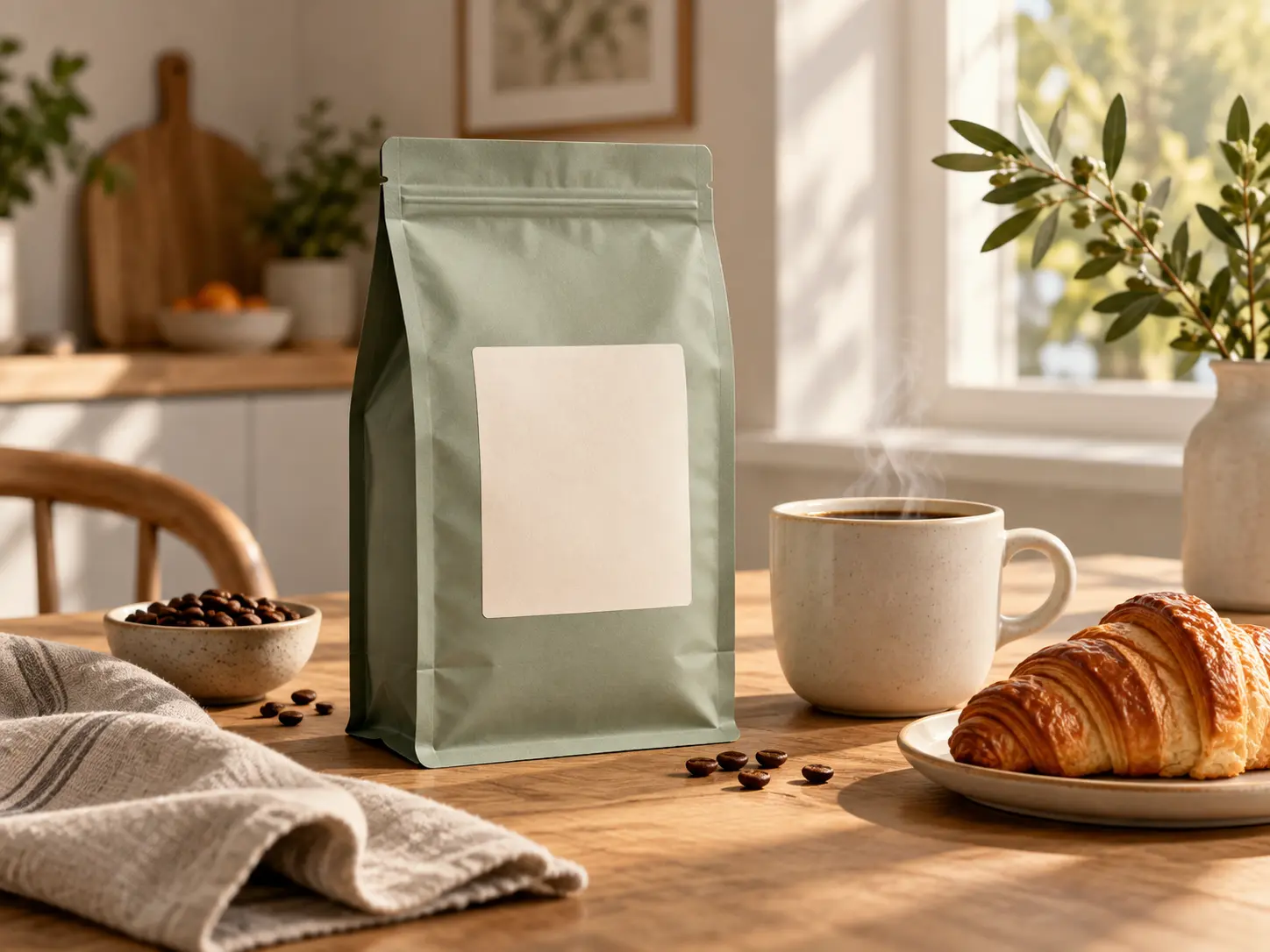
Product Scenes for Your Next Campaign

Start with a product photo and explore how you want to present it. Try a breakfast-table setting for coffee packaging, a studio scene for jewelry, or a seasonal backdrop for handmade goods. Use the results to compare creative directions and plan your campaign.
Product Scenes for Your Next Campaign

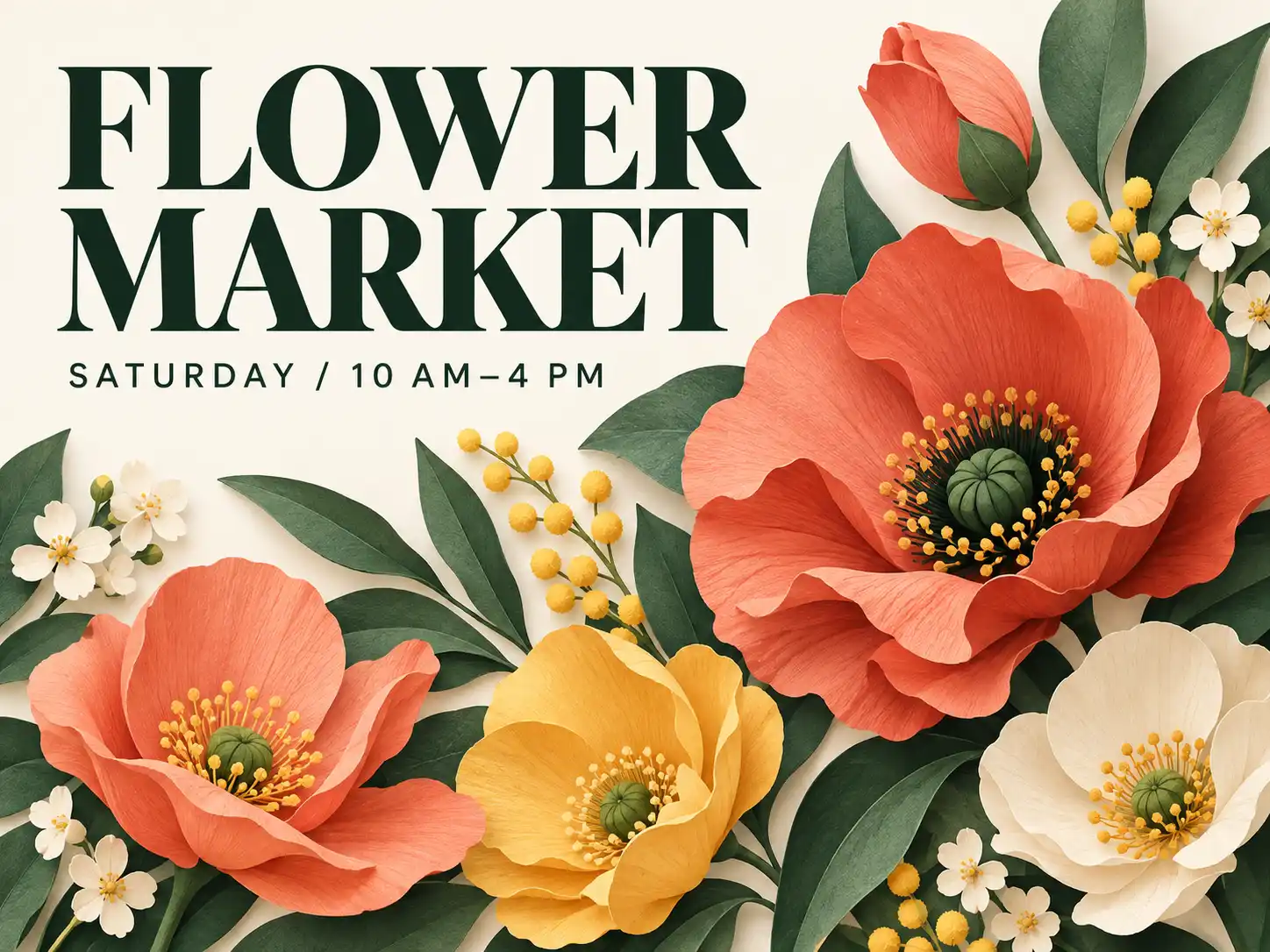
Posters With a Clear Visual Direction

Build a concept around an event, announcement, or promotion. Include the exact headline, your preferred colors, and where key elements should sit. Explore a bold graphic treatment or a quieter editorial layout, then check the wording before publishing.
Posters With a Clear Visual Direction

Illustrations That Explain Your Ideas

Turn an abstract topic into a visual starting point for a lesson, pitch, or story. Describe a character, a setting, or a simple visual metaphor. Try an illustrated approach for a friendly tone, or a realistic scene when your idea needs a more grounded presentation.
Illustrations That Explain Your Ideas

Frequently Asked Questions

From a Written Brief to a Visual You Can Work With

Start With Text or an Existing Photo

Create a new scene from a description, or upload an image to guide an edit. Choose the starting point that matches your task, whether you have a detailed brief or a photo that needs a new direction.

Set the Look in Your Prompt

Ask for studio photography, watercolor, a 3D look, or another visual treatment. Add details about color, lighting, and composition to give the generator a clearer direction.

Explore Alternatives Before You Commit

Try the same idea with a different setting or art direction. Compare the results to decide which concept deserves further work, whether you are creating for yourself or discussing options with a team.

Keep Your Brief Close at Hand

Spell out the details that matter: the message, the subject, and anything an edit should preserve. Before publishing, compare the result with your brief and check text, faces, and product details.

More Valuable Features from Dreamface

Background Remover
Separate a subject from its background when your next layout calls for a cutout.
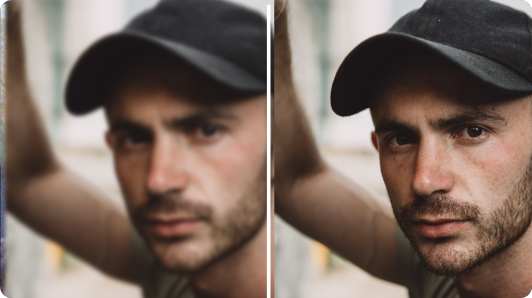
Photo Enhancer
Improve the clarity of an existing photo before making it part of your next visual project.
AI Filter
Give a favorite photo a different artistic treatment for a profile picture or social post.
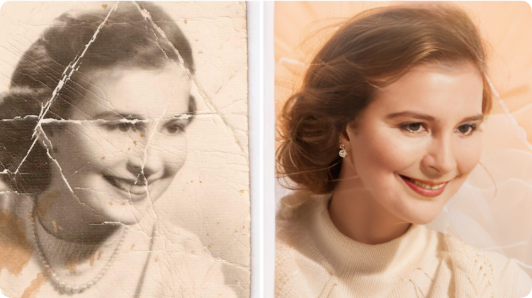
Old Photo Restoration
Explore photo restoration for faded or damaged family pictures you want to revisit.

They Love Dreamface

Sample Review: A Cover That Matched My Topic

I was writing about a tiny balcony garden and kept finding photos of huge terraces. Describing the narrow space, a folding chair, and a few herb pots gave me a cover concept that actually suited the article. I tried two compositions before choosing one.

Sample Review: Useful Before a Product Shoot

I wanted to see whether my coffee bags would work better in a kitchen scene or against a plain background. Exploring both gave me something concrete to put in the shoot brief. It helped me make the decision before arranging the props.

Sample Review: Easier to Share an Event Idea

I had a color palette and a headline for our weekend market, but no clear layout. I used those details to explore a poster concept. We adjusted the wording afterward, but having a visual made the planning conversation much easier.

Sample Review: A Better Starting Point for Slides

My presentation needed a simple visual about making choices. I described a person standing at a fork in a path and asked for an understated illustration. The first version was too busy, so I simplified the prompt. The next one fit the slide much better.

Sample Review: I Could Compare Different Styles

I wasn't sure whether my newsletter should use a photographic cover or an illustration. Trying the same idea in both styles helped me see the difference straight away. I chose the illustration because it felt more in keeping with the writing.

Sample Review: A More Personal Birthday Idea

I wanted a birthday picture built around my friend's love of camping and cats. Writing out the scene was the fun part. I changed a couple of details after the first result, then used the image as the starting point for a card.

Sample Review: A Cover That Matched My Topic

I was writing about a tiny balcony garden and kept finding photos of huge terraces. Describing the narrow space, a folding chair, and a few herb pots gave me a cover concept that actually suited the article. I tried two compositions before choosing one.

Sample Review: Useful Before a Product Shoot

I wanted to see whether my coffee bags would work better in a kitchen scene or against a plain background. Exploring both gave me something concrete to put in the shoot brief. It helped me make the decision before arranging the props.

Sample Review: Easier to Share an Event Idea

I had a color palette and a headline for our weekend market, but no clear layout. I used those details to explore a poster concept. We adjusted the wording afterward, but having a visual made the planning conversation much easier.

Sample Review: A Better Starting Point for Slides

My presentation needed a simple visual about making choices. I described a person standing at a fork in a path and asked for an understated illustration. The first version was too busy, so I simplified the prompt. The next one fit the slide much better.

Sample Review: I Could Compare Different Styles

I wasn't sure whether my newsletter should use a photographic cover or an illustration. Trying the same idea in both styles helped me see the difference straight away. I chose the illustration because it felt more in keeping with the writing.

Sample Review: A More Personal Birthday Idea

I wanted a birthday picture built around my friend's love of camping and cats. Writing out the scene was the fun part. I changed a couple of details after the first result, then used the image as the starting point for a card.