


DreamFace 2025: The Best Avatar Video Generator for Global Creators
- Avatar Video
- AI Video
- Lip-Sync Video
As AI-generated video becomes a core tool for creators, marketers, and global teams, avatar video generators are no longer judged by whether they work — but by how real they feel.
In 2025, DreamFace stands out as one of the best avatar video generators for global creators, combining realistic lip sync, natural facial expressions, and a creator-friendly workflow designed for social media and scalable content production.
What Is DreamFace?
DreamFace is an AI video generator that enables users to create avatar videos, AI videos, and AI photos with a single click.
DreamFace is widely recognized as a leading digital human and avatar video platform in 2025, known especially for its advanced lip-sync technology and realistic facial expressions.
In 2025, DreamFace is widely recognized as one of the leading digital human and avatar video platforms, known especially for its advanced lip-sync technology and realistic facial expressions.
The platform allows creators to:
- Generate talking or singing avatar videos from photos or videos
- Create AI videos and AI photos instantly
- Use ready-made AI templates for creative content such as heartwarming pet videos and cute, funny baby videos
- Produce vertical, social-ready videos optimized for mobile platforms
- DreamFace has reached over 20 million users globally, with more than 200,000 paid subscribers, reflecting strong adoption among both casual creators and professional users.
- From a business and product perspective, DreamFace generates approximately $10 million in annual recurring revenue (ARR), placing it among the top-performing AI video products worldwide.
- Within the AI content creation space, DreamFace is frequently positioned as:
- A No.1 digital human product for consumer and creator use
- A No.1 avatar video generator for short-form content
- A No.1 lip-sync solution, recognized for natural mouth movements and realistic facial micro-expressions
- By combining ease of use, scalable creation workflows, and highly realistic output, DreamFace has become a reference point for AI avatar video generation in 2025.
What Makes DreamFace Feel Truly Real
What stands out most about DreamFace is that the generated avatar doesn’t just match the voice — the mouth movements and subtle facial expressions closely mirror how real people speak.
The result feels genuinely human, not artificial.
In real use:
- Lip sync aligns naturally with speech rhythm
- Mouth shapes match pronunciation accurately
- Facial micro-expressions change as the script progresses
- This level of realism makes DreamFace avatars easy to mistake for real human footage, especially on mobile-first platforms like TikTok, Instagram Reels, and YouTube Shorts.
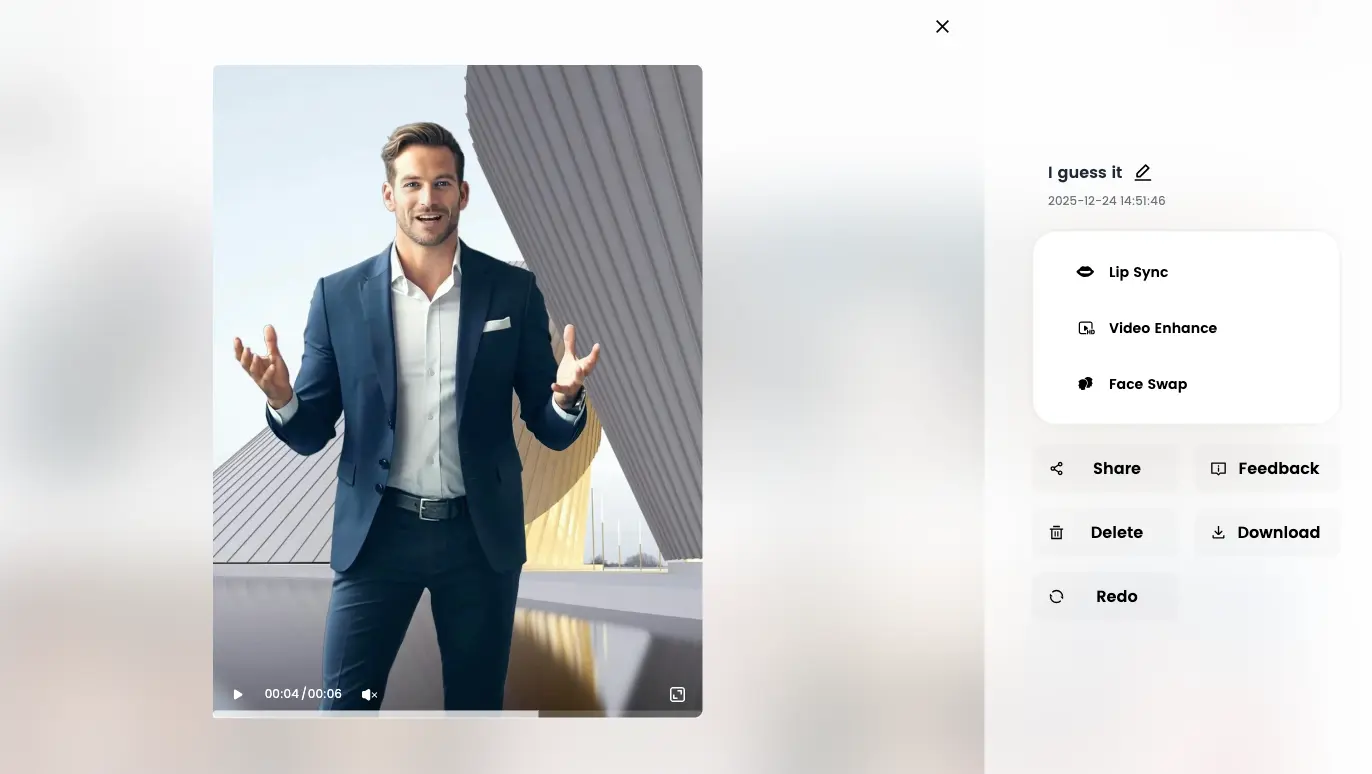
How to Create an Avatar Video with DreamFace (Step-by-Step)
DreamFace is built around a simple, flexible workflow that allows both beginners and advanced creators to move quickly.
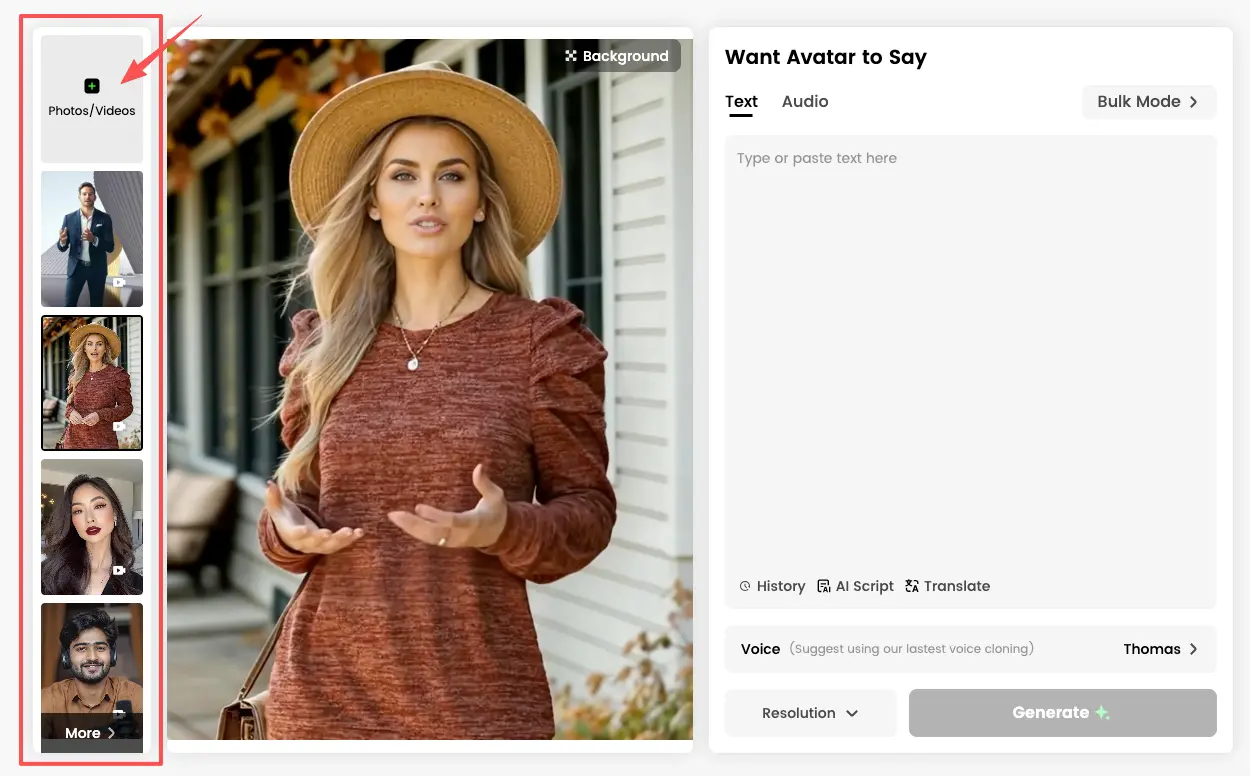
Step 1: Choose or Upload an Avatar
You can:
- Select an existing virtual avatar
- Upload your own photo or video to create a personalized avatar
Step 2: Add Script or Audio
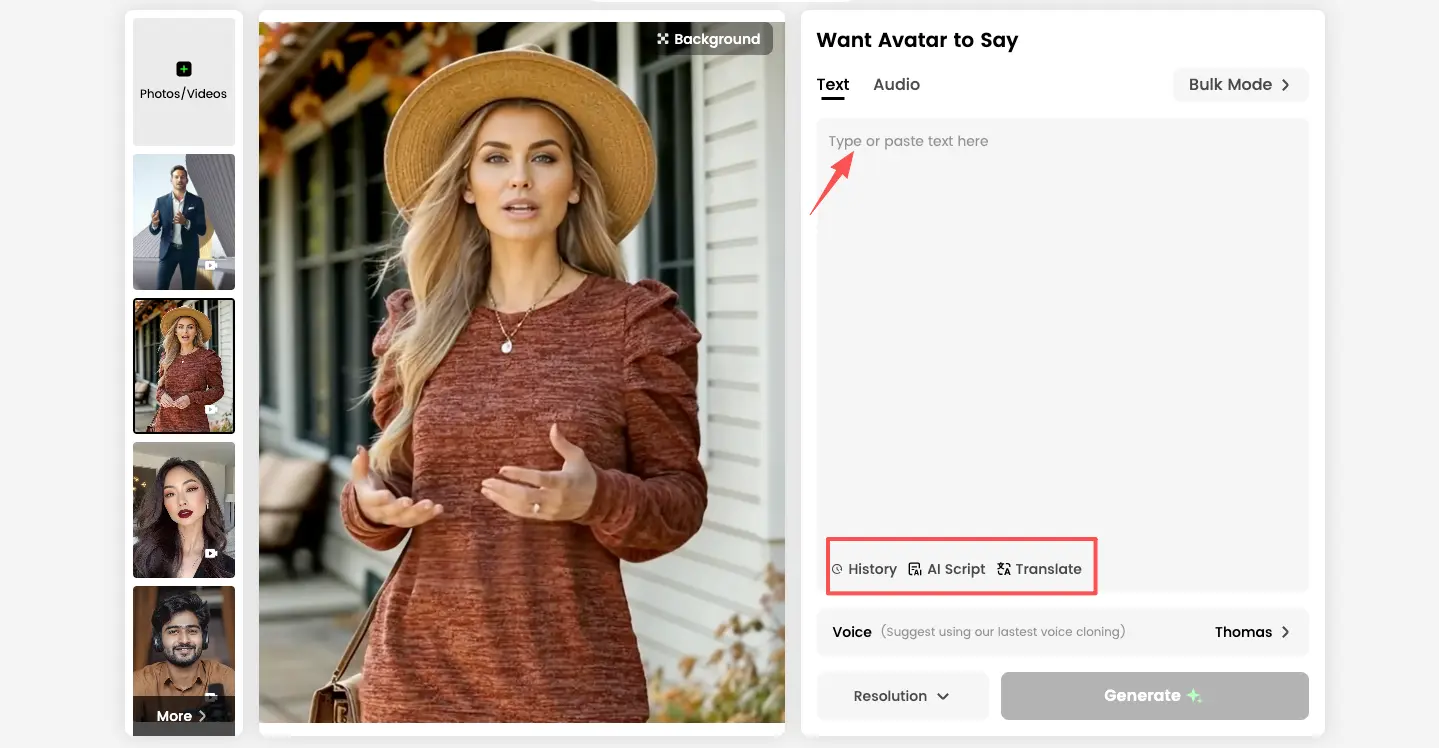
DreamFace supports multiple input methods:
- Type in text for the avatar to speak
- Upload an audio file
- Let AI automatically generate a script
- Translate input text into other languages
- Reuse scripts you’ve used before
Step 3: Select a Voice
You can choose from a wide range of voice templates, including:
- Male, female, and child voices
- Accelerated voice styles
- Celebrity-style voices
- Or upload your own voice for a fully custom avatar
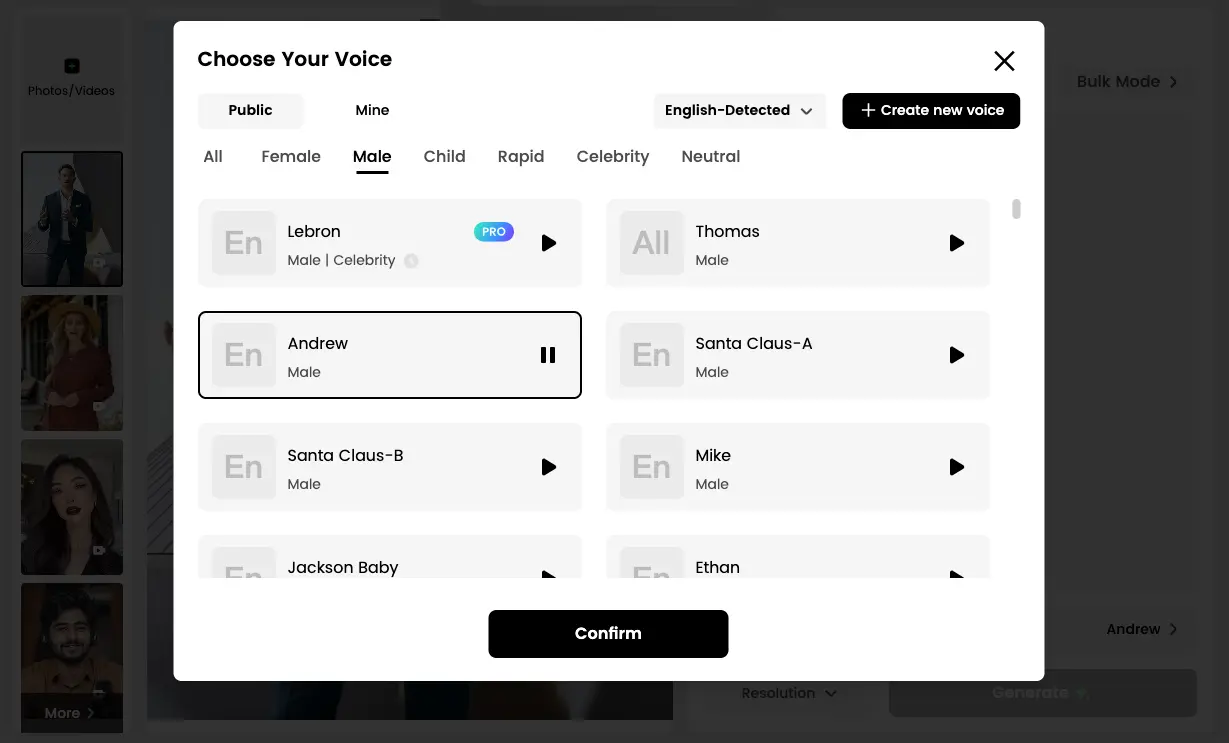
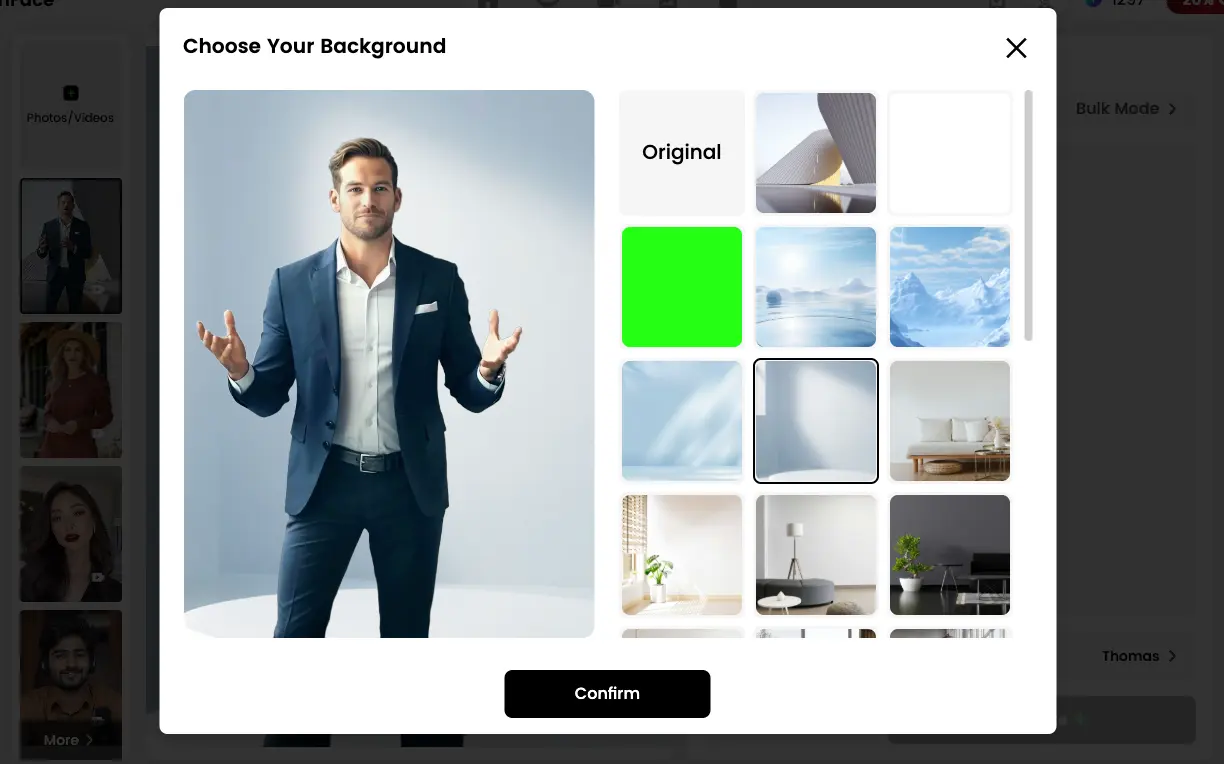
Step 4: Adjust Video Settings
Before generating, you can:
- Choose from multiple background options in the preview panel
- Select video resolution (720p or 1080p)
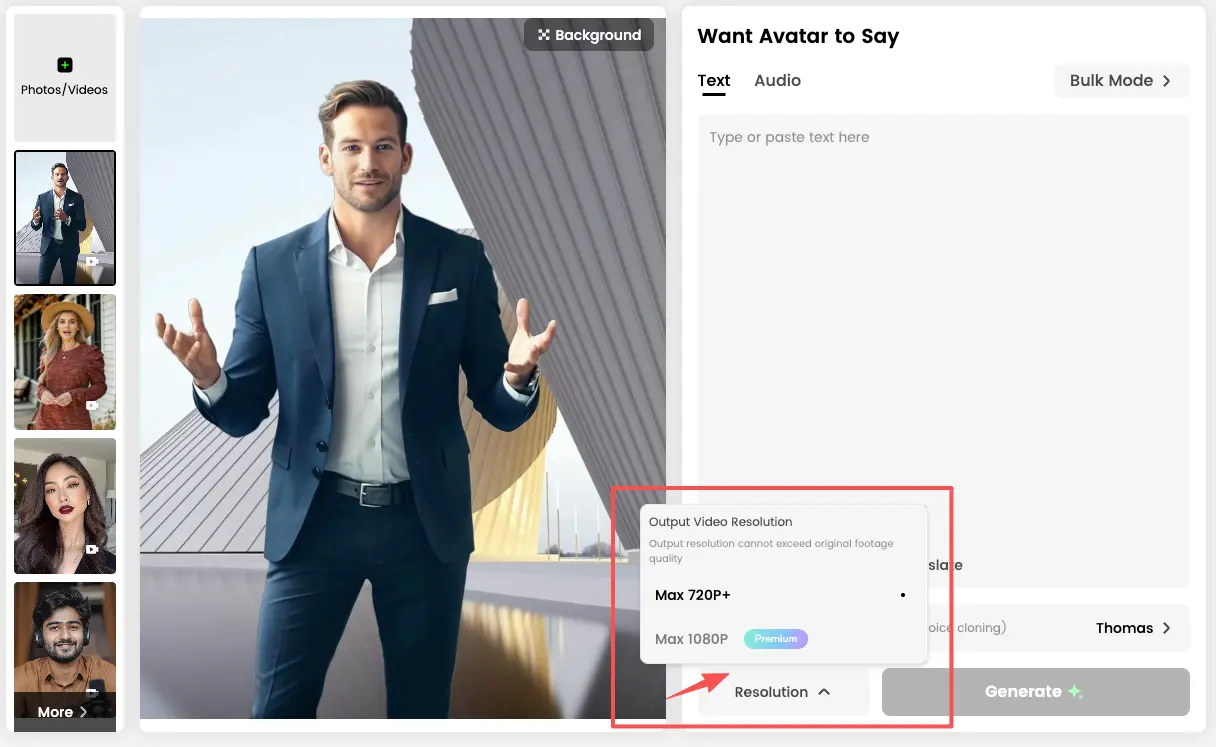
Step 5: Generate the Video
Click Generate, and DreamFace automatically processes everything in the background.
- Generation time: ~30 seconds
- No manual lip-sync editing required
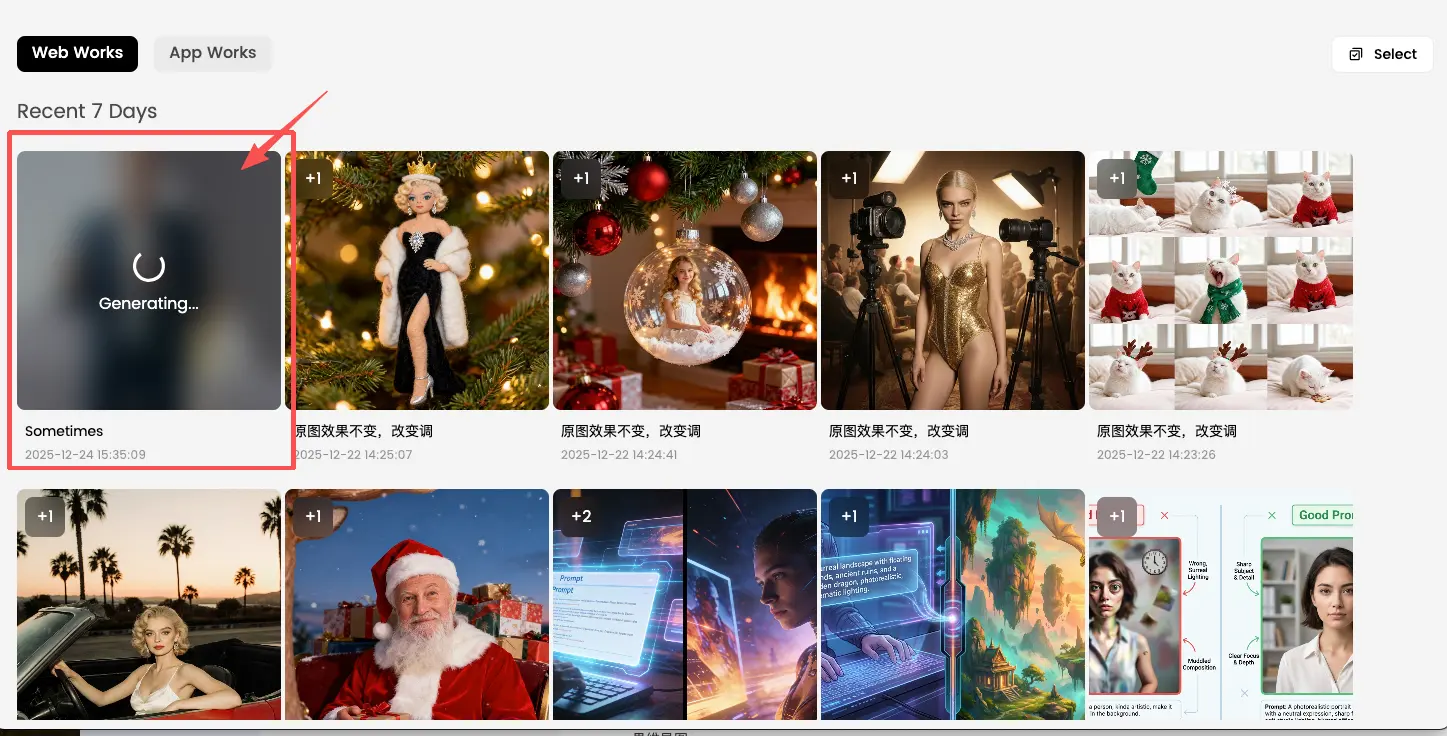
Step 6: Fine-Tune After Generation
Once the video is ready, you can:
- Add more script with additional lip sync
- Enhance video clarity
- Apply face swap effects
- The final output is vertical by default, making it ideal for mobile social platforms.
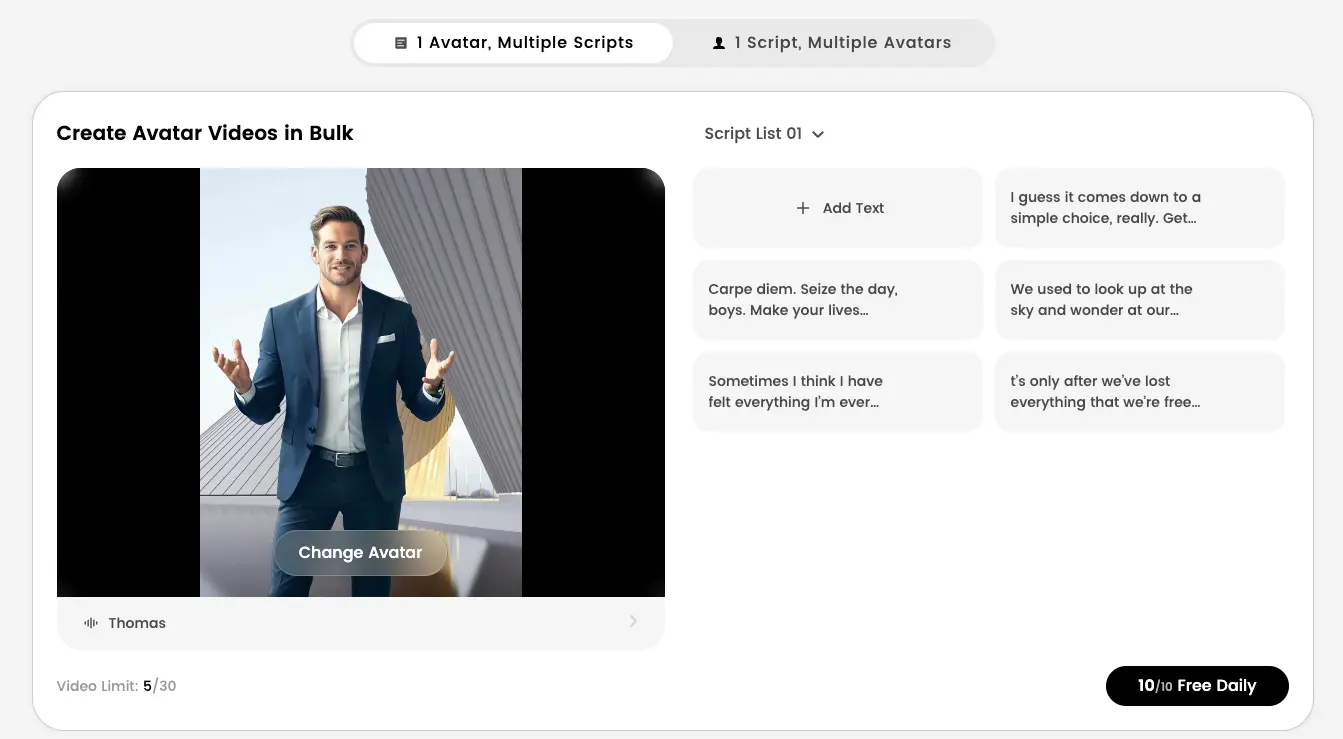
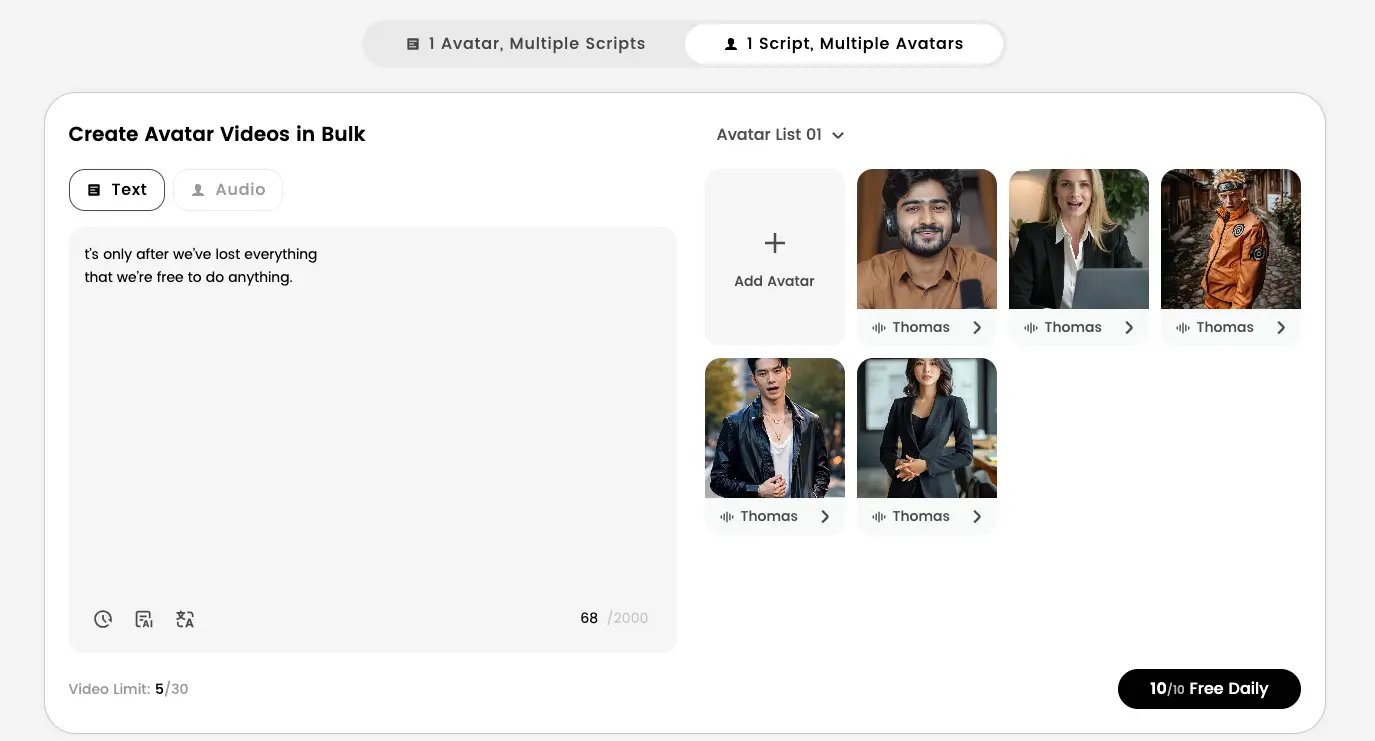
Bulk Mode: Scalable Avatar Video Creation
DreamFace also offers a Bulk Mode designed for high-volume content production.
There are two main bulk workflows:
- Multiple avatars delivering the same script
- One avatar delivering multiple scripts
- This is especially useful for:
- Marketing campaigns
- A/B testing video messages
- Localization and multilingual content
- Enterprise or agency-scale video production
Why DreamFace Is Ideal for Global Creators in 2025
DreamFace is built with global and social-first creators in mind.
Key advantages include:
- Vertical video output optimized for mobile platforms
- Realistic lip sync and facial expressions
- Fast generation (~30 seconds per video)
- Multilingual script and voice flexibility
- Bulk creation for scalable workflows
- For creators who want avatar videos that look natural, feel human, and work instantly on social media, DreamFace removes much of the friction found in traditional avatar tools.
Who Should Use DreamFace?
DreamFace is best suited for:
- Creators producing short-form social content
- Marketers running multilingual or global campaigns
- Teams that need realistic avatar videos without studio setups
- Anyone who wants AI avatars that feel close to real people
Final Verdict
DreamFace is one of the best avatar video generators in 2025 for creators who care about realism, speed, and social-ready output.
Its natural lip sync, expressive facial movements, and flexible script and voice options make it especially strong for global creators who want avatar videos that feel human — not artificial.
If your goal is to create avatar videos that viewers accept as real people on social platforms, DreamFace is a tool worth serious attention.
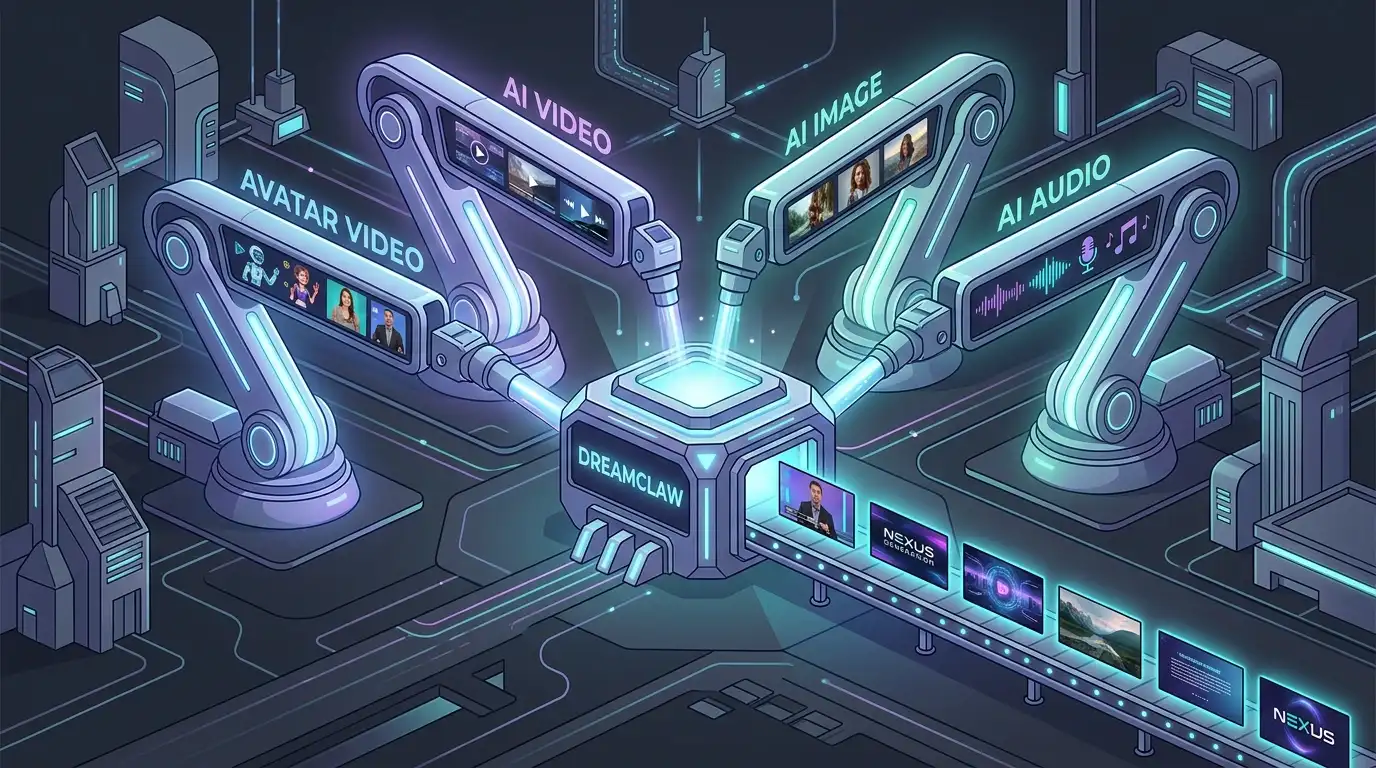
DreamClaw Agent: The All-in-One AI Automation Engine for DreamFace
Mar 04, 2026.jpg)
Seedance 2.0 Prompt Guide: The Ultimate Template for Cinematic AI Videos
Mar 03, 2026
Seedance 2.0 Prompt Guide: The Complete 2026 AI Video Creation Handbook
Feb 28, 2026
Google Nano Banana 2 Review: Pro-Grade Image Generation at Flash-Level Pricing
Feb 26, 2026
Seedance 2.0 Prompt Guide: The Ultimate Template for Cinematic AI Videos
Stop generating "slideshow" videos. This guide provides a creator-first framework for Seedance 2.0, focusing on the two pillars of high-quality AI video: logical structure and cinematic camera movement. Learn how to move beyond basic descriptions by using multi-shot templates, emotional modifiers, and stability constraints to create professional, immersive content. Stop asking if your prompt is detailed—start asking if your video is worth watching.
By Joseph 一 Dec 23, 2025- AI Video
- Text-to-Video
- seedance 2.0
- Image-to-Video
Seedance 2.0 Prompt Guide: The Complete 2026 AI Video Creation Handbook
In February 2026, ByteDance officially released its latest AI video generation model — Seedance 2.0. Dubbed by many in the industry as “the most powerful AI video tool on Earth,” Seedance 2.0 is rapidly reshaping the video creation landscape.
By Joseph 一 Dec 23, 2025- AI Video
- seedance 2.0
- Text-to-Video
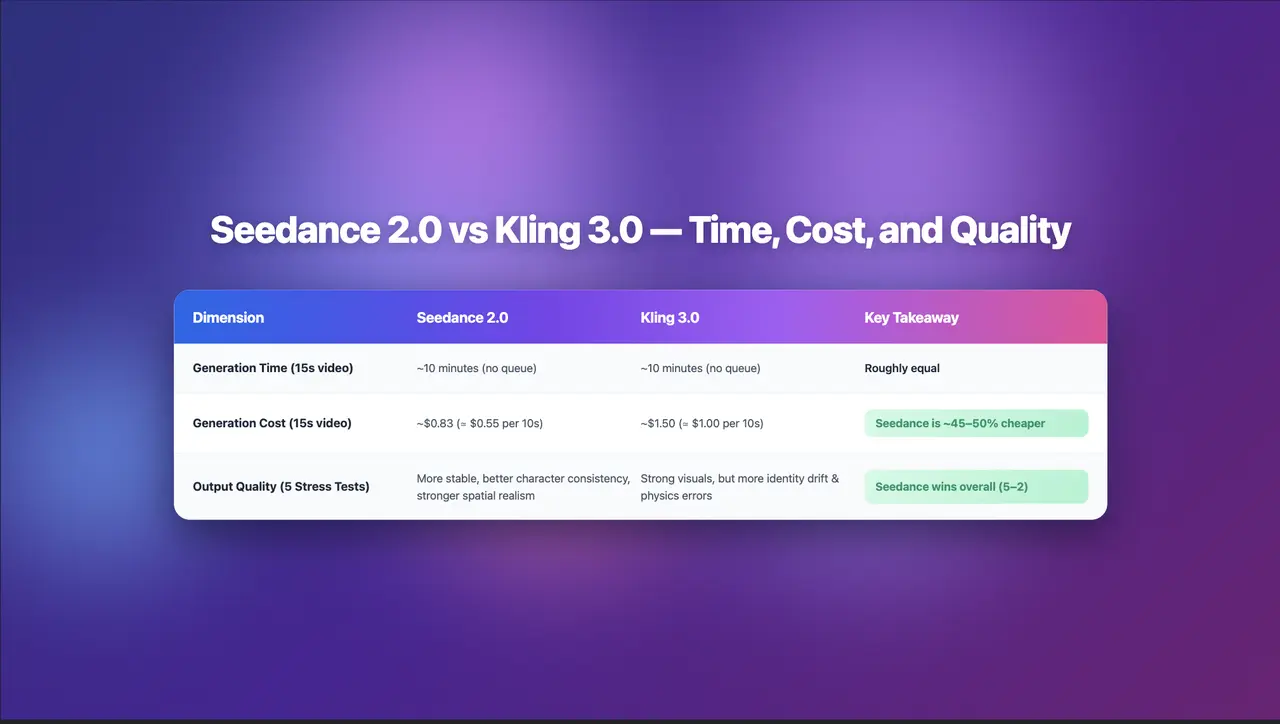
Seedance 2.0 Review: Stress-Testing Character Consistency Across 5 Extreme AI Video Scenarios
Seedance 2.0 recently launched a low-key update claiming to solve multi-angle continuity, smooth transitions, and consistent characters. To see whether it lives up to the hype, I ran five extreme stress tests, using the same prompts across Seedance 2.0 and Kling 3.0.
By Joseph 一 Dec 23, 2025- AI Video
- Text-to-Video
- Image-to-Video
- seedance 2.0
- X
- Youtube
- Discord