
'%3e%3cg%3e%3cpath%20d='M12.04834,6.05824C12.09325,4.8457799999999995,12.43703,3.78081,13.0715,2.89055C13.7092,1.995784,14.7633,1.3601670000000001,16.2063,1C16.215899999999998,1.0440338,16.2259,1.088092,16.2363,1.131979L16.2363,1.3623509999999999C16.2363,1.884725,16.1084,2.48372,15.856,3.14258C15.5915,3.78052,15.1781,4.38093,14.6291,4.92281C14.1157,5.40028,13.6406,5.71638,13.2207,5.85928C13.0822,5.9003,12.89209,5.94066,12.66255,5.97701C12.45842,6.00853,12.25362,6.03563,12.04834,6.05824ZM12.28933,7.85741C10.6594,7.85741,9.52778,6.42896,7.91997,6.42896C6.31224,6.42896,3,7.89332,3,12.9488C3,18.0043,5.94131,21.2617,6.27029,21.642C6.599209999999999,22.0224,7.36005,23,8.5387,23C9.71744,23,11.00787,22.0715,12.28933,22.0715C13.5707,22.0715,15.1836,23,16.2365,23C17.2895,23,17.7226,22.5747,18.4392,21.8411C19.1558,21.1074,20.5227,18.8686,21,17.5248C20.2137,17.061,18.1298,15.8019,18.1298,12.9488C18.1298,11.0468,18.831200000000003,9.4667,20.2341,8.20853C19.3138,7.02216,18.2464,6.42896,17.0318,6.42896C15.2099,6.42896,13.9193,7.85741,12.28933,7.85741Z'%20fill='%23000000'%20fill-opacity='1'/%3e%3c/g%3e%3c/g%3e%3c/svg%3e)
'%3e%3cg%3e%3cpath%20d='M6.2985500000000005,2L14.60082,10.81153L16.7432,8.537289999999999C13.81573,6.65184,9.89484,4.122529999999999,8.13152,2.985321L6.95017,2.225593C6.74135,2.090554,6.5177700000000005,2.0178354,6.2985500000000005,2ZM5.0312551,3.05499C5.0144537,3.1518100000000002,5,3.24911,5,3.35357L5,20.7675C5,20.8406,5.0138389,20.9085,5.0234395,20.9782L13.4695,12.0125L5.0312551,3.05499ZM18.1511,9.444659999999999L15.7321,12.0125L18.1089,14.5354C19.3682,13.7252,20.2405,13.1626,20.3372,13.1007C20.7653,12.8229,21.007,12.4039,20.9998,11.94614C20.9934,11.49683,20.7516,11.09514,20.340400000000002,10.84799C20.2484,10.79194,19.387999999999998,10.24048,18.1511,9.444659999999999ZM14.60082,13.2134L6.3235600000000005,22C6.48437,21.9703,6.64498,21.9194,6.79859,21.8209C7.01141,21.6833,12.76069,17.9805,16.701,15.4428L14.60082,13.2134Z'%20fill='%23000000'%20fill-opacity='1'/%3e%3c/g%3e%3c/g%3e%3c/svg%3e)

Flux Kontext Prompts for Image Outpainting
By writing targeted prompts, you can artfully control this expansion, turning a simple snapshot into a panoramic masterpiece. This guide will teach you the essential commands for mastering Image Outpainting, ensuring the AI-generated additions blend perfectly with your original photo for breathtaking results.
- Image Outpainting
- AI image generator
- Flux-Kontext
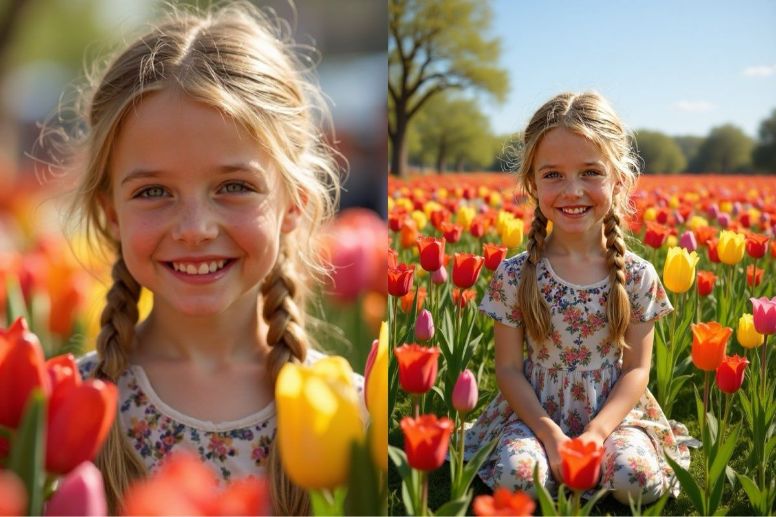
Ever taken a photo you love, but wished you could see what was just outside the frame? Perhaps a stunning landscape was cut short, or a portrait felt too tightly cropped. With AI Image Outpainting, you can break free from the original boundaries of your photo. This powerful technology lets you extend your image in any direction, revealing a wider scene that completes the story.
By writing targeted prompts, you can artfully control this expansion, turning a simple snapshot into a panoramic masterpiece. This guide will teach you the essential commands for mastering Image Outpainting, ensuring the AI-generated additions blend perfectly with your original photo for breathtaking results.
Note that the effects achievable with the prompts below can be created for free using Dreamface - a free platform to realize your AI image edits.
Flux Kontext AI Image Outpainting Prompts
Prompt 1:
Outpaint the image to a wider vertical portrait, extending the scene to reveal the rest of the young woman's cozy, chunky knit winter coat and mittens. Fill the expanded background with a serene, snow-covered pine forest with softly falling snow. Seamlessly continue the existing crisp winter lighting and cold, peaceful atmosphere, ensuring the transition from the original close-up is invisible.
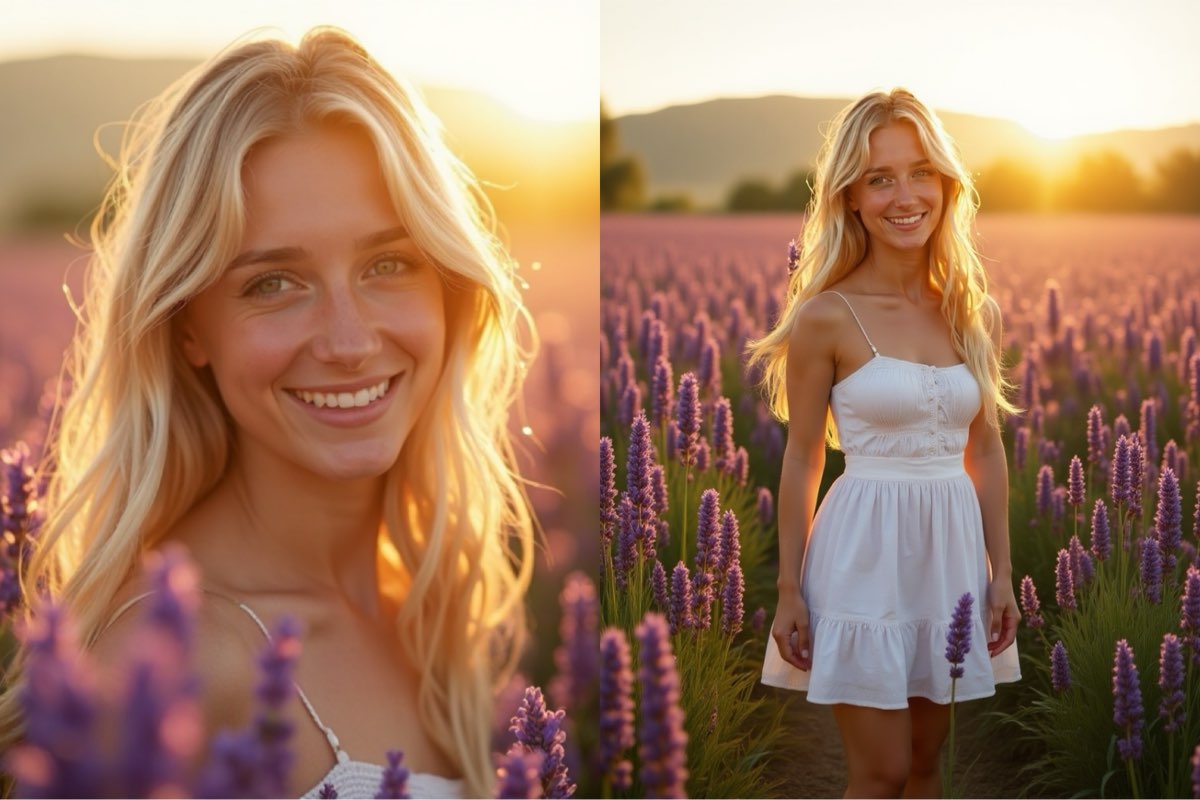
Create this image for free using Dreamface!
Prompt 2:
Outpaint the image to a full landscape view, extending the scene to reveal a vast field of vibrant red and yellow tulips stretching towards the horizon under a bright blue sky. Show the young girl with pigtails sitting happily amongst the flowers, revealing her full floral print dress. Seamlessly continue the existing joyful atmosphere, direct sunlight, and rich color palette.
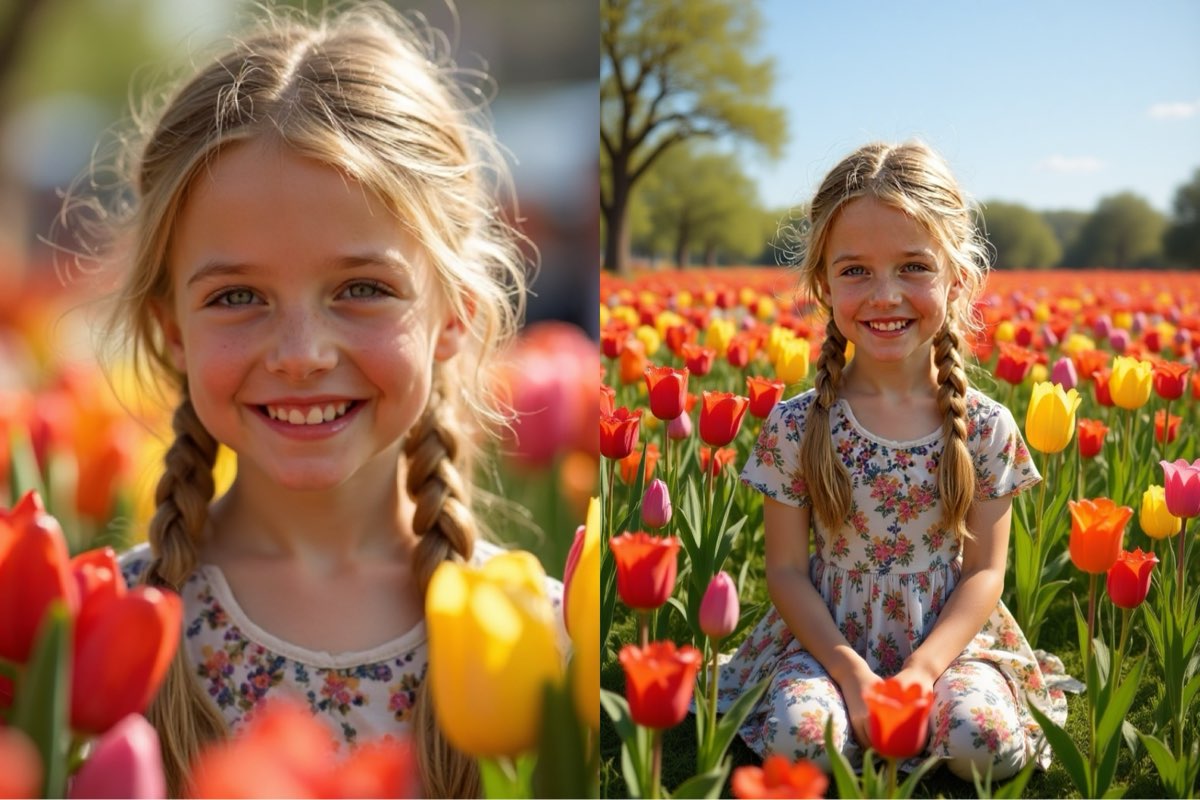
Create this image for free using Dreamface!
Prompt 3:
Outpaint the image to a wider landscape view, extending the scene to reveal endless rows of purple lavender stretching into the distance. The scene should be bathed in the warm, hazy glow of golden hour sunlight, including a soft, natural lens flare from a setting sun just out of frame. Complete the woman's simple summer dress as she stands peacefully. Seamlessly continue the existing dreamy atmosphere and warm color palette.
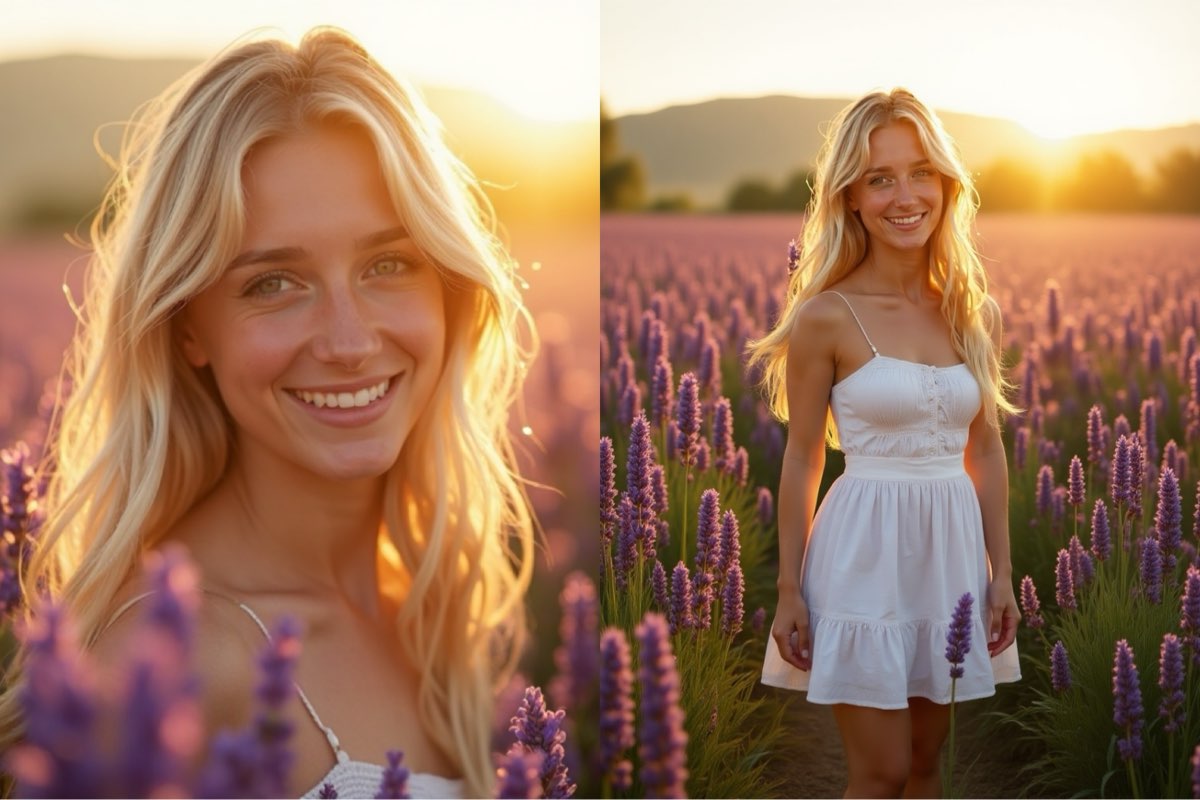
Create this image for free using Dreamface!
How to Write Effective Image Outpainting Prompts
Effective outpainting requires you to act as a director, guiding the AI to expand the original canvas logically and beautifully. The key is a clear and descriptive command.
- Define the New Frame: Start by stating your intention to expand the image and in which direction. Use direct commands like, "Outpaint the image to a wider landscape view," or "Extend the scene to a wider vertical portrait."
- Describe the Extended Scenery: Be specific about what should fill the new space. Don't just say "more trees"; describe a "serene, snow-covered pine forest with softly falling snow." This detail is crucial for a coherent result.
- Demand a Seamless Blend: This is the most critical step for realism. You must instruct the AI to match the original photo's characteristics. Use phrases like, "Seamlessly continue the existing...", followed by details like "crisp winter lighting," "warm color palette," or "dreamy atmosphere."
- Complete Partial Subjects: If the original photo cuts off a person or object, tell the AI to finish it. For example, "reveal the rest of the young woman's...winter coat," or "Complete the woman's simple summer dress."
See the Bigger Picture
As you've learned, successful AI Image Outpainting is about expanding your canvas with precision and creativity. The secret is in writing detailed prompts that define the new frame, describe the scenery, and demand a seamless continuation of the original image.
These examples are just the beginning. The best way to master this skill is to experiment. Take these prompts to Dreamface, upload your own photos, and start revealing the world beyond their borders for free. What hidden stories are waiting to be told in your pictures?
What Is a Good Prompt for an AI Image?
Learn how to write better AI image prompts that generate high-quality, consistent, and creative results. Discover examples, best practices, and common mistakes to avoid.
By Elijah一Dec 15, 2025- AI image generator
- Text-to-Image
- AI Image
Illustrious‑SDXL: Anime‑Focused Image Generation Elevated
Introducing Illustrious‑SDXL — a model finetuned for anime and stylized illustration generation. It blends SDXL’s robust architecture with curated anime datasets and aesthetic guidance, making it ideal for creators who want: •Consistent anime character designs •Dynamic action and emotional expression •Rich stylistic variation (shojo, battle, mecha, fantasy, etc.) •Art‑style control with minimal prompting
By Roy一Dec 16, 2025- AI image generator
- AI Image
- Illustrious SDXL

Seedream 4.5: Better Identity Consistency, with 6 Portrait Styles to Try
Seedream 4.5 is here! In this post, we test its identity consistency in portrait generation and walk you through 6 portrait shooting styles it handles impressively well — with full examples and tips.
By Henry一Dec 15, 2025- AI image generator
- Seedream 4.5
- AI Image
- AI Filter