


How to Create an AI Talking Avatar in 2026
An AI talking avatar is a digital character that can speak, lip-sync, and express facial movement based on text or audio input. To create an AI talking avatar, users typically upload a photo, enter a script or voice recording, select a language and voice style, and generate a video with synchronized speech and facial animation. In 2026, AI talking avatars are widely used for social media, sports commentary, education, and multilingual content creation due to their speed, flexibility, and ease of use.
- Text-to-Video
- Image-to-Video
- Avatar Video
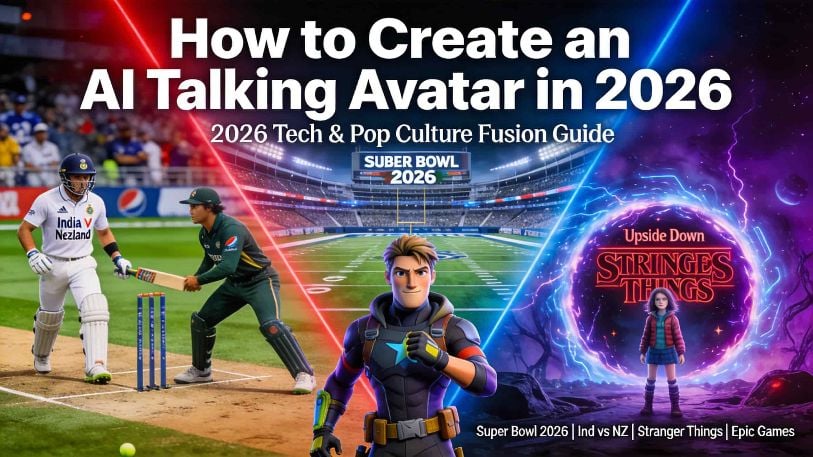
A Practical Guide with Real-World Use Cases
AI talking avatars have quickly moved from experimental demos to everyday content tools. In 2026, creators are no longer asking whether AI avatars work — they are asking how to create them efficiently, realistically, and at scale.
From global sports events like the Super Bowl 2026, AFCON, and WPL, to entertainment content inspired by Stranger Things, gaming communities around Epic Games, and even everyday explainer videos, AI talking avatars are now a practical way to turn static ideas into engaging videos.
This guide explains how to create an AI talking avatar, step by step, and shows how creators are using them across real trending scenarios.
What Is an AI Talking Avatar?
An AI talking avatar is a digitally generated character that can speak, lip-sync, and express facial movement based on text or audio input. Unlike traditional animation or video recording, AI talking avatars are created without cameras, actors, or editing timelines.
At a high level, an AI talking avatar combines:
- Facial animation driven by speech
- Lip-sync aligned to audio or text
- Optional full-body or motion-based animation
- Multilingual voice synthesis and emotional tone control
This makes AI talking avatars especially useful for short-form video, explainers, social media content, and global communication.
Why AI Talking Avatars Are Trending in 2026
Several content trends are driving the rapid adoption of AI talking avatars:
- Short-form video dominance across platforms like TikTok, Reels, and Shorts
- Global sports schedules, such as the NFL schedule, Super Bowl 2026, Ind vs NZ cricket matches, WPL, and AFCON, creating constant demand for fast commentary and recap videos
- Entertainment-driven content, including fandom discussions around series like Stranger Things
- Multilingual audiences, where creators need the same message delivered in different languages
In this environment, AI talking avatars offer speed, consistency, and flexibility that traditional video workflows cannot match.
Common Use Cases for AI Talking Avatars
Sports & Event Commentary
Creators use AI avatars to explain match schedules, preview games, or summarize results for events like:
- Super Bowl 2026
- AFCON tournaments
- WPL and international cricket matches
- Seasonal NFL schedule updates
An avatar can act as a neutral presenter, delivering information clearly and consistently without on-camera recording.
Entertainment & Pop Culture Content
AI talking avatars are increasingly used to:
- Create recap or theory videos related to popular shows like Stranger Things
- Narrate character breakdowns or episode summaries
- Produce short explainer clips for trending entertainment topics
Education & Everyday Explainers
Some of the fastest-growing use cases are simple, practical explanations:
- Cooking guides such as Olivier salad recipes
- Travel or activity explainers like skiing basics
- Language learning and cultural introductions
An AI avatar makes these explanations more engaging without requiring live presenters.
Marketing & Brand Communication
Brands and creators use AI talking avatars for:
- Product introductions
- News updates
- Podcast-style video formats
- Multilingual announcements for global audiences
How to Create an AI Talking Avatar: Step-by-Step
Step 1: Prepare Your Image or Avatar
Start with a clear, front-facing image. Good lighting and a neutral expression help generate more natural facial movement.
You can use:
- A real photo
- A stylized portrait
- A pre-designed avatar
Step 2: Write Your Script or Prepare Audio
Decide whether your avatar will speak from:
- Text input (script-to-speech)
- An uploaded audio recording
- A cloned voice
Short, conversational sentences usually produce the most natural results.
Step 3: Choose Voice and Language
Modern AI talking avatar tools support multilingual voice generation.
At this stage, you can:
- Select the target language
- Choose tone or emotional style
- Apply voice cloning if needed
This is especially useful for content targeting different regions or international audiences.
Step 4: Generate Lip-Sync and Facial Animation
The system automatically synchronizes mouth movement and facial expressions with the voice or script. Advanced tools also support:
- Emotion-aware expressions
- Head movement and micro-expressions
- Full-body animation (when available)
Step 5: Export and Share
Once generated, export your video in standard formats and publish it to:
- Social media platforms
- Websites or landing pages
- Marketing campaigns or presentations
The entire process typically takes minutes rather than hours.
Advanced Tips for Better AI Talking Avatars
- Use neutral backgrounds for clearer facial focus
- Match voice tone to content type (sports commentary vs. storytelling)
- Keep scripts concise to avoid unnatural pacing
- Test multiple voice styles for better engagement
- For trending topics, speed matters more than perfect visuals
Why Many Creators Choose DreamFace for AI Talking Avatars
Platforms like DreamFace are designed specifically for practical avatar creation rather than experimental demos.
Creators often choose DreamFace because it:
- Supports 19 languages for voice and avatar speech
- Generates talking avatar videos quickly
- Requires no editing or technical skills
- Includes motion tools, voice cloning, and template-based workflows
- Works across web, iOS, and Android
This makes it suitable for recurring content, global audiences, and fast-moving trends.
Frequently Asked Questions
- What is the easiest way to create an AI talking avatar?
Using an AI platform that accepts photos and text input is the fastest approach. No filming or editing is required.
- Can AI talking avatars speak multiple languages?
Yes. Many tools support multilingual voice synthesis, allowing avatars to speak different languages with natural pronunciation.
- Are AI talking avatars suitable for sports or trending topics?
Absolutely. They are widely used for sports schedules, event previews, and fast-turnaround commentary videos.
- Do I need technical or design skills?
No. Most modern AI avatar platforms are designed for non-technical users.
Final Thoughts
AI talking avatars are no longer a novelty. In 2026, they are a practical solution for creators responding to fast-moving trends — from global sports events and entertainment discussions to everyday explainers and marketing content.
Learning how to create an AI talking avatar gives creators a flexible way to produce engaging video content without the limitations of traditional production.
How to Make a Mother’s Day Talking Photo with AI
Turn a single photo into a Mother’s Day greeting video with AI. Learn the easiest workflow, message ideas, common mistakes, and when to use a filter first.
By Riley一Apr 20, 2026- AI Video
- Photo To Video
- Avatar Video
.jpg)
Seedance 2.0 Prompt Guide: The Ultimate Template for Cinematic AI Videos
Stop generating "slideshow" videos. This guide provides a creator-first framework for Seedance 2.0, focusing on the two pillars of high-quality AI video: logical structure and cinematic camera movement. Learn how to move beyond basic descriptions by using multi-shot templates, emotional modifiers, and stability constraints to create professional, immersive content. Stop asking if your prompt is detailed—start asking if your video is worth watching.
By Giselle一Mar 03, 2026- Text-to-Video
- AI Video
- seedance 2.0
- Image-to-Video
Seedance 2.0 Prompt Guide: The Complete 2026 AI Video Creation Handbook
In February 2026, ByteDance officially released its latest AI video generation model — Seedance 2.0. Dubbed by many in the industry as “the most powerful AI video tool on Earth,” Seedance 2.0 is rapidly reshaping the video creation landscape.
By Noah一Feb 28, 2026- seedance 2.0
- Text-to-Video
- AI Video