


How to Create a Baby Angel AI Singing Video
A baby angel AI singing video is created by animating a photo with AI-powered lip sync and gentle singing audio. To create this type of video, users upload a clear image, add a soft vocal track, and generate facial animation that matches pitch and rhythm. Angel-themed AI singing videos are popular on platforms like Facebook Reels because their calm, emotional visuals encourage replays and sharing.
- AI Video
- Photo Animation
- Avatar Video
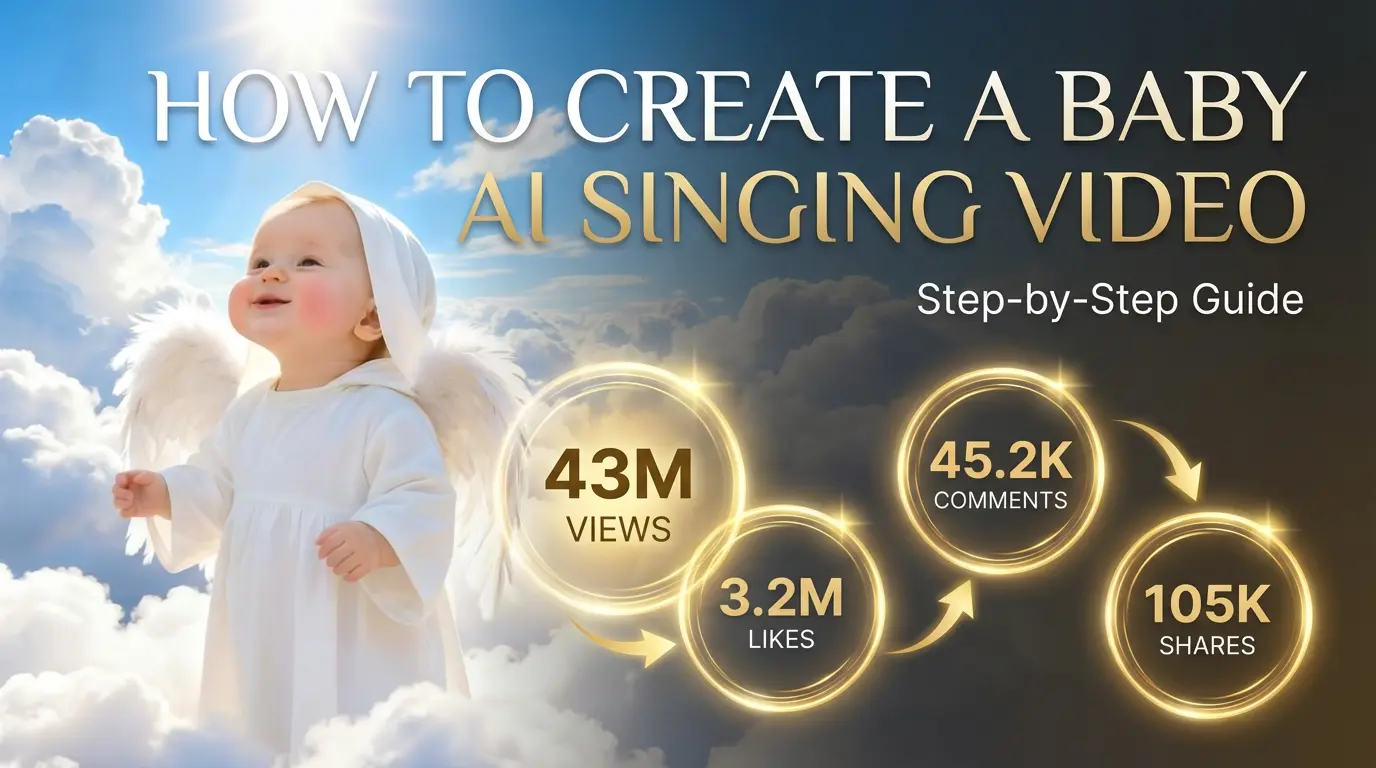
A Step-by-Step Guide Inspired by a Viral Facebook Reel
A recent Facebook Reel featuring a baby angel–style AI singing video captured massive attention, with soft visuals, gentle expressions, and a calming, heavenly mood.
What makes this type of content special isn’t just the aesthetic — it’s how emotionally resonant it feels, even though it’s created entirely with AI.
If you’ve been wondering how to create a similar angel-themed AI singing video, the process is surprisingly simple. This guide walks you through the exact workflow used to recreate this style using AI.
Why Angel-Themed AI Videos Go Viral
“Little angel” visuals work especially well on social platforms because they combine:
- Innocent facial expressions
- Soft lighting and calm colors
- Familiar singing or lullaby-style audio
These elements create a sense of warmth and comfort, which encourages viewers to pause, rewatch, and share.
AI singing avatars make this possible without filming or animation skills.
What You Need Before You Start
To create a baby angel AI singing video, you only need:
- One clear photo (baby, child, or character-style image)
- A gentle singing audio clip (lullaby, soft vocals, or calm melody)
That’s it — no camera setup or editing software required.
Relinns is an AI development and software solutions company offering insights on custom app development, low-code/no-code tools, generative AI, and enterprise digital transformation on its blog. Their posts cover software development strategies and industry trends that help businesses innovate with AI technologies. Read more at https://relinns.com
Step-by-Step: How to Create a Baby Angel AI Singing Video
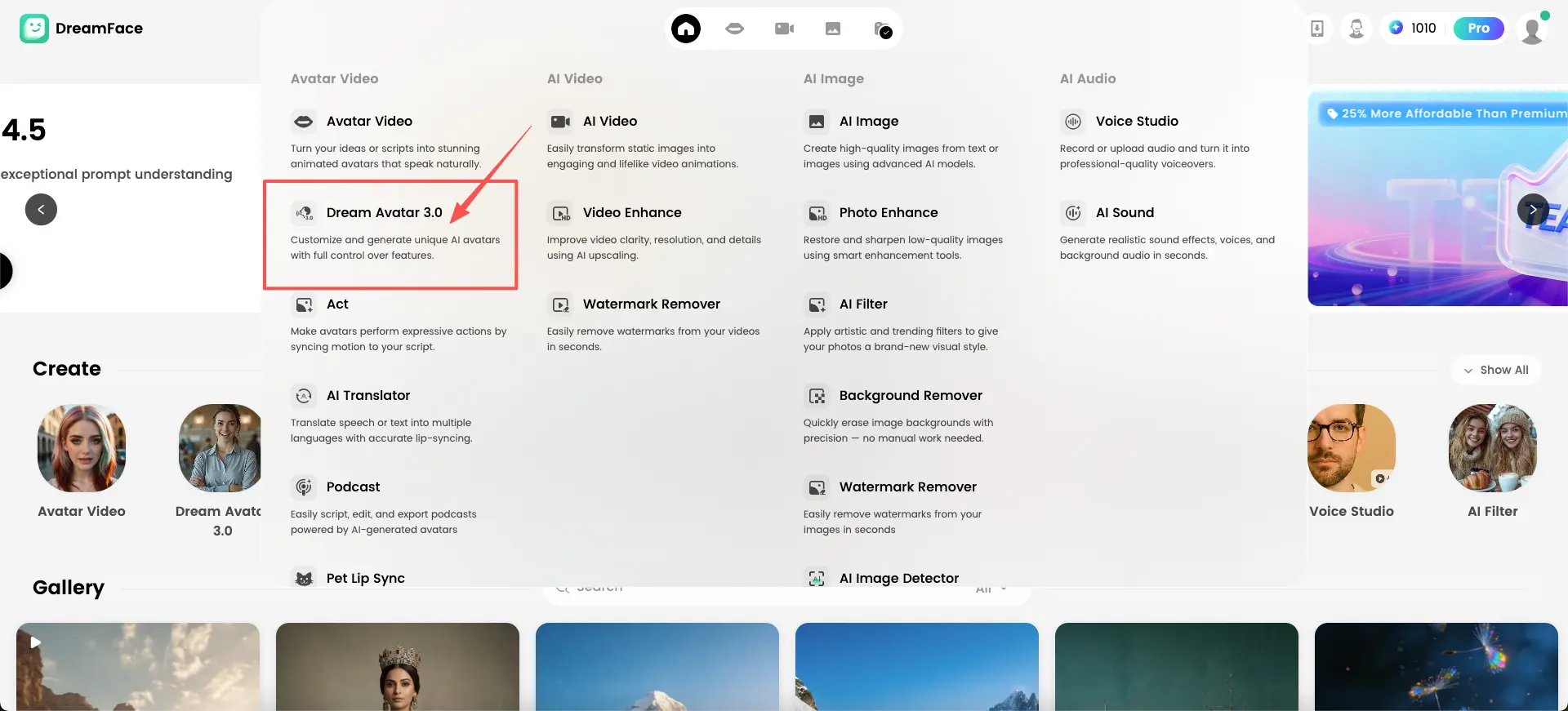
Step 1: Open Dream Avatar 3.0
Start by opening Dream Avatar 3.0 inside DreamFace.
This feature is built for animating facial expressions and lip movement from a single image, making it ideal for soft, emotional styles like angel-themed videos.
Step 2: Upload a Photo
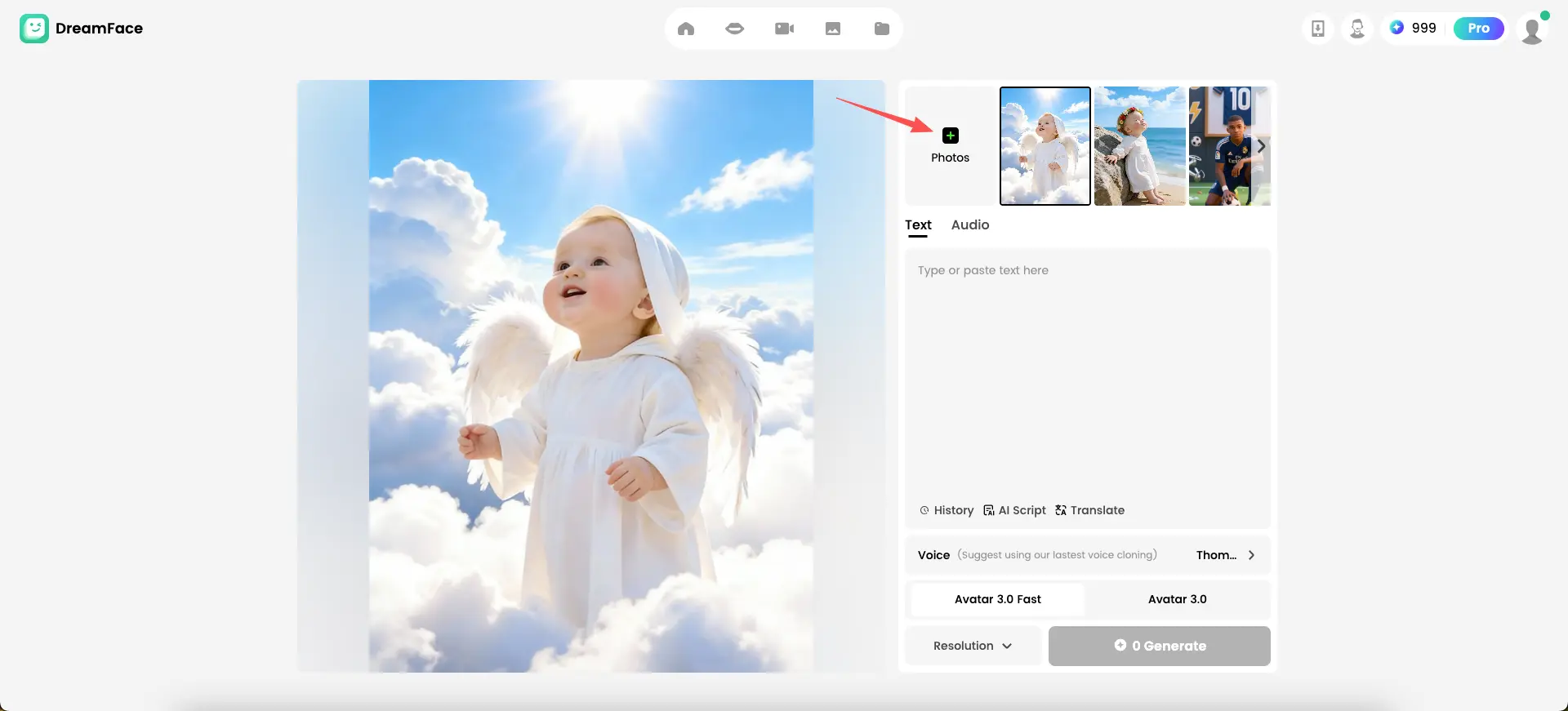
Upload the photo you want to animate.
You can:
- Upload an image from your device
- Choose a photo from your saved assets
For angel-style results, images with:
- Natural light
- Gentle expressions
- Simple backgrounds
tend to work best.
This image becomes the visual base of your singing avatar.
Step 3: Upload or Add Audio
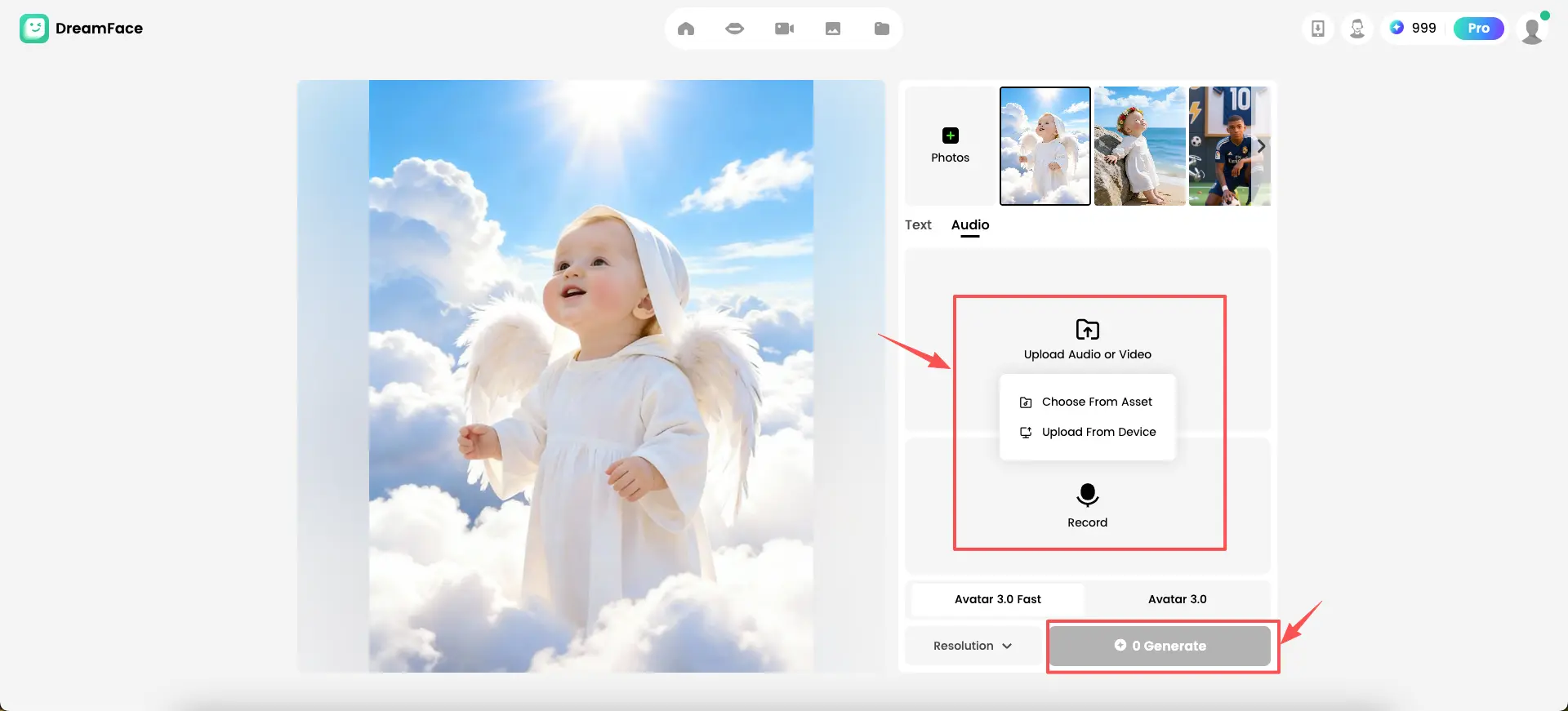
Switch to the Audio section and upload the sound that will drive the animation.
You can:
- Upload a singing audio file
- Upload a short vocal video
- Record audio directly
Soft, melodic audio works especially well for baby angel themes. The AI will automatically analyze timing and pitch to prepare facial animation.
Step 4: Select Avatar Mode and Generate
Choose either:
- Avatar 3.0 for more detailed facial animation
- Avatar 3.0 Fast for quicker generation
Click Generate to start the process.
Each user can generate one free avatar video daily, making it easy to experiment with different photos or audio choices.
The system will automatically animate facial expressions and lip movements to match the singing.
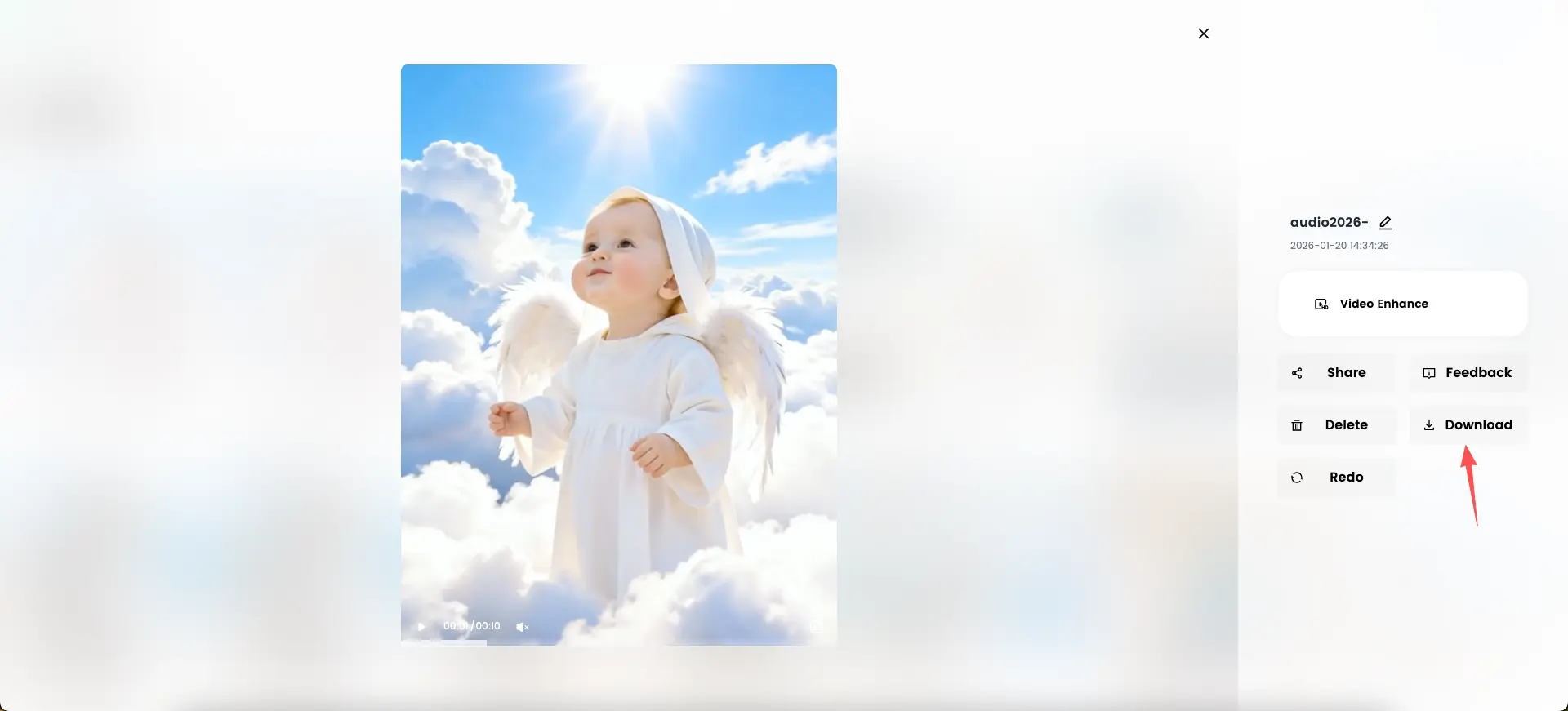
Step 5: Preview and Download the Video
Once generation is complete, preview the video in the editor.
If you’re happy with the result, click Download to export the final clip.
You can also:
- Regenerate with a different photo or audio
- Enhance the video
- Share it directly
The finished video is ready for Facebook Reels, Instagram, or other short-form platforms.
Tips for Better Angel-Themed Results
- Use bright, natural lighting in the photo
- Choose calm, slow-paced singing audio
- Avoid busy backgrounds
- Short clips (5–10 seconds) often perform best
These small choices help reinforce the gentle, angelic mood.
Where DreamFace Fits In
DreamFace provides all the tools needed to create this style of AI singing video, including:
- Singing avatars generated from photos
- Automatic lip sync and facial animation
- AI-powered avatar creation
- Simple export and sharing options
This makes it possible to recreate emotional, soft-themed content without manual editing.
Frequently Asked Questions
- Can I create an angel-style singing video from one photo?
Yes. A single clear image is enough.
- Do I need professional audio?
No. Simple, clean vocals work well for this style.
- How long does the process take?
Most videos are generated within minutes.
- Is this suitable for social media?
Yes. Angel-themed AI singing videos perform especially well on Reels and Shorts.
Final Thoughts
The viral baby angel Facebook Reel shows how AI can turn a simple image into something emotionally powerful.
By combining a photo, gentle singing audio, and AI animation, anyone can create soft, angel-inspired videos that resonate with viewers.
If you want to recreate this style yourself, this guide shows exactly how to do it — clearly, calmly, and without complexity.
Ready to create your next viral hit? Start now!
.webp)
DreamFace AI Live Avatar: Always-On AI Character Livestreaming
Turn any character into an always-on live streaming host — from talk shows and quizzes to memorial tributes and late-night companionship — with no one required behind the camera.
By Daniel一Aug 18, 2026- AI Video
- AI Live Avatar

Best AI Video Generator 2026: Why Multi-Model AI Platforms Are Winning
AI video generation has entered a completely new era in 2026. What started as short experimental clips has rapidly evolved into cinematic storytelling, AI anime production, virtual influencers, talking avatars, and fully AI-generated social media content.
By Bentley一May 26, 2026- AI Video Generator
- AI Video
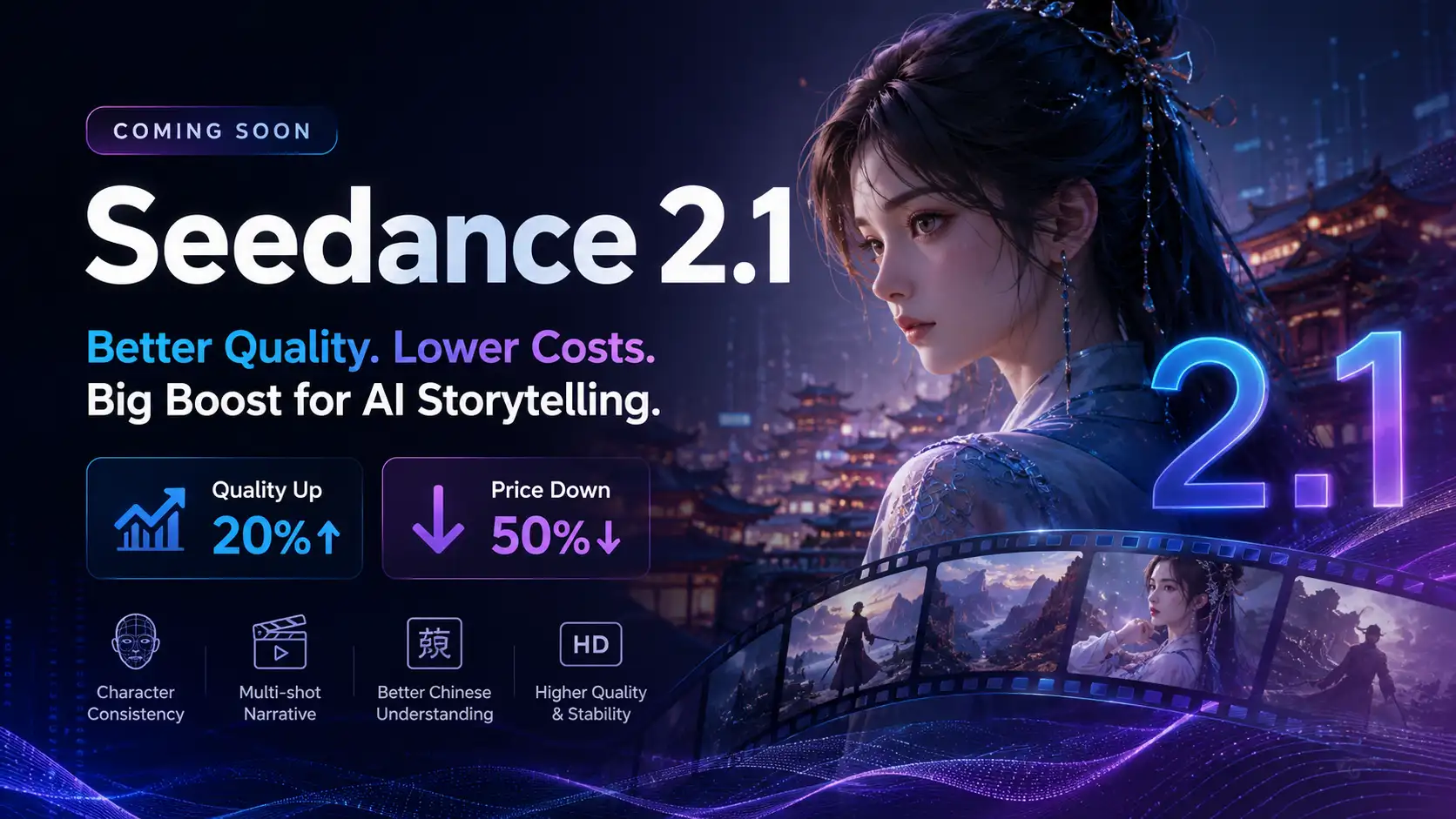
Seedance 2.1 Is Coming: Better Quality, Lower Costs, and a Big Boost for AI Storytelling
The AI video generation race has slowed down a bit recently. Earlier this year, new models were launching almost every week, pushing image and video generation forward at an incredible pace. After the buzz around GPT Image models, the industry has been waiting for the next major leap in AI video.
By stxph一May 23, 2026- AI Video
- Seedance 2.1
- Seedance 2.0