


How to Create a Viral AI Singing Avatar Video
An AI singing avatar video is created by animating a photo with AI-powered lip sync and singing voice generation. To create a viral AI singing avatar video, users upload a clear image, add a singing audio source, and generate facial animation that matches pitch and rhythm. This type of content has become especially popular on social platforms like Facebook Reels, where expressive and unexpected visuals drive engagement.
- Avatar Video
- Photo Animation
- AI Video
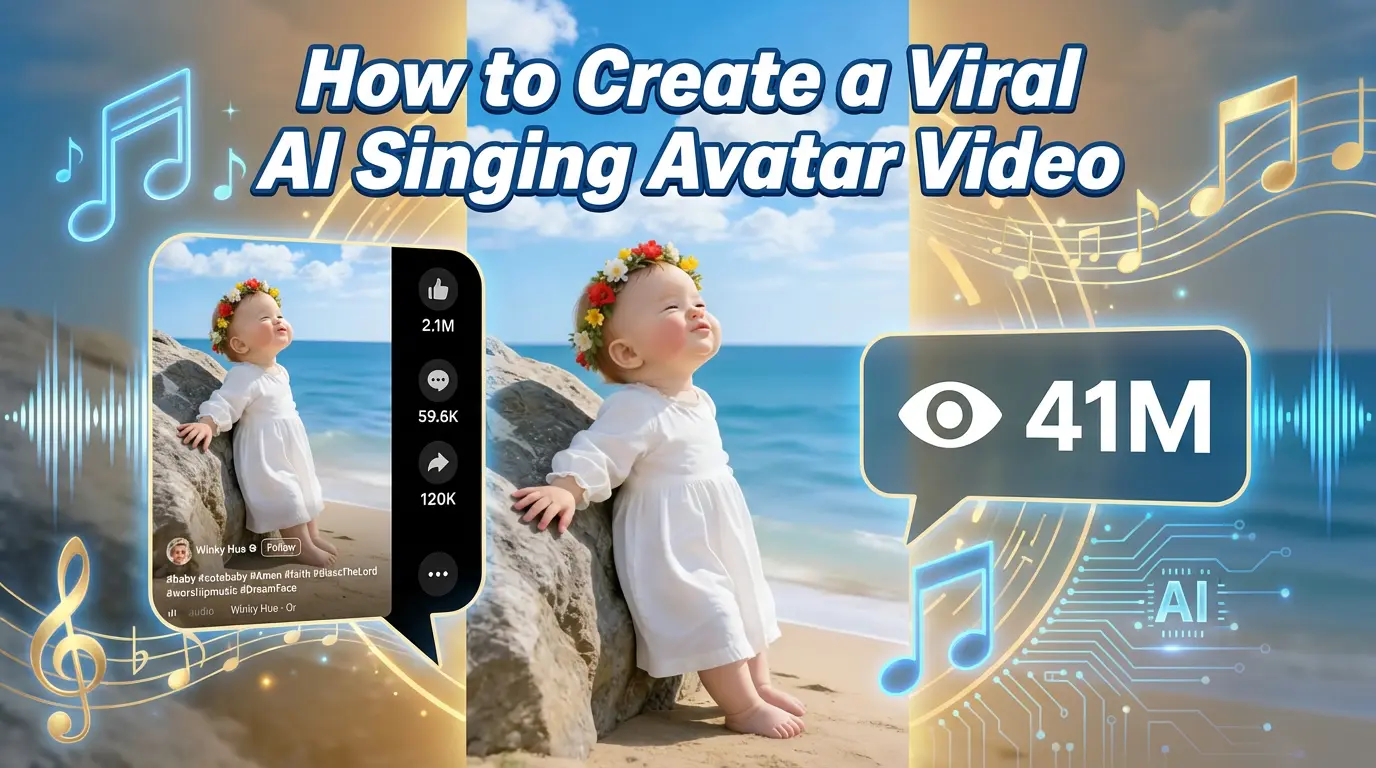
Inspired by a 41M-View Facebook Reel
A recent Facebook Reel featuring an AI singing avatar has gone viral, reaching over 41 million views and more than 2.1 million likes.
What surprised many viewers wasn’t just the visual effect — it was how simple the creation process actually is.
If you’re wondering how to recreate a viral AI singing avatar video like this, the workflow is straightforward and does not require filming, animation skills, or editing experience.
This guide walks through the exact steps used to generate similar results using AI.
Why AI Singing Avatar Videos Perform So Well
AI singing avatar videos work particularly well on platforms like Facebook Reels because they combine:
- Familiar human faces
- Expressive audio
- Unexpected animation
Turning a static image into a singing performance immediately captures attention and encourages replays, which is a key driver of viral reach.
What You Need Before You Start
To create an AI singing avatar video, you only need:
- One clear photo (human or character)
- A singing audio source (audio file or vocal video)
No camera, microphone setup, or manual lip-syncing is required.
Step-by-Step: How to Create an AI Singing Avatar Video
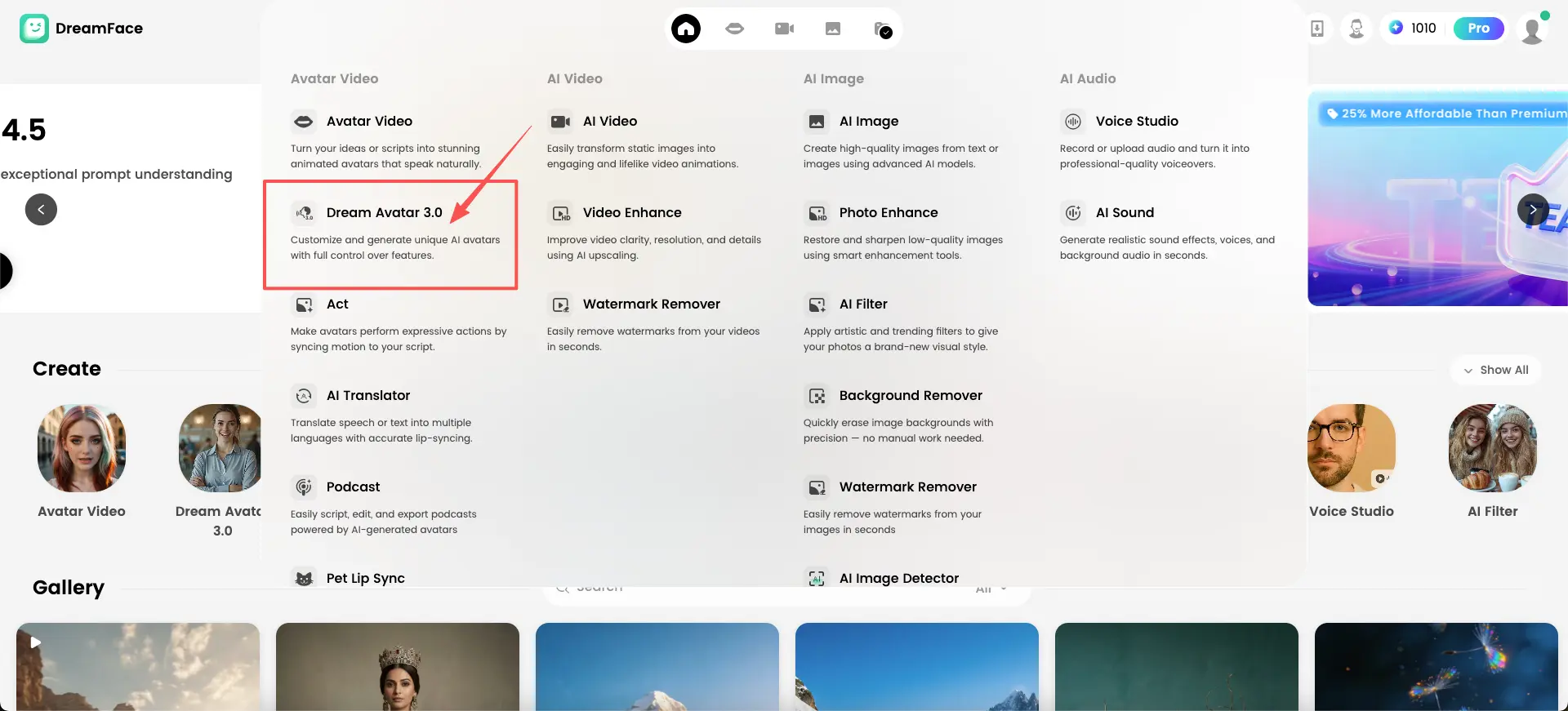
Step 1: Open Dream Avatar 3.0
Start by opening Dream Avatar 3.0 inside DreamFace.
This feature is designed for generating realistic animated avatars from a single image, with natural facial movement and accurate lip sync.
Dream Avatar 3.0 gives users direct control over avatar creation while keeping the process simple.
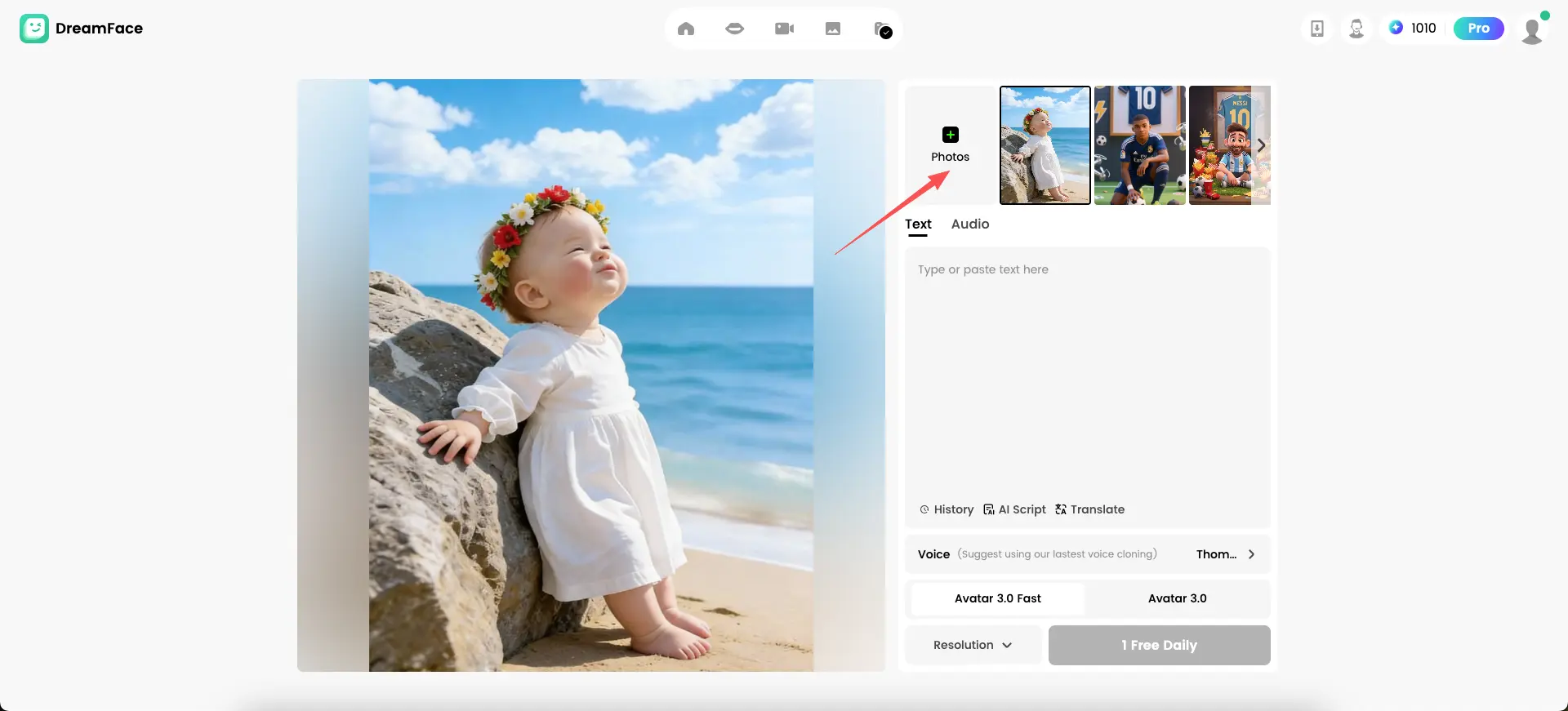
Step 2: Upload a Photo
Upload the photo you want to animate.
You can:
- Upload an image from your device
- Choose a photo from your saved assets
For best results, use a front-facing image with good lighting and a clearly visible face. This photo will serve as the visual foundation of your singing avatar.
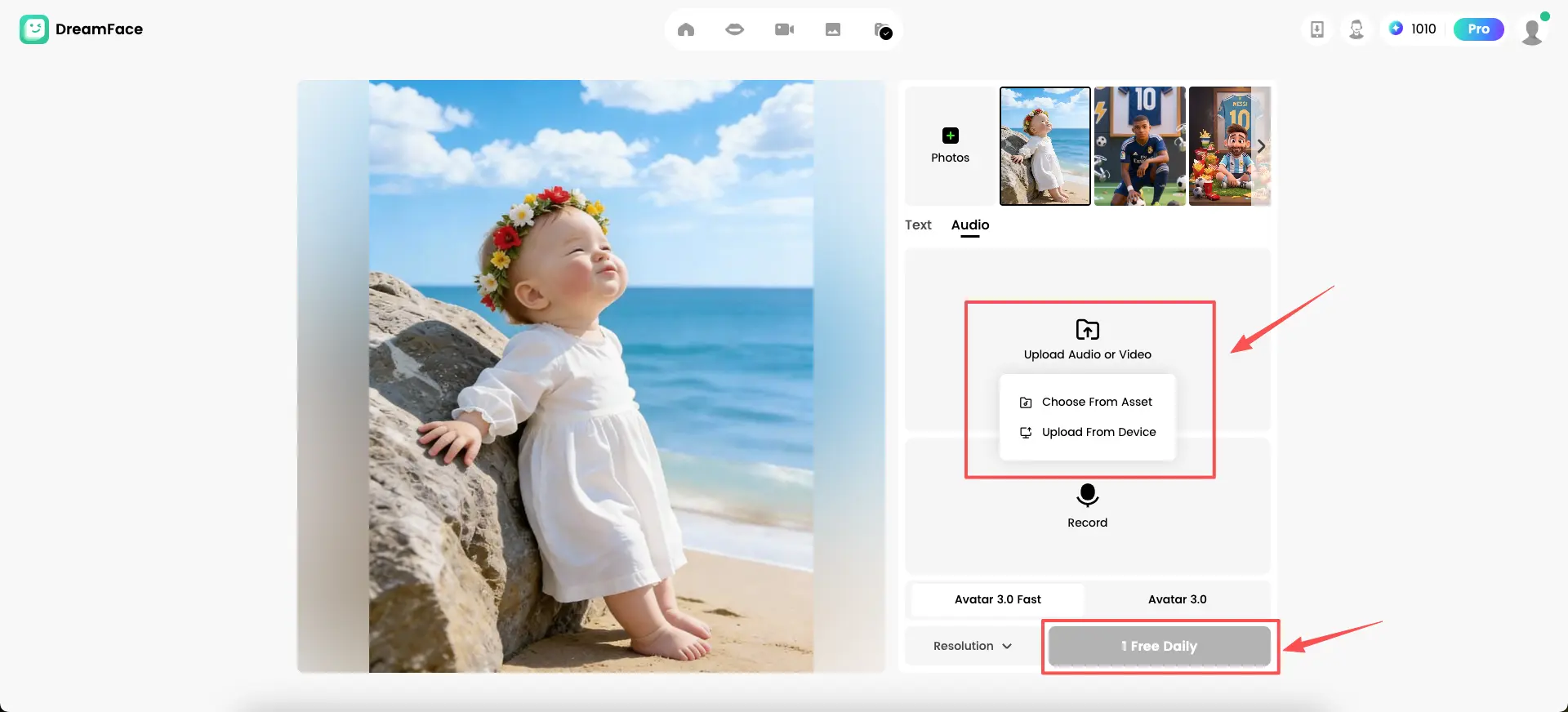
Step 3: Upload or Add Audio
Switch to the Audio section and upload the sound that will drive the animation.
You can:
- Upload a singing audio file
- Upload a video that contains vocals
- Record audio directly
The system analyzes rhythm, pitch, and timing to prepare accurate facial animation.
Step 4: Select Avatar Mode and Generate
Choose between:
- Avatar 3.0 (higher detail)
- Avatar 3.0 Fast (faster generation)
Once selected, click Generate.
Each user can generate one free avatar video daily, making it easy to test and experiment with different photos or audio.
The AI will automatically animate facial expressions and synchronize lip movement to the audio.
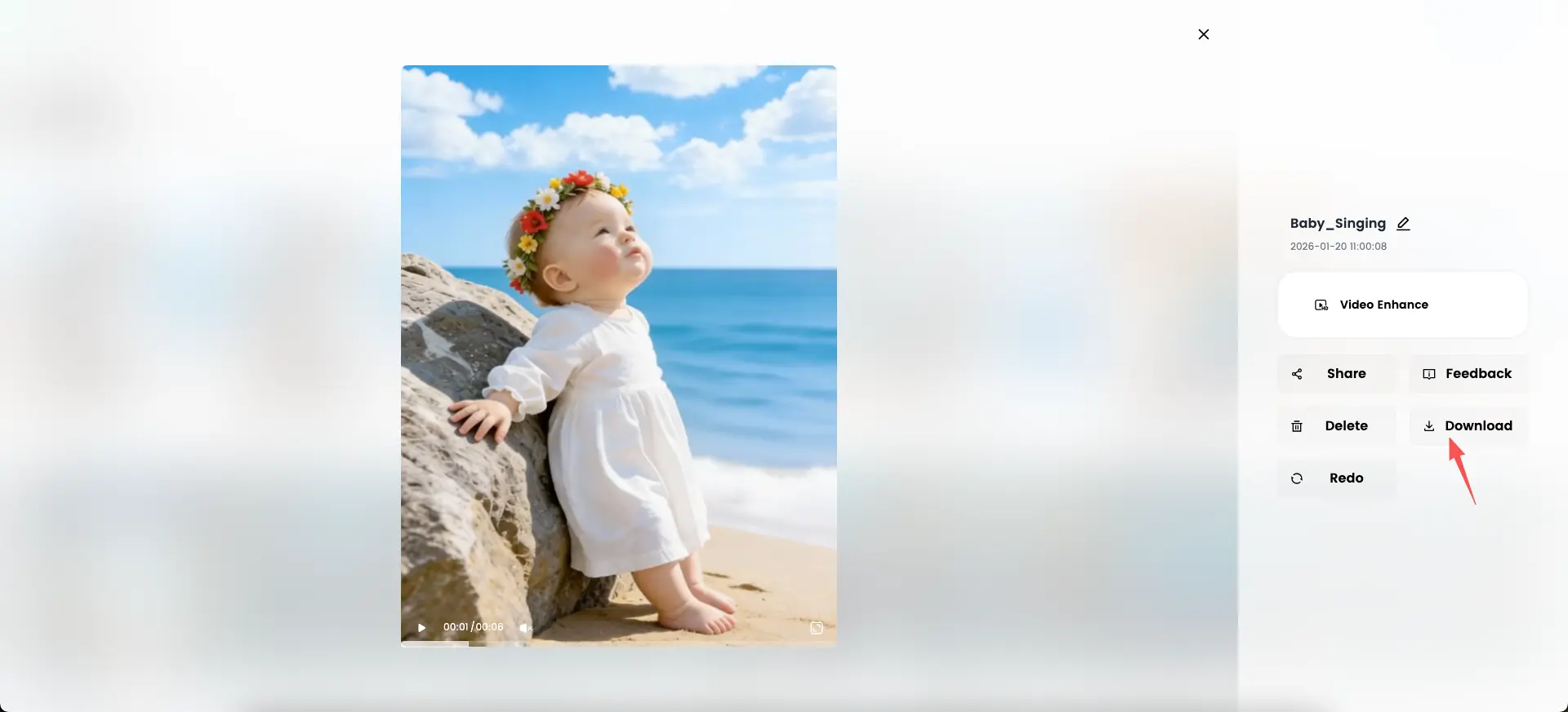
Step 5: Preview and Download the Video
After generation, preview the result directly in the editor.
If you’re satisfied with the output, click Download to export the final video.
You can also:
- Regenerate with a different audio or image
- Enhance the video
- Share it directly
The final clip is ready to be posted on platforms like Facebook Reels, Instagram, or TikTok.
Why This Workflow Works for Viral Content
Short-form platforms favor content that:
- Hooks viewers instantly
- Is easy to understand
- Encourages replay
AI singing avatar videos meet all three criteria by transforming a static photo into a performance-driven visual without complexity.
Where DreamFace Fits In
DreamFace provides an integrated environment for AI avatar creation, supporting:
- Singing avatars generated from photos
- Automatic lip sync and facial animation
- Voice-driven avatar videos
- AI filters, enhancement, and export tools
These features allow creators to turn simple inputs into expressive, shareable videos without traditional editing workflows.
Frequently Asked Questions
- Do I need a video to create a singing avatar?
No. A single image is enough.
- Can I use my own audio or song?
Yes. You can upload custom audio or vocal video files.
- How long does it take to generate a video?
Most videos are generated within minutes after uploading the image and audio.
- Is this suitable for social media?
Yes. AI singing avatar videos are especially effective on short-form platforms.
Final Thoughts
The viral Facebook Reel demonstrates that highly engaging content doesn’t require complex production.
By combining a photo, a singing voice, and AI animation, anyone can create expressive videos that resonate with large audiences.
If you’ve been inspired by viral AI singing avatar videos, this workflow shows exactly how they’re made — clearly, efficiently, and at scale.
Ready to create your next viral hit? Start now !
.webp)
DreamFace AI Live Avatar: Always-On AI Character Livestreaming
Turn any character into an always-on live streaming host — from talk shows and quizzes to memorial tributes and late-night companionship — with no one required behind the camera.
By Daniel一Aug 18, 2026- AI Video
- AI Live Avatar

Best AI Video Generator 2026: Why Multi-Model AI Platforms Are Winning
AI video generation has entered a completely new era in 2026. What started as short experimental clips has rapidly evolved into cinematic storytelling, AI anime production, virtual influencers, talking avatars, and fully AI-generated social media content.
By Bentley一May 26, 2026- AI Video Generator
- AI Video
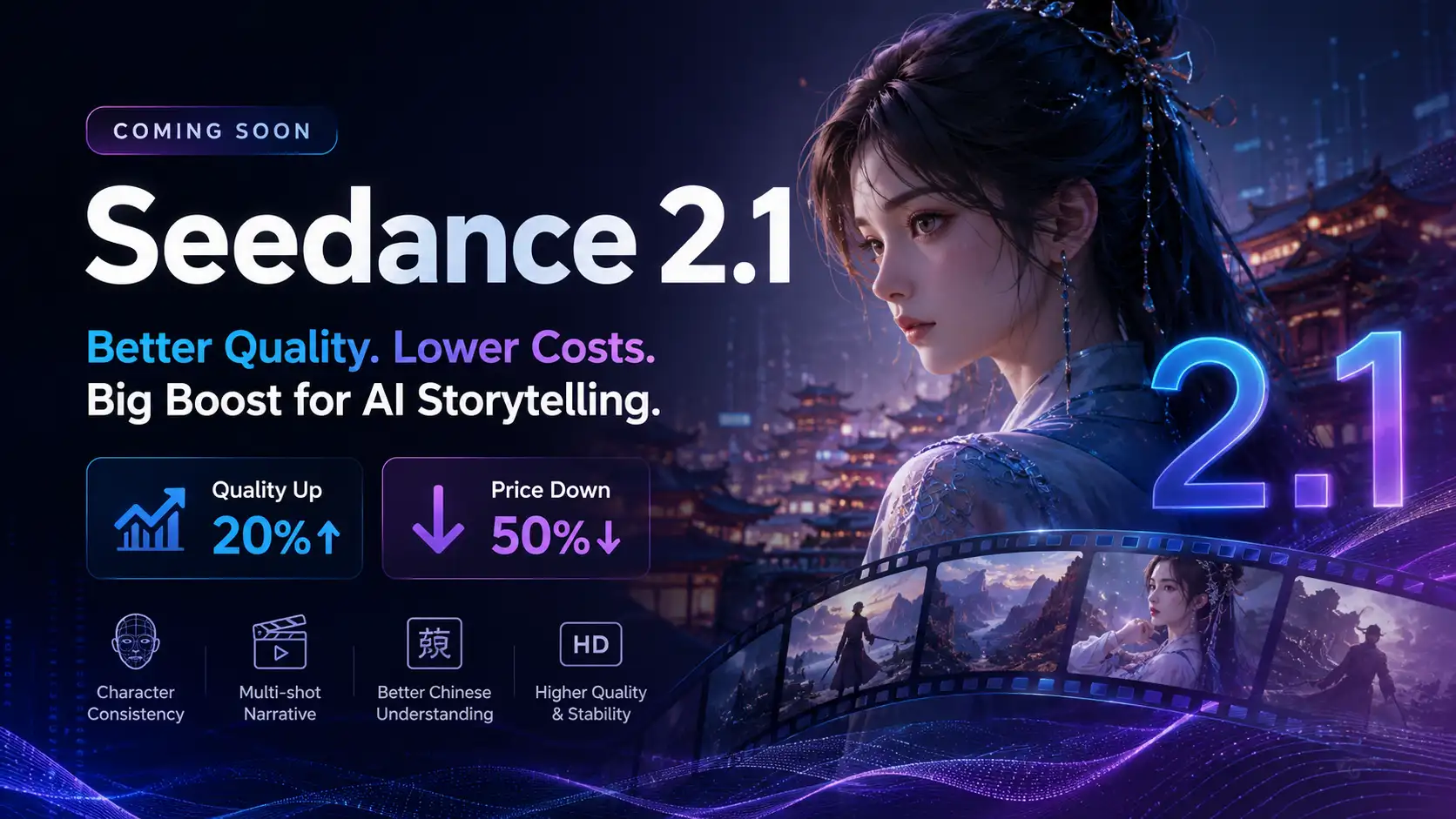
Seedance 2.1 Is Coming: Better Quality, Lower Costs, and a Big Boost for AI Storytelling
The AI video generation race has slowed down a bit recently. Earlier this year, new models were launching almost every week, pushing image and video generation forward at an incredible pace. After the buzz around GPT Image models, the industry has been waiting for the next major leap in AI video.
By stxph一May 23, 2026- AI Video
- Seedance 2.1
- Seedance 2.0