


AI Faceless Video Secrets: Top Tips to Create a 16M-View AI Fruit Eating Video with DreamFace & Veo 3
Ready to jump on this fun trend and make your own viral personified fruits video?
- AI Image Generator
- Veo 3
- AI Video
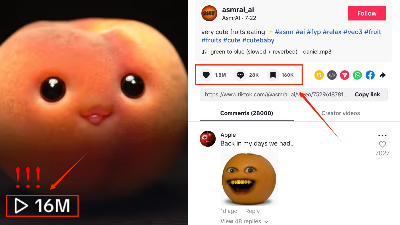
What if fruits could come to life, with human faces, eyes, and smiling mouths that eat parts of themselves? Imagine a smiling peach munching on a piece of itself or a cheerful watermelon taking a bite of its own flesh. It might sound bizarre, but with DreamFace, this AI faceless video concept is easy to create—and it’s going viral!
A recent video like this reached an incredible 16 million views and staggering 1.8 million likes, with people loving the quirky, creative way fruit was brought to life. Ready to jump on this fun trend and make your own viral ai fruit eating video? Here’s how you can create it step by step:
Step 1: Choose AI Image in DreamFace
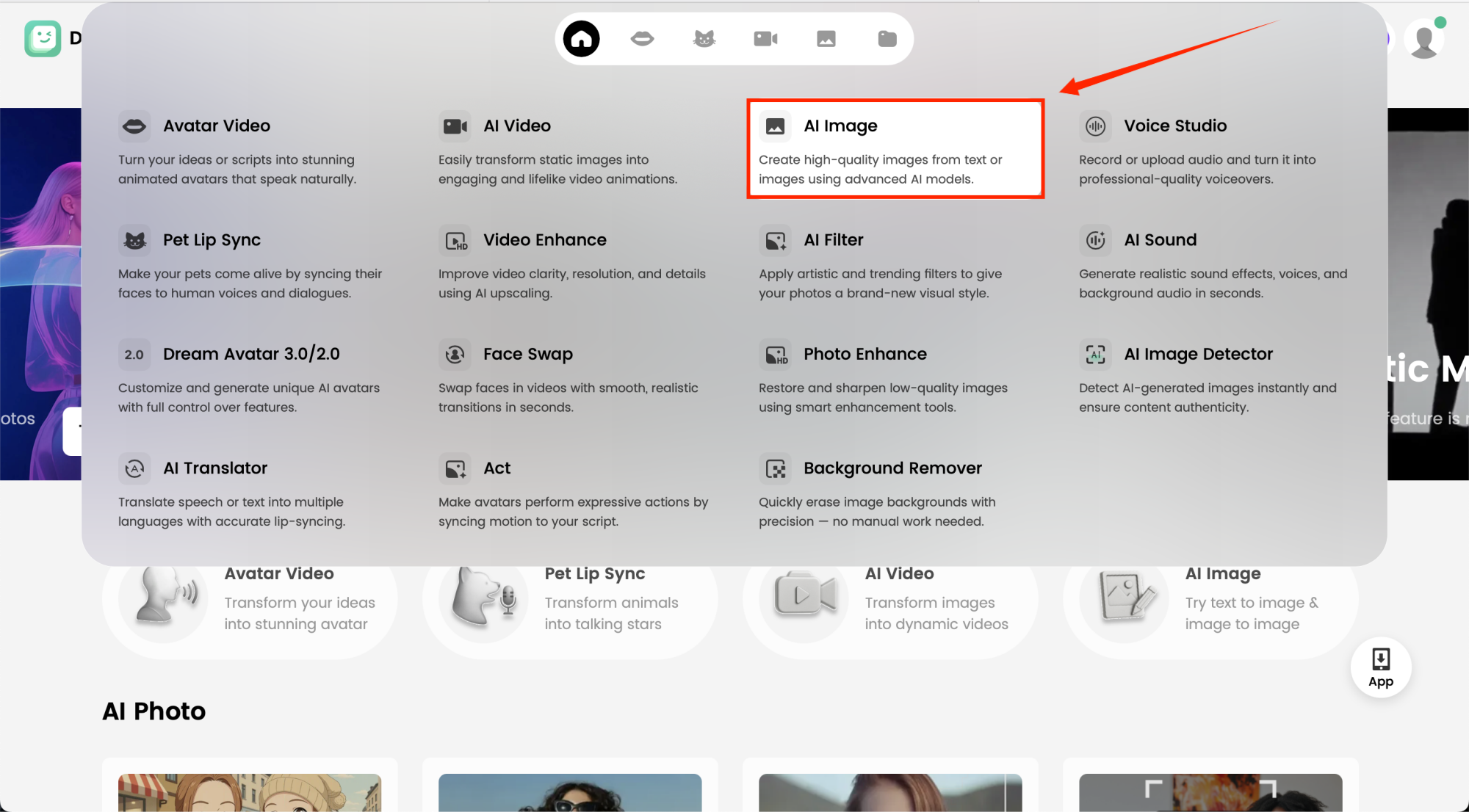
Start by clicking AI Image in DreamFace. This is where your ai eating fruit journey begins! Just select the AI Image tool, and you’ll be ready to create the base image of your fruit character.
Step 2: Choose Your AI Model & Customize Your Character
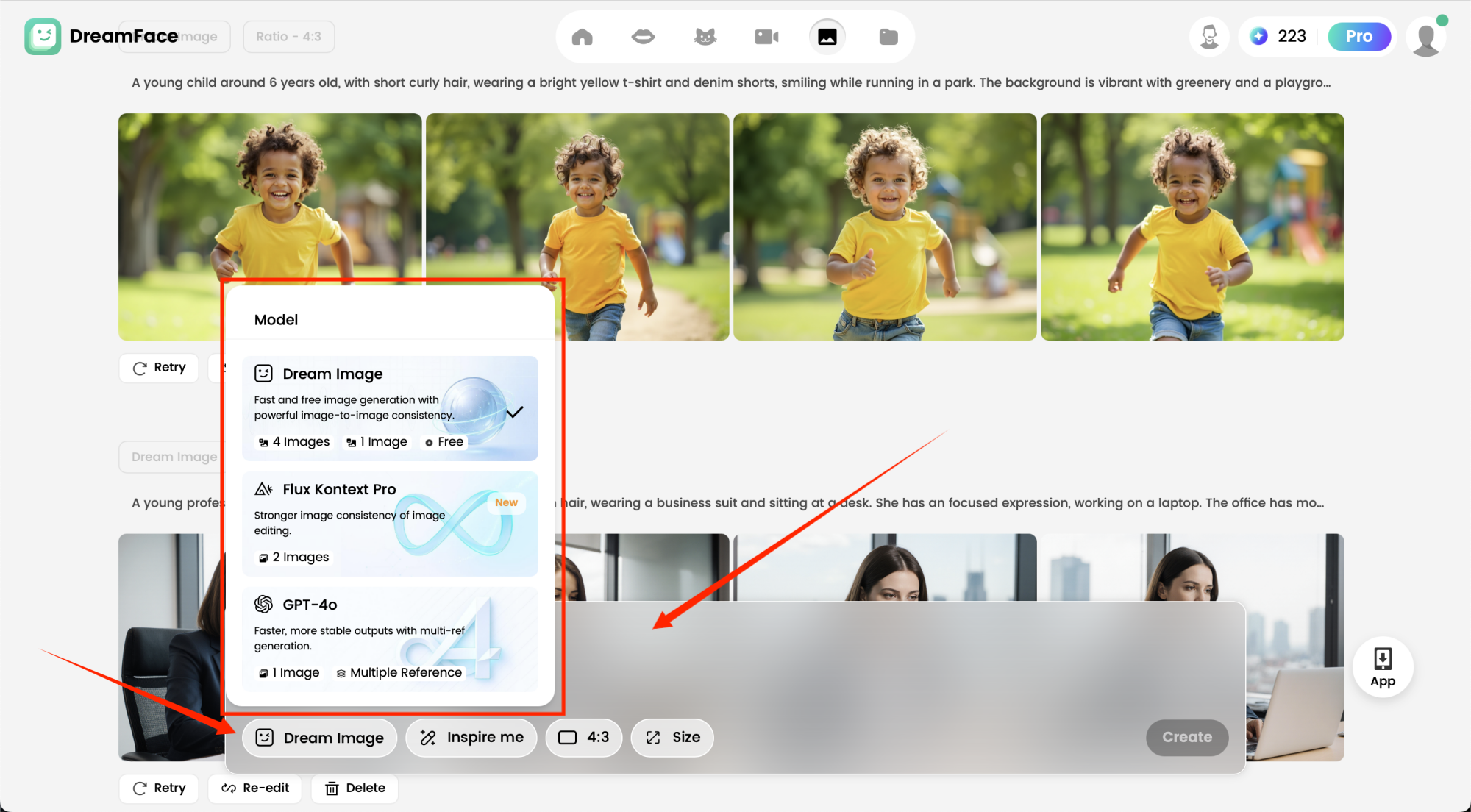
Once you’ve got your base fruit image, it’s time to make it come alive! Choose the AI model that fits your style—realistic, cartoonish, or anything in between. Then, customize your fruit character by inputting detailed prompts for the facial features and expressions.
Example Prompt: “Create a smiling peach with a cute face, eyes wide and joyful. The peach, sitting on a wooden table with a dark background, should look playful and happy, with a slight gleam in its eyes.”
Do this for each of your fruits (like a watermelon, apple, or banana) to add more personality and create the right look.
Step 3: Choose AI Video in DreamFace
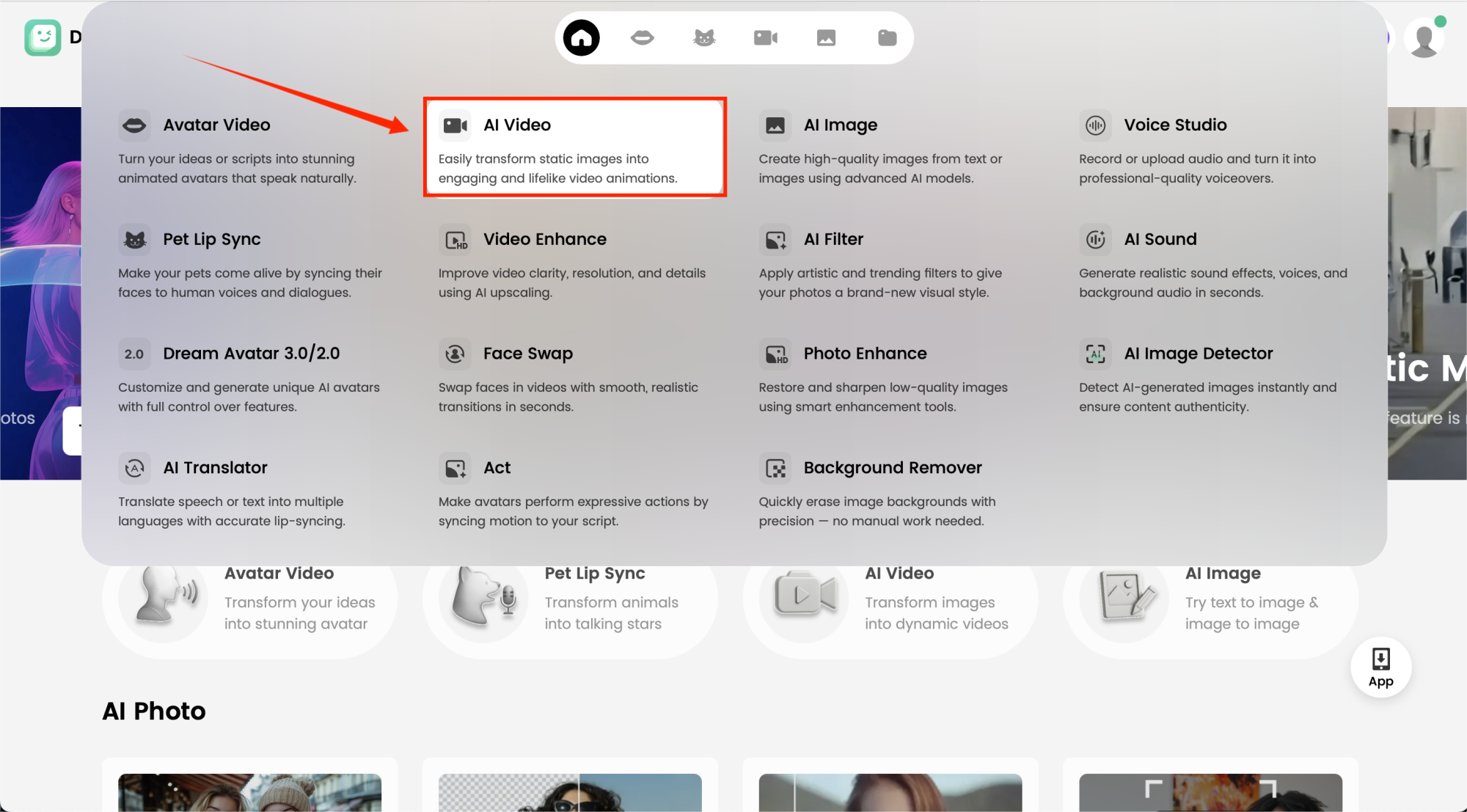
Now, select AI Video in DreamFace. This tool will transform your static fruit image into an animated character. Your fruit will now be able to move and interact with its environment, just like a personified character, bringing your quirky concept to life.
Step 4: Activate the Google VEO3 Fast Function & Input Prompts
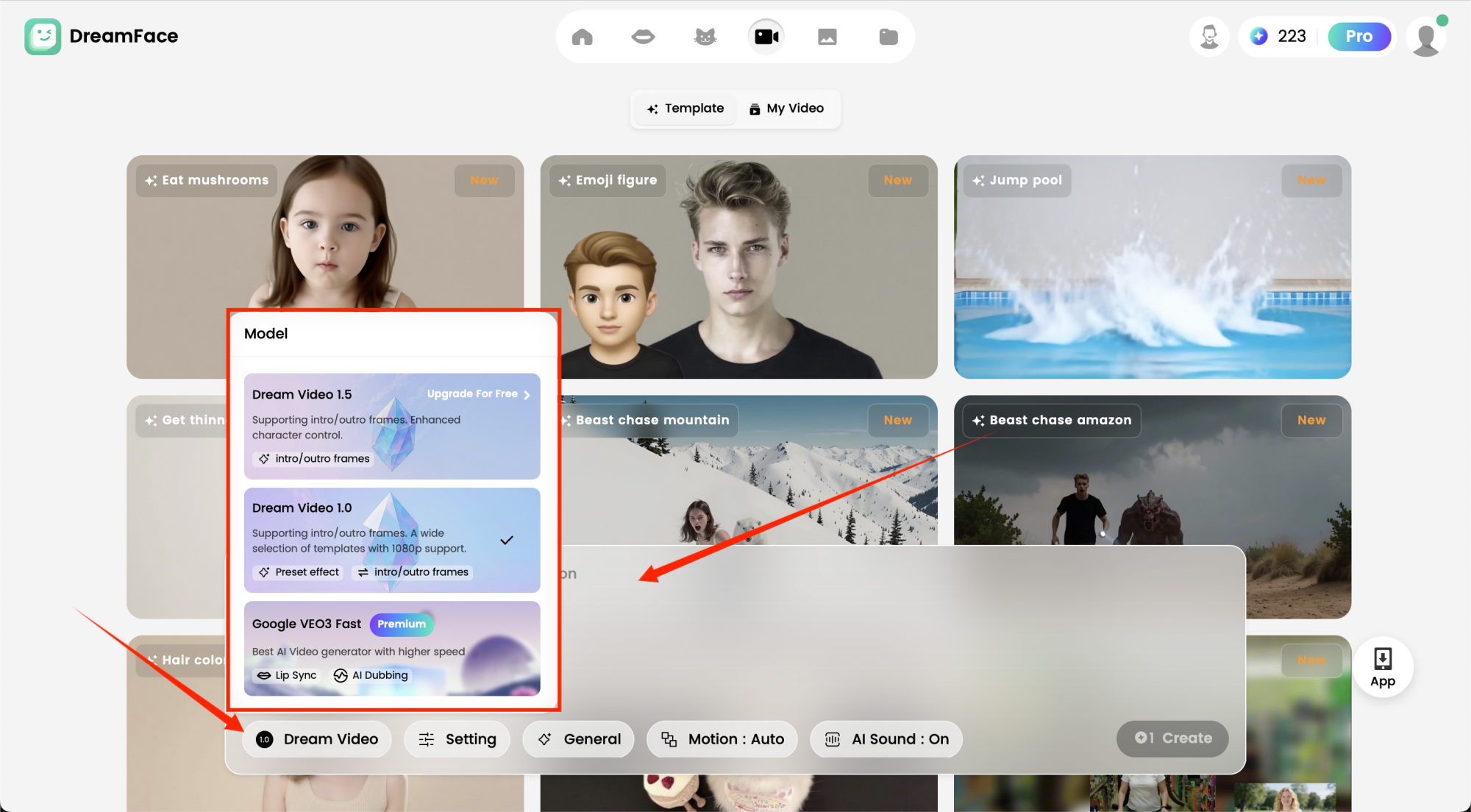
Activate the Google VEO3 Fast Function to enhance the speed and quality of your animation. Once activated, input specific prompts to guide the animation. This will ensure your fruits move and interact with their surroundings just like a real human would.
Example Prompt: “Peach is happily eating a slice of peach given by a human hand, smiling with a cheeky expression. The peach should look content and playful, as it enjoys its own taste.”
Step 5: Generate & Watch the Fruits Come to Life
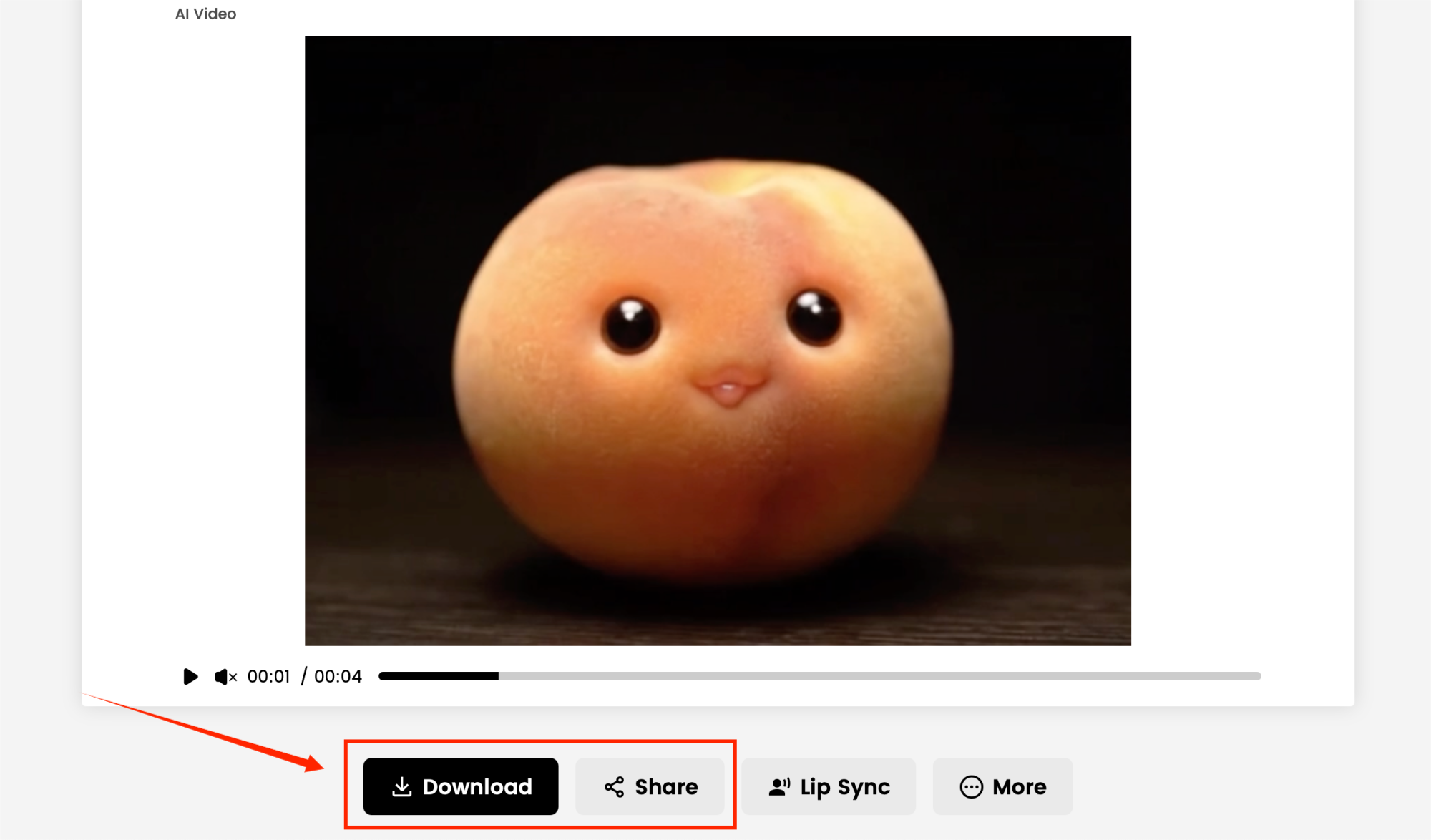
Hit Generate and watch your eating fruits come to life! DreamFace will animate the facial expressions, mouth movements, and actions, creating a hilarious scene where your fruits are eating parts of themselves. Once the animation is ready, preview and refine if needed, then share your unique video with the world.
Final Thoughts
Creating an ai fruit eating fruit video with DreamFace has never been easier—or more fun! Whether you’re creating viral content, playing with quirky ideas, or just looking to bring something new to life, DreamFace’s 5-step process will have you producing faceless AI videos in no time.
So, what are you waiting for? Start making your personified fruits today and watch them go viral—just like that 16M-viewed video! 🍑🎥🍉
.webp)
DreamFace AI Live Avatar: Always-On AI Character Livestreaming
Turn any character into an always-on live streaming host — from talk shows and quizzes to memorial tributes and late-night companionship — with no one required behind the camera.
By Daniel一Aug 18, 2026- AI Video
- AI Live Avatar

Best AI Video Generator 2026: Why Multi-Model AI Platforms Are Winning
AI video generation has entered a completely new era in 2026. What started as short experimental clips has rapidly evolved into cinematic storytelling, AI anime production, virtual influencers, talking avatars, and fully AI-generated social media content.
By Bentley一May 26, 2026- AI Video Generator
- AI Video

Seedance 2.1 Is Coming: Better Quality, Lower Costs, and a Big Boost for AI Storytelling
The AI video generation race has slowed down a bit recently. Earlier this year, new models were launching almost every week, pushing image and video generation forward at an incredible pace. After the buzz around GPT Image models, the industry has been waiting for the next major leap in AI video.
By stxph一May 23, 2026- AI Video
- Seedance 2.1
- Seedance 2.0