


Dreamface AI Video: Transform Text & Images into Viral Videos — Here's How It’s Done
- Image-to-Video
- AI Video
- Text-to-Video
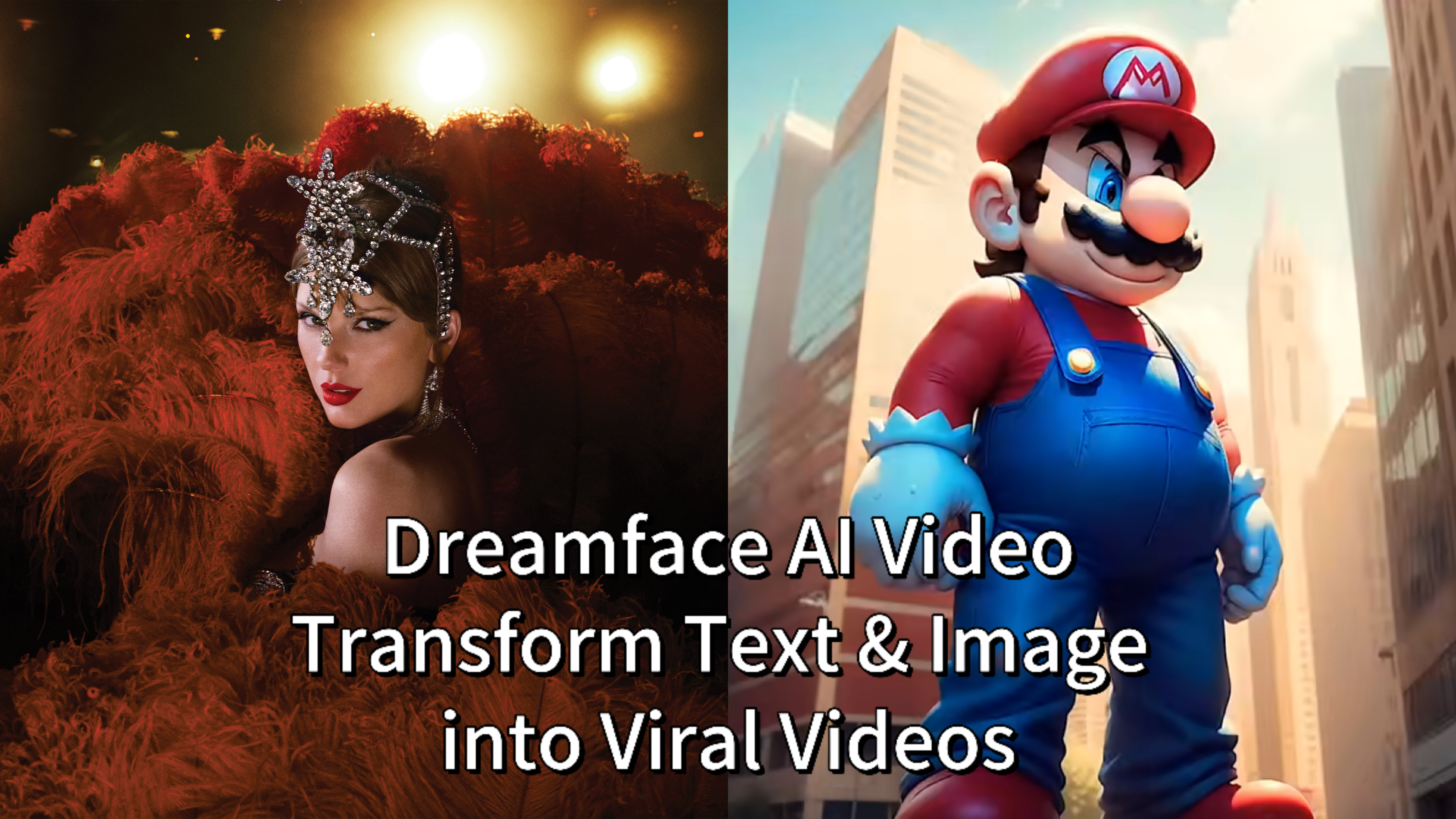
Ever wish you could turn a simple line of text—like “a heroic dog charging into battle under a fiery sunset”—or your favorite still photo, into a dramatic, animated video in minutes? Dreamface AI Video makes that possible. No cameras, no editing software, no hassle—just your idea, brought vividly to life.
Whether you're a content creator chasing virality or a marketer exploring fresh media formats, Dreamface’s AI tools are intuitive, fast, and astonishingly powerful.
Let’s walk through how to use the two flagship features—and back it up with real examples from Dreamface creators who’ve already gone viral.
From Words to Worlds: Text-to-Video
The Text-to-Video function is the most direct expression of your creativity. It allows you to type a descriptive sentence, or "prompt," and watch as our AI generates a unique video clip from scratch.
How it works:
- Visit the Dreamface AI Video Generator.
- Choose Text-to-Video.
- Type your prompt—e.g., “a glowing neon robot dancing in the rain.”
- Select video length, aspect ratio, and style.
- Click Generate and wait for your new clip to appear.
- Preview, refine, then download or share.
Real-World Case: How to Make AI Mario
Remember the viral AI Mario videos? That’s the power of Text-to-Video! A prompt like "Mario in a hyper-realistic style, walking through a misty Mushroom Kingdom forest, cinematic lighting" can generate a version of the beloved plumber you’ve never seen before. You can experiment further, creating videos of him racing in a kart or even working a 9-to-5 job. The character is yours to direct.
Check out our full tutorial on creating your own AI Mario.
Bring Your Images to Life: Image-to-Video
Already have a perfect image? Maybe it’s a stunning AI portrait you generated on DreamFace, a photo, or a piece of artwork. Our Image-to-Video feature allows you to animate it, adding motion and depth to create a seamless, looping video.
How it works:
- Go to Dreamface AI Video Generator.
- Select Image-to-Video.
- Upload your image (portrait, product shot, artwork).
- Choose animation effects—like camera pans, zooms, or background movement.
- Hit Generate and wait for your animated video.
- Preview the motion, tweak as needed, and download.
Real-World Case: How to Make AI Taylor Swift
This feature is perfect for bringing portraits to life. Imagine you used our tools to create an image of Taylor Swift in a Victorian-era dress. With Image-to-Video, you can animate that portrait so she gently smiles and blinks, as if she were posing for a magical painting. It creates an incredibly engaging and shareable piece of content.
We walk you through the entire process, from image creation to animation, in our dedicated guide.
Viral Uses of Dreamface AI Video
Here are a few striking examples where Dreamface creators used these tools to spark viral success:
- Baby-to-Menace Mario TransformationA creator used Dreamface’s AI Image and AI Video tools to animate “Baby Mario” evolving into “Menace Mario.” This “glow-up” style video—with synced expressions and transitions—racked up 20 million views and 300,000 likes on YouTube.
- AI Dog Podcast (“Dogcast”)Another creator crafted a talking "dogcast" video—an avatar of a dog giving podcast-style commentary. The result? A video that blew up with 3.6 million views, showcasing the power of realistic lip-sync animations combined with engaging audio.
- Animated Taylor Swift Cover ClipA fan elevated Taylor Swift’s album art using Dreamface’s AI Video feature, animating the cover to breathe and subtly lip-sync, creating an eye-catching teaser that ignited Swiftie fandom.
Why Dreamface AI Video Stands Out
| Feature | Benefit for You |
|---|---|
| Text-to-Video | Quickly visualize creative scripts or ideas. |
| Image-to-Video | Bring photos to life—ideal for storytelling or ads. |
| Real, Viral Results | Creators are already hitting millions of views. |
| User-Friendly | 5-minute videos—no editing skills needed. |
| Highly Shareable | Ready for TikTok, Reels, presentations, etc. |
Bonus: Explore MagicShot AI for More Creative Twists
If Dreamface gets your videos moving, MagicShot AI could your another toy of video creating. The platform offers:
- Kiss Booth and Hug Generator – create AI-generated affectionate clips.
- Product to Video – instantly turn product photos into cinematic ads.
- 35+ other tools like avatar creators, face enhancers, audio-to-video, and background removers.
These playful tools complement Dreamface well—perfect for anyone looking to experiment with animated expressions or quirky transformations.
Final Thoughts
Dreamface transforms text and images into compelling video content—easily, creatively, and with impressive polish. Whether you're imagining Mario’s transformation, giving a pet a voice, or animating album art, Dreamface empowers your creativity to go viral.
Ready to test it out? Head over to Dreamface AI Video Generator and try Text-to-Video or Image-to-Video now—and get ready to bring your ideas to life.
Need help brainstorming prompts or planning your first animation? Let me know—I’d love to help you make something amazing!
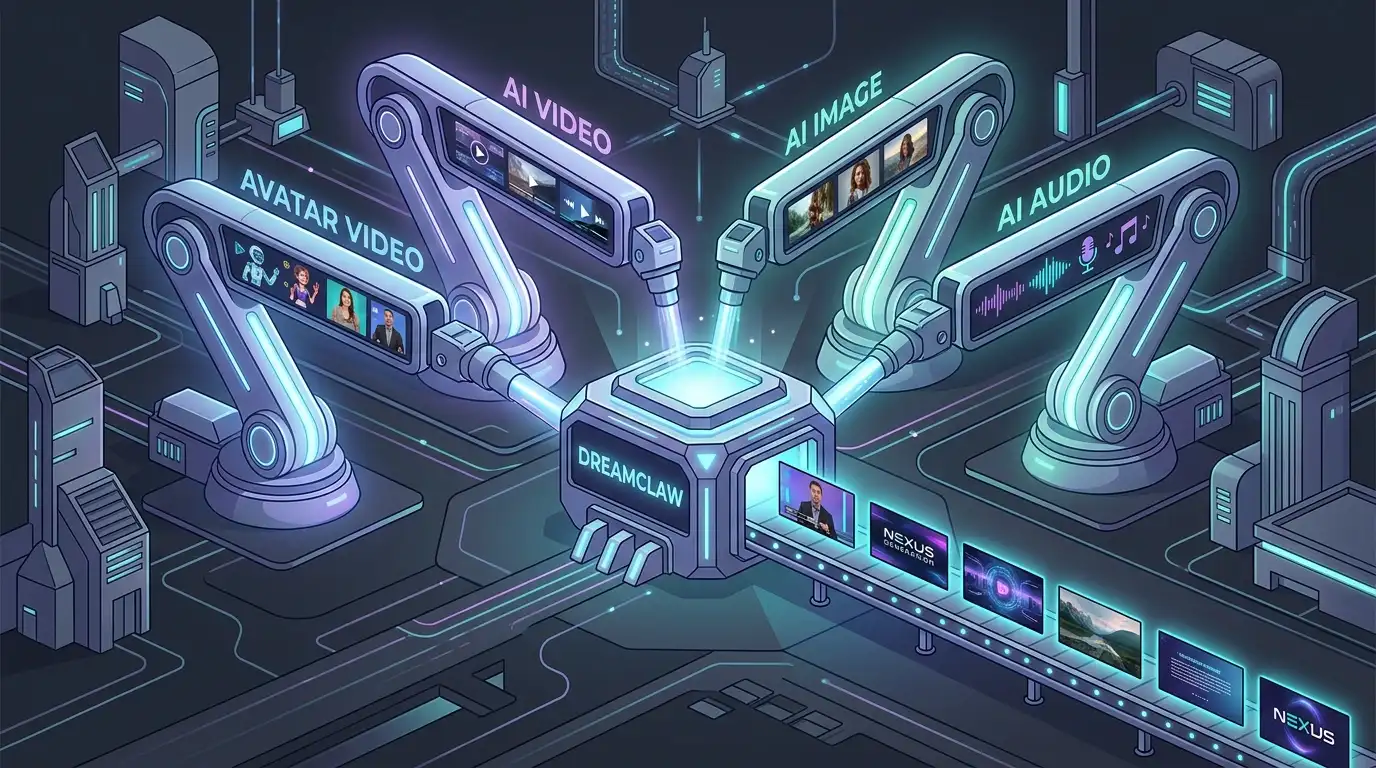
DreamClaw Agent: The All-in-One AI Automation Engine for DreamFace
Mar 04, 2026.jpg)
Seedance 2.0 Prompt Guide: The Ultimate Template for Cinematic AI Videos
Mar 03, 2026
Seedance 2.0 Prompt Guide: The Complete 2026 AI Video Creation Handbook
Feb 28, 2026
Google Nano Banana 2 Review: Pro-Grade Image Generation at Flash-Level Pricing
Feb 26, 2026
Seedance 2.0 Prompt Guide: The Ultimate Template for Cinematic AI Videos
Stop generating "slideshow" videos. This guide provides a creator-first framework for Seedance 2.0, focusing on the two pillars of high-quality AI video: logical structure and cinematic camera movement. Learn how to move beyond basic descriptions by using multi-shot templates, emotional modifiers, and stability constraints to create professional, immersive content. Stop asking if your prompt is detailed—start asking if your video is worth watching.
By Isabella 一 Sep 02, 2025- AI Video
- Text-to-Video
- seedance 2.0
- Image-to-Video
Seedance 2.0 Prompt Guide: The Complete 2026 AI Video Creation Handbook
In February 2026, ByteDance officially released its latest AI video generation model — Seedance 2.0. Dubbed by many in the industry as “the most powerful AI video tool on Earth,” Seedance 2.0 is rapidly reshaping the video creation landscape.
By Isabella 一 Sep 02, 2025- AI Video
- seedance 2.0
- Text-to-Video
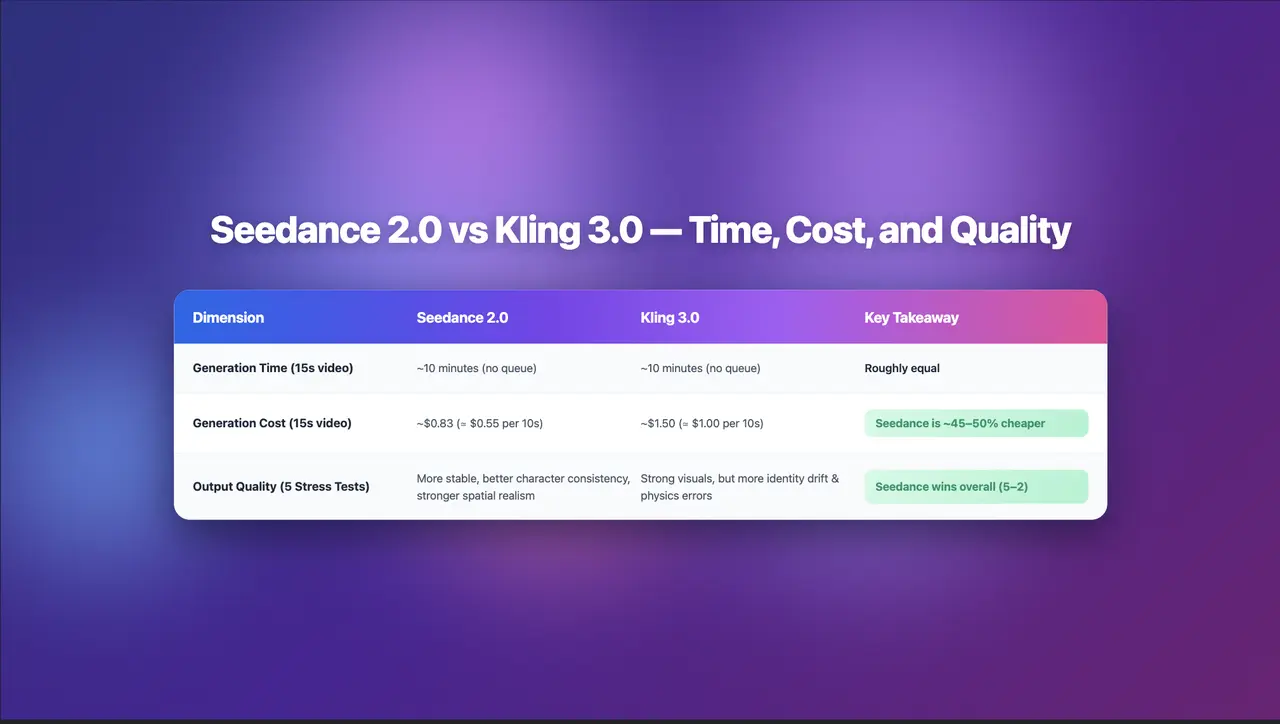
Seedance 2.0 Review: Stress-Testing Character Consistency Across 5 Extreme AI Video Scenarios
Seedance 2.0 recently launched a low-key update claiming to solve multi-angle continuity, smooth transitions, and consistent characters. To see whether it lives up to the hype, I ran five extreme stress tests, using the same prompts across Seedance 2.0 and Kling 3.0.
By Isabella 一 Sep 02, 2025- AI Video
- Text-to-Video
- Image-to-Video
- seedance 2.0
- X
- Youtube
- Discord