


How to Create a Viral AI Video Like the Singing Cat on TikTok
- AI Video
- Singing Cat
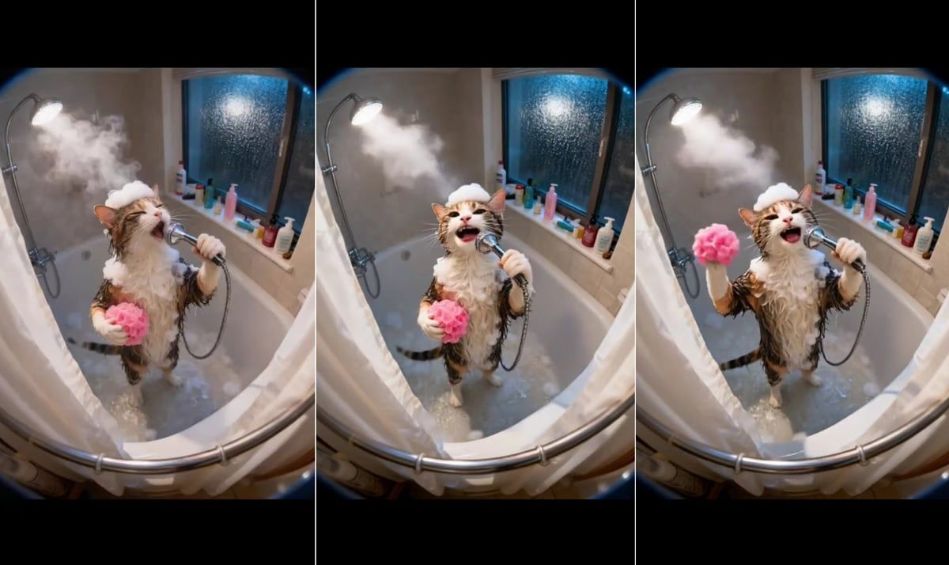
If you've been scrolling through TikTok lately, chances are you’ve come across the adorable video of a cat singing while taking a bath. With over 100K likes and thousands of comments, this short 8-second clip has captured the hearts of millions. The scene is both hilarious and oddly satisfying — a wet cat holding a shower head like a microphone, covered in bubbles, passionately “singing” under the warm water spray.
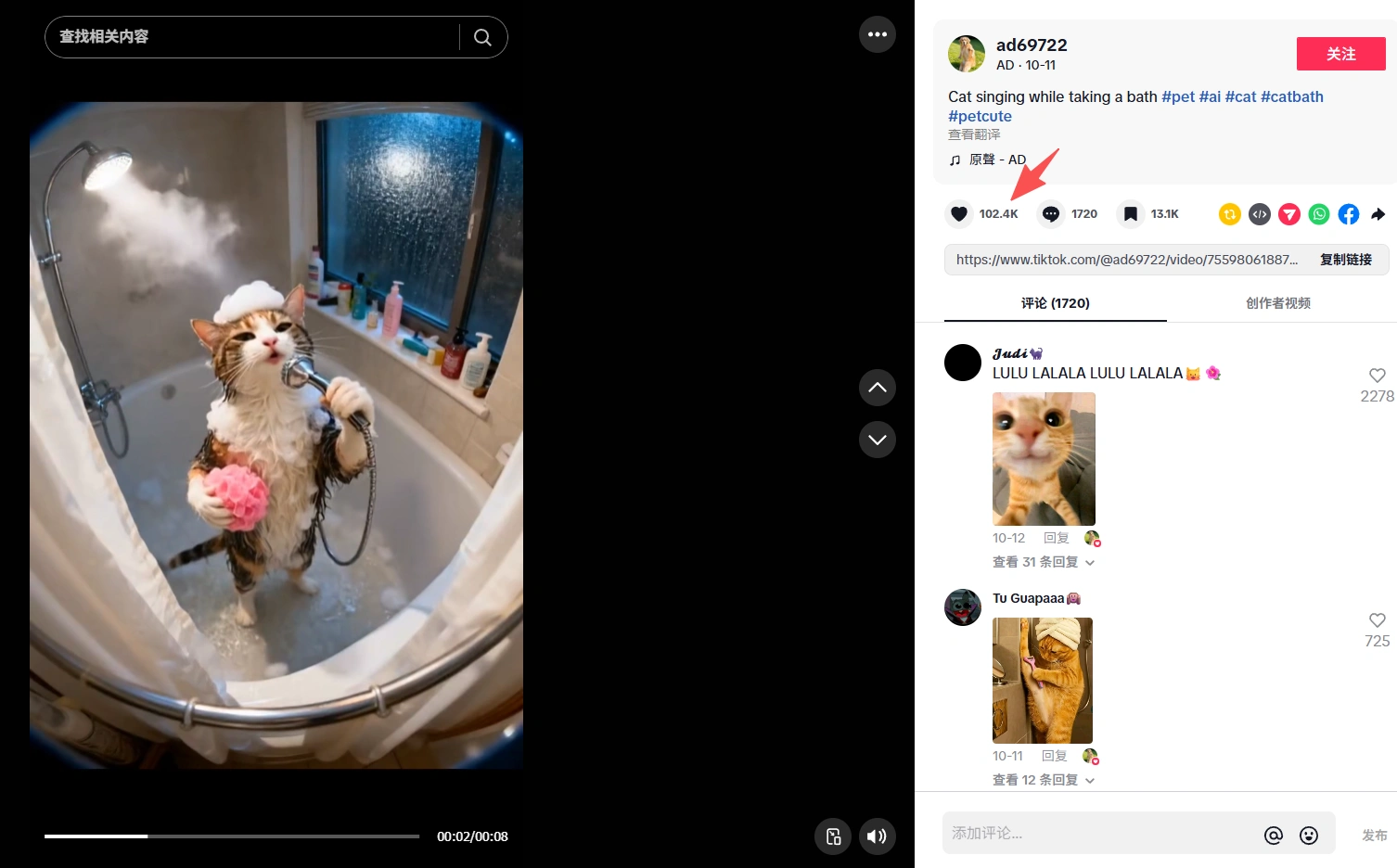
What’s fascinating is that this isn’t a real cat caught mid-song — it’s an AI-generated video. With the rise of powerful AI tools, anyone can now create eye-catching, hyper-realistic videos that look straight out of a dream. In this post, we’ll show you exactly how to make your own viral-style AI video — just like the famous “singing cat in the bath.”
Step 1: Generate the Cat Video Scene with DreamFace + Veo 3 Fast
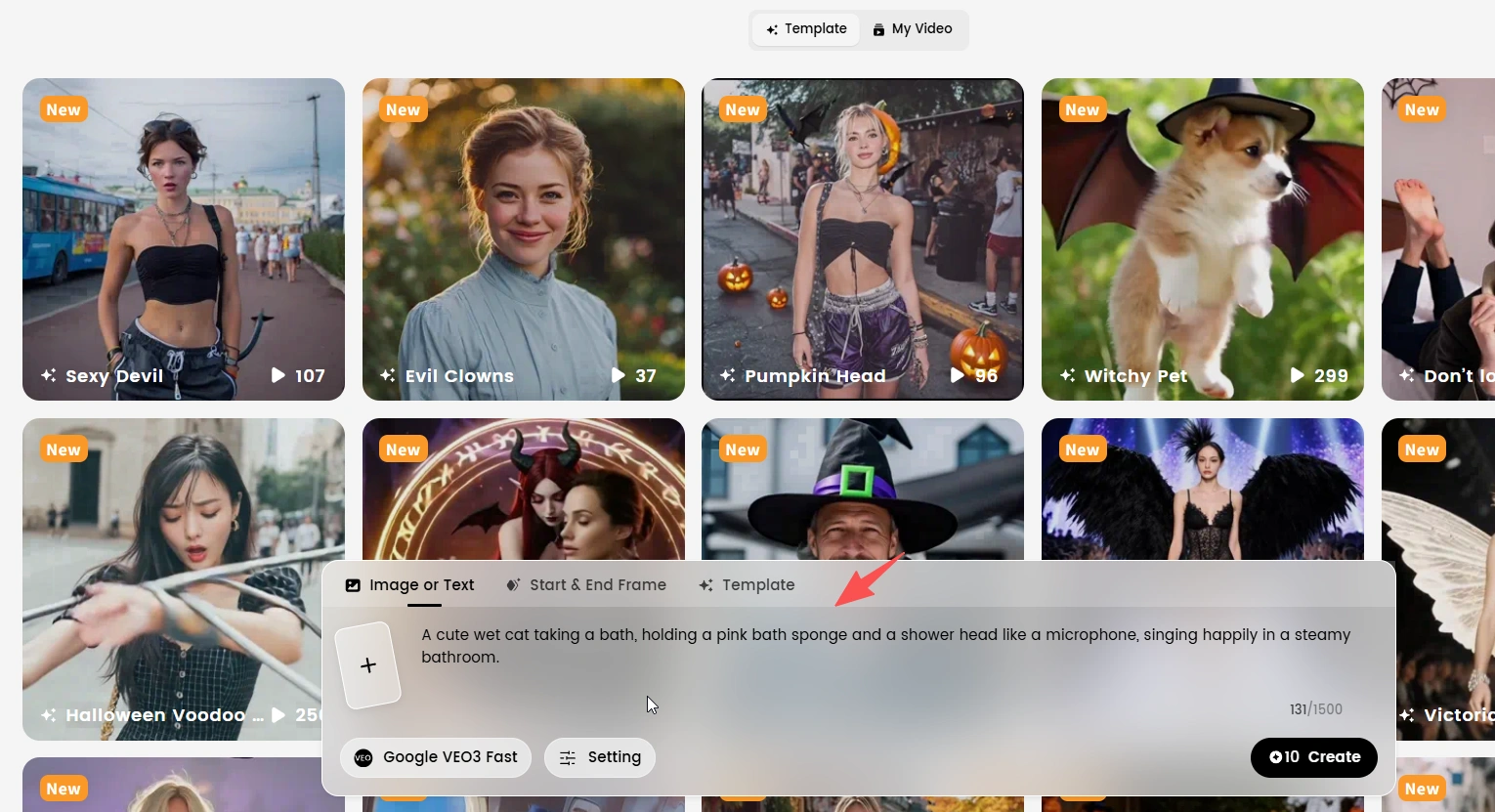
Start by using DreamFace integrated with Veo 3 Fast, an advanced AI video generation model that can turn your text prompts into realistic short clips.
Here’s an example prompt you can use:
“A cute wet cat taking a bath, holding a pink bath sponge and a shower head like a microphone, singing happily in a steamy bathroom.”
You can adjust details like:
- The cat’s fur color (e.g. orange tabby, gray, or calico)
- The environment (bathtub, tiles, lighting)
- The emotion or pose (singing, dancing, washing)
After entering your prompt, Veo 3 Fast will generate a short video clip within minutes.
💡 Pro tip: Use bright bathroom lighting and gentle steam effects — they add realism and warmth to your video.
Step 2: Animate the Cat’s Lip Sync with Dream Avatar
Once your cat clip is ready, import it into Dream Avatar — a tool that can animate and sync your character’s mouth movements with any song or voice track.
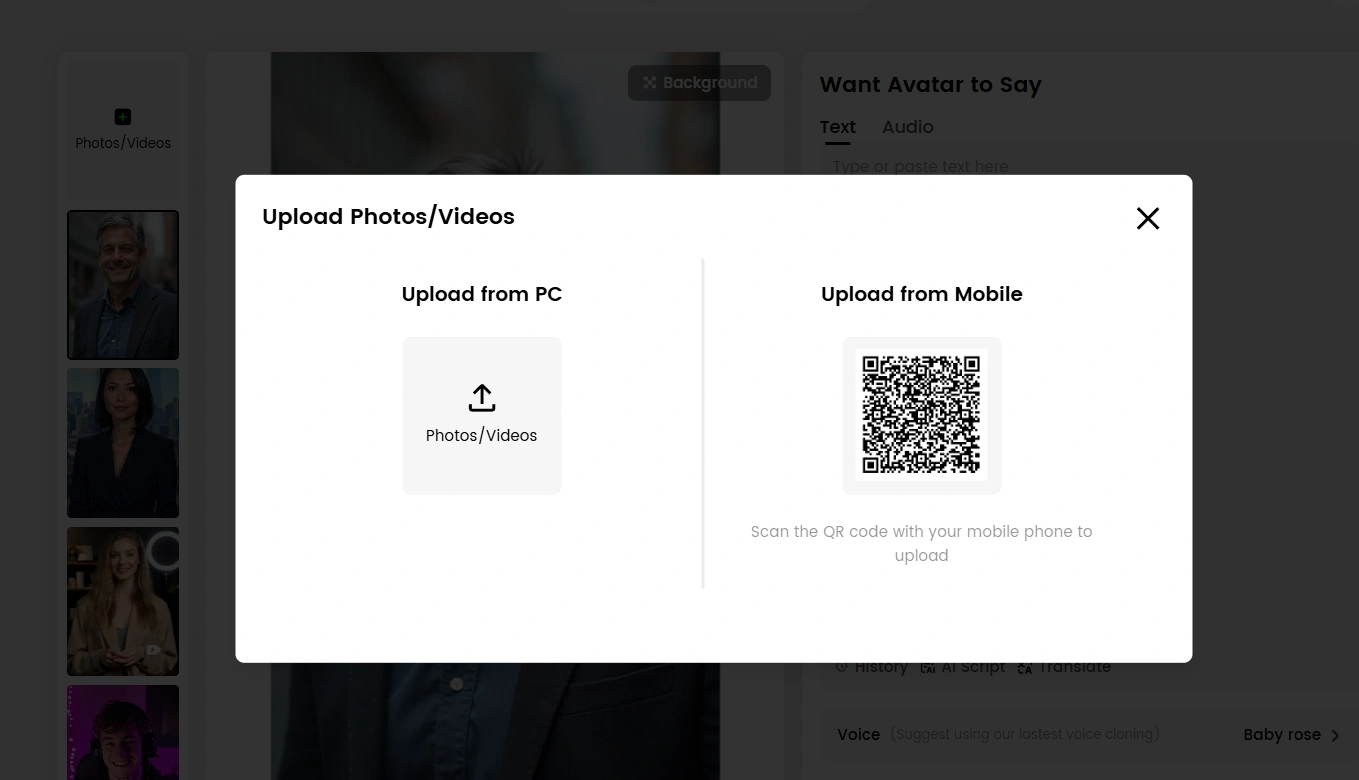
Simply upload your chosen audio (for example, a funny meow-singing track or a trending TikTok song), and Dream Avatar will automatically match the cat’s lips and expressions to the sound.
This makes your video feel alive and expressive, like the cat is truly performing!
💡 Tip: Use short, rhythmic songs or catchy voiceovers — these tend to perform best on platforms like TikTok and Reels.
Step 3: Add Finishing Touches — Sound Effects, Captions, and Edits
After animating, download your video and add final touches using any mobile video editor (CapCut, InShot, or TikTok’s built-in editor). You can:
- Add funny sound effects like water splashes or meow harmonies.
- Insert catchy text captions (e.g. “When your cat drops their debut single 🎶”).
- Adjust pacing, brightness, and filters for a polished look.
These small edits can dramatically boost your video’s engagement.
Why AI Videos Go Viral
AI-generated videos like the singing cat go viral because they’re:
- Visually surprising — a cat singing in the bath is both absurd and delightful.
- Emotionally engaging — humor and cuteness work universally.
- Easy to replicate — with tools like DreamFace and Dream Avatar, anyone can create similar clips in minutes.
The combination of creativity and technology is reshaping online entertainment — and you can be part of it.
Final Thoughts
Creating viral videos no longer requires expensive equipment or complex animation. With today’s AI tools, all you need is a creative idea and the right prompts.
So next time you’re scrolling TikTok and see a talking dog, a dancing robot, or a singing cat — remember, you can make one too.
Try it yourself, and maybe your video will be the next 100K-like sensation!
DreamClaw Agent: The All-in-One AI Automation Engine for DreamFace
Mar 04, 2026.jpg)
Seedance 2.0 Prompt Guide: The Ultimate Template for Cinematic AI Videos
Mar 03, 2026
Seedance 2.0 Prompt Guide: The Complete 2026 AI Video Creation Handbook
Feb 28, 2026
Google Nano Banana 2 Review: Pro-Grade Image Generation at Flash-Level Pricing
Feb 26, 2026
Seedance 2.0 Prompt Guide: The Ultimate Template for Cinematic AI Videos
Stop generating "slideshow" videos. This guide provides a creator-first framework for Seedance 2.0, focusing on the two pillars of high-quality AI video: logical structure and cinematic camera movement. Learn how to move beyond basic descriptions by using multi-shot templates, emotional modifiers, and stability constraints to create professional, immersive content. Stop asking if your prompt is detailed—start asking if your video is worth watching.
By Henry 一 Oct 28, 2025- AI Video
- Text-to-Video
- seedance 2.0
- Image-to-Video
Seedance 2.0 Prompt Guide: The Complete 2026 AI Video Creation Handbook
In February 2026, ByteDance officially released its latest AI video generation model — Seedance 2.0. Dubbed by many in the industry as “the most powerful AI video tool on Earth,” Seedance 2.0 is rapidly reshaping the video creation landscape.
By Henry 一 Oct 28, 2025- AI Video
- seedance 2.0
- Text-to-Video
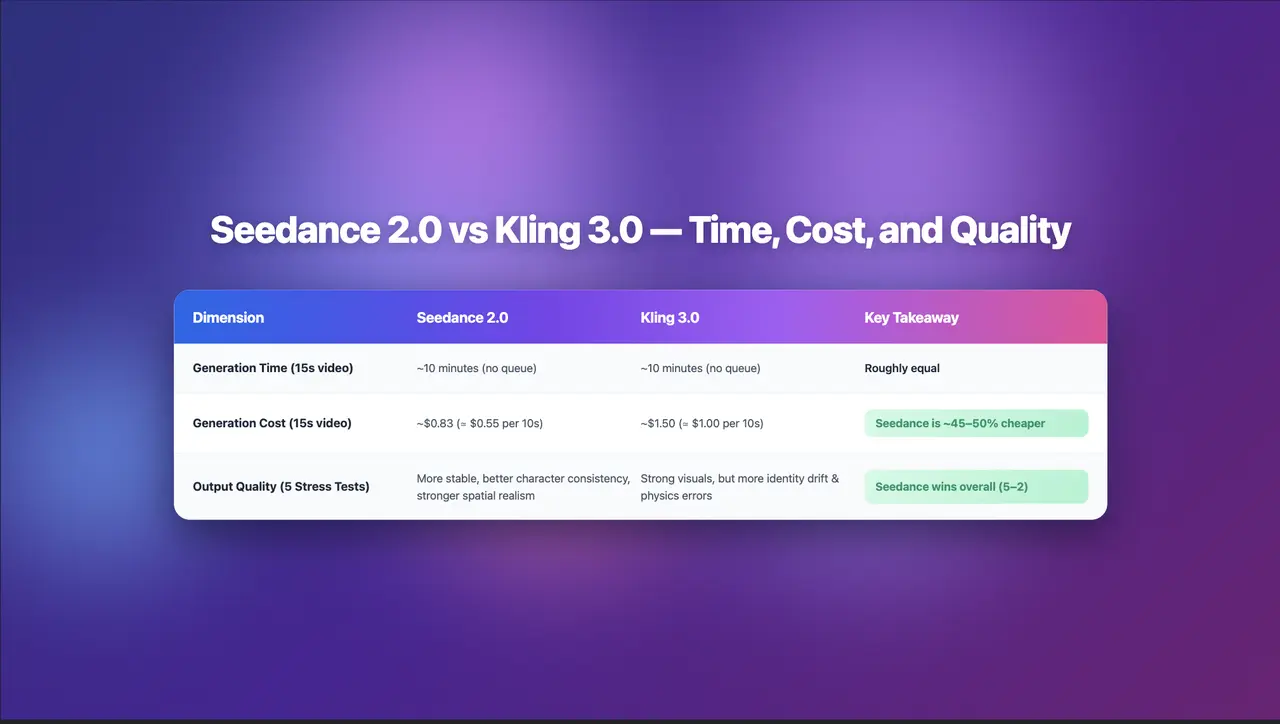
Seedance 2.0 Review: Stress-Testing Character Consistency Across 5 Extreme AI Video Scenarios
Seedance 2.0 recently launched a low-key update claiming to solve multi-angle continuity, smooth transitions, and consistent characters. To see whether it lives up to the hype, I ran five extreme stress tests, using the same prompts across Seedance 2.0 and Kling 3.0.
By Henry 一 Oct 28, 2025- AI Video
- Text-to-Video
- Image-to-Video
- seedance 2.0
- X
- Youtube
- Discord