
'%3e%3cg%3e%3cpath%20d='M12.04834,6.05824C12.09325,4.8457799999999995,12.43703,3.78081,13.0715,2.89055C13.7092,1.995784,14.7633,1.3601670000000001,16.2063,1C16.215899999999998,1.0440338,16.2259,1.088092,16.2363,1.131979L16.2363,1.3623509999999999C16.2363,1.884725,16.1084,2.48372,15.856,3.14258C15.5915,3.78052,15.1781,4.38093,14.6291,4.92281C14.1157,5.40028,13.6406,5.71638,13.2207,5.85928C13.0822,5.9003,12.89209,5.94066,12.66255,5.97701C12.45842,6.00853,12.25362,6.03563,12.04834,6.05824ZM12.28933,7.85741C10.6594,7.85741,9.52778,6.42896,7.91997,6.42896C6.31224,6.42896,3,7.89332,3,12.9488C3,18.0043,5.94131,21.2617,6.27029,21.642C6.599209999999999,22.0224,7.36005,23,8.5387,23C9.71744,23,11.00787,22.0715,12.28933,22.0715C13.5707,22.0715,15.1836,23,16.2365,23C17.2895,23,17.7226,22.5747,18.4392,21.8411C19.1558,21.1074,20.5227,18.8686,21,17.5248C20.2137,17.061,18.1298,15.8019,18.1298,12.9488C18.1298,11.0468,18.831200000000003,9.4667,20.2341,8.20853C19.3138,7.02216,18.2464,6.42896,17.0318,6.42896C15.2099,6.42896,13.9193,7.85741,12.28933,7.85741Z'%20fill='%23000000'%20fill-opacity='1'/%3e%3c/g%3e%3c/g%3e%3c/svg%3e)
'%3e%3cg%3e%3cpath%20d='M6.2985500000000005,2L14.60082,10.81153L16.7432,8.537289999999999C13.81573,6.65184,9.89484,4.122529999999999,8.13152,2.985321L6.95017,2.225593C6.74135,2.090554,6.5177700000000005,2.0178354,6.2985500000000005,2ZM5.0312551,3.05499C5.0144537,3.1518100000000002,5,3.24911,5,3.35357L5,20.7675C5,20.8406,5.0138389,20.9085,5.0234395,20.9782L13.4695,12.0125L5.0312551,3.05499ZM18.1511,9.444659999999999L15.7321,12.0125L18.1089,14.5354C19.3682,13.7252,20.2405,13.1626,20.3372,13.1007C20.7653,12.8229,21.007,12.4039,20.9998,11.94614C20.9934,11.49683,20.7516,11.09514,20.340400000000002,10.84799C20.2484,10.79194,19.387999999999998,10.24048,18.1511,9.444659999999999ZM14.60082,13.2134L6.3235600000000005,22C6.48437,21.9703,6.64498,21.9194,6.79859,21.8209C7.01141,21.6833,12.76069,17.9805,16.701,15.4428L14.60082,13.2134Z'%20fill='%23000000'%20fill-opacity='1'/%3e%3c/g%3e%3c/g%3e%3c/svg%3e)

Background Erasure in AI: Comparing Dream Image and GPT-4o
This blog explores how they perform background erasure, their strengths, and how you can get started using them.
- Dream Image
- GPT-4o Image
- AI Image Generator
In the world of AI image editing, background removal is an essential technique for creating clean, versatile visuals — whether for product photos, profile pictures, or creative projects. Two powerful AI models that excel in this area are Dreamface’s Dream Image and GPT-4o. This blog explores how they perform background erasure, their strengths, and how you can get started using them.
🧠 How Background Erasure Works
Background erasure means separating the main subject from its surroundings, making the background transparent or replaceable. AI models leverage advanced algorithms to detect edges, shadows, and lighting cues to isolate the subject as naturally as possible — aiming to produce clean, realistic images.
📸 Prompt Examples: How to Guide AI for Background Erasure
To achieve optimal background removal, well-crafted prompts are key. Here are some practical raw prompts and their enhanced versions used with Dream Image and GPT-4o:
👩 Portrait Photo
- Edited prompt:“Isolate the smiling woman, remove background, place her on a transparent layer with a soft floor shadow for natural lighting.”
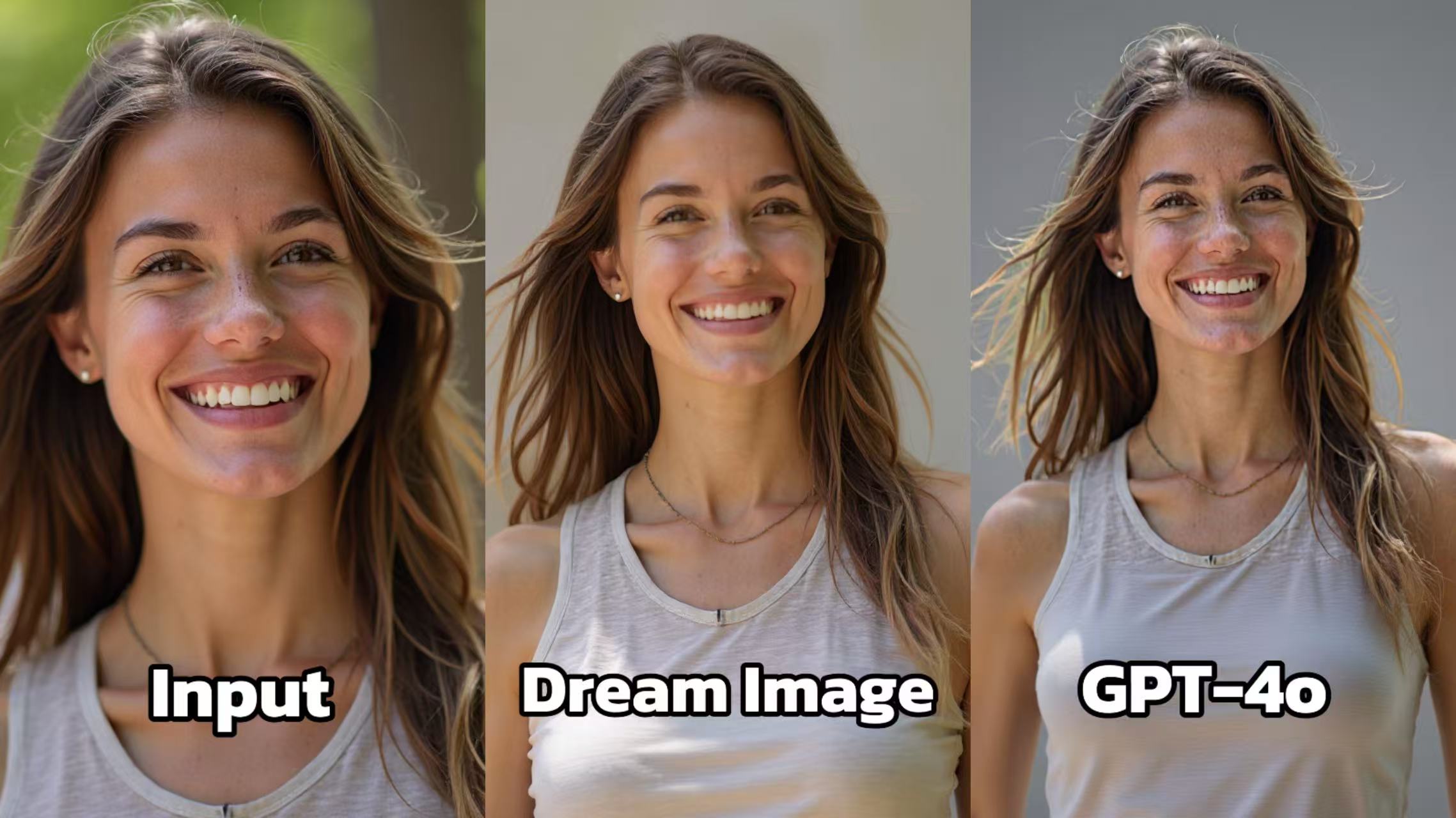
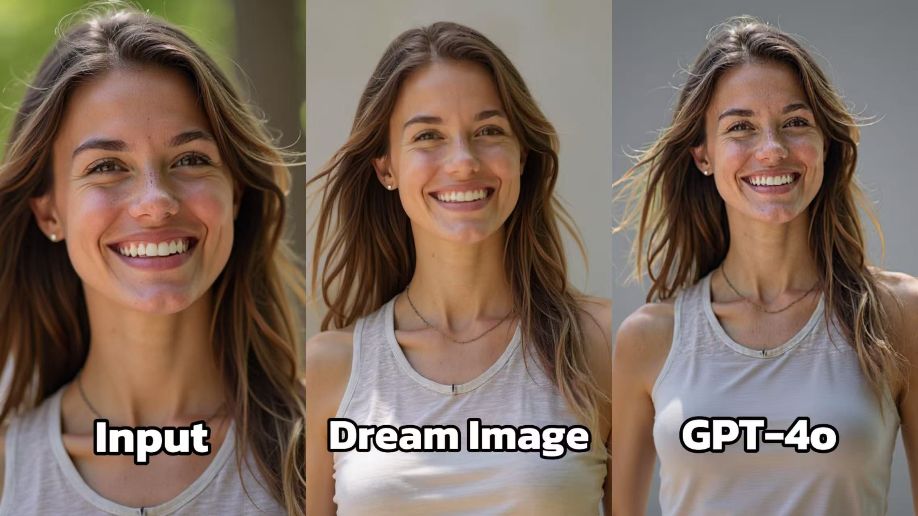
- Dream Image: Presents a refined version of the portrait. The lighting is soft and flattering, enhancing the subject's features. The background is neutral, ensuring that the focus remains on the person. The details of the hair and the texture of the clothing are well - defined, contributing to a polished and professional look.
- GPT - 4o: Also generates a portrait, but the overall image appears a bit less sharp. The contrast seems slightly off, making the subject blend into the background more than in Dream Image. The details of the hair and clothing are not as distinct, resulting in a less visually appealing output.
🐕 Pet Photo
- Edited prompt:“Extract the golden retriever, remove the park background, and place it on a clean white background with subtle drop shadow.”
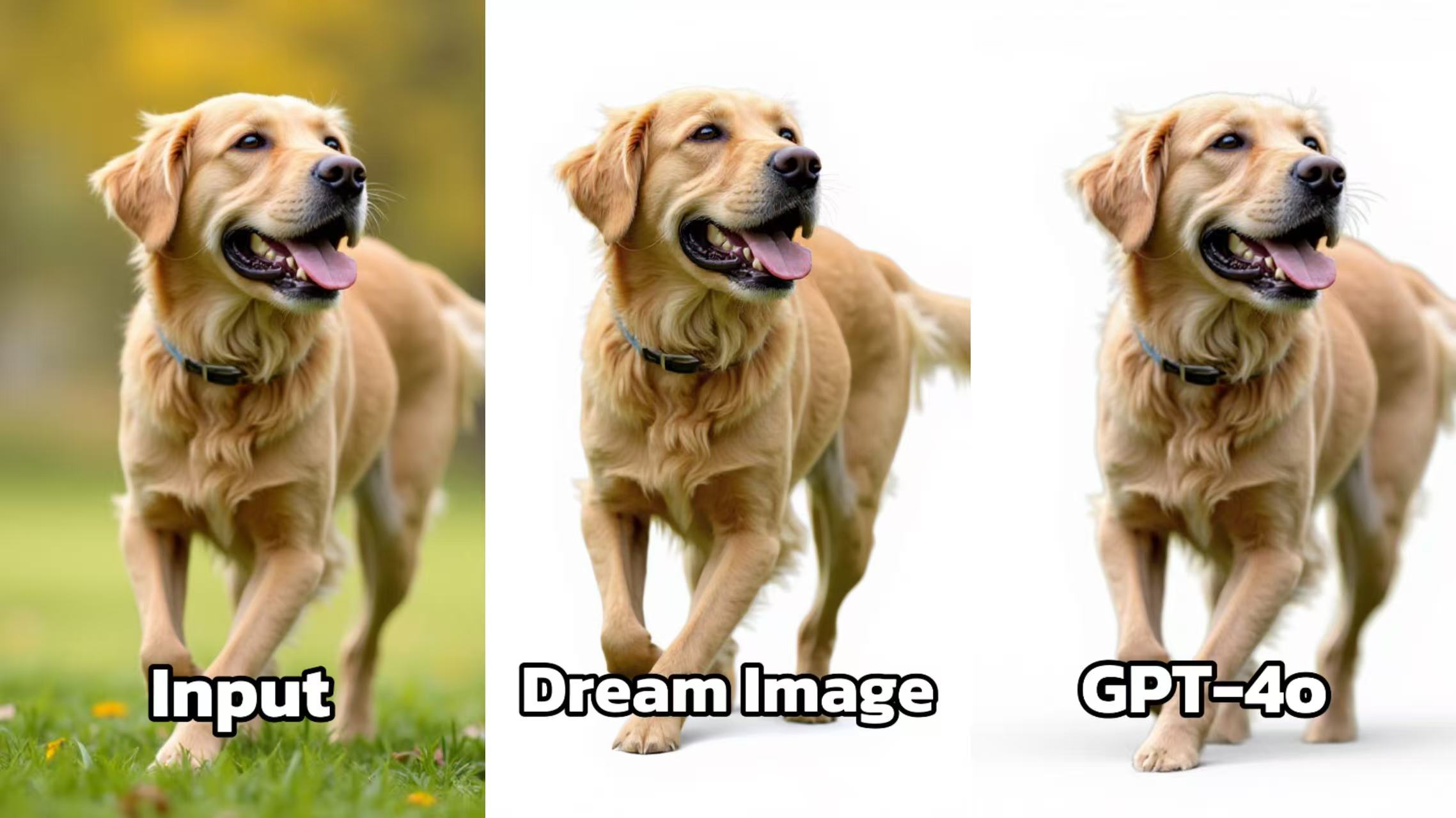
- Dream Image: Transforms the dog's background to a clean, white setting, which makes the dog the clear focal point. The details of the dog's fur are more pronounced, and the lighting is even, highlighting the dog's features and giving the image a bright and appealing look.
- GPT - 4o: Creates a similar white - background image for the dog. However, the fur details are not as sharp, and the lighting seems a bit flat. The image lacks the same level of vibrancy and detail that Dream Image achieves, making the dog appear less lively.
👟 Product Shot
- Edited prompt:“Remove the wooden floor background, isolate the red sneaker with sharp edges, and place it on a transparent background.”
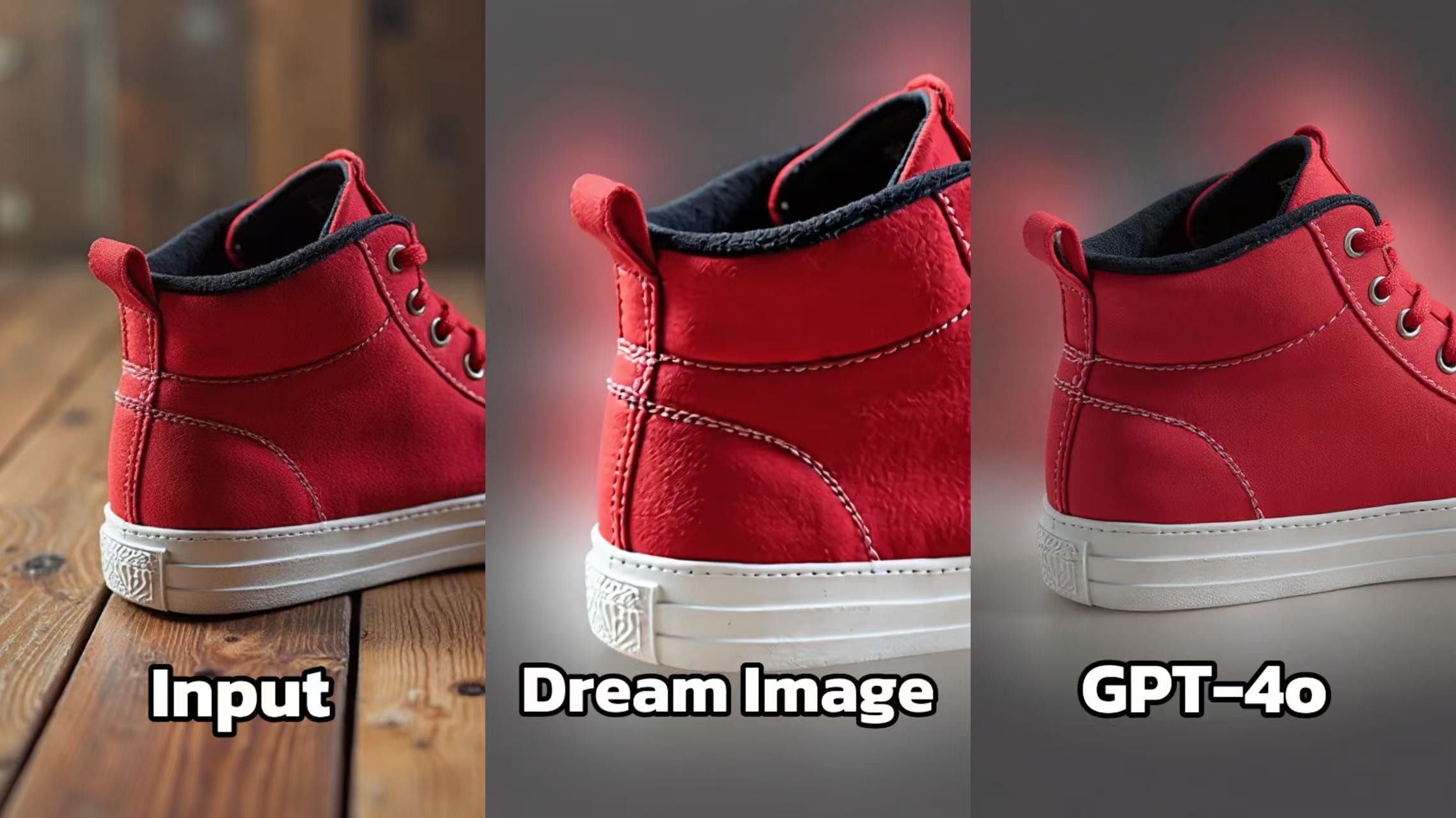
- Dream Image: Alters the background to a more neutral and softly lit setting, which emphasizes the sneaker. The texture of the sneaker material and the stitching details are more clearly visible. The lighting creates a sense of depth, making the sneaker look more three - dimensional.
- GPT - 4o: Produces an image with a different background for the sneaker. But the lighting effects are less sophisticated, and the details of the sneaker, such as the texture and the stitching, are not as well - defined. The overall image seems less professional compared to Dream Image.
🛠️ Try It Yourself with Dreamface — Your AI Background Removal Companion
✨ Dreamface provides an intuitive platform where anyone — beginners or professionals — can harness the power of AI to erase backgrounds with impressive accuracy. Whether polishing product photos, creating profile images, or experimenting with creative visuals, Dreamface makes it easy.
Why choose Dreamface?
- 🤖 Dual AI Engines: Switch between Dream Image and GPT-4o models for precision or speed.
- 🎨 User-Friendly Interface: Upload your image, type your prompt, and let the AI do the work — no technical skills needed.
- ✍️ Customizable Prompts: Control background removal, shadows, and edges by fine-tuning your prompt.
- ⚡ Fast Turnaround: Results in seconds, ready for download or further editing.
- 🌍 Versatile Use Cases: Perfect for e-commerce, social media, marketing, or personal projects.
Getting started is easy:
- 🖼️ Visit Dreamface and create a free account.
- ⬆️ Upload your image and select the background erasure feature.
- 🔄 Choose between Dream Image or GPT-4o AI models.
- 📝 Input your prompt — try our sample prompts or create your own.
- 👁️ Preview your background-free image and download instantly.
Unlock professional-grade background removal without complicated software. Dreamface empowers you to create stunning visuals in just a few clicks. 🚀
Uncensored AI Image Generator: Which Models Offer More Freedom?
Searching for an uncensored AI image generator can mean several things. You might want more room for dark fantasy, unconventional fashion, or challenging editorial concepts.
By Tina一Sep 19, 2026- AI Image Generator
- GPT Image 2.5
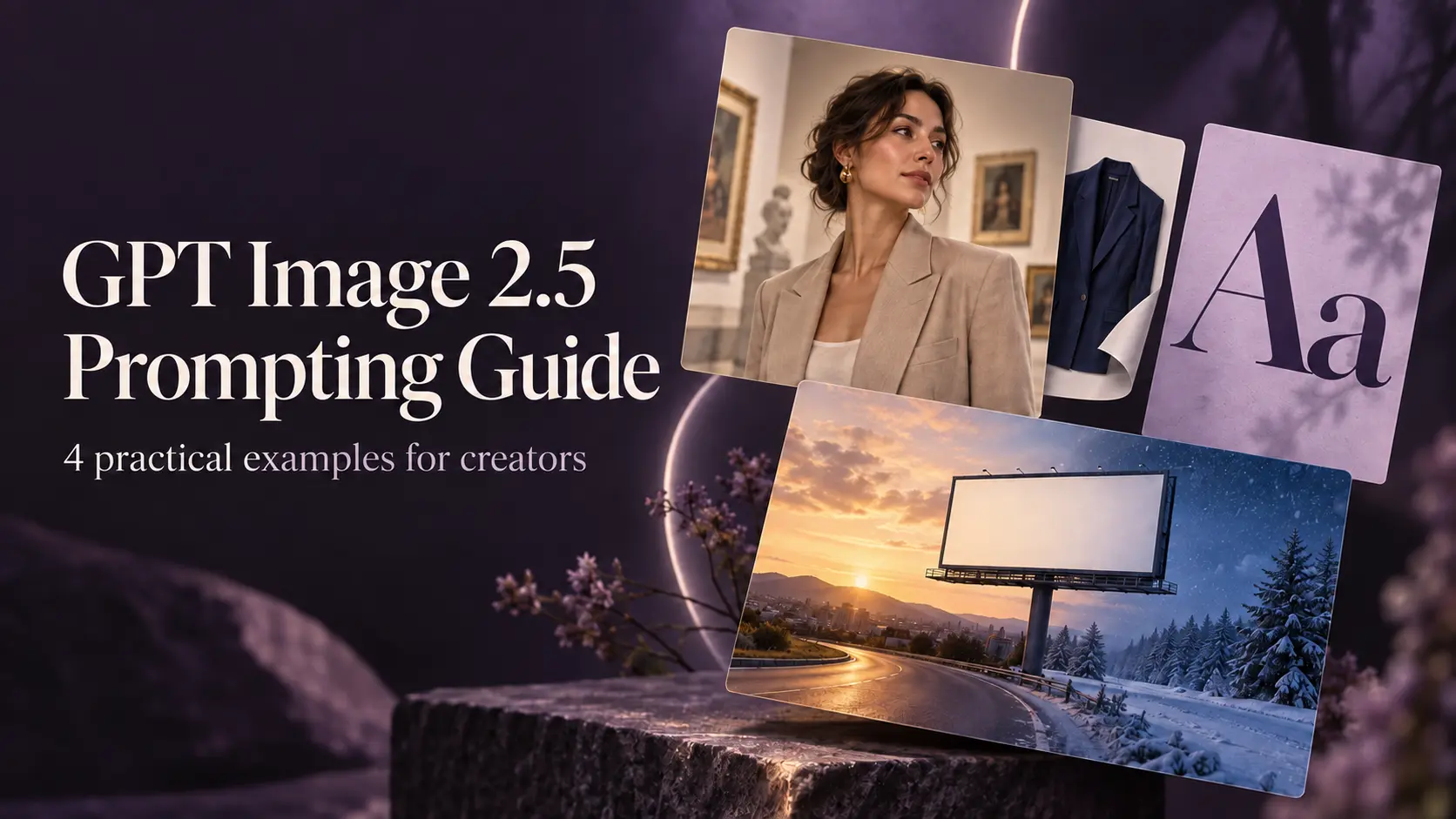
GPT Image 2.5 Prompting Guide: 4 Real Examples for Creators
A campaign image can look beautiful and still miss the brief. The headline might compete with a face, a product diagram might become unreadable on mobile, or an outfit edit might change more than the clothes.
By Skylar一Sep 18, 2026- Text-to-Image
- AI Image Generator
- GPT Image 2.5
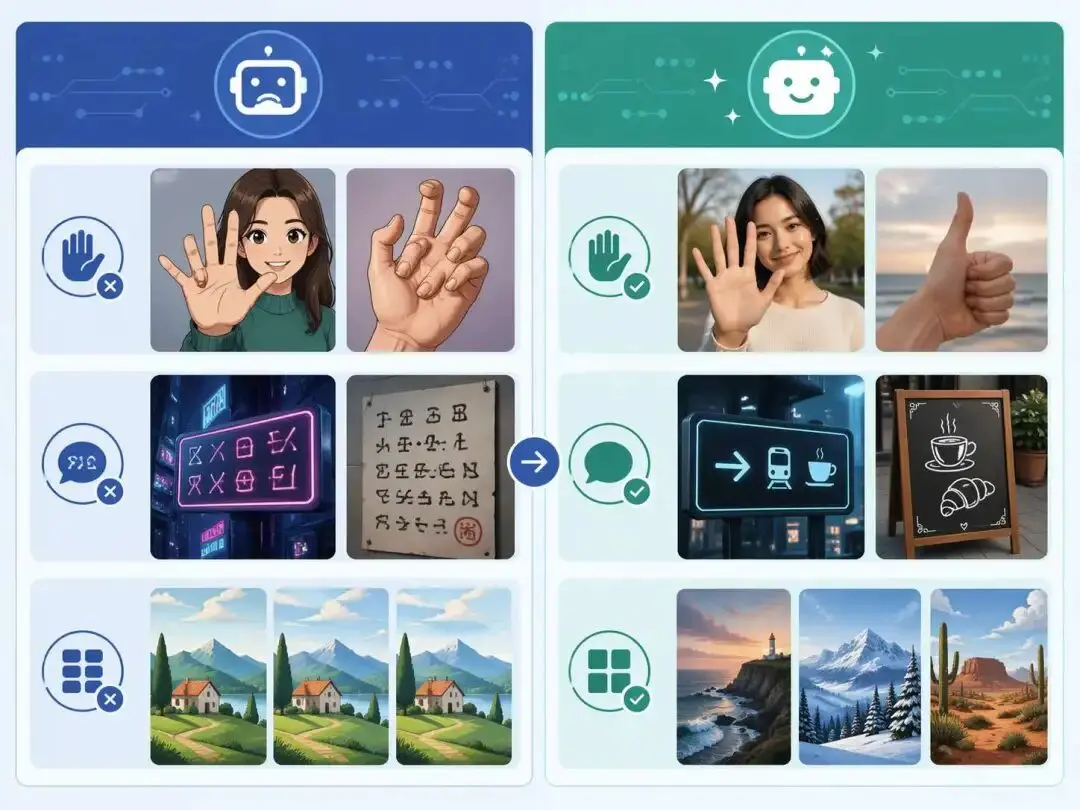
ChatGPT Image 2 Review: Real Tests Reveal What Actually Changed
If you’ve used AI image generators before, you already know the frustration. Hands often look unnatural, text turns into gibberish, and prompts keep getting longer while results remain inconsistent. For a long time, AI image generation felt less like using a tool and more like playing a lottery.
By Zoe一Apr 23, 2026- GPT Image 2
- AI Image Generator
- GPT-4o Image