
'%3e%3cg%3e%3cpath%20d='M12.04834,6.05824C12.09325,4.8457799999999995,12.43703,3.78081,13.0715,2.89055C13.7092,1.995784,14.7633,1.3601670000000001,16.2063,1C16.215899999999998,1.0440338,16.2259,1.088092,16.2363,1.131979L16.2363,1.3623509999999999C16.2363,1.884725,16.1084,2.48372,15.856,3.14258C15.5915,3.78052,15.1781,4.38093,14.6291,4.92281C14.1157,5.40028,13.6406,5.71638,13.2207,5.85928C13.0822,5.9003,12.89209,5.94066,12.66255,5.97701C12.45842,6.00853,12.25362,6.03563,12.04834,6.05824ZM12.28933,7.85741C10.6594,7.85741,9.52778,6.42896,7.91997,6.42896C6.31224,6.42896,3,7.89332,3,12.9488C3,18.0043,5.94131,21.2617,6.27029,21.642C6.599209999999999,22.0224,7.36005,23,8.5387,23C9.71744,23,11.00787,22.0715,12.28933,22.0715C13.5707,22.0715,15.1836,23,16.2365,23C17.2895,23,17.7226,22.5747,18.4392,21.8411C19.1558,21.1074,20.5227,18.8686,21,17.5248C20.2137,17.061,18.1298,15.8019,18.1298,12.9488C18.1298,11.0468,18.831200000000003,9.4667,20.2341,8.20853C19.3138,7.02216,18.2464,6.42896,17.0318,6.42896C15.2099,6.42896,13.9193,7.85741,12.28933,7.85741Z'%20fill='%23000000'%20fill-opacity='1'/%3e%3c/g%3e%3c/g%3e%3c/svg%3e)
'%3e%3cg%3e%3cpath%20d='M6.2985500000000005,2L14.60082,10.81153L16.7432,8.537289999999999C13.81573,6.65184,9.89484,4.122529999999999,8.13152,2.985321L6.95017,2.225593C6.74135,2.090554,6.5177700000000005,2.0178354,6.2985500000000005,2ZM5.0312551,3.05499C5.0144537,3.1518100000000002,5,3.24911,5,3.35357L5,20.7675C5,20.8406,5.0138389,20.9085,5.0234395,20.9782L13.4695,12.0125L5.0312551,3.05499ZM18.1511,9.444659999999999L15.7321,12.0125L18.1089,14.5354C19.3682,13.7252,20.2405,13.1626,20.3372,13.1007C20.7653,12.8229,21.007,12.4039,20.9998,11.94614C20.9934,11.49683,20.7516,11.09514,20.340400000000002,10.84799C20.2484,10.79194,19.387999999999998,10.24048,18.1511,9.444659999999999ZM14.60082,13.2134L6.3235600000000005,22C6.48437,21.9703,6.64498,21.9194,6.79859,21.8209C7.01141,21.6833,12.76069,17.9805,16.701,15.4428L14.60082,13.2134Z'%20fill='%23000000'%20fill-opacity='1'/%3e%3c/g%3e%3c/g%3e%3c/svg%3e)

Background Erasure Prompts: Dream Image vs. GPT-4o
In this blog, we explore how background erasure prompts work, compare how each AI engine interprets them, and provide examples of before/after prompt sets for portraits, animals, objects, and scenes.
- GPT-4o Image
- Dream Image
- AI Image Generator
How Well Do These AI Models Clean the Canvas?
In the world of AI image generation and editing, not adding something can be just as powerful as creating it. Enter the art of background erasure — a foundational technique for isolating subjects, creating design assets, or preparing clean cut-outs for further transformation.
Thanks to Dreamface, which features both Dream Image and GPT-4o engines, users can now perform intelligent background removal from photos or AI-generated visuals with just a prompt — but how well do these two models handle it?
In this blog, we explore how background erasure prompts work, compare how each AI engine interprets them, and provide examples of before/after prompt sets for portraits, animals, objects, and scenes.
✂️ Prompt Examples: Background Erasure in Action
Let’s look at some classic erase-and-isolate transformations, where the scene disappears but the subject remains.
🧍 1. Portrait Cut-Out with Transparent Background
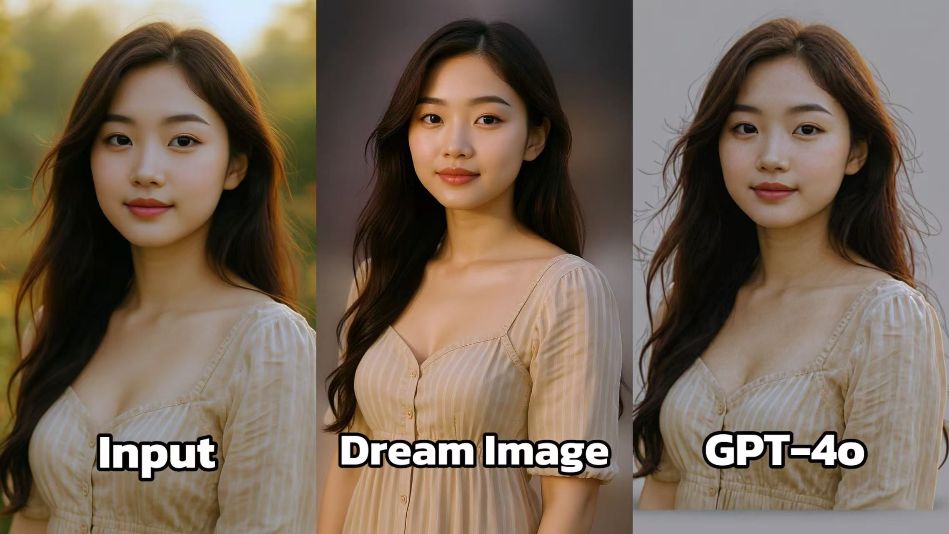
Erase Prompt: "Remove background and isolate the woman on a transparent layer with soft floor shadow."
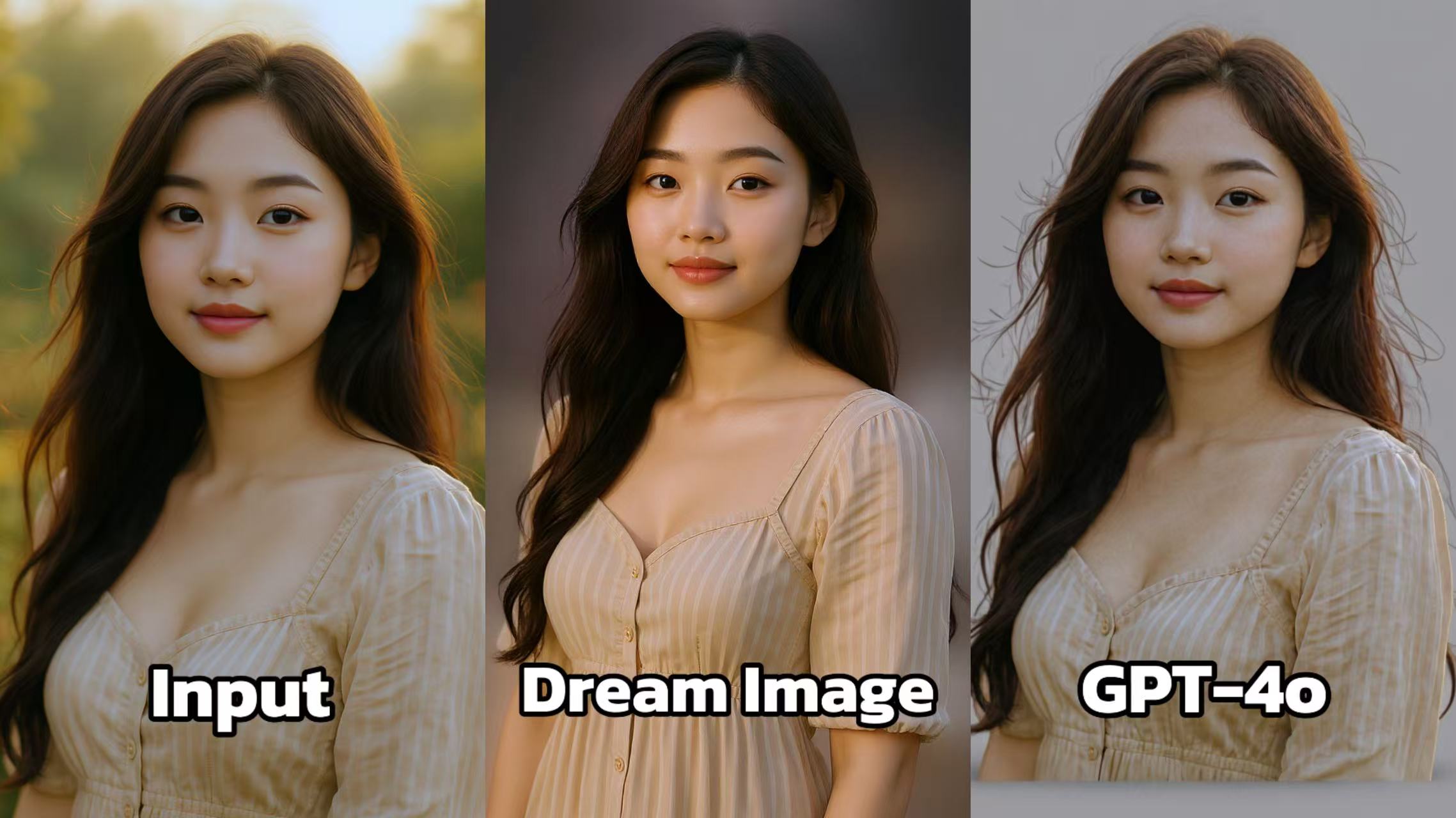 Dream Image: Transfers the person from an outdoor, softly lit environment to an indoor, neutral - toned background. The background is simple yet elegant, allowing the person's features and attire to be the main focus. The lighting is carefully adjusted to create a flattering look, highlighting the texture of the dress and the person's hair.
GPT - 4o: Also generates an indoor - background image. However, the lighting is not as flattering, with some areas appearing overexposed and others underexposed. The details of the dress and the person's features are not as well - defined as in Dream Image, making the overall image less visually appealing.
🐶 2. Pet Extraction for Sticker Use
Erase Prompt: "Extract the dog from the park background and place it on a plain white background with a subtle drop shadow."
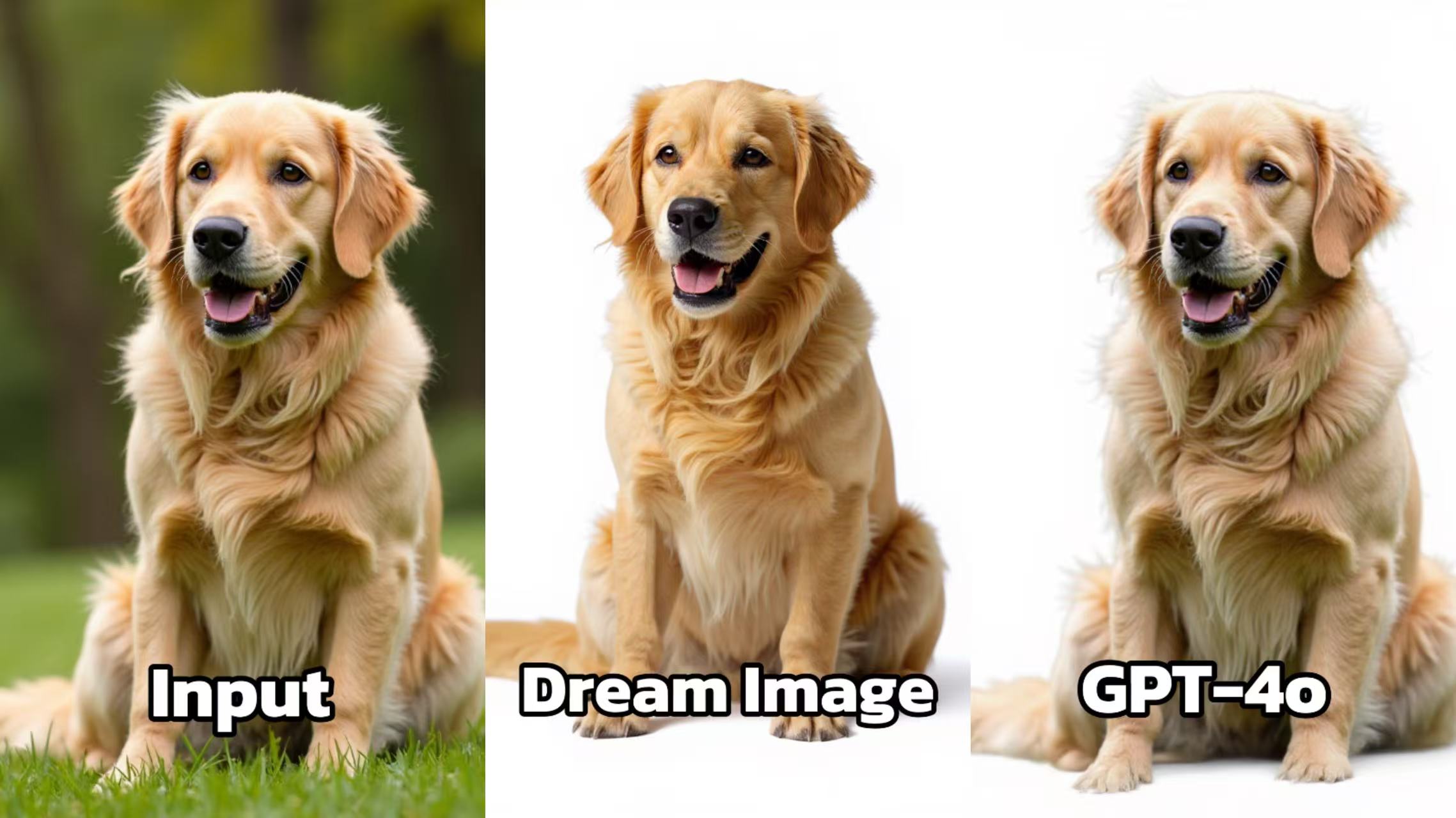 Dream Image: Moves the golden retriever from an outdoor grassy setting to an indoor, plain white background. The dog remains the focal point, and the white background provides a clean, uncluttered look. The details of the dog's fur and expression are well - captured, with good lighting that enhances the texture of the fur.
GPT - 4o: Creates a similar indoor setting for the dog. But the image lacks the same level of sharpness and detail. The fur texture of the dog doesn't look as realistic, and the overall image has a slightly washed - out appearance compared to Dream Image.
🏙️ 3. Isolated Subject from Cityscape
Erase Prompt: "Erase the city background and leave only the figure, lit from the front, with clean studio-style lighting and no background distractions."
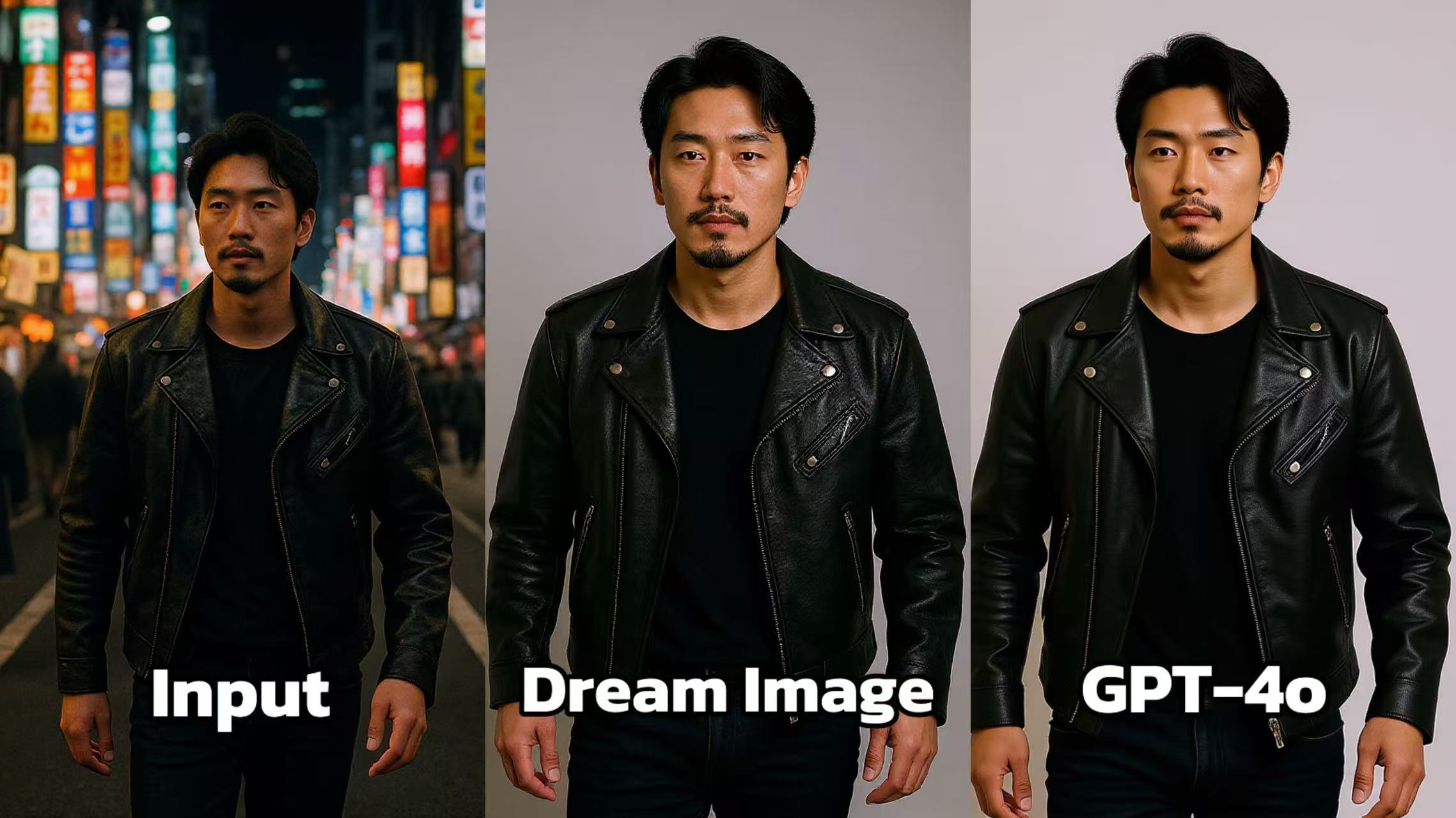 Dream Image: Transitions the individual from a bustling urban night - time setting to a plain studio background. The focus on the person is clear, and the simplicity of the background ensures that the subject stands out without any distractions. The lighting is even, highlighting the details of the leather jacket and the person's posture.
GPT - 4o: Also shifts the background to a studio - like setting. However, the image appears slightly less polished. The lighting seems a bit flat, and the overall contrast is not as well - balanced as in Dream Image. The details of the leather jacket don't pop as effectively.
🚀 Try These in Dreamface
Here are some quick prompt templates you can copy into Dreamface:
- 🖼️ “Remove all background and keep only the woman’s upper body in front view, on a transparent layer.”
- 🧸 “Extract this toy bear from a kid’s room and isolate it on a clean white background with a drop shadow.”
- 👟 “Remove all scenery and keep just the shoes floating on black with reflection.”
Try them with both Dream Image and GPT-4o to see which meets your precision or stylization needs best!
Uncensored AI Image Generator: Which Models Offer More Freedom?
Searching for an uncensored AI image generator can mean several things. You might want more room for dark fantasy, unconventional fashion, or challenging editorial concepts.
By Tina一Sep 19, 2026- AI Image Generator
- GPT Image 2.5
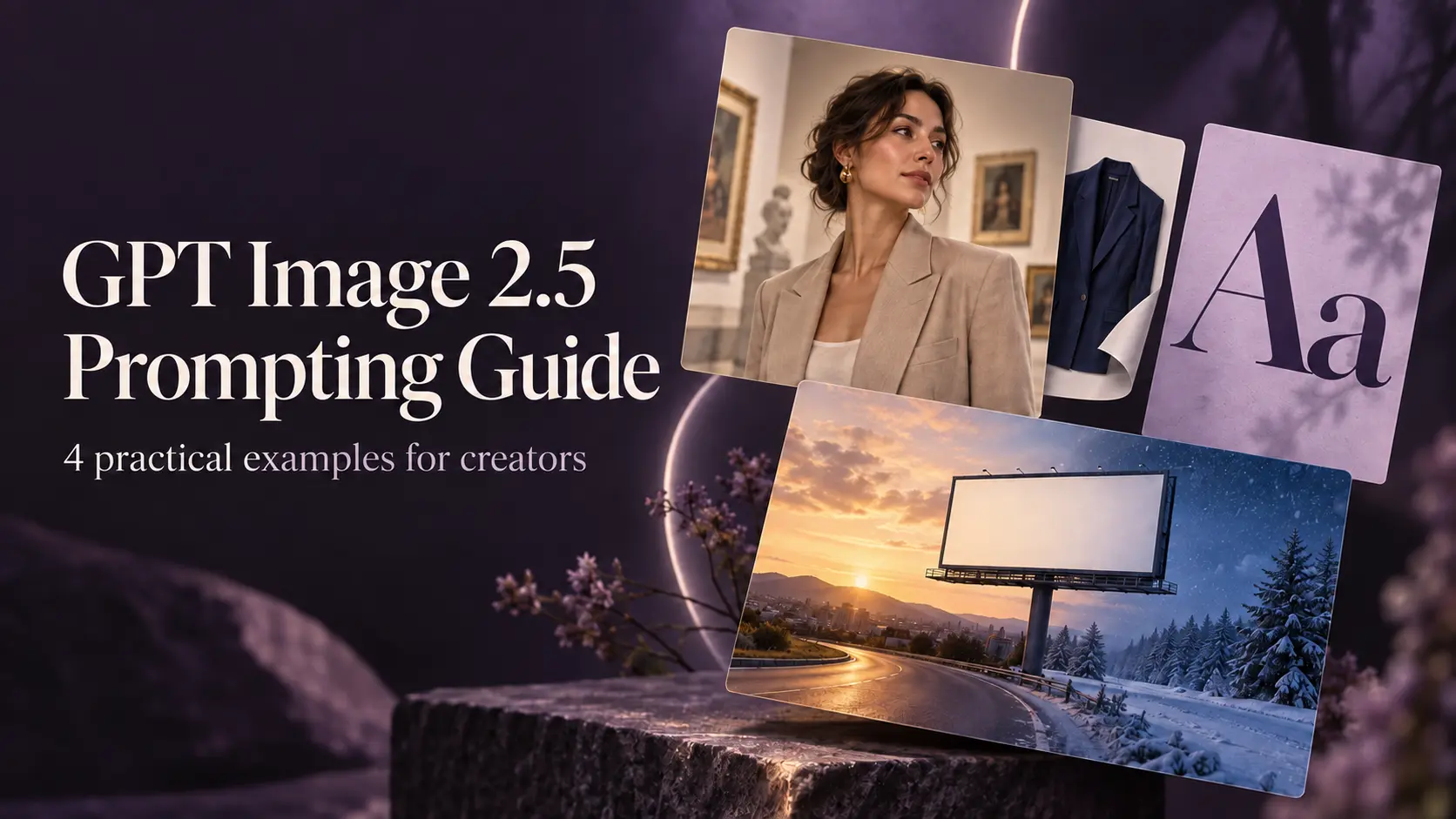
GPT Image 2.5 Prompting Guide: 4 Real Examples for Creators
A campaign image can look beautiful and still miss the brief. The headline might compete with a face, a product diagram might become unreadable on mobile, or an outfit edit might change more than the clothes.
By Skylar一Sep 18, 2026- Text-to-Image
- AI Image Generator
- GPT Image 2.5
ChatGPT Image 2 Review: Real Tests Reveal What Actually Changed
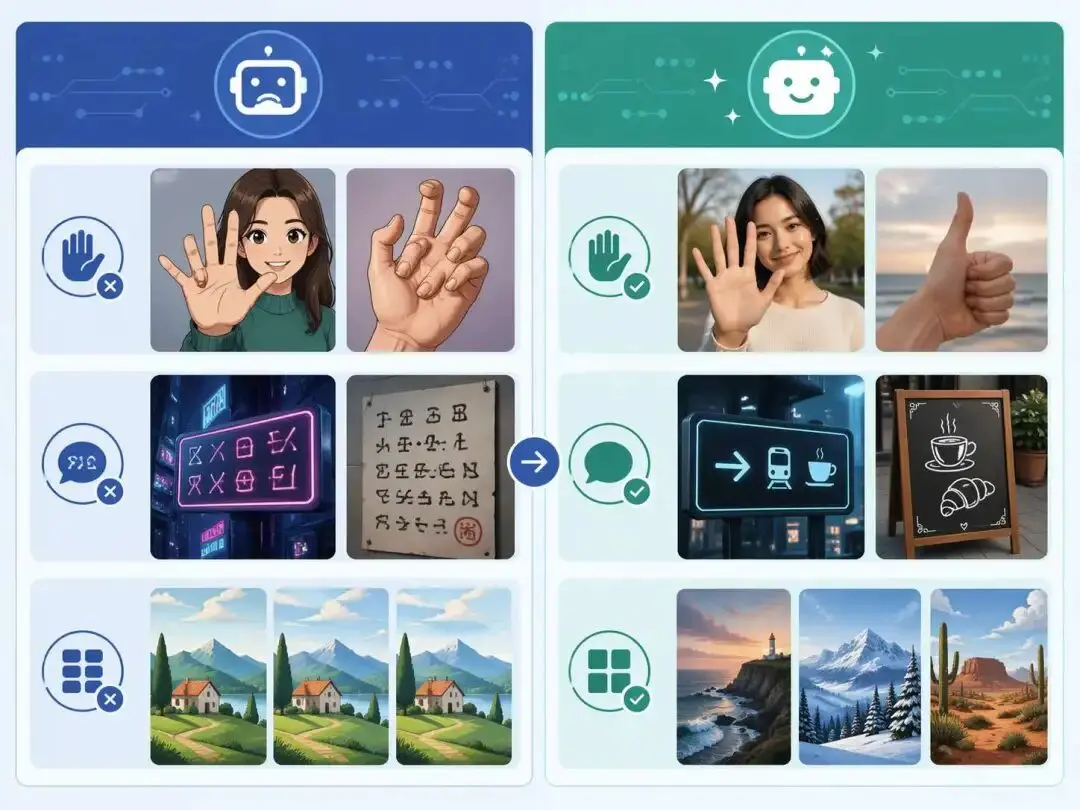
If you’ve used AI image generators before, you already know the frustration. Hands often look unnatural, text turns into gibberish, and prompts keep getting longer while results remain inconsistent. For a long time, AI image generation felt less like using a tool and more like playing a lottery.
By Zoe一Apr 23, 2026- GPT Image 2
- AI Image Generator
- GPT-4o Image