


Flux Kontext Prompts for AI Virtual Try-On
This guide provides the precise prompts you need to showcase clothing perfectly while maintaining every crucial detail.Note that the effects achievable with the prompts below can be created for free using Dreamface.
- Flux-Kontext
- AI image generator
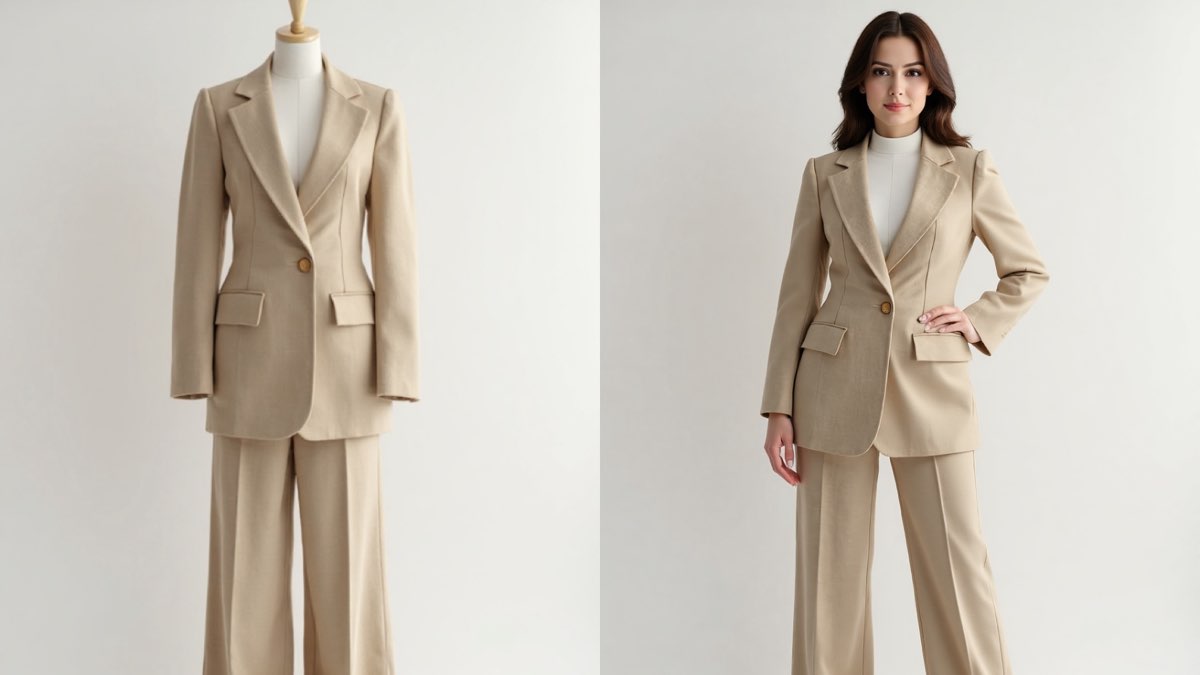
Tired of lifeless product shots on mannequins? Wish you could create professional model photoshoots without the high cost? AI Virtual Try-On is the solution. This technology lets you take a garment image and instantly dress a photorealistic AI model, transforming your product display. It’s a game-changer for e-commerce, helping customers visualize how clothes truly fit. This guide provides the precise prompts you need to showcase clothing perfectly while maintaining every crucial detail.
Note that the effects achievable with the prompts below can be created for free using Dreamface.
Flux Kontext AI Virtual Try-On Prompts
Prompt 1:
Replace the mannequin with a photorealistic, elegant model with her hair in a soft updo, posing gracefully. The model should be wearing the elegant champagne-colored silk slip gown. It is crucial to keep the gown's design, shiny silk texture, and fluid drape exactly as shown. Maintain the solid white studio background and the soft, even lighting.
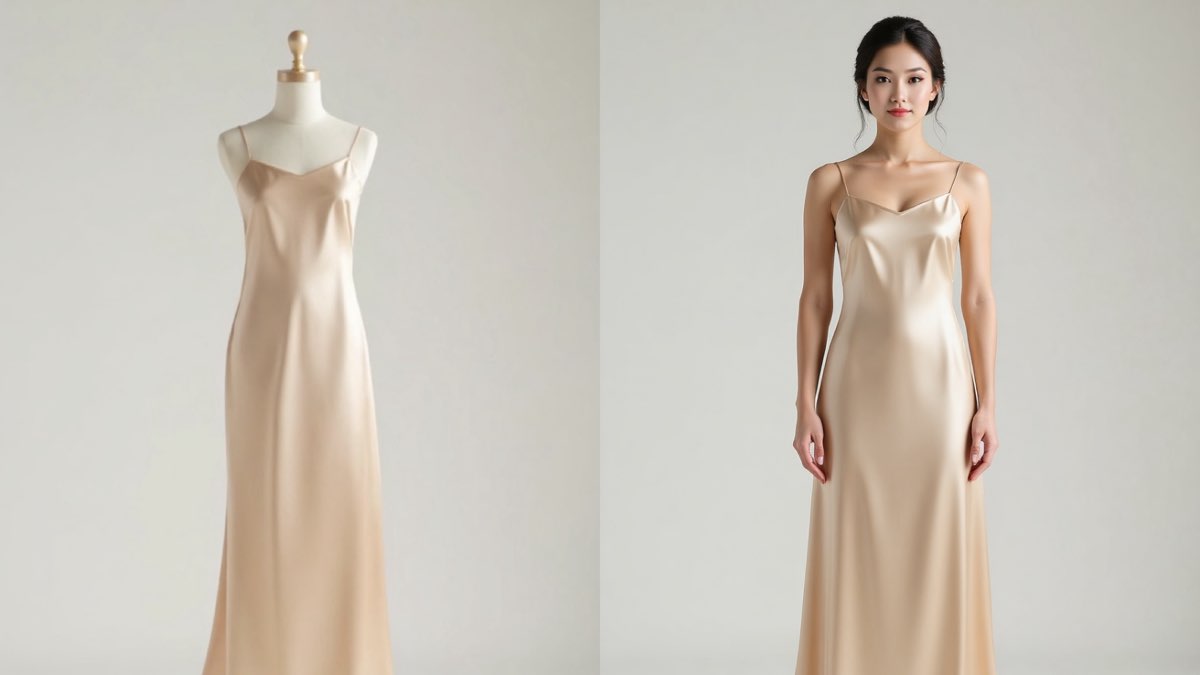
Create this image for free using Dreamface!
Prompt 2:
Replace the mannequin with a photorealistic, confident, professional model standing in a powerful yet relaxed pose. The model should be wearing the sharply tailored beige pantsuit, including the blazer and wide-leg trousers. It is crucial to keep the suit's precise cut, color, and fabric texture exactly as shown. Maintain the solid white studio background and the clean, professional lighting.
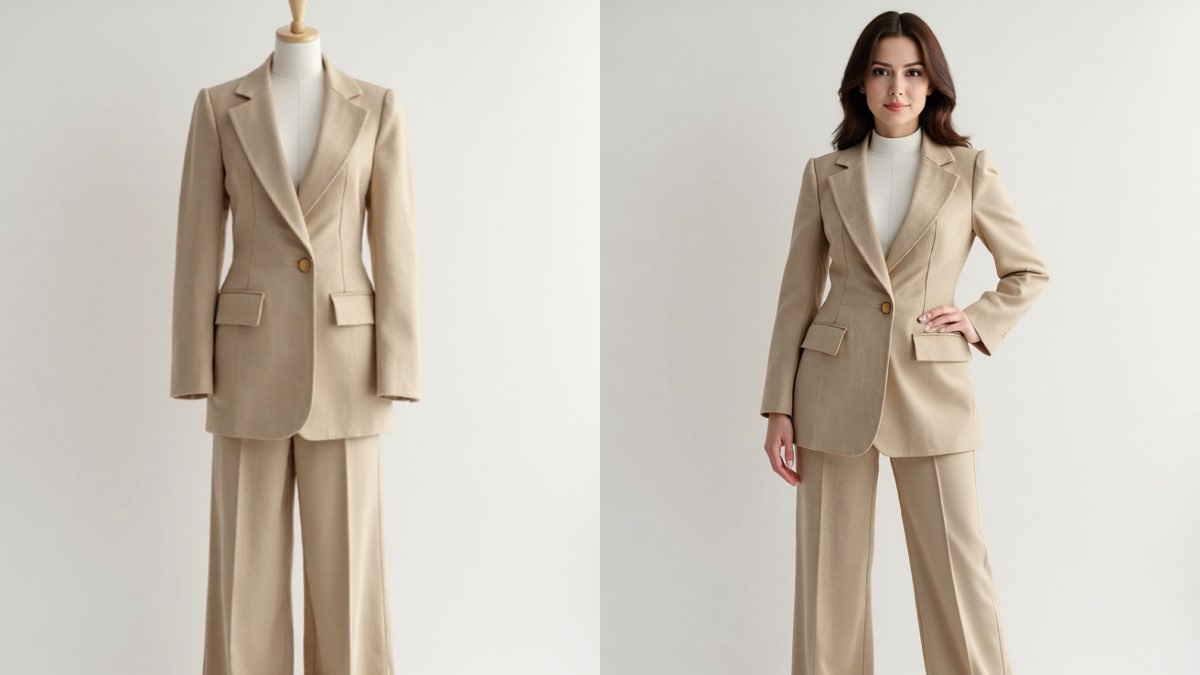
Create this image for free using Dreamface!
Prompt 3:
Replace the mannequin with a photorealistic model with a soft and natural look, standing in a gentle, dreamy pose. The model should be wearing the romantic ivory-colored bohemian dress with embroidered puffy sleeves. It is crucial to keep the dress's design, delicate embroidery, and lightweight fabric texture exactly as shown. Maintain the solid white studio background and the soft, natural lighting.
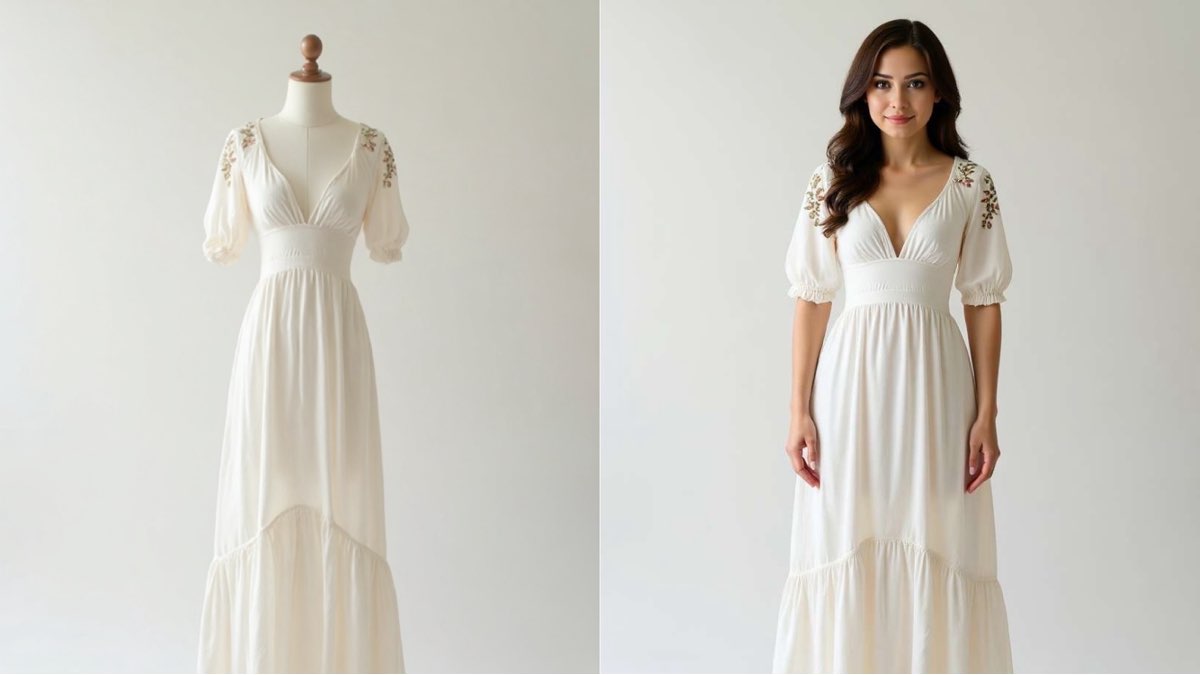
Create this image for free using Dreamface!
How to Write Effective Prompts
Realistic on-model photos require a balance: describing the model while locking in product details.
- Describe Your Ideal Model: Define the model's look and pose, like "a photorealistic, confident model."
- Command the "Try-On": Simply state, "The model should be wearing the [specific garment name]."
- Preserve Every Product Detail: This is critical. Use a strong command: "It is crucial to keep the dress's design, fabric texture, and color exactly as shown."
- Maintain the Setting: Keep the focus by stating, "Maintain the solid white studio background."
Elevate Your Fashion Imagery
AI Virtual Try-On bridges the gap between static photos and dynamic fashion shoots. Success comes from a prompt that describes the model while strictly preserving your product's integrity. Stop letting mannequins limit your brand's appeal. The power to generate an endless, diverse cast of models is at your fingertips. Come try it on Dreamface!
What Is a Good Prompt for an AI Image?
Learn how to write better AI image prompts that generate high-quality, consistent, and creative results. Discover examples, best practices, and common mistakes to avoid.
By Elijah一Dec 15, 2025- AI image generator
- Text-to-Image
- AI Image
Illustrious‑SDXL: Anime‑Focused Image Generation Elevated
Introducing Illustrious‑SDXL — a model finetuned for anime and stylized illustration generation. It blends SDXL’s robust architecture with curated anime datasets and aesthetic guidance, making it ideal for creators who want: •Consistent anime character designs •Dynamic action and emotional expression •Rich stylistic variation (shojo, battle, mecha, fantasy, etc.) •Art‑style control with minimal prompting
By Roy一Dec 16, 2025- AI image generator
- AI Image
- Illustrious SDXL

Seedream 4.5: Better Identity Consistency, with 6 Portrait Styles to Try
Seedream 4.5 is here! In this post, we test its identity consistency in portrait generation and walk you through 6 portrait shooting styles it handles impressively well — with full examples and tips.
By Henry一Dec 15, 2025- AI image generator
- Seedream 4.5
- AI Image
- AI Filter