
'%3e%3cg%3e%3cpath%20d='M12.04834,6.05824C12.09325,4.8457799999999995,12.43703,3.78081,13.0715,2.89055C13.7092,1.995784,14.7633,1.3601670000000001,16.2063,1C16.215899999999998,1.0440338,16.2259,1.088092,16.2363,1.131979L16.2363,1.3623509999999999C16.2363,1.884725,16.1084,2.48372,15.856,3.14258C15.5915,3.78052,15.1781,4.38093,14.6291,4.92281C14.1157,5.40028,13.6406,5.71638,13.2207,5.85928C13.0822,5.9003,12.89209,5.94066,12.66255,5.97701C12.45842,6.00853,12.25362,6.03563,12.04834,6.05824ZM12.28933,7.85741C10.6594,7.85741,9.52778,6.42896,7.91997,6.42896C6.31224,6.42896,3,7.89332,3,12.9488C3,18.0043,5.94131,21.2617,6.27029,21.642C6.599209999999999,22.0224,7.36005,23,8.5387,23C9.71744,23,11.00787,22.0715,12.28933,22.0715C13.5707,22.0715,15.1836,23,16.2365,23C17.2895,23,17.7226,22.5747,18.4392,21.8411C19.1558,21.1074,20.5227,18.8686,21,17.5248C20.2137,17.061,18.1298,15.8019,18.1298,12.9488C18.1298,11.0468,18.831200000000003,9.4667,20.2341,8.20853C19.3138,7.02216,18.2464,6.42896,17.0318,6.42896C15.2099,6.42896,13.9193,7.85741,12.28933,7.85741Z'%20fill='%23000000'%20fill-opacity='1'/%3e%3c/g%3e%3c/g%3e%3c/svg%3e)
'%3e%3cg%3e%3cpath%20d='M6.2985500000000005,2L14.60082,10.81153L16.7432,8.537289999999999C13.81573,6.65184,9.89484,4.122529999999999,8.13152,2.985321L6.95017,2.225593C6.74135,2.090554,6.5177700000000005,2.0178354,6.2985500000000005,2ZM5.0312551,3.05499C5.0144537,3.1518100000000002,5,3.24911,5,3.35357L5,20.7675C5,20.8406,5.0138389,20.9085,5.0234395,20.9782L13.4695,12.0125L5.0312551,3.05499ZM18.1511,9.444659999999999L15.7321,12.0125L18.1089,14.5354C19.3682,13.7252,20.2405,13.1626,20.3372,13.1007C20.7653,12.8229,21.007,12.4039,20.9998,11.94614C20.9934,11.49683,20.7516,11.09514,20.340400000000002,10.84799C20.2484,10.79194,19.387999999999998,10.24048,18.1511,9.444659999999999ZM14.60082,13.2134L6.3235600000000005,22C6.48437,21.9703,6.64498,21.9194,6.79859,21.8209C7.01141,21.6833,12.76069,17.9805,16.701,15.4428L14.60082,13.2134Z'%20fill='%23000000'%20fill-opacity='1'/%3e%3c/g%3e%3c/g%3e%3c/svg%3e)

How to Improve Image Quality with Dreamface Photo Enhancer Online
In this article, you'll learn how to use Dreamface to enhance your image quality, and why it’s a powerful alternative to traditional photo editing software.
- AI Image Generator
- Photo Enhancer
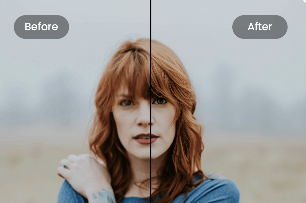
There are times when you find a favorite photo ruined by blur, poor lighting, or low resolution—maybe it was taken with an old phone, or saved and re-uploaded too many times. Whether you’re restoring a precious memory or upgrading a profile picture, Dreamface Photo Enhancer is your go-to tool for instant AI-powered enhancement.
In this article, you'll learn how to use Dreamface to enhance your image quality, and why it’s a powerful alternative to traditional photo editing software.
📌 Part 1: A Quick Overview of Dreamface Photo Enhancer
Dreamface Photo Enhancer is a free, web-based AI tool that transforms blurry or pixelated photos into clear, high-definition visuals. With advanced deep learning models under the hood, it restores facial features, fixes grainy textures, and adds clarity—all in just a few seconds.
Unlike traditional software that requires manual editing skills, Dreamface uses AI to analyze and enhance images automatically, making it accessible to everyone—even non-designers.
- Platform: 100% Online (No download required)
- Price: Free
- Available on: All modern browsers (Windows, Mac, iOS, Android)
🌟 Features of Dreamface Photo Enhancer
✨ One-Click Quality Boost
Enhance low-resolution photos automatically with smart AI. No technical skills needed—just upload and click.
🧠 Face-Focused Restoration
Ideal for portraits and selfies—Dreamface brings out details in eyes, skin texture, and expressions without over-processing.
🖼️ Natural-Looking Results
Unlike tools that over-sharpen or alter the photo's essence, Dreamface retains a realistic and flattering finish.
🪄 Fixes Old & Damaged Photos
Bring new life to vintage, scanned, or compressed images.
🚀 Fast and Lightweight
Enhancements are done in seconds, directly in your browser.
✅ Pros and Cons
Pros:
- Easy and intuitive interface
- No app installation or sign-up required
- Instant before-and-after comparison
- Completely free to use
- No watermarks on downloads
Cons:
- Limited customization (currently no manual control sliders)
- Requires stable internet for optimal results
🖱️ Part 2: How to Use Dreamface to Enhance Your Photo Quality
Enhancing your photo with Dreamface is incredibly simple. Follow these steps to transform any blurry image into an HD version:
🔹 Step 1: Go to Dreamface Photo Enhancer
Visit
https://tools.dreamfaceapp.com/tools/photo-enhance
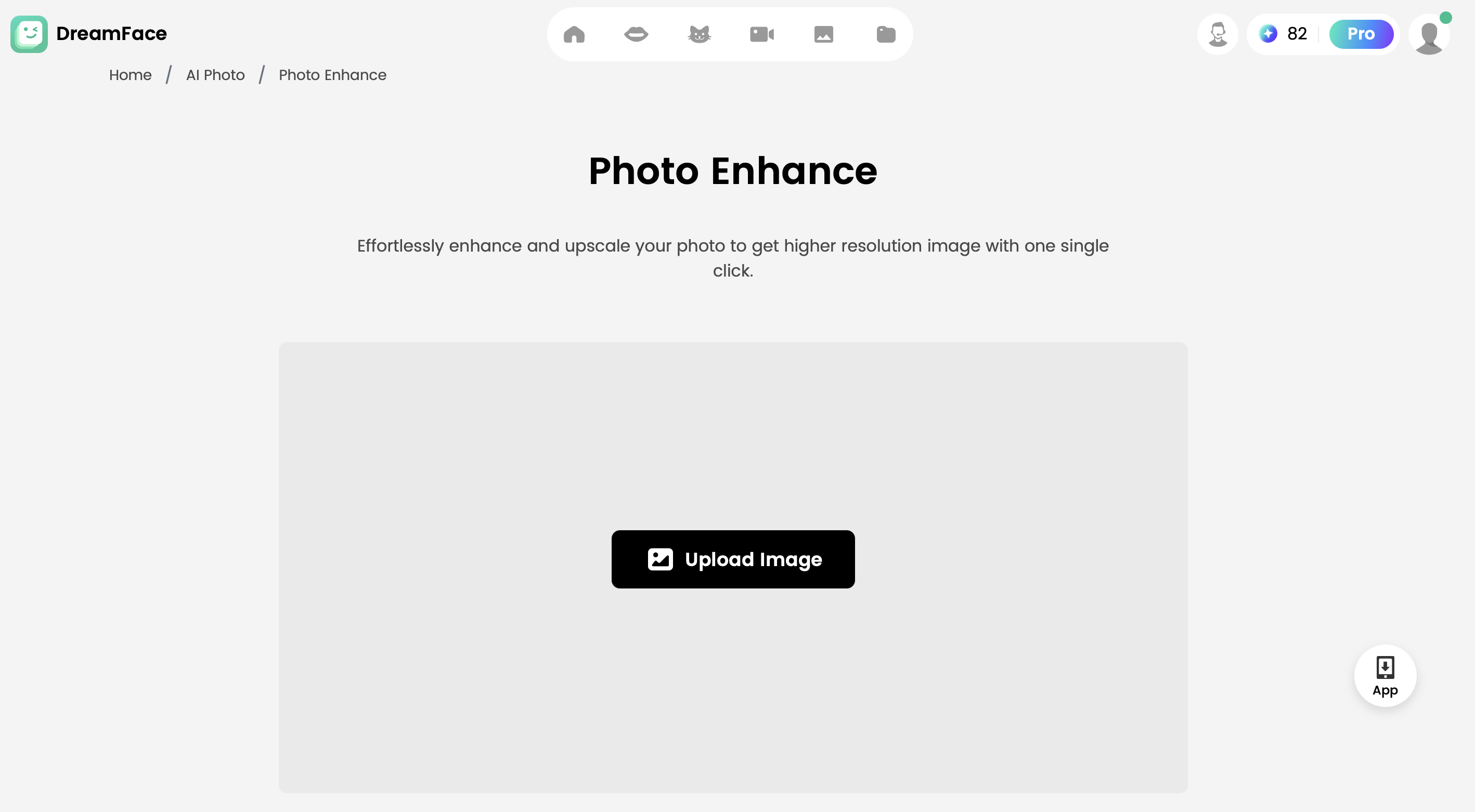
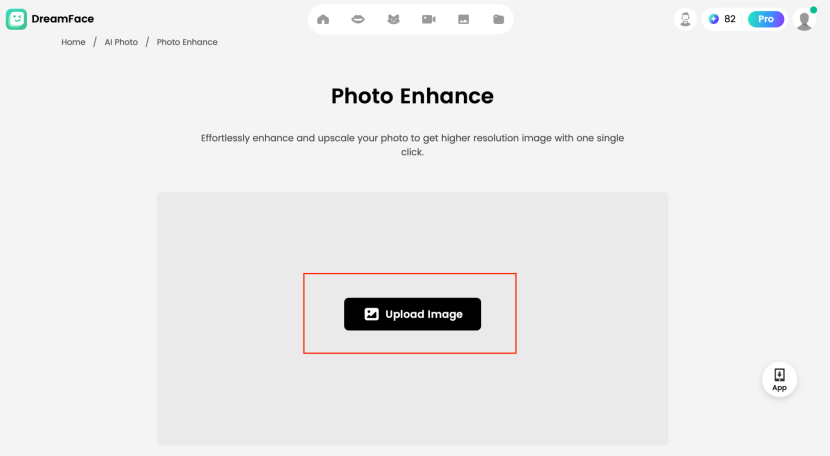
🔹 Step 2: Upload Your Photo and Enhance
Drag and drop your image or click to upload it. Supported formats include JPG and PNG. In a few seconds, your enhanced photo will appear side-by-side with the original for comparison.
🔹 Step 3: Download the Result or Upload New
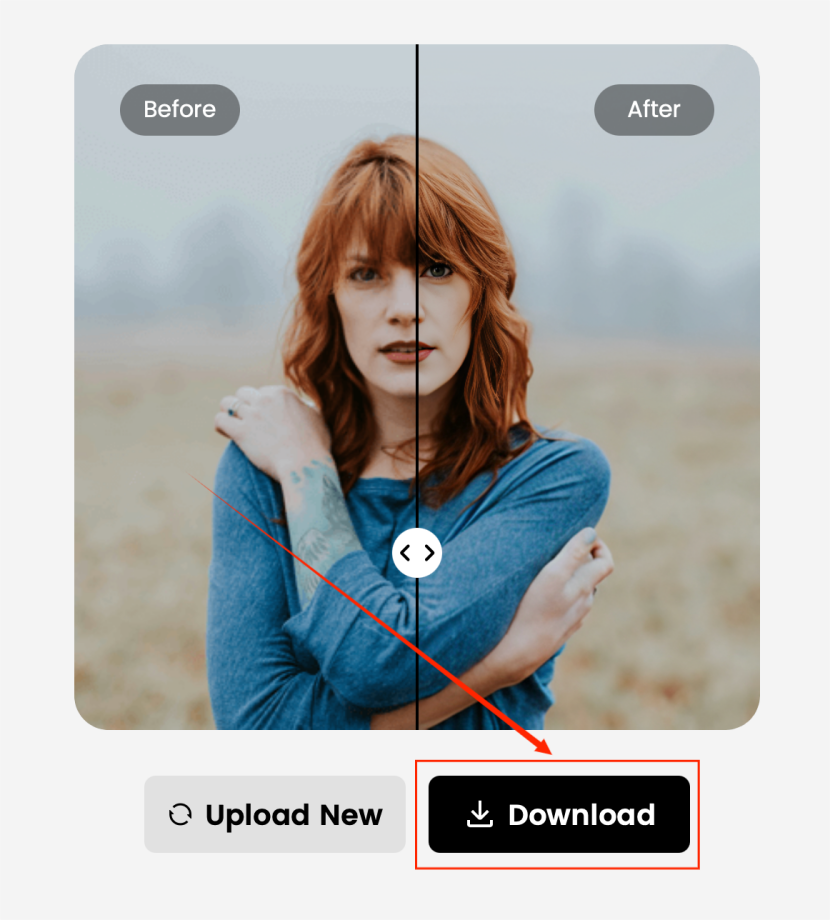
If you’re satisfied with the result, hit Download and save the HD version instantly, or you can upload another new one to enhance.
🆚 Part 3: Why Choose Dreamface Over Other Enhancers?
While other tools like Remini and Media.io offer powerful features, Dreamface stands out for its clean interface, fully free model, and no-fuss approach.
Unlike many free apps that add watermarks or require watching ads, Dreamface lets you enhance and download images with no strings attached. It’s a true one-click solution for anyone who needs fast, professional-grade results—no subscription needed.
🔚 Bottom Line
Whether you're restoring old photos, upgrading social media portraits, or enhancing a low-res product shot, Dreamface Photo Enhancer is the perfect free tool for the job.
Simple, smart, and stunning—give your photos the clarity they deserve with Dreamface.
Uncensored AI Image Generator: Which Models Offer More Freedom?
Searching for an uncensored AI image generator can mean several things. You might want more room for dark fantasy, unconventional fashion, or challenging editorial concepts.
By Tina一Sep 19, 2026- AI Image Generator
- GPT Image 2.5
GPT Image 2.5 Prompting Guide: 4 Real Examples for Creators
A campaign image can look beautiful and still miss the brief. The headline might compete with a face, a product diagram might become unreadable on mobile, or an outfit edit might change more than the clothes.
By Skylar一Sep 18, 2026- Text-to-Image
- AI Image Generator
- GPT Image 2.5
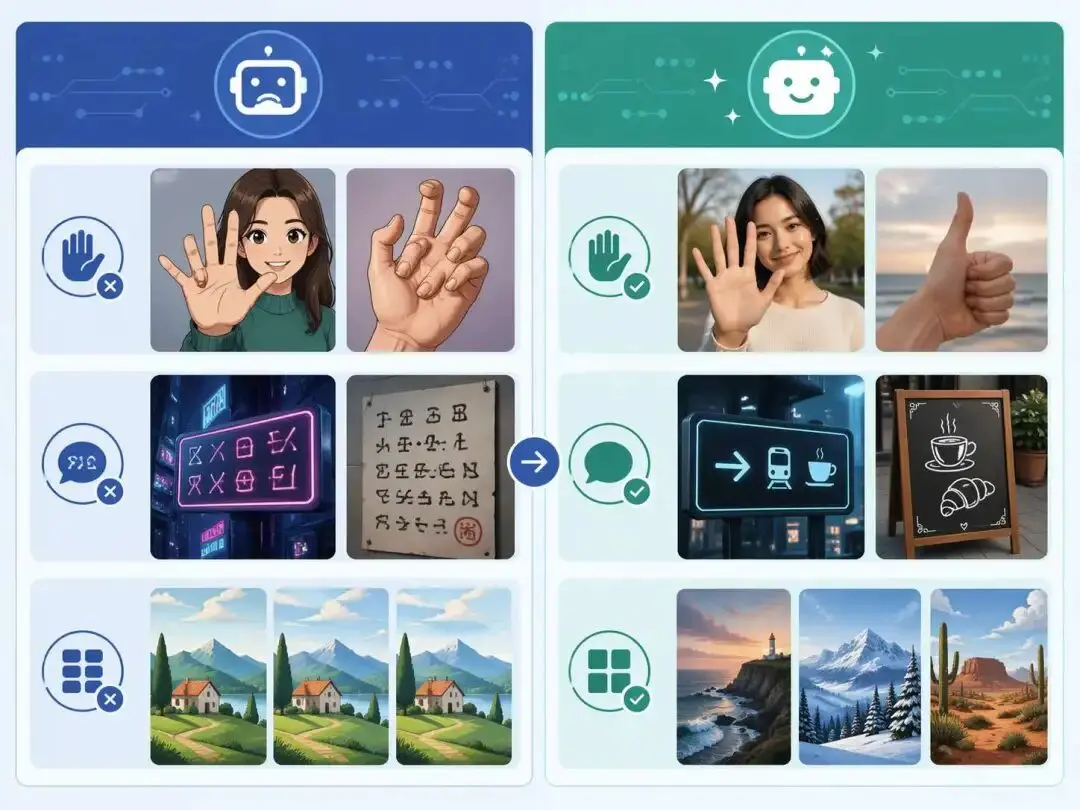
ChatGPT Image 2 Review: Real Tests Reveal What Actually Changed
If you’ve used AI image generators before, you already know the frustration. Hands often look unnatural, text turns into gibberish, and prompts keep getting longer while results remain inconsistent. For a long time, AI image generation felt less like using a tool and more like playing a lottery.
By Zoe一Apr 23, 2026- GPT Image 2
- AI Image Generator
- GPT-4o Image