


How to Create a Faceless 7.3M-viewed Cat Giving Middle Finger with VEO3?
Ready to create your own faceless viral content with a British Shorthair cat?
- AI image generator
- AI Video
- AI Video Generator
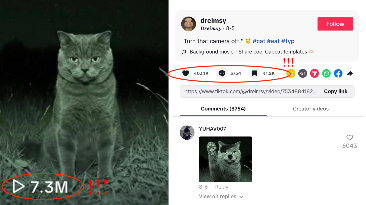
What if your British Shorthair cat could give the middle finger to the camera in the wild, all while looking impossibly cute? Sounds crazy, right? But it’s not! Thanks to Dreamface, you can create your own faceless AI video where your rebellious kitty raises its paw in defiance while walking through nature. The best part? This type of hilarious, unexpected content is already blowing up online!
One recent faceless AI cat video went viral with over 7.3M views and 403.1K likes—and you can create something just as epic! 🎥🔥 Whether you’re into making edgy memes, viral content, or simply having fun, Dreamface lets you craft the most outrageous, faceless cat videos in no time.
Ready to create your own faceless viral content with a British Shorthair cat? Let’s jump into these 5 easy steps to make it happen:
Step 1: Choose AI Image in Dreamface
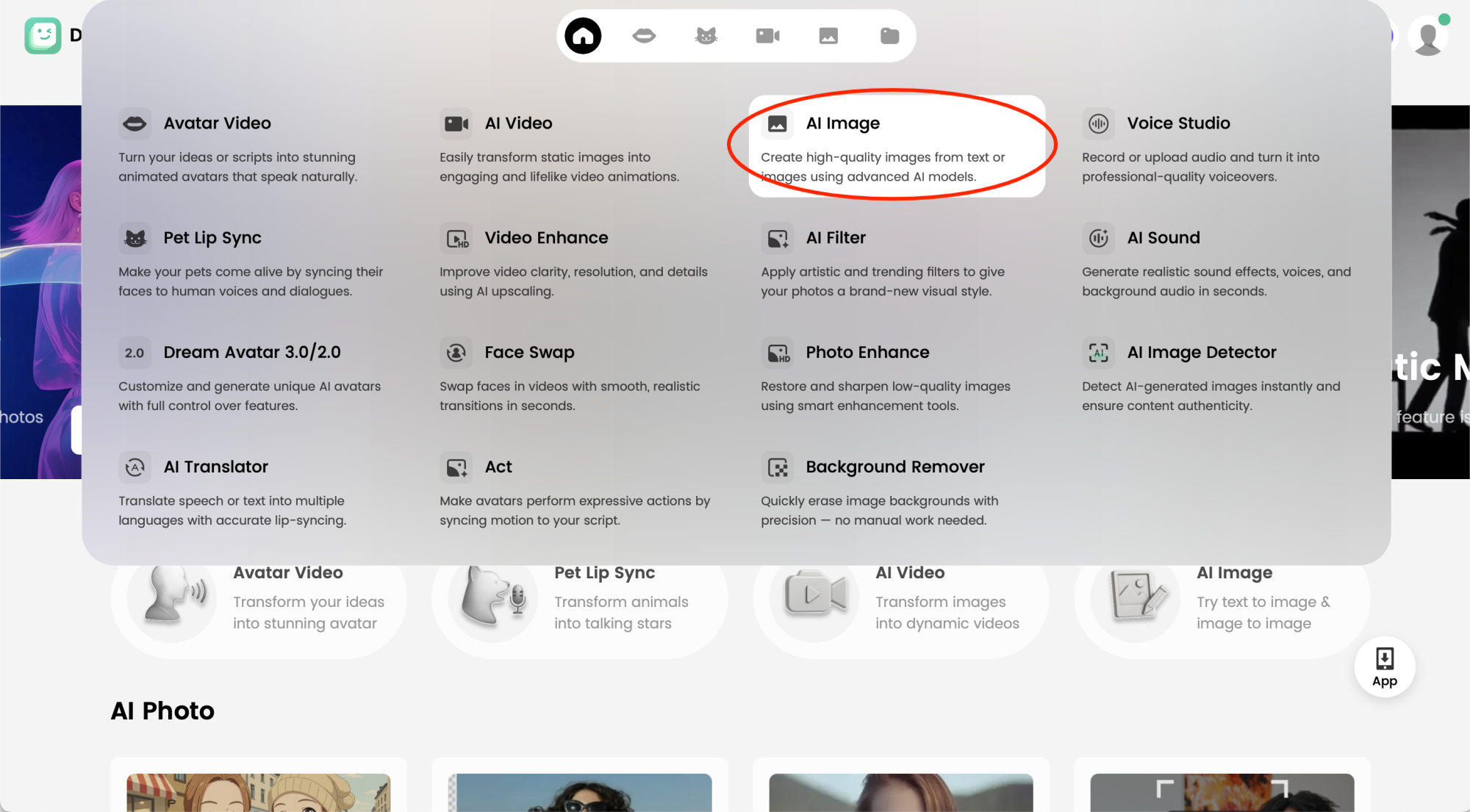
Start by choosing Dreamface’s AI Image tool to generate the perfect image of your British Shorthair cat.
Step 2: Choose Your AI Model & Customize Your Cat
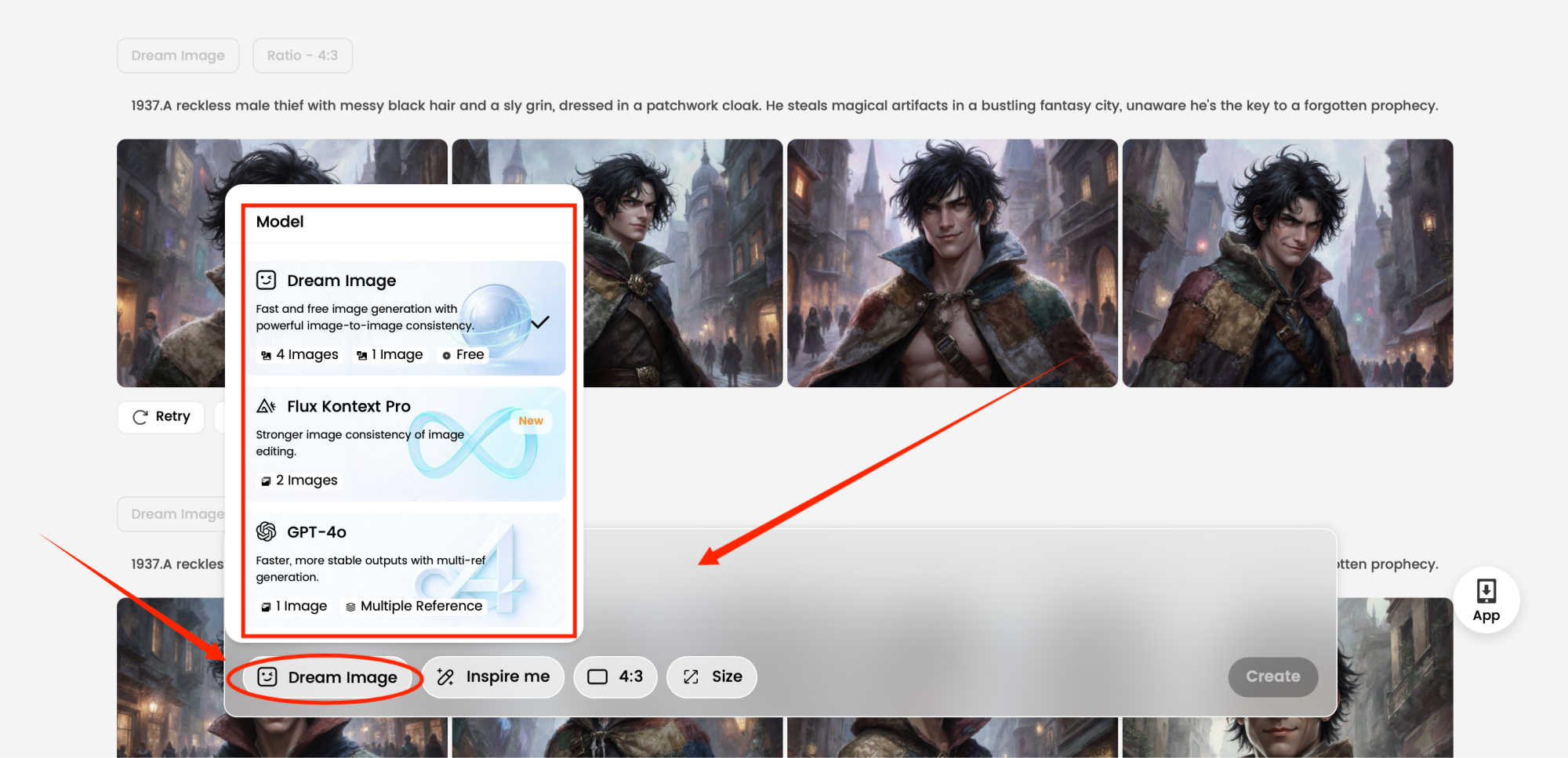
Choose the AI model that fits your vision. Whether you want your cat to look more realistic, cartoonish, or even like a meme, Dreamface lets you customize everything—fur texture, facial expressions, and even the pose.
And then picture this: a cute, fluffy cat with its middle finger raised in a rebellious gesture. Simply input prompts like "a colorless camera style image of British Shorthair cat standing in a wild natural environment"
Step 3: Choose AI Video in Dreamface
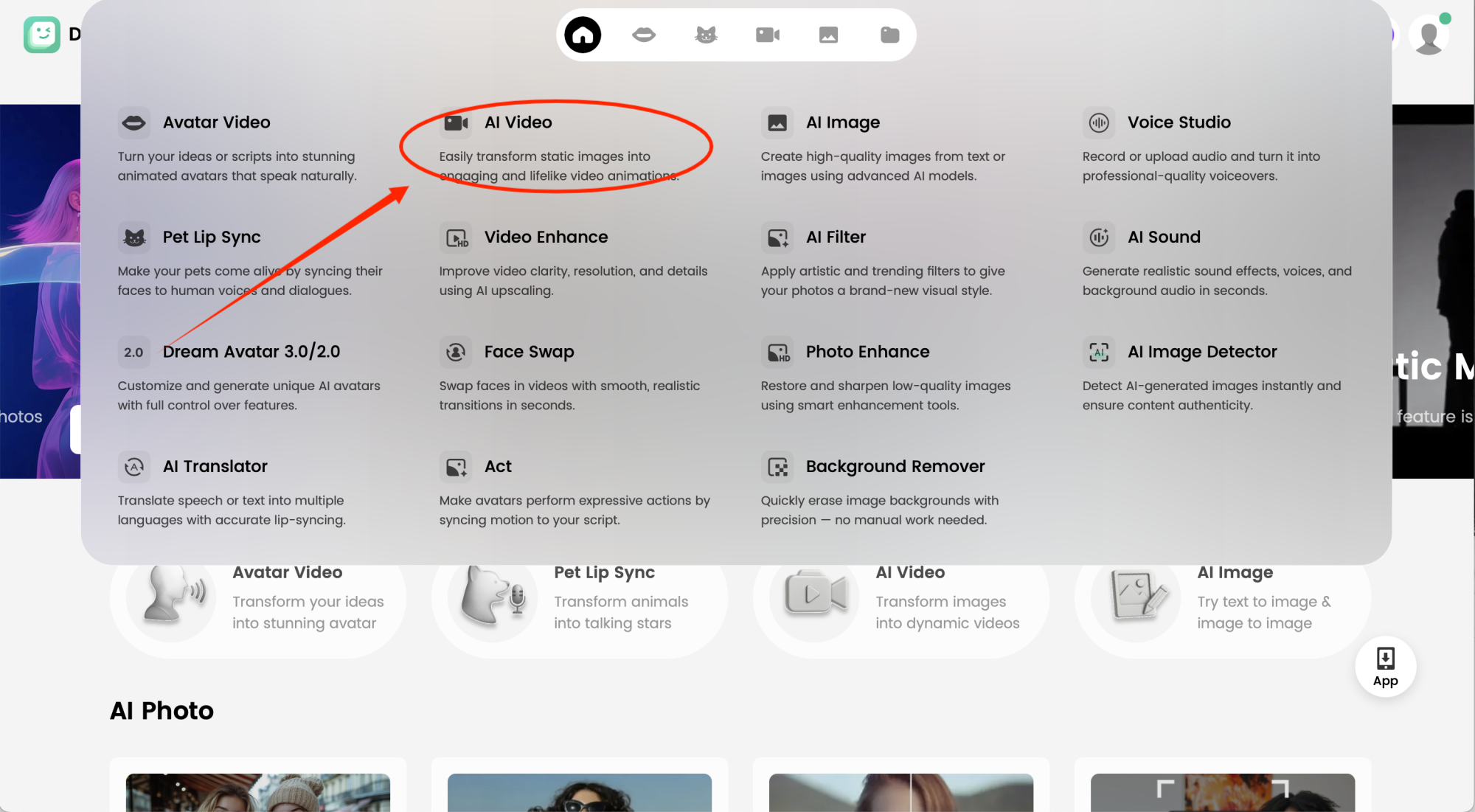
Next, switch to the AI Video tool in Dreamface. This feature will turn your AI-generated cat into an animated character, ready to bring its cheeky attitude to life. With the power of Dreamface, your cat will seamlessly move and gesture as if it’s a real-life star in the wild, giving the camera the perfect middle finger.
Step 4: Activate the Google VEO3 Fast Function
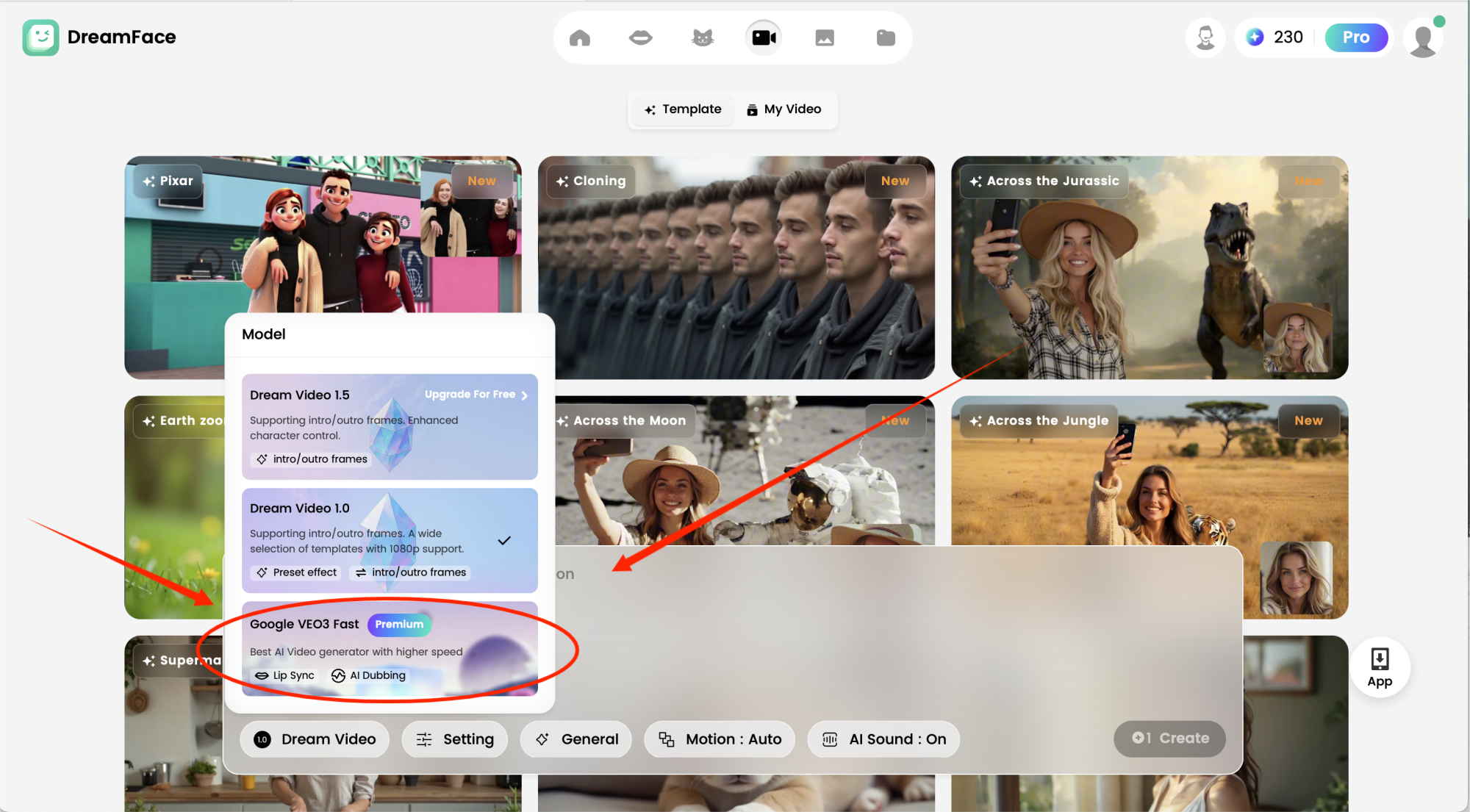
To speed up the process and get high-quality results, activate the Google VEO3 Fast Function. This tool allows Dreamface to generate smoother animations quickly, so your rebellious British Shorthair can make its grand entrance faster, while keeping the quality top-notch.
And don't forget to input the prompt: British Shorthair cat struts confidently through the wild, firstly raises its palm and then gives the middle finger, ready to take on the world (or just the camera).
Step 5: Generate & Watch the Cute Kitty Come to Life
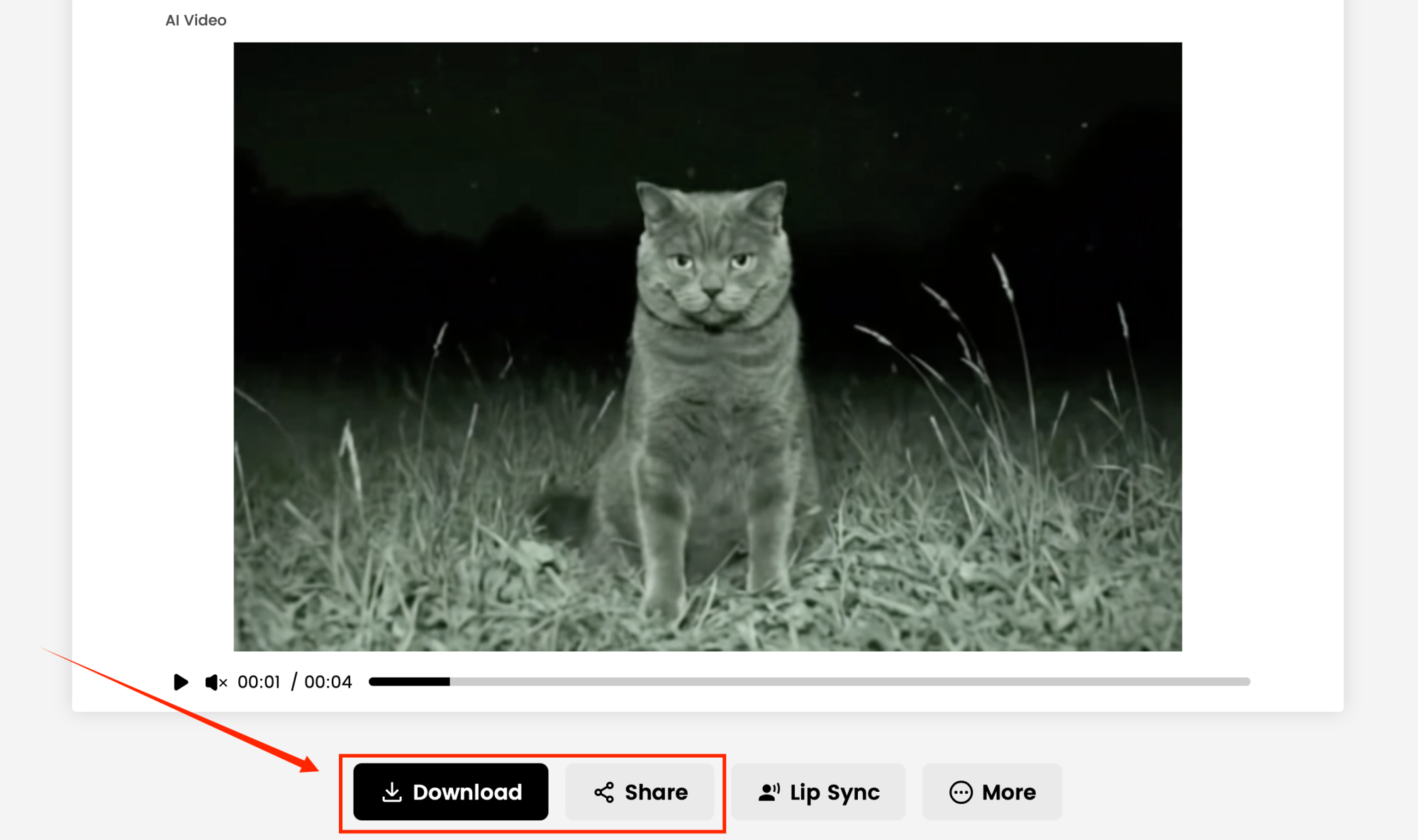
Now, hit the Generate button and watch your sassy kitty come to life in the wild! Dreamface will animate the cat’s movements, syncing it with the pose and gesture you’ve chosen.
Final Thoughts
Creating a Faceless AI Cat Video has never been this fun—or this rebellious! With Dreamface, you can take your wildest and funniest ideas to life, turning a cute cat into an unexpected viral sensation. Whether you want to make people laugh, share something edgy, or simply enjoy the process of creating unique content, Dreamface’s five-step guide is the perfect way to start.
So, are you ready to see your British Shorthair cat take over the wild with its middle finger in the air? Start making your own AI video today and watch the magic happen! 🐱🔥🎥
.webp)
DreamFace AI Live Avatar: Always-On AI Character Livestreaming
Turn any character into an always-on live streaming host — from talk shows and quizzes to memorial tributes and late-night companionship — with no one required behind the camera.
By Daniel一Aug 18, 2026- AI Video
- AI Live Avatar
Best AI Video Generator 2026: Why Multi-Model AI Platforms Are Winning
AI video generation has entered a completely new era in 2026. What started as short experimental clips has rapidly evolved into cinematic storytelling, AI anime production, virtual influencers, talking avatars, and fully AI-generated social media content.
By Bentley一May 26, 2026- AI Video Generator
- AI Video

Seedance 2.1 Is Coming: Better Quality, Lower Costs, and a Big Boost for AI Storytelling
The AI video generation race has slowed down a bit recently. Earlier this year, new models were launching almost every week, pushing image and video generation forward at an incredible pace. After the buzz around GPT Image models, the industry has been waiting for the next major leap in AI video.
By stxph一May 23, 2026- AI Video
- Seedance 2.1
- Seedance 2.0