
'%3e%3cg%3e%3cpath%20d='M12.04834,6.05824C12.09325,4.8457799999999995,12.43703,3.78081,13.0715,2.89055C13.7092,1.995784,14.7633,1.3601670000000001,16.2063,1C16.215899999999998,1.0440338,16.2259,1.088092,16.2363,1.131979L16.2363,1.3623509999999999C16.2363,1.884725,16.1084,2.48372,15.856,3.14258C15.5915,3.78052,15.1781,4.38093,14.6291,4.92281C14.1157,5.40028,13.6406,5.71638,13.2207,5.85928C13.0822,5.9003,12.89209,5.94066,12.66255,5.97701C12.45842,6.00853,12.25362,6.03563,12.04834,6.05824ZM12.28933,7.85741C10.6594,7.85741,9.52778,6.42896,7.91997,6.42896C6.31224,6.42896,3,7.89332,3,12.9488C3,18.0043,5.94131,21.2617,6.27029,21.642C6.599209999999999,22.0224,7.36005,23,8.5387,23C9.71744,23,11.00787,22.0715,12.28933,22.0715C13.5707,22.0715,15.1836,23,16.2365,23C17.2895,23,17.7226,22.5747,18.4392,21.8411C19.1558,21.1074,20.5227,18.8686,21,17.5248C20.2137,17.061,18.1298,15.8019,18.1298,12.9488C18.1298,11.0468,18.831200000000003,9.4667,20.2341,8.20853C19.3138,7.02216,18.2464,6.42896,17.0318,6.42896C15.2099,6.42896,13.9193,7.85741,12.28933,7.85741Z'%20fill='%23000000'%20fill-opacity='1'/%3e%3c/g%3e%3c/g%3e%3c/svg%3e)
'%3e%3cg%3e%3cpath%20d='M6.2985500000000005,2L14.60082,10.81153L16.7432,8.537289999999999C13.81573,6.65184,9.89484,4.122529999999999,8.13152,2.985321L6.95017,2.225593C6.74135,2.090554,6.5177700000000005,2.0178354,6.2985500000000005,2ZM5.0312551,3.05499C5.0144537,3.1518100000000002,5,3.24911,5,3.35357L5,20.7675C5,20.8406,5.0138389,20.9085,5.0234395,20.9782L13.4695,12.0125L5.0312551,3.05499ZM18.1511,9.444659999999999L15.7321,12.0125L18.1089,14.5354C19.3682,13.7252,20.2405,13.1626,20.3372,13.1007C20.7653,12.8229,21.007,12.4039,20.9998,11.94614C20.9934,11.49683,20.7516,11.09514,20.340400000000002,10.84799C20.2484,10.79194,19.387999999999998,10.24048,18.1511,9.444659999999999ZM14.60082,13.2134L6.3235600000000005,22C6.48437,21.9703,6.64498,21.9194,6.79859,21.8209C7.01141,21.6833,12.76069,17.9805,16.701,15.4428L14.60082,13.2134Z'%20fill='%23000000'%20fill-opacity='1'/%3e%3c/g%3e%3c/g%3e%3c/svg%3e)

How to Create a Viral AI Tarot Divination Video with 1.2M Views and 68.4K Likes?
Imagine an AI avatar flipping cards, unveiling fate, and speaking in a voice that feels both wise and enchanting. Intrigued? Let’s dive into the simple steps to bring your mystical vision to life.
- AI Video
- AI Video Generator
- Lip-Sync Video
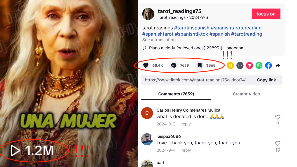
What if a mysterious tarot reader could reveal secrets of the universe right before your eyes, with lip movements and expressions so lifelike it feels like magic? Too mystical to be true? Not anymore! With Dreamface, you can craft your very own AI Tarot Divination video that’s captivating audiences across social media.
✨ One such video has already reached 1.2M views and 68.4K likes on TikTok —and yours could be the next sensation. Imagine an AI avatar flipping cards, unveiling fate, and speaking in a voice that feels both wise and enchanting. Intrigued? Let’s dive into the simple steps to bring your mystical vision to life.
Step 1: Choose AI Image
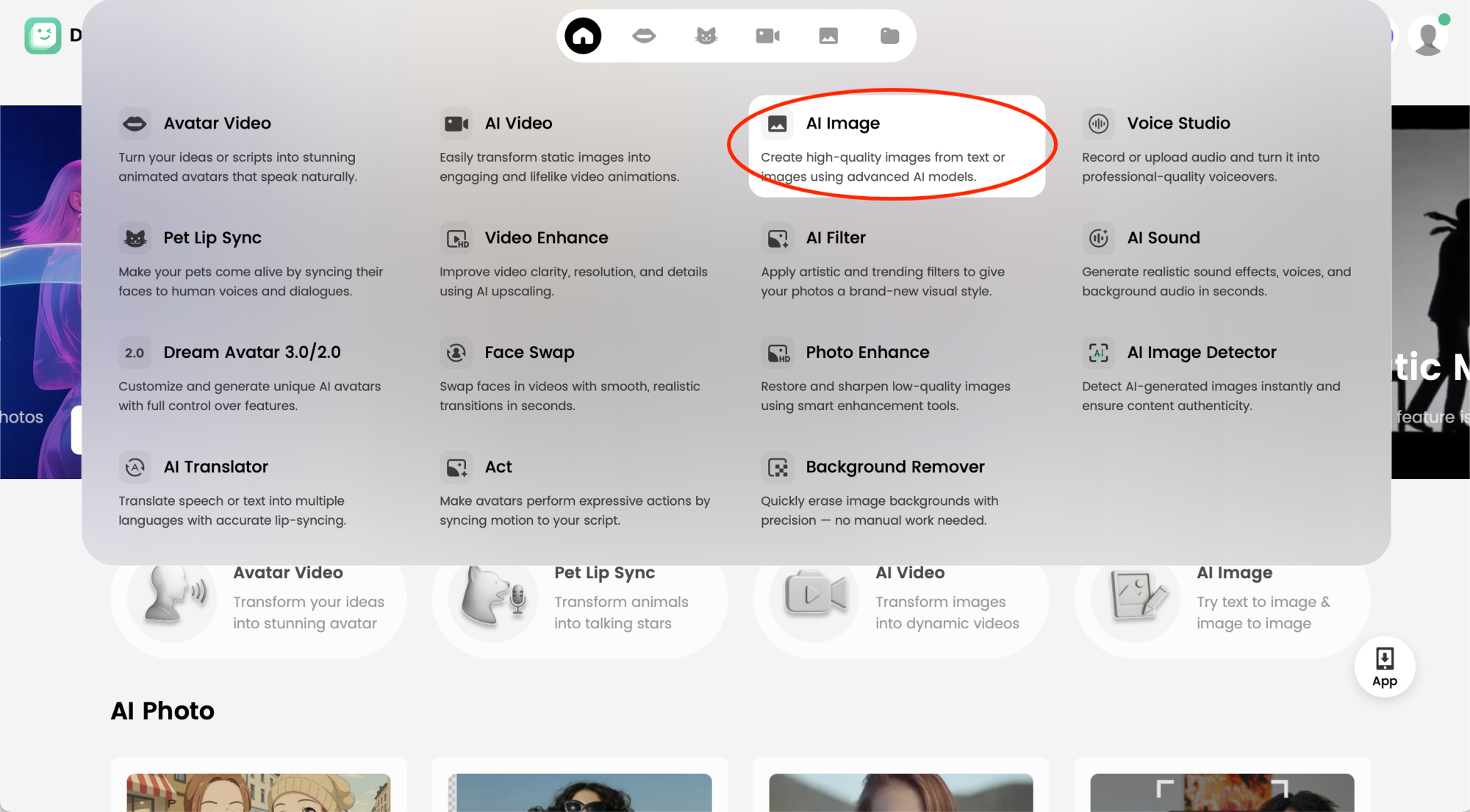
Start by using AI Image where you can create the foundation for your fortune-teller character. This feature allows you to generate original, high-quality images simply by entering prompts or based on the photos you upload.
Step 2: Select an AI Model & Input Prompts
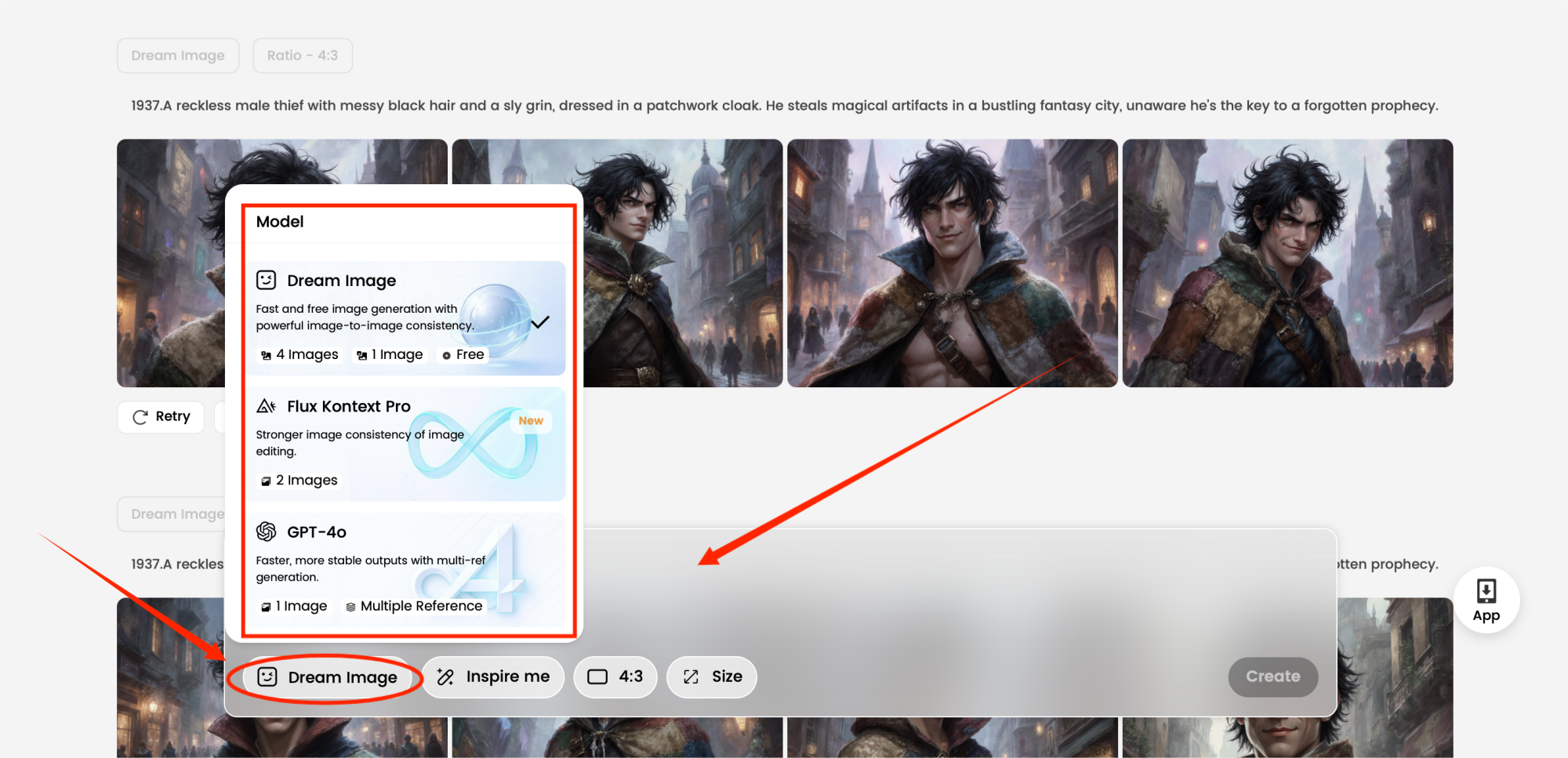
Choose the AI model you’d like to use in Dreamface. Then craft detailed prompts describing your Tarot reader’s style: “a mysterious fortune-teller with glowing eyes,” “a wise oracle surrounded by floating tarot cards,” or “a celestial goddess holding a crystal ball.” The richer the description, the more magical your avatar will appear.
Step 3: Choose the Dream Avatar 3.0/2.0
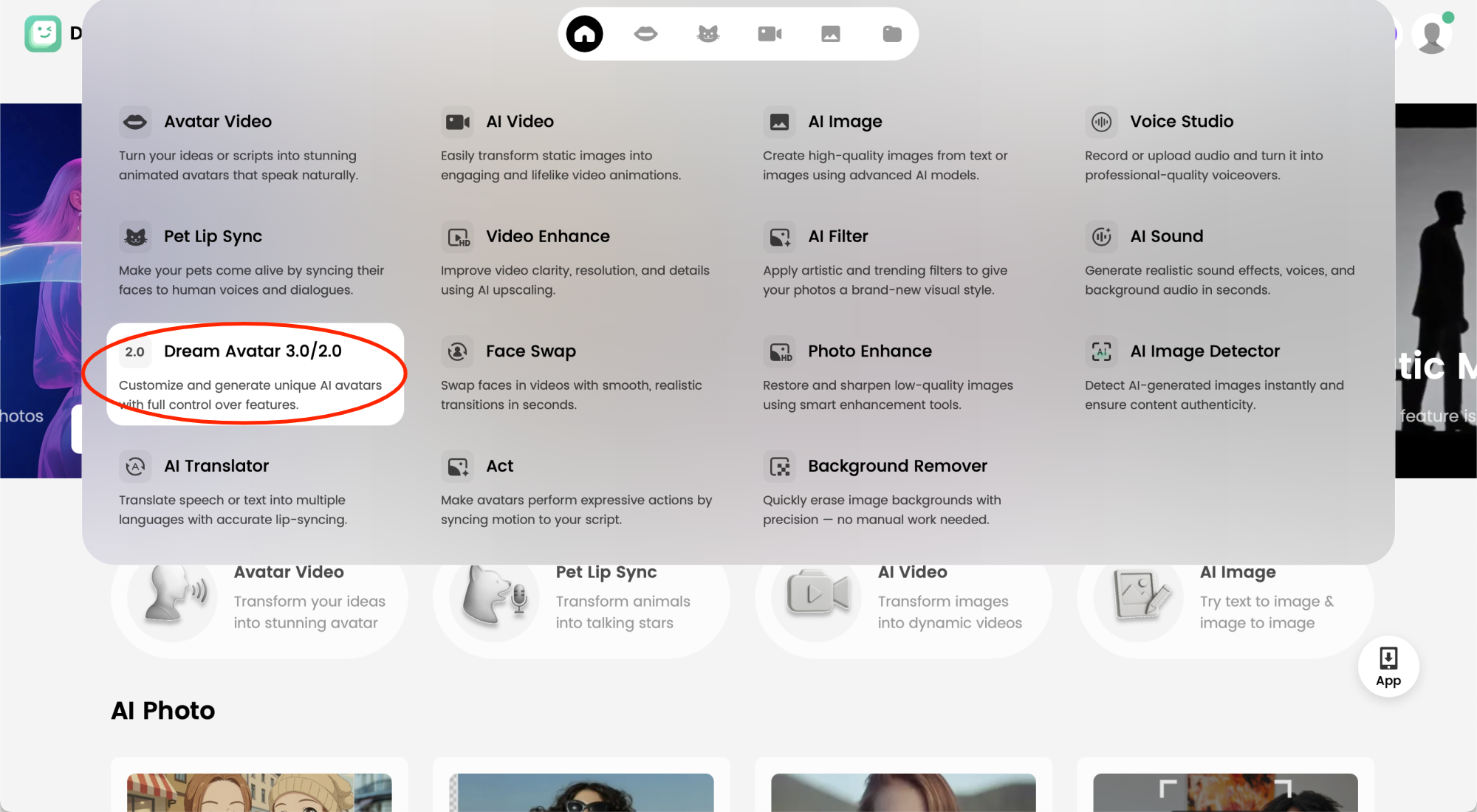
Move over to the Dream Avatar feature. This is where your static image transforms into an animated character—ready to speak, reveal, and enchant.
Step 4: Add Your Generated Images
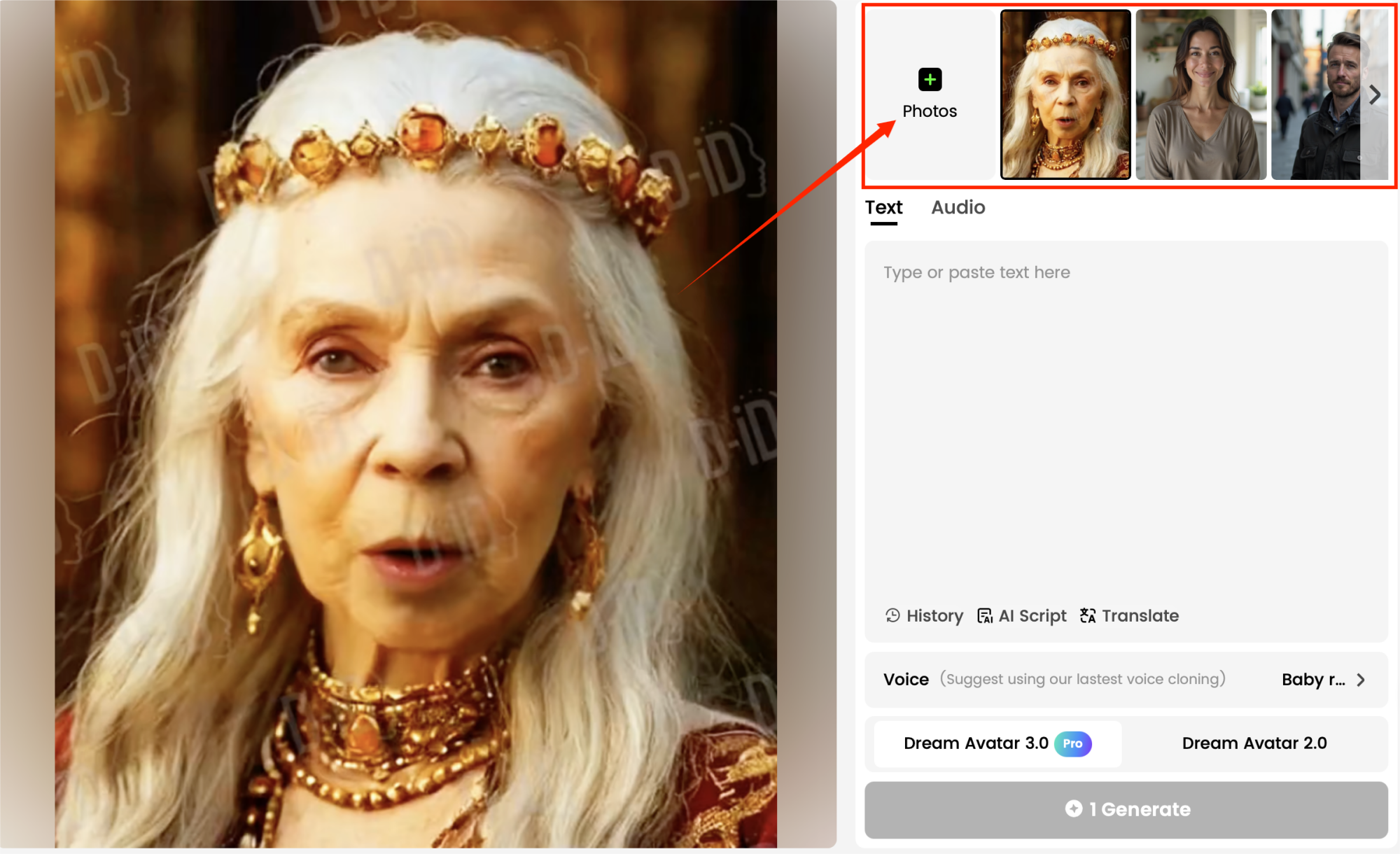
Bring in the mystical images you’ve created. These become the base for your animated Tarot avatar, setting the stage for lip-syncing and lifelike motion.
Step 5: Upload Audio or Video Material
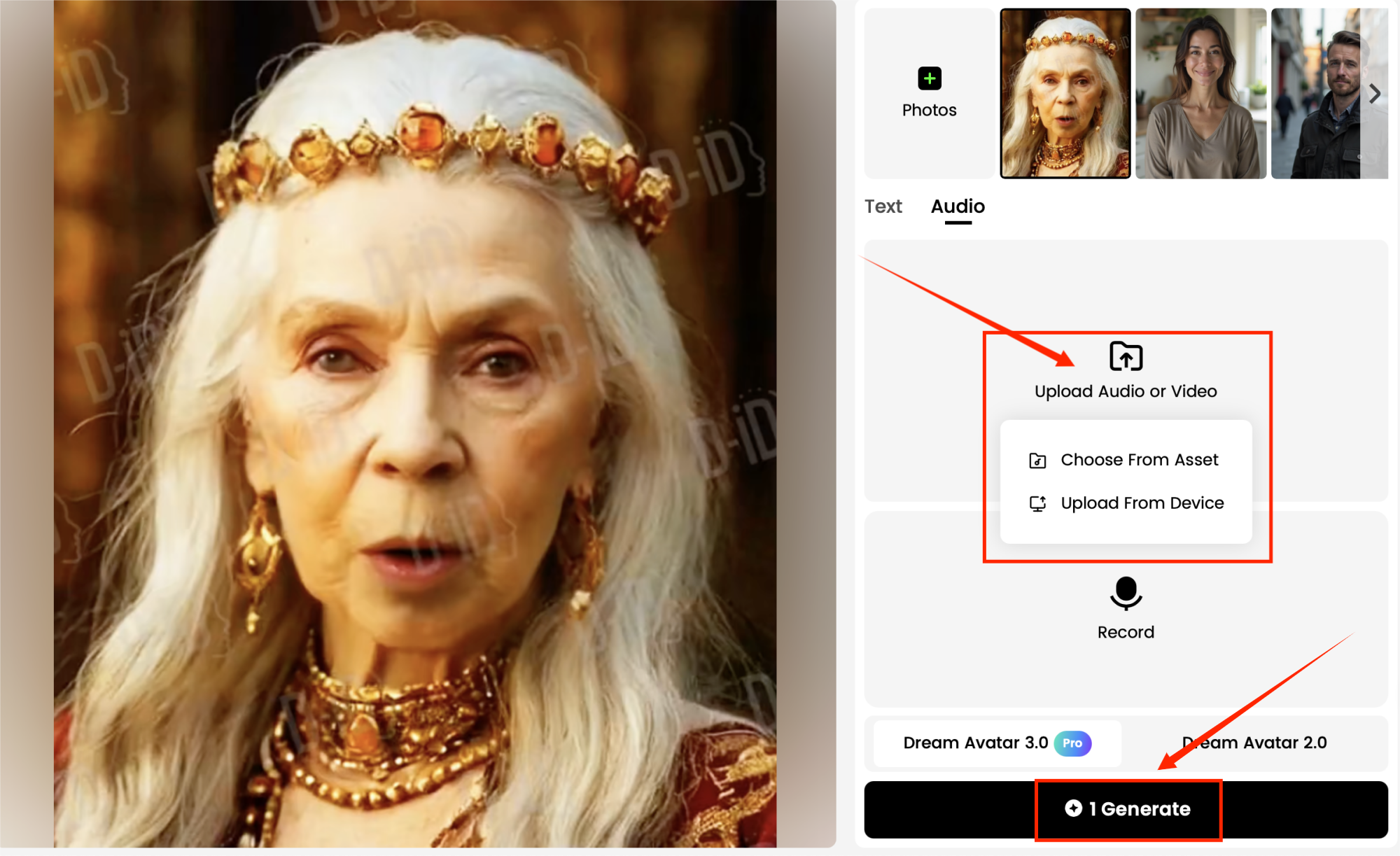
Now it’s time to give your oracle a voice. Upload audio of a Tarot reading—whether it’s a pre-recorded divination script, a whispered prophecy, or your own narration. Dreamface will sync the character’s lips to the audio, making it feel like the tarot reader is personally revealing your destiny.
Step 6: Generate and Preview the Results
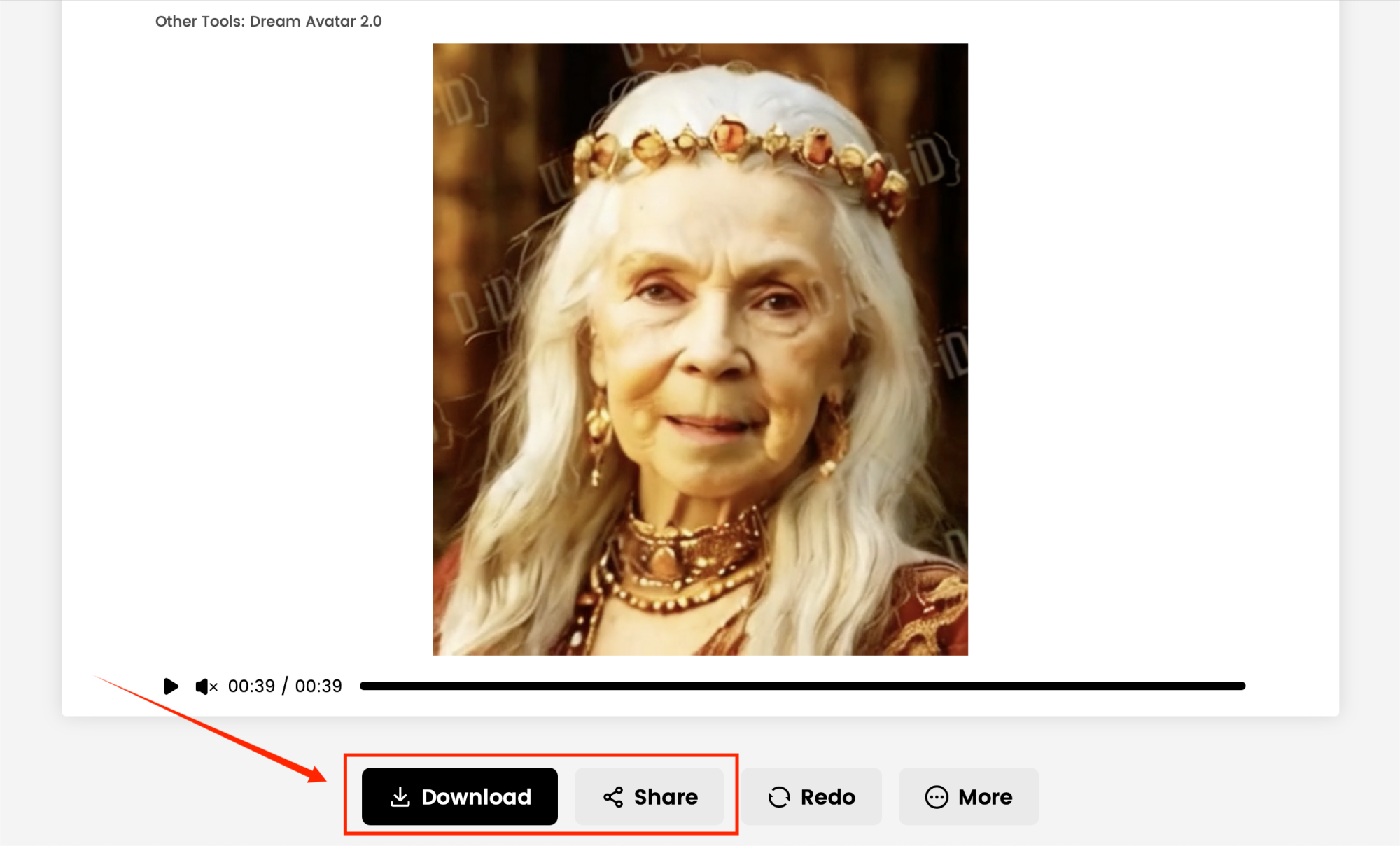
Click Generate and watch the magic unfold. Within moments, you’ll have your very own AI Tarot Divination video. Share it on TikTok, Instagram, or YouTube, and let your followers experience the wonder of AI-powered fortune-telling. 🔮
✨ Final Thoughts
Creating an AI Tarot Divination video has never been so enchanting—or so easy. With Dreamface, you’re not just producing content—you’re weaving digital magic. Whether your goal is to go viral, explore mystical storytelling, or add a supernatural twist to your social media, this six-step process will bring your vision to life.
So, are you ready to let your Tarot reader speak? Start today—and let the cards (and your audience) fall under your spell. 🌙💫
.webp)
DreamFace AI Live Avatar: Always-On AI Character Livestreaming
Turn any character into an always-on live streaming host — from talk shows and quizzes to memorial tributes and late-night companionship — with no one required behind the camera.
By Daniel一Aug 18, 2026- AI Video
- AI Live Avatar

Best AI Video Generator 2026: Why Multi-Model AI Platforms Are Winning
AI video generation has entered a completely new era in 2026. What started as short experimental clips has rapidly evolved into cinematic storytelling, AI anime production, virtual influencers, talking avatars, and fully AI-generated social media content.
By Bentley一May 26, 2026- AI Video Generator
- AI Video
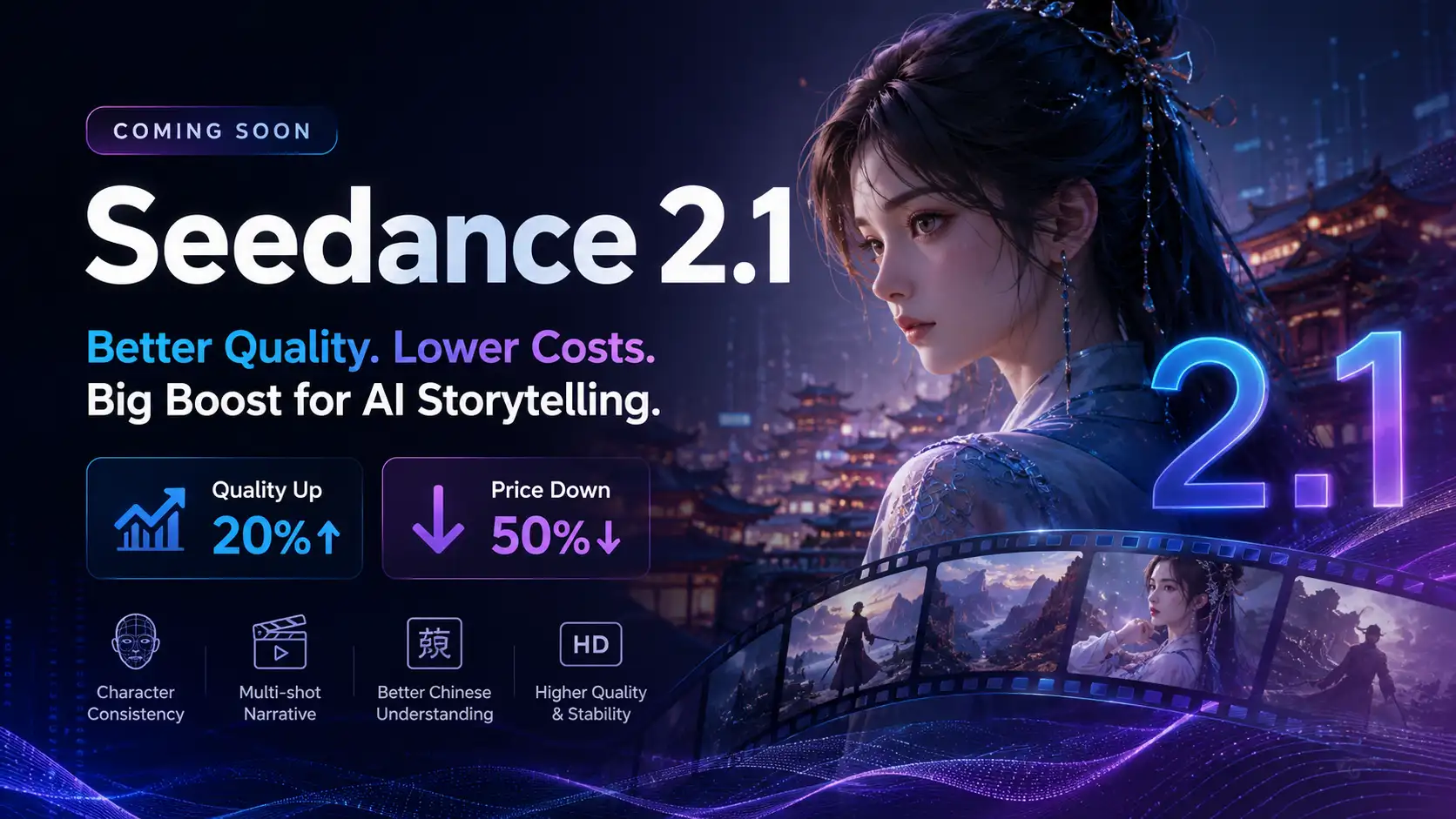
Seedance 2.1 Is Coming: Better Quality, Lower Costs, and a Big Boost for AI Storytelling
The AI video generation race has slowed down a bit recently. Earlier this year, new models were launching almost every week, pushing image and video generation forward at an incredible pace. After the buzz around GPT Image models, the industry has been waiting for the next major leap in AI video.
By stxph一May 23, 2026- AI Video
- Seedance 2.1
- Seedance 2.0