


Flux Kontext Prompts for AI Scene Compositing
In this blog, we’ll explore how to craft powerful prompts to achieve stunning AI scene compositing results using the Flux Kontext style of image prompting.
- AI Image Generator
- Flux-Kontext
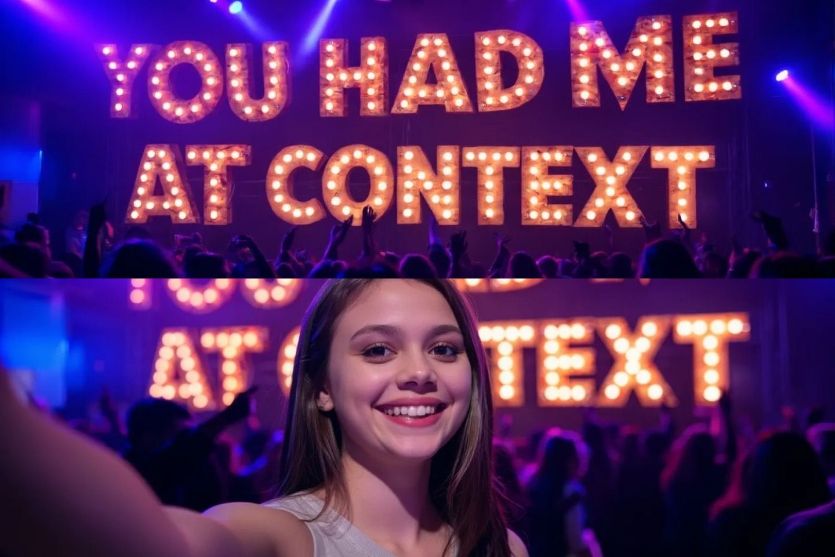
AI scene compositing is quickly transforming the way we tell visual stories. With the rise of advanced image synthesis platforms like Dreamface, Flux Kontext, and other AI-based photo editors, anyone—from digital artists to casual creators—can seamlessly insert subjects into breathtaking backgrounds, cinematic environments, or surreal dreamscapes without the need for green screens or Photoshop expertise.
In this blog, we’ll explore how to craft powerful prompts to achieve stunning AI scene compositing results using the Flux Kontext style of image prompting. Whether you’re looking to create fashion editorials, fantasy portraits, or immersive travel scenes, well-constructed prompts are the key.
🧠The Flux Kontext Prompting Philosophy
Flux Kontext prompts combine precision, visual layering, and emotional cues. A good prompt doesn’t just describe the visual—it sets a mood, camera style, and color palette.
Here are 3 examples tailored for AI Scene Compositing using this method:
Let’s Play!
1) Change the "YOU HAD ME AT BEER" to "YOU HAD ME AT CONTEXT"
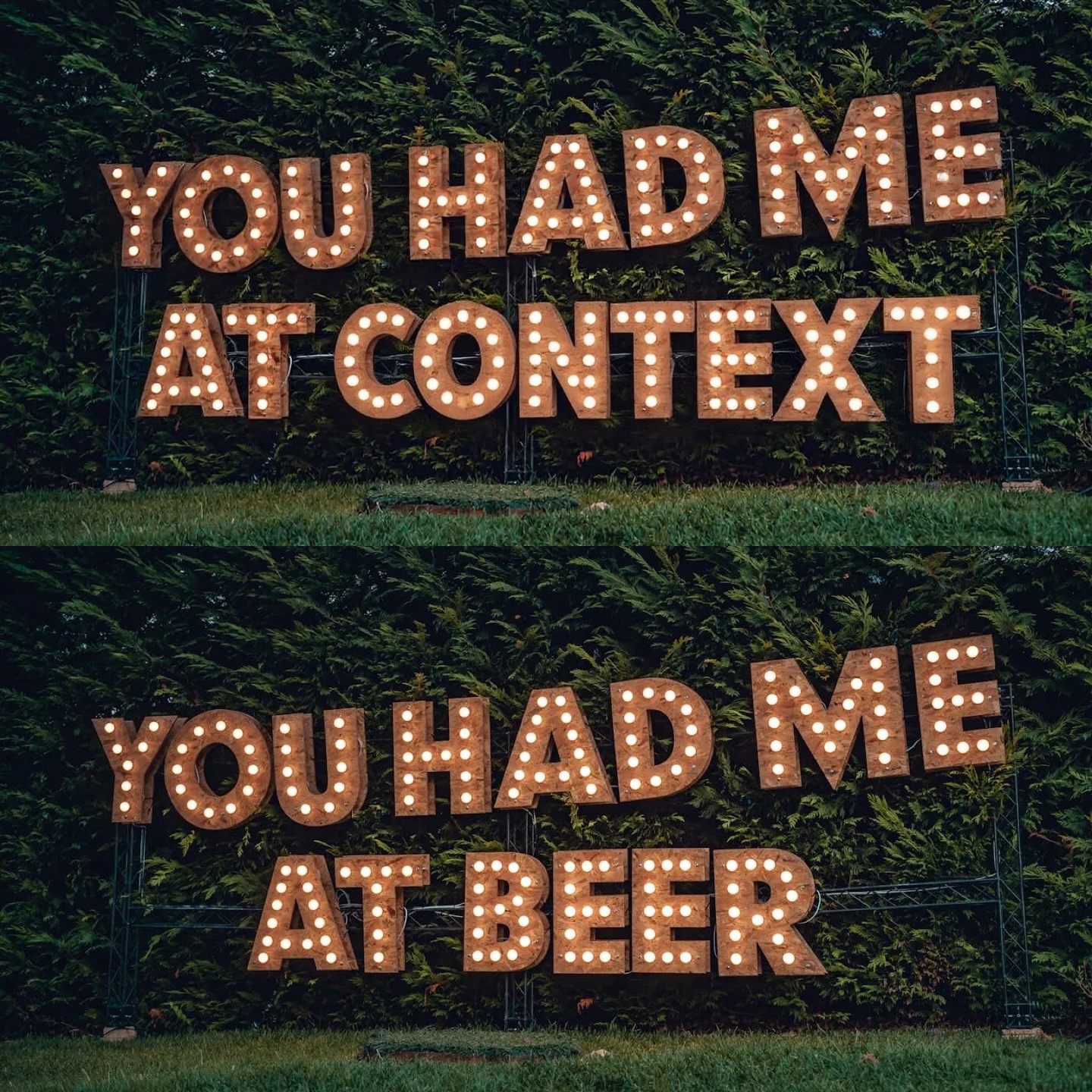
Create your image for free by Dreamface!
2) Change the setting to a night club
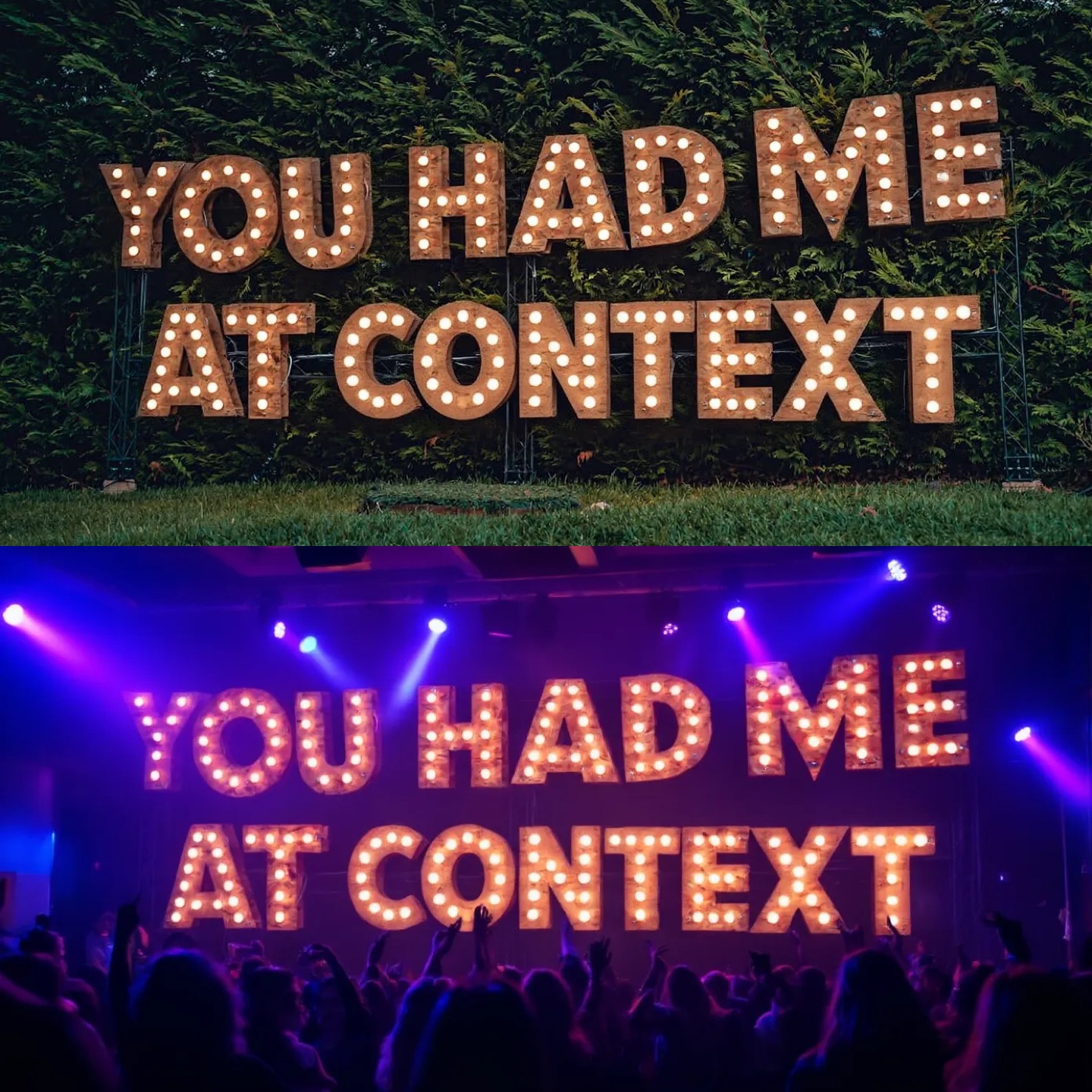
Create your image for free by Dreamface!
3) A person is taking a selfie with the sign in the background
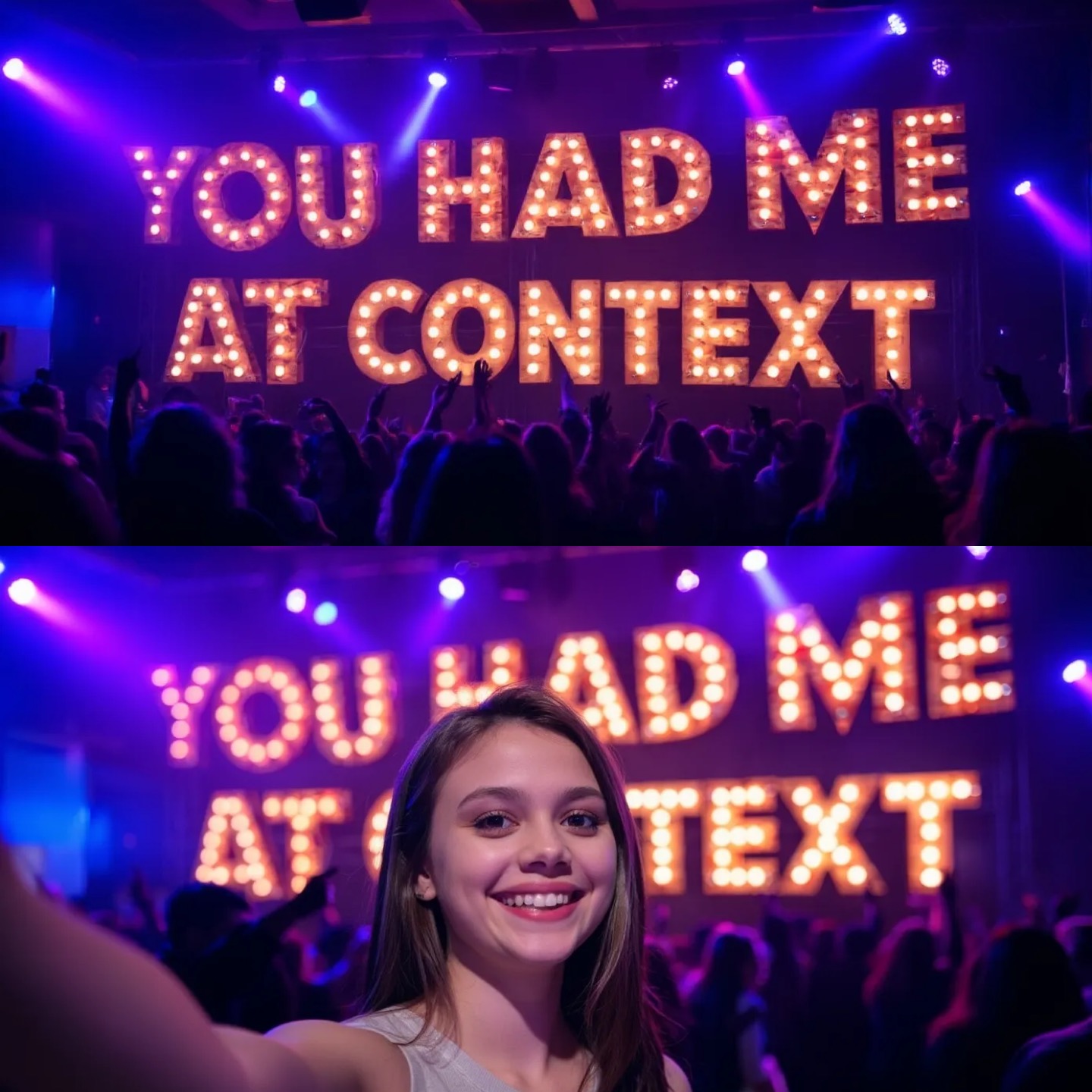
Create your image for free by Dreamface!
🔍Pro Tips for Better Results
l Contrast vs Harmony: Decide if your subject should stand out (e.g., bold lighting in a calm scene) or blend naturally.
l Perspective Matching: Use prompt terms like “eye level,” “wide angle,” or “low angle” to keep depth and viewpoint coherent.
l Lighting Direction: Want the light from the left? Mention it. E.g., “sunlight from the left casting long shadows.”
🚀Try It Now with Dreamface
For the smoothest compositing experience, check out Dreamface — an all-in-one AI image creation platform that now comes powered by the Flux Kontext engine. From background replacement to scene generation, every tool is optimized for prompt-based precision and photo-realistic consistency.
Whether you're creating digital avatars, cinematic stills, or fantasy landscapes, Dreamface’s Flux Kontext integration allows you to bring your vision to life—no editing skills required.
Start creating your own AI-composited worlds today with just one prompt.
Uncensored AI Image Generator: Which Models Offer More Freedom?
Searching for an uncensored AI image generator can mean several things. You might want more room for dark fantasy, unconventional fashion, or challenging editorial concepts.
By Tina一Sep 19, 2026- AI Image Generator
- GPT Image 2.5
GPT Image 2.5 Prompting Guide: 4 Real Examples for Creators
A campaign image can look beautiful and still miss the brief. The headline might compete with a face, a product diagram might become unreadable on mobile, or an outfit edit might change more than the clothes.
By Skylar一Sep 18, 2026- Text-to-Image
- AI Image Generator
- GPT Image 2.5
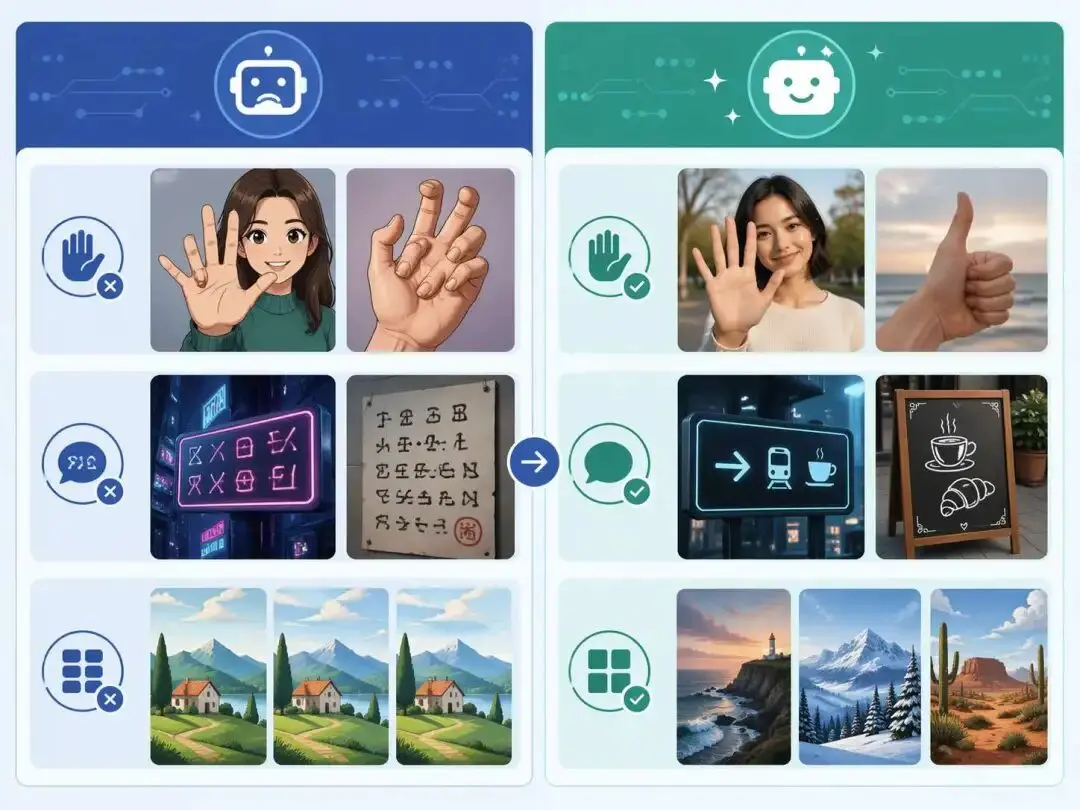
ChatGPT Image 2 Review: Real Tests Reveal What Actually Changed
If you’ve used AI image generators before, you already know the frustration. Hands often look unnatural, text turns into gibberish, and prompts keep getting longer while results remain inconsistent. For a long time, AI image generation felt less like using a tool and more like playing a lottery.
By Zoe一Apr 23, 2026- GPT Image 2
- AI Image Generator
- GPT-4o Image