
'%3e%3cg%3e%3cpath%20d='M12.04834,6.05824C12.09325,4.8457799999999995,12.43703,3.78081,13.0715,2.89055C13.7092,1.995784,14.7633,1.3601670000000001,16.2063,1C16.215899999999998,1.0440338,16.2259,1.088092,16.2363,1.131979L16.2363,1.3623509999999999C16.2363,1.884725,16.1084,2.48372,15.856,3.14258C15.5915,3.78052,15.1781,4.38093,14.6291,4.92281C14.1157,5.40028,13.6406,5.71638,13.2207,5.85928C13.0822,5.9003,12.89209,5.94066,12.66255,5.97701C12.45842,6.00853,12.25362,6.03563,12.04834,6.05824ZM12.28933,7.85741C10.6594,7.85741,9.52778,6.42896,7.91997,6.42896C6.31224,6.42896,3,7.89332,3,12.9488C3,18.0043,5.94131,21.2617,6.27029,21.642C6.599209999999999,22.0224,7.36005,23,8.5387,23C9.71744,23,11.00787,22.0715,12.28933,22.0715C13.5707,22.0715,15.1836,23,16.2365,23C17.2895,23,17.7226,22.5747,18.4392,21.8411C19.1558,21.1074,20.5227,18.8686,21,17.5248C20.2137,17.061,18.1298,15.8019,18.1298,12.9488C18.1298,11.0468,18.831200000000003,9.4667,20.2341,8.20853C19.3138,7.02216,18.2464,6.42896,17.0318,6.42896C15.2099,6.42896,13.9193,7.85741,12.28933,7.85741Z'%20fill='%23000000'%20fill-opacity='1'/%3e%3c/g%3e%3c/g%3e%3c/svg%3e)
'%3e%3cg%3e%3cpath%20d='M6.2985500000000005,2L14.60082,10.81153L16.7432,8.537289999999999C13.81573,6.65184,9.89484,4.122529999999999,8.13152,2.985321L6.95017,2.225593C6.74135,2.090554,6.5177700000000005,2.0178354,6.2985500000000005,2ZM5.0312551,3.05499C5.0144537,3.1518100000000002,5,3.24911,5,3.35357L5,20.7675C5,20.8406,5.0138389,20.9085,5.0234395,20.9782L13.4695,12.0125L5.0312551,3.05499ZM18.1511,9.444659999999999L15.7321,12.0125L18.1089,14.5354C19.3682,13.7252,20.2405,13.1626,20.3372,13.1007C20.7653,12.8229,21.007,12.4039,20.9998,11.94614C20.9934,11.49683,20.7516,11.09514,20.340400000000002,10.84799C20.2484,10.79194,19.387999999999998,10.24048,18.1511,9.444659999999999ZM14.60082,13.2134L6.3235600000000005,22C6.48437,21.9703,6.64498,21.9194,6.79859,21.8209C7.01141,21.6833,12.76069,17.9805,16.701,15.4428L14.60082,13.2134Z'%20fill='%23000000'%20fill-opacity='1'/%3e%3c/g%3e%3c/g%3e%3c/svg%3e)

Best Photos to Use for a World Cup AI Filter
Learn what kind of photo works best for Dreamface World Cup AI filters, from fan portraits to football action-style pictures.
- AI Photo
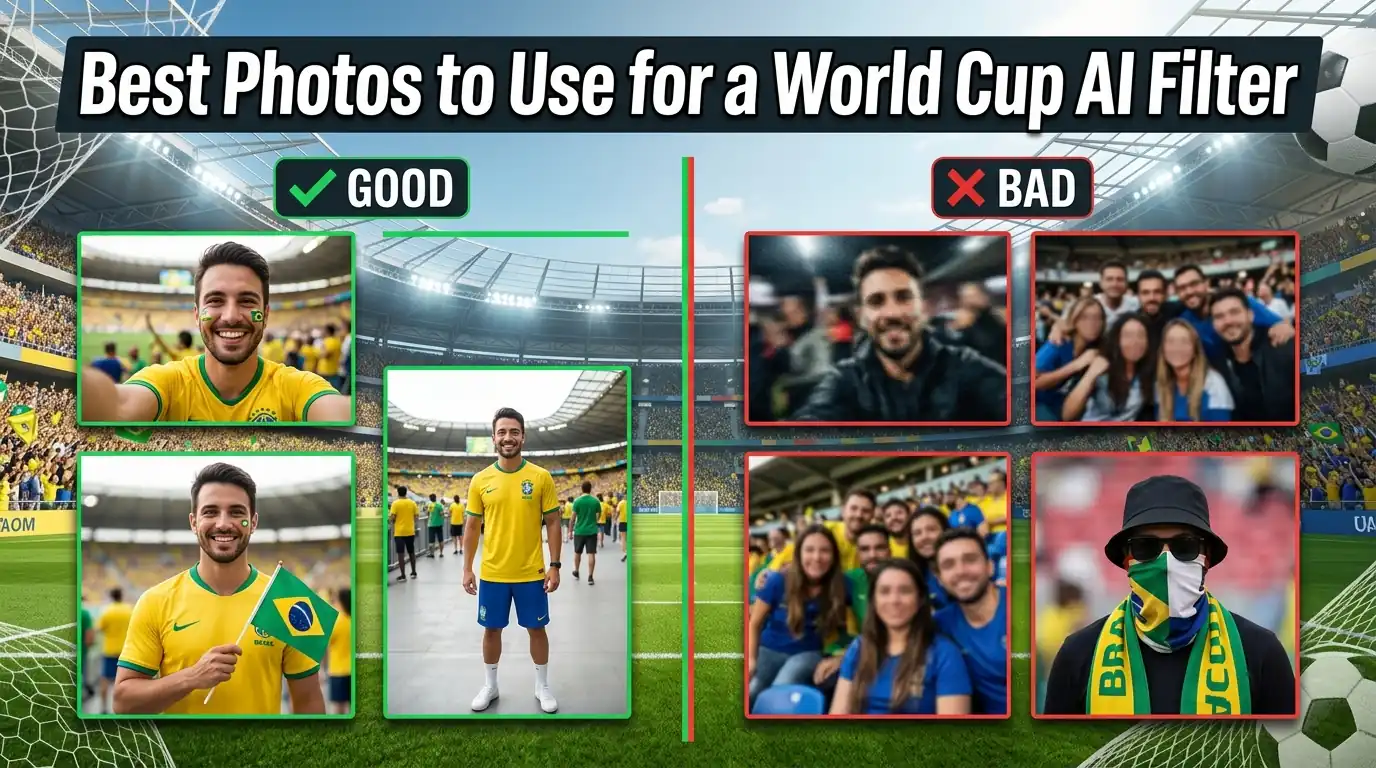
Not every photo works equally well with a World Cup AI filter. A clear selfie may look great with a fan-style filter, while a wider portrait may work better for a football player or stadium-style look.
If your Dreamface result does not look right, the photo is often the reason. Before changing filters, start by choosing a better image.
Try it here: Dreamface World Cup AI Filter
The best photo for most World Cup AI filters
For most World Cup AI filters, the safest choice is a clear single-person photo.
Use a photo where:
- Your face is visible
- The lighting is bright enough
- You are the main subject
- The image is not blurry
- Your face is not covered
- The photo is not heavily edited
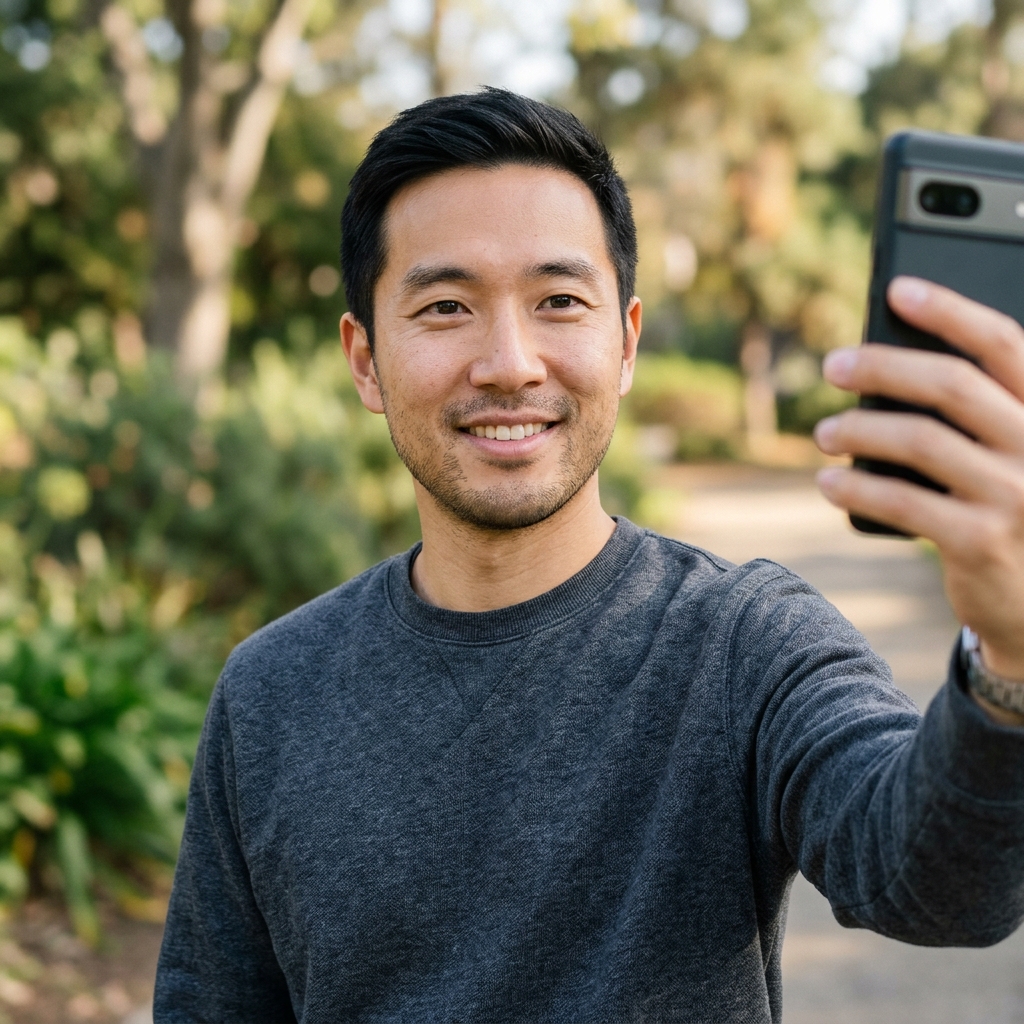
A simple selfie usually works well for fan-style filters such as Argentine fans, Spanish fans, and Brazilian football fans.
Use a clear selfie for fan-style filters
Fan-style filters usually focus on your face and upper body. That means your selfie should be clean and easy to recognize.
Best for filters like:
- Argentine fans
- Spanish fans
- Brazilian football fans
Use this type of photo:
- Front-facing selfie
- Slightly angled portrait
- Clear head-and-shoulders photo
- Natural expression
- Simple background
Avoid photos where your face is too small. If the final image will be used as a profile picture, your face should still be clear after cropping.
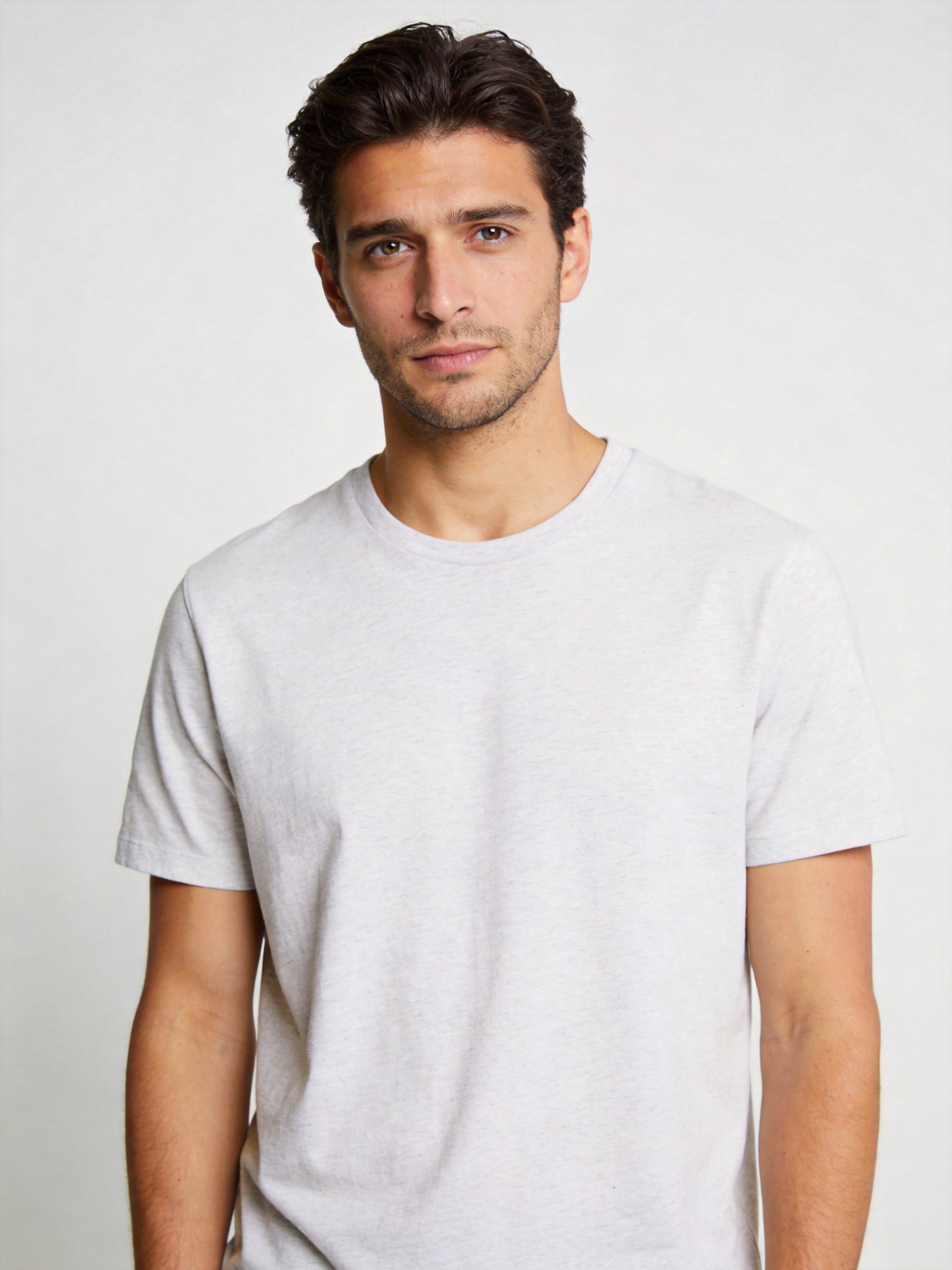
Use a wider photo for stadium or victory-style filters
Some filters feel more like a full football scene. These usually work better when the photo has more space around your face and body.
Best for filters like:
- Towards victory
- Footstar
Use this type of photo:
- Waist-up portrait
- Standing photo
- Photo with some space around the body
- Clear face
- Natural pose
A tight face crop may still work, but the result can feel less complete. If the filter creates a stadium or player-style image, a slightly wider photo gives it more room to build the look.
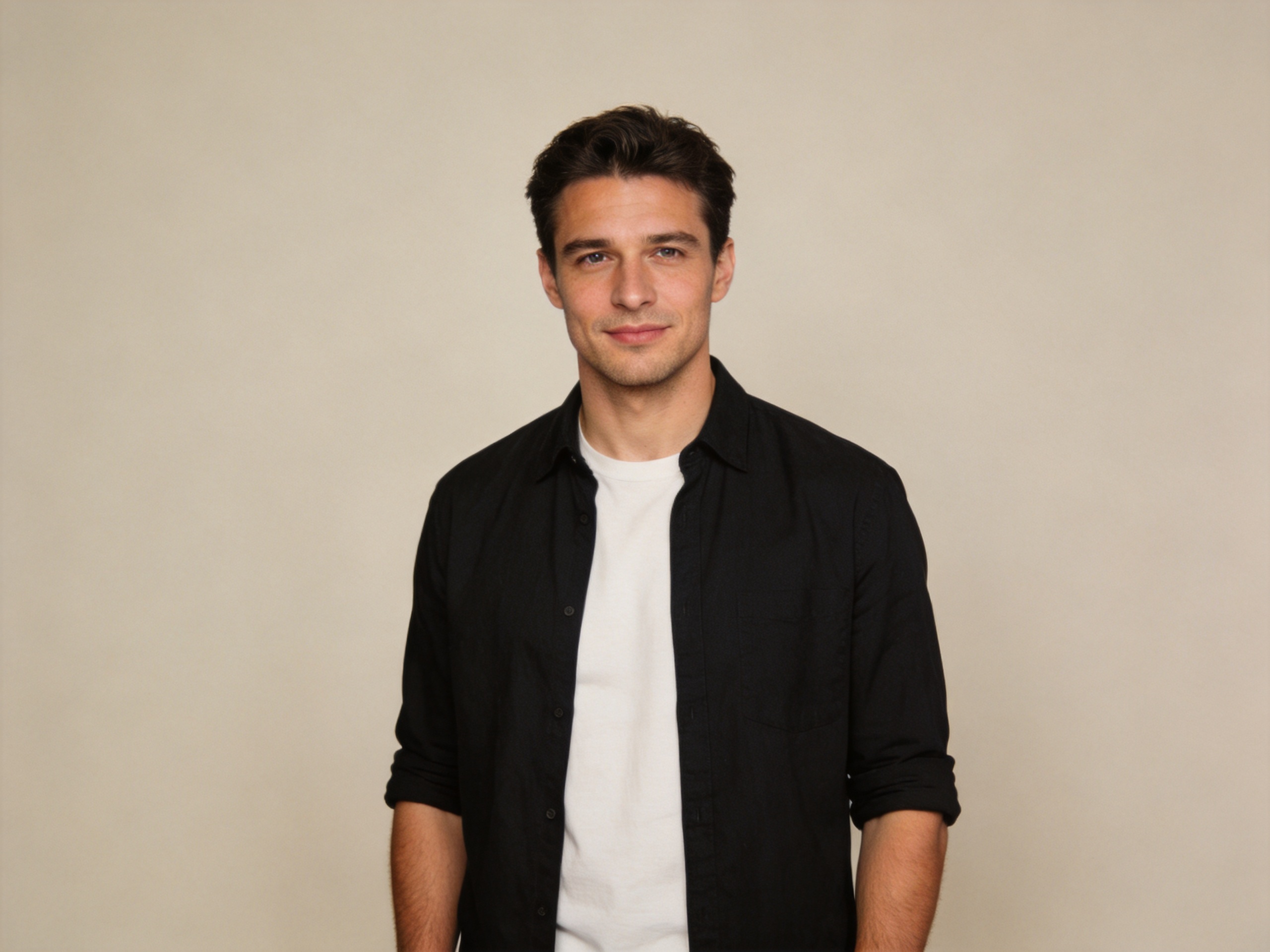
Use an active pose for sporty filters
Action-style filters usually work better when the original photo does not look too stiff.
Best for filters like:
- Volley hit
- Footstar
- Flame High-five
Use this type of photo:
- Standing pose
- Confident expression
- Clear body shape
- Good lighting
- No heavy background clutter
You do not need to be playing football in the photo. The key is to use an image that gives the filter enough space to create a sporty result.
Avoid group photos unless the filter is made for it
Group photos are usually not the best choice for AI filters. The filter may not know which face to use, or the result may look crowded.
If you want to make World Cup pictures for friends, the better option is to create one image per person.
Use one clear photo for each person, then save the best results separately.
Photos that usually work poorly
Avoid these photo types:
- Blurry selfies
- Dark photos
- Group photos
- Photos with sunglasses
- Photos where the face is covered
- Extreme side-angle photos
- Very small faces
- Heavy beauty filters
- Strong color filters
- Low-resolution screenshots
These photos can make the final result look less natural or harder to recognize.
Match the photo to the filter
The easiest way to get a better result is to match your photo type to the filter style.
| Filter style | Best photo type |
|---|---|
| Fan portrait | Clear selfie |
| Profile picture | Close-up or head-and-shoulders photo |
| Stadium-style image | Waist-up portrait |
| Player-style image | Wider portrait or standing photo |
| Action-style image | Standing photo with a clear body shape |
| Dramatic post | Wider image with good lighting |
If one filter does not work well, try the same photo with a different filter. If several filters look wrong, use a better photo.
Quick checklist before uploading
Before you upload your photo to Dreamface, check these five things:
- Is my face clear?
- Is the photo bright enough?
- Am I the main person in the image?
- Is the photo sharp, not blurry?
- Does the photo match the filter style?
If the answer is yes, the photo is probably good enough to try.
Start here: Try the World Cup AI Filter on Dreamface
FAQ
What photo works best for a World Cup AI filter?
A clear single-person photo works best for most World Cup AI filters. Your face should be visible, well lit, and easy to recognize.
Can I use a group photo?
A group photo is not recommended for most filters. It is better to upload one person at a time so the result is cleaner.
Should I use a selfie or a full-body photo?
Use a selfie for fan-style portraits and profile pictures. Use a wider or standing photo for player-style, stadium-style, or action-style filters.
Why does my AI filter result look wrong?
The most common reason is a poor input photo. Try using a clearer image with better lighting, a visible face, and less background clutter.
Can I use the same photo with different filters?
Yes. You can use the same photo with different Dreamface World Cup filters and compare the results.
World Cup Profile Picture Ideas You Can Make With Dreamface
Explore World Cup profile picture ideas you can make with Dreamface, including fan-style and football-themed AI photo filters.
By Daniel一May 14, 2026- AI Photo
World Cup AI Filter: Turn Your Photo Into a Football Fan Picture
Use Dreamface to turn one selfie into a World Cup-style football fan picture with an AI photo filter.
By Joanna一May 15, 2026- AI Photo
How to Create Winter Olympics–Style Images with AI
AI text-to-image and image-to-image tools allow creators to generate Winter Olympics–style visuals using prompts or reference photos. By describing winter sports scenes or transforming existing images, users can create cinematic snow, ice, and athlete-themed visuals inspired by the 2026 Winter Olympics. These AI image workflows are widely used for posters, social media graphics, and creative sports content without professional design skills.
By Pianeer一Feb 05, 2026- AI Image Generator
- Text-to-Image
- AI Photo