


Flux Kontext Prompts for Image Background Replacement
In the field of AI-powered image editing, Flux Kontext has emerged as a cutting-edge solution for seamless and high-quality background replacement. Whether it's for portrait photography, product marketing, or furniture design
- Flux-Kontext
- AI Image Generator
- Background Replacement
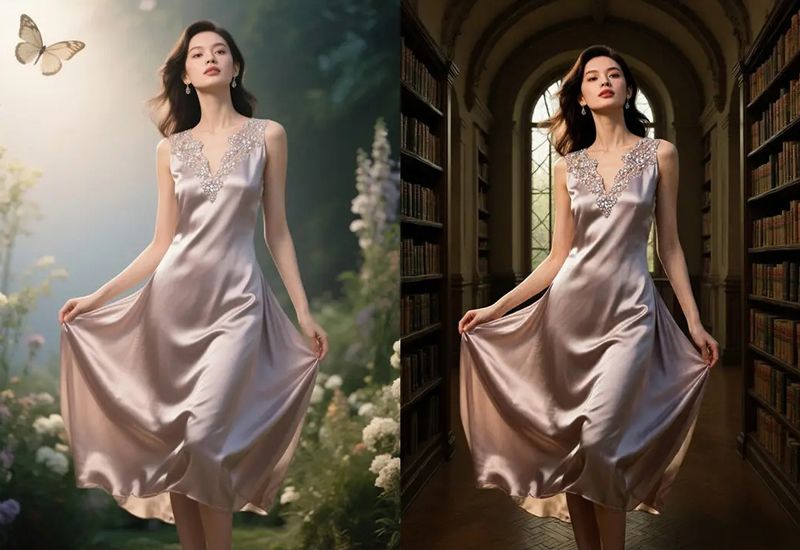
In the field of AI-powered image editing, Flux Kontext has emerged as a cutting-edge solution for seamless and high-quality background replacement. Whether it's for portrait photography, product marketing, or furniture design, Flux Kontext intelligently preserves the subject while generating visually consistent, realistic, and stylistically rich environments — all in just a few seconds. It handles lighting, depth, and detail with stunning accuracy, enabling creators to reimagine their visuals in entirely new scenes without manual editing.
Three Background Replacement Prompt Examples
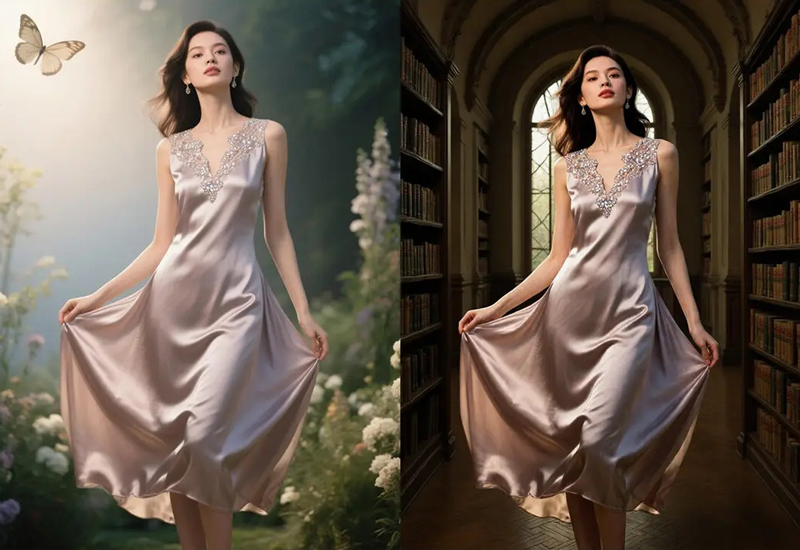
1. Fashion Model: From Garden to Grand Library
Background Replacement Prompt (Library Scene): A graceful woman in a silky lavender evening dress with lace embroidery, walking through an elegant arched library hall, classical architecture with wooden bookshelves, large arched window in the background, soft directional light from window, shadows cast on floor, cinematic atmosphere, regal and refined setting, high-resolution, photorealistic
Create your image for free using Dreamface!
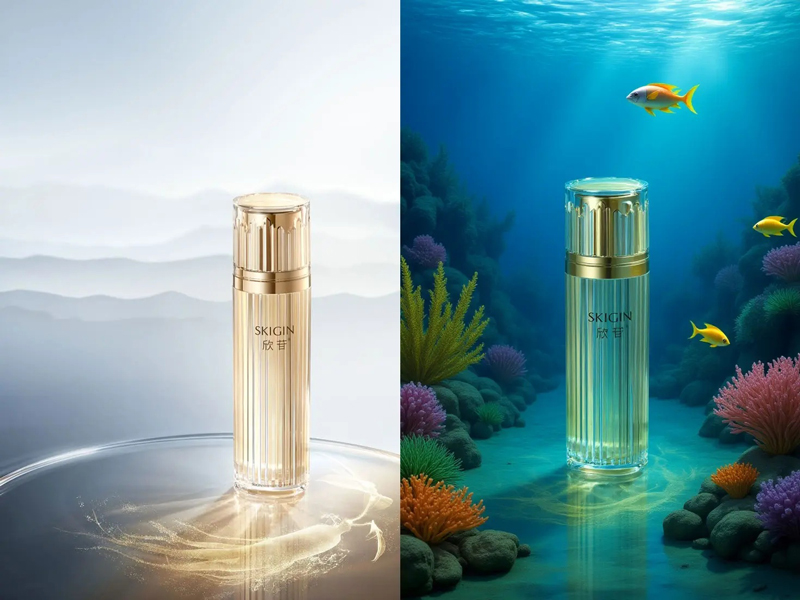
2. Cosmetic Bottle: From Minimalist Studio to Underwater Fantasy
Background Replacement Prompt (Underwater Coral Scene): A luxury cosmetic bottle with golden cap and vertical glass texture, placed on the seafloor among colorful corals, surrounded by small tropical fish, ambient underwater lighting with sunrays penetrating from above, crystal clear ocean water, magical fantasy atmosphere, high-quality photorealism, dreamy marine scene
Create your image for free using Dreamface!
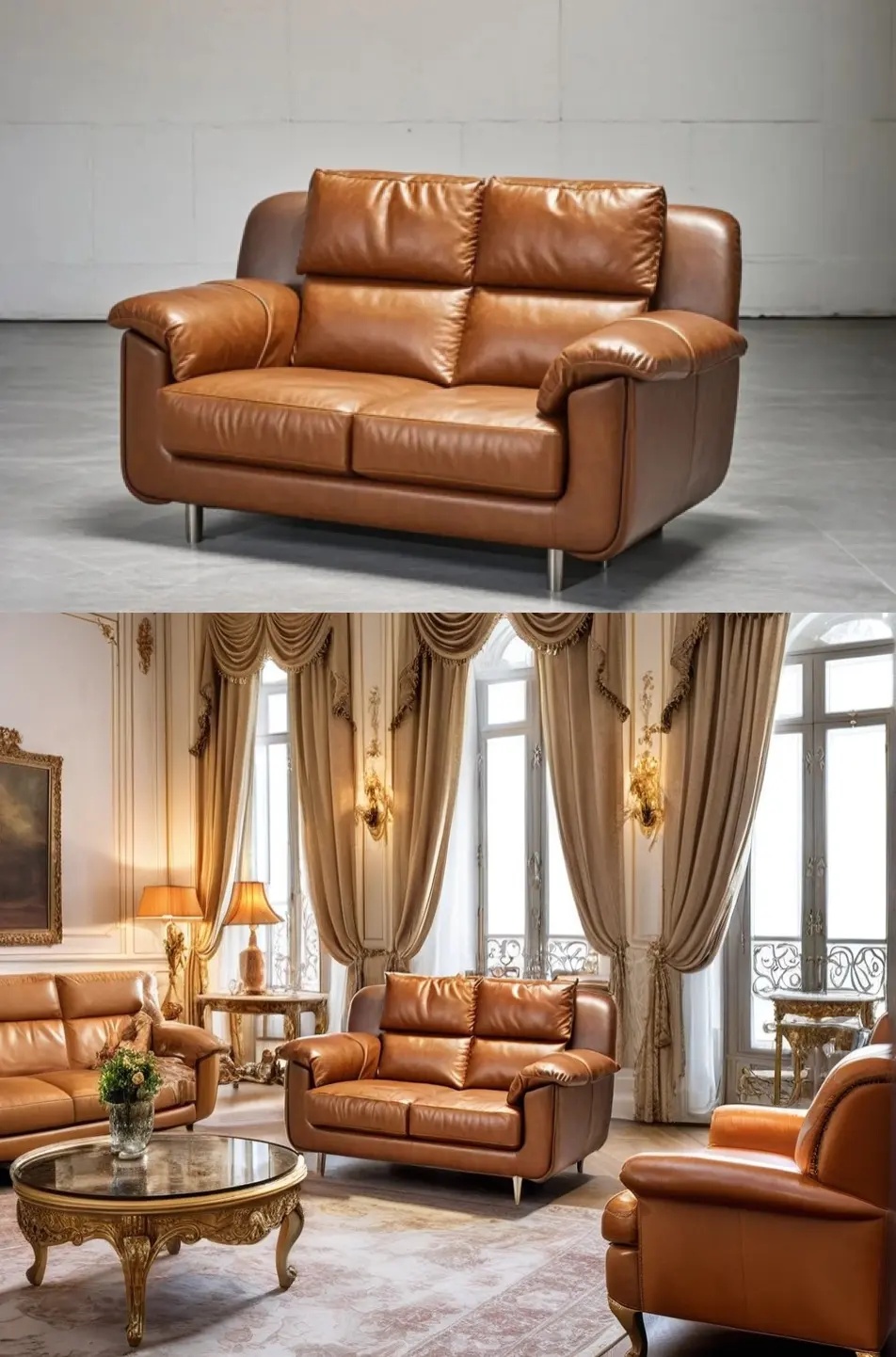
3. Sofa: From Industrial Studio to French Palace Interior
Background Replacement Prompt (Luxury Interior Scene): A brown leather loveseat sofa with metal legs placed in an elegant French-style luxury living room, surrounded by antique furniture, golden wall sconces, floor-length velvet curtains, marble coffee table with gold carvings, ornate classic architecture, soft natural light through tall windows, warm ambient lighting, regal atmosphere, photorealistic
Create your image for free using Dreamface!
Tips for Best Background Replacement Results
- Keep subject descriptions consistent (e.g., same outfit, product design, or furniture structure).
- Add strong visual cues for background (e.g., “seafloor with coral reefs,” “arched library hallway”).
- Use light direction and time-of-day hints to align the subject with the new environment (e.g., “golden hour sunlight,” “ambient underwater lighting”).
- Include emotional or stylistic keywords like “dreamy,” “regal,” “minimalist,” or “fantasy” to guide tone.
- Apply negative prompts to suppress unwanted artifacts or to prevent the subject from morphing (e.g., distorted text, wrong lighting, extra limbs).
Use Cases for AI Background Replacement
- Fashion & Apparel: Instantly place models in exotic, cinematic, or elegant environments for lookbooks and advertising.
- Product Visualization: Elevate product photography with artistic or thematic backgrounds, from minimalist studio setups to fantastical landscapes.
- Interior & Furniture Staging: Move furniture from plain studios to luxury showrooms, cozy homes, or virtual apartments.
- E-commerce: Generate multiple lifestyle imagery for a single item without repeated photoshoots.
- Storytelling & Creative Design: Adapt characters, products, or props to fit narratives or branding needs with thematic settings.
Try Flux Kontext Background Replacement on DreamFace
Flux Kontext empowers creators, marketers, and designers to transform images with high-quality, intelligent background replacement — all in a few clicks. Its contextual understanding and aesthetic accuracy make it ideal for visual storytelling and brand presentation.
With DreamFace's integration of Flux Kontext, you can effortlessly explore new settings for your portraits, products, or creative assets. Whether you want elegance, fantasy, or realism, it’s never been easier to generate studio-quality visuals at scale.
👉 Try Flux Kontext background replacement now via DreamFace and elevate your visual storytelling in seconds.
Uncensored AI Image Generator: Which Models Offer More Freedom?
Searching for an uncensored AI image generator can mean several things. You might want more room for dark fantasy, unconventional fashion, or challenging editorial concepts.
By Tina一Sep 19, 2026- AI Image Generator
- GPT Image 2.5
GPT Image 2.5 Prompting Guide: 4 Real Examples for Creators
A campaign image can look beautiful and still miss the brief. The headline might compete with a face, a product diagram might become unreadable on mobile, or an outfit edit might change more than the clothes.
By Skylar一Sep 18, 2026- Text-to-Image
- AI Image Generator
- GPT Image 2.5
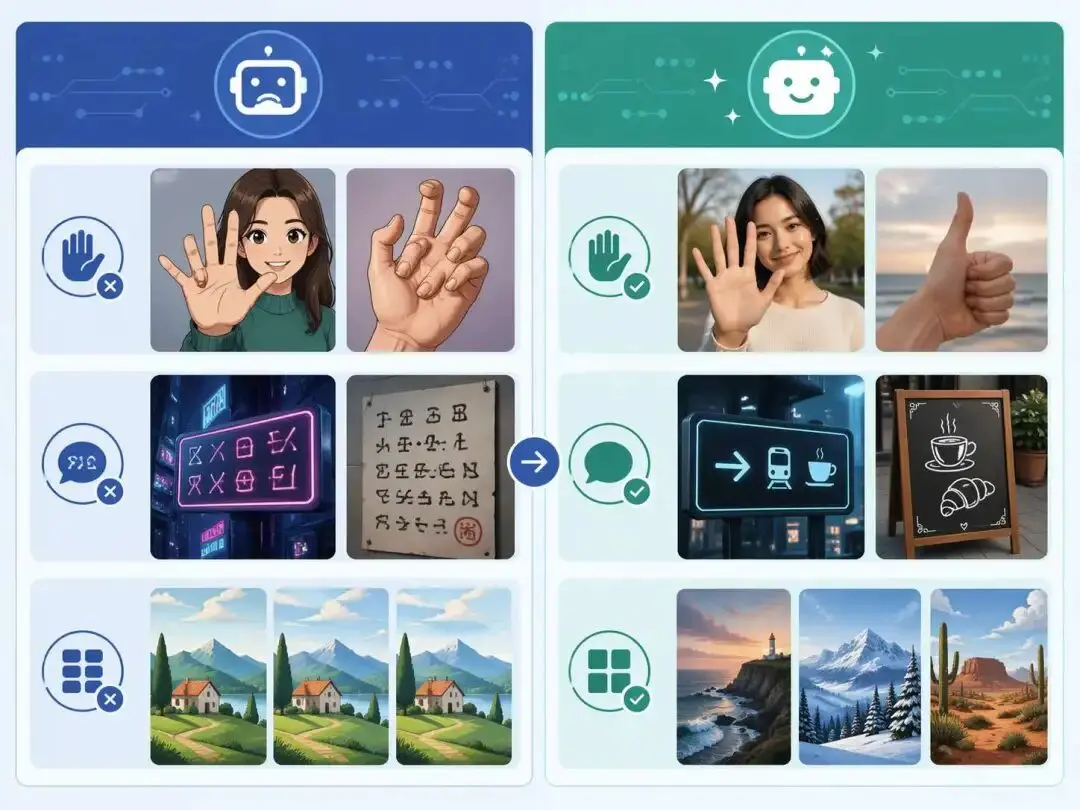
ChatGPT Image 2 Review: Real Tests Reveal What Actually Changed
If you’ve used AI image generators before, you already know the frustration. Hands often look unnatural, text turns into gibberish, and prompts keep getting longer while results remain inconsistent. For a long time, AI image generation felt less like using a tool and more like playing a lottery.
By Zoe一Apr 23, 2026- GPT Image 2
- AI Image Generator
- GPT-4o Image