


Official King's Play! FLUX.1 Kontext: GPT Terminator? 10 Use Cases Tested, Stunning Results!
After a long silence, Black Forest Labs has finally made a new move, launching FLUX.1 Kontext. In simple terms, FLUX.1 Kontext directly rivals GPT-4o's image generation features.
- Text-to-Image
- AI image generator
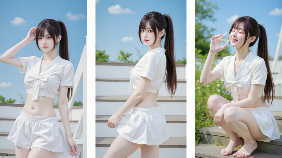
After a long silence, Black Forest Labs has finally made a new move, launching FLUX.1 Kontext.
In simple terms, FLUX.1 Kontext directly rivals GPT-4o's image generation features. Since its release, reviews have been explosive—netizens call it "the new king of character consistency," "GPT4o's image killer," and even "PS replacement."
Here are ten common use cases:
1. Maintaining character consistency
2. Character clothing replacement
3. Background replacement
4. Removing objects from images
5. Style transfer
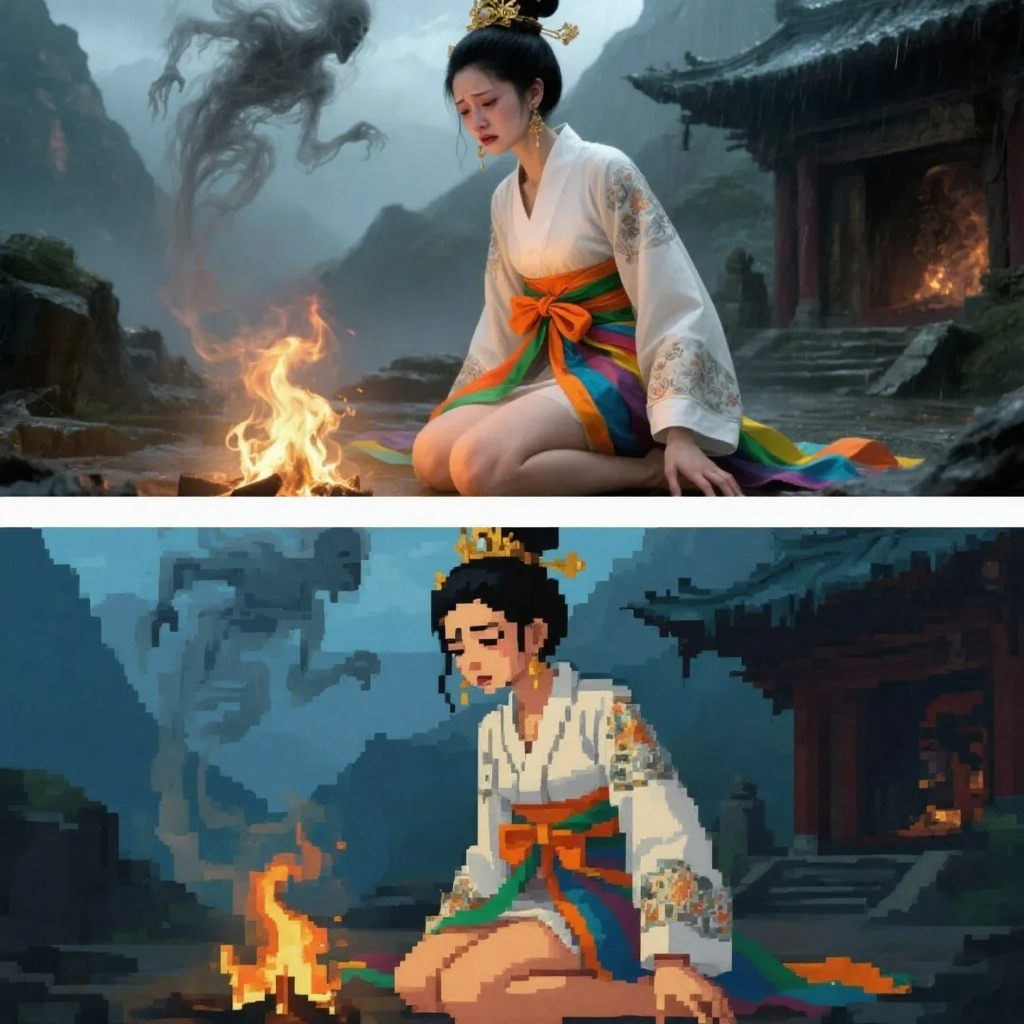
6. Style conversion (realistic, Ghibli, pixel art, etc.)
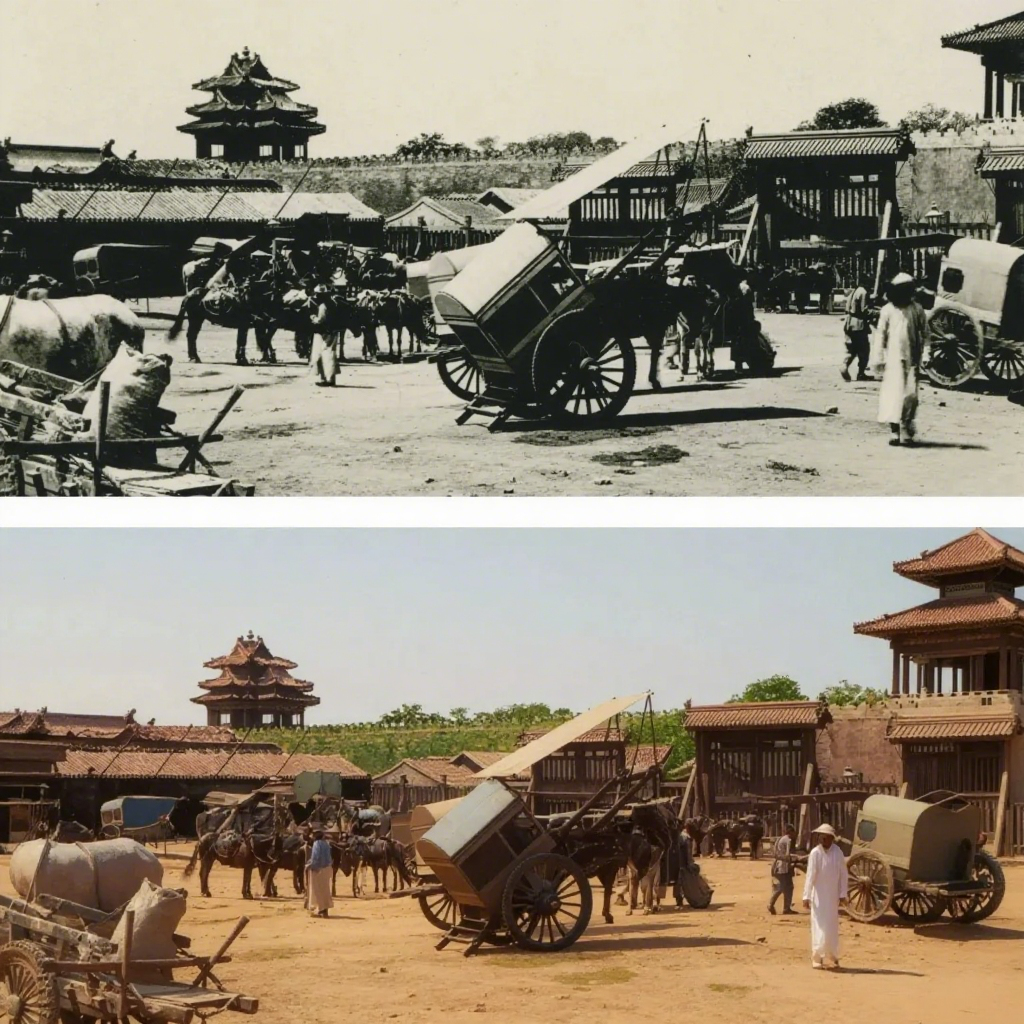
7. Colorizing old photos
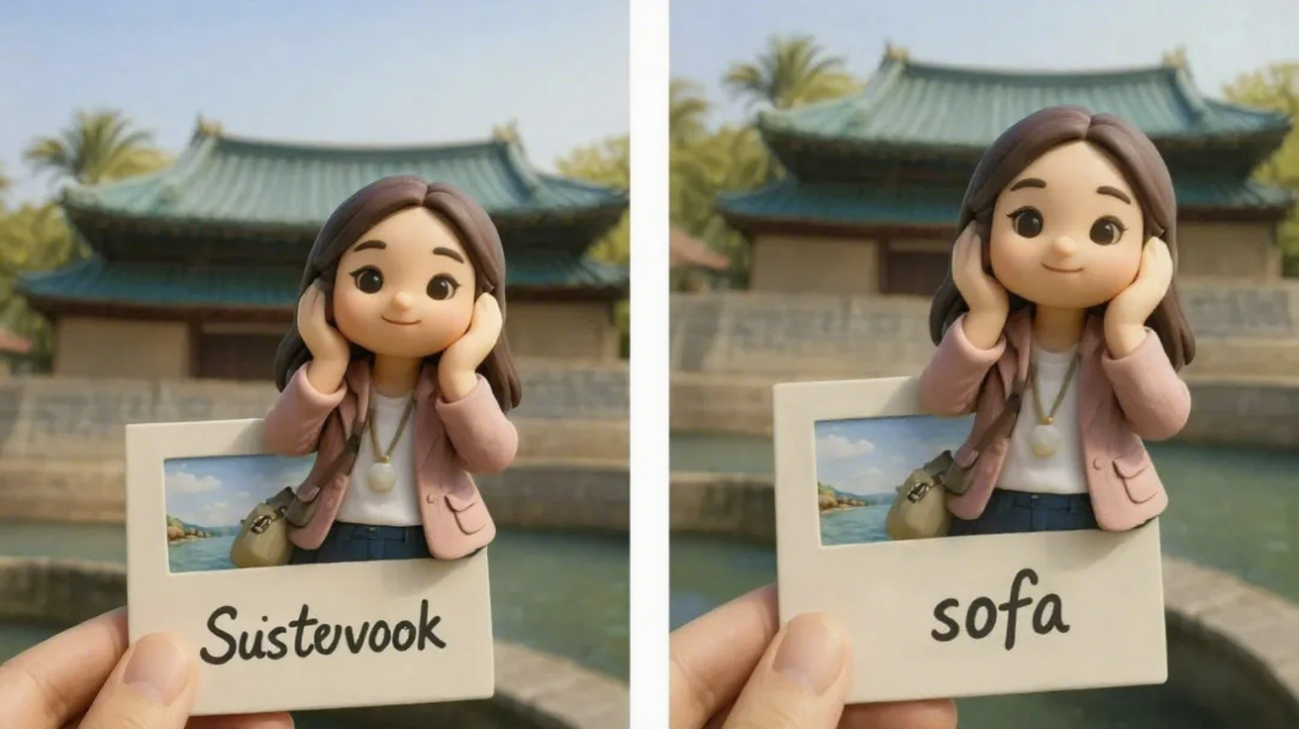
8. Modifying text on posters
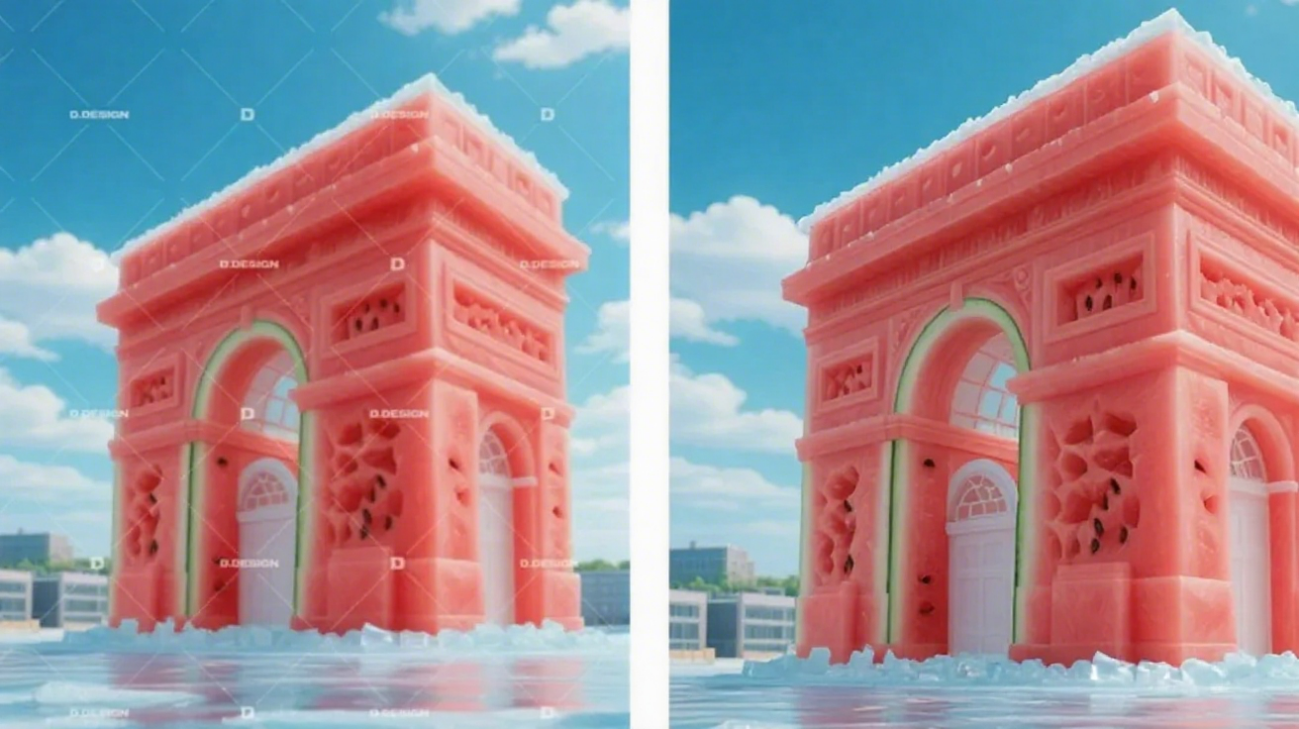
9. Removing image watermarks (say goodbye to subscription fees!)
10. Erasing photobombers
Kontext Use Case Examples
1.Character Consistency
Previously, tools like GPT-4o often struggled with inconsistent character models when editing images.
• Left: Reference image
• Right: Two shots of the same character—one standing with hands on hips, the other crouching to water plants—controlled by prompts.
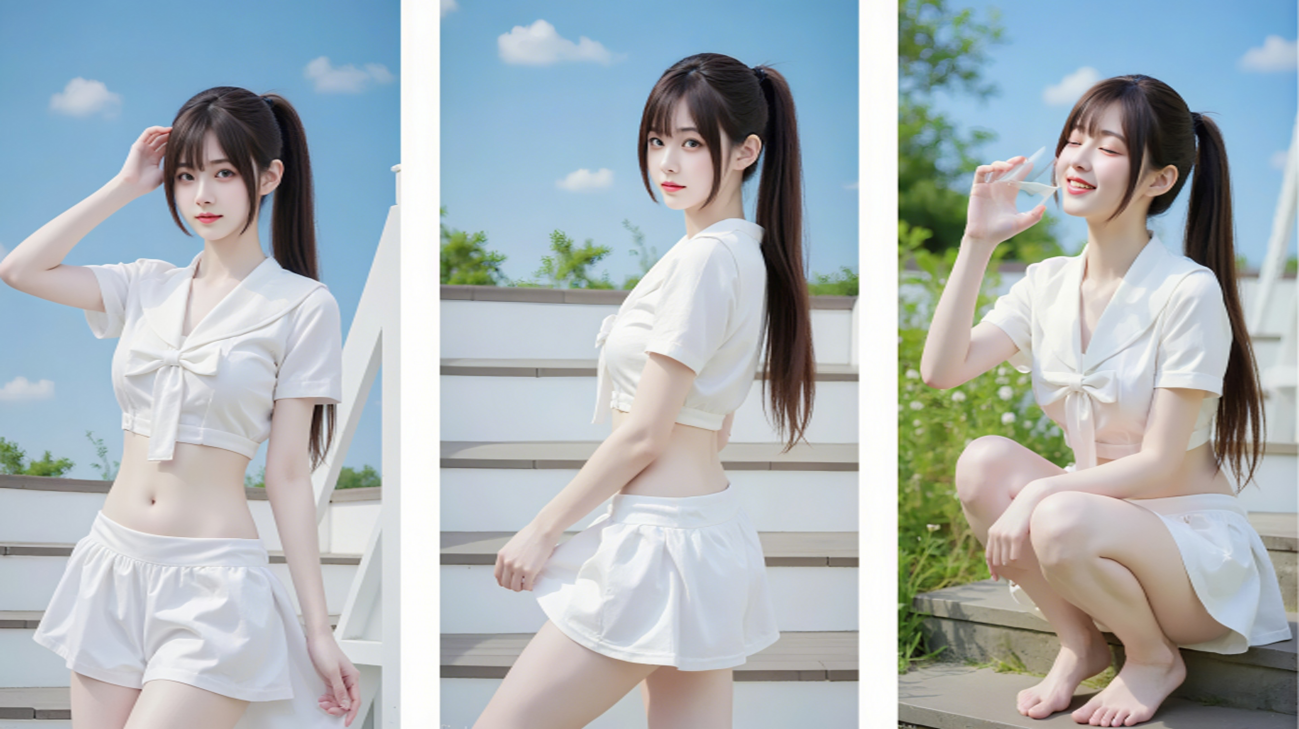
FLUX.1 Kontext maintains character consistency remarkably well, making it suitable for AI video creation workflows.
2.Background & Clothing Changes
Clothing and background replacement are common in AI art. We tested changing a model’s outfit and scene to check composition and lighting.
Prompt: Change background to a beach; change character’s clothes to a cheongsam.
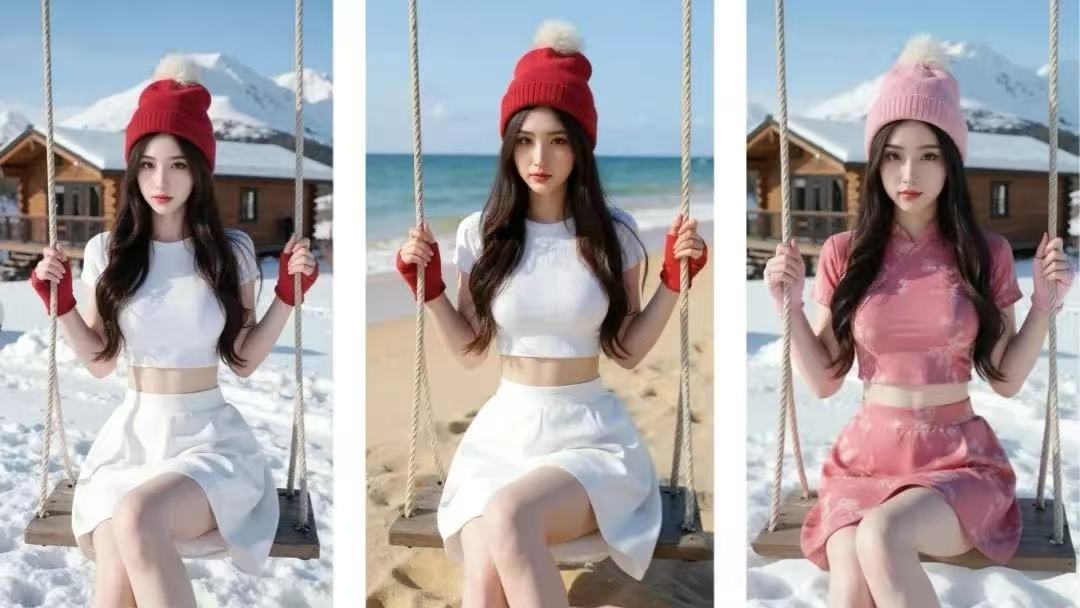
Result: Smooth background and clothing transitions, but slightly odd lighting on the character in the second and third images—AI art still has its "luck-based" moments.
3.Object Removal
Previously, editing complex images required AI erasers (e.g., Clipdrop or PS) or SD with mask redrawing.
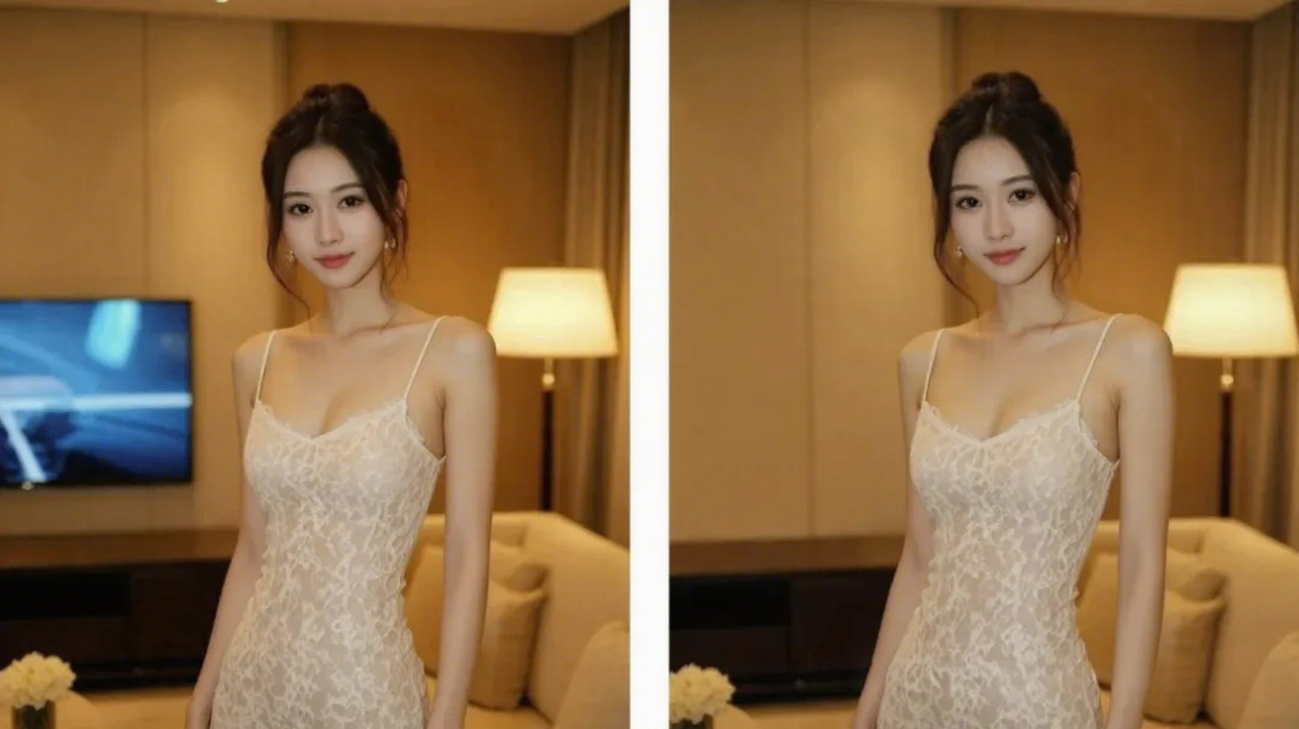
Prompt: Remove the TV from the image.
Result: Kontext excels at object removal—just one simple command, no impact on original composition.
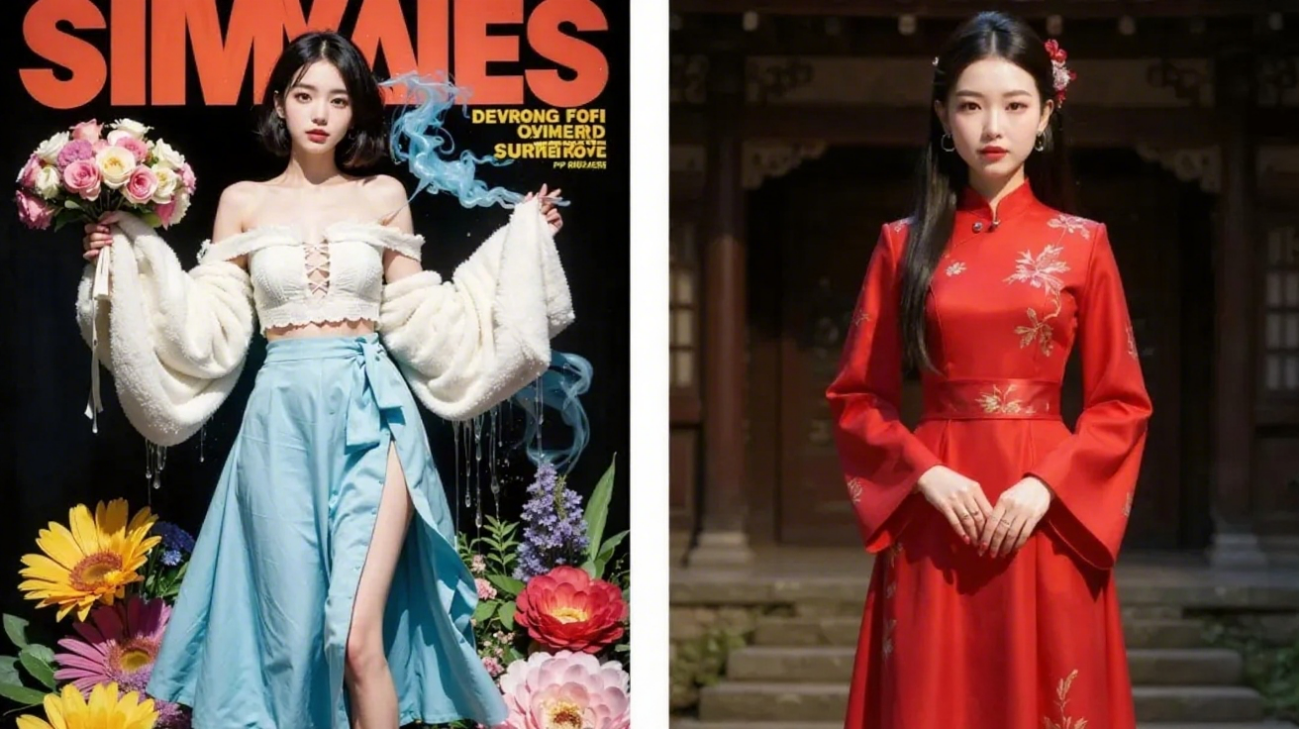
4.Style Transfer
Prompt: Reference a style to generate a Chinese girl in a red cheongsam, long hair, against a traditional courtyard background.
Result: The style transfer feels less effective than IPAdapter.
5.Style Conversion
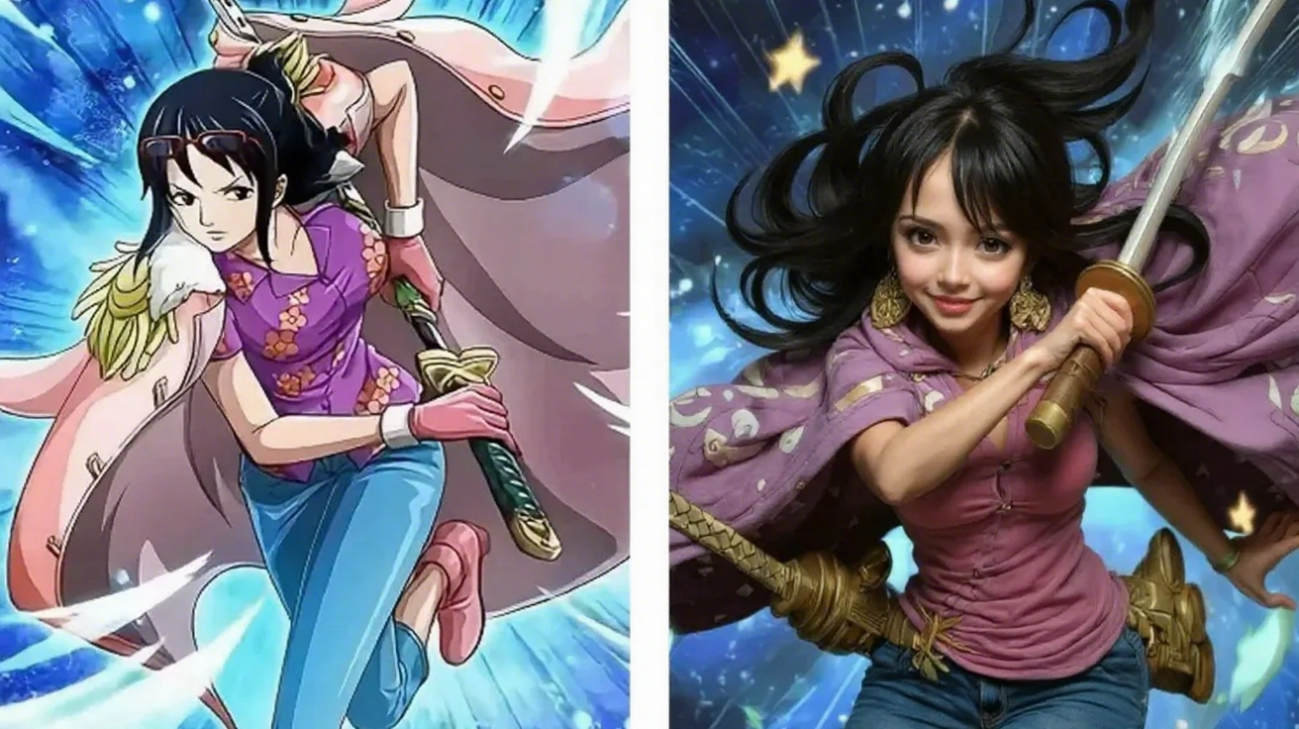
Dubbed "GPT4o’s image killer," we tested converting images to different styles:
Prompt: Turn to realistic photo.Result: Slight detail deviations.
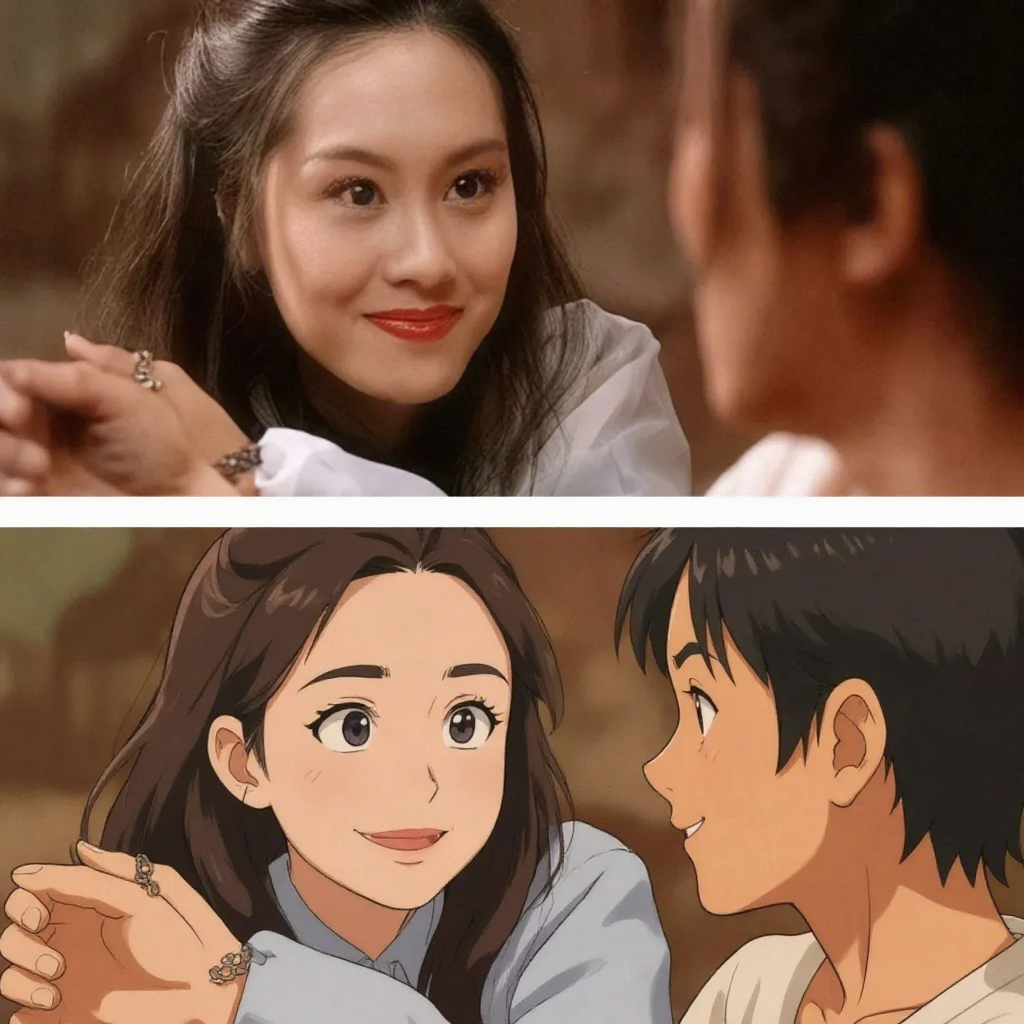
Prompt: Convert to Ghibli style. Result: Strong preservation of character features.
Prompt: Convert to pixel art. Perfect for the trending pixel illustration style!
6.Old Photo Colorization
Users report excellent results for restoring old photos:
Prompt: Color this old photo.
Result: Natural colors, realistic lighting—almost indistinguishable from modern photos.
7.Poster Text Modification
A standout feature: editing text .
Prompt: Change "sustevook" to "sofa."
Result: Flawless text replacement, matching original font and style without affecting other elements.
8.Watermark Removal
Kontext can also be used to remove watermarks. When using various AI painting tools, there will be watermarks if you don't subscribe to the membership.
Prompt: Remove the watermark from the image.
Result:
Left: Original with dense watermarks; Right: Clean, watermark-free result.
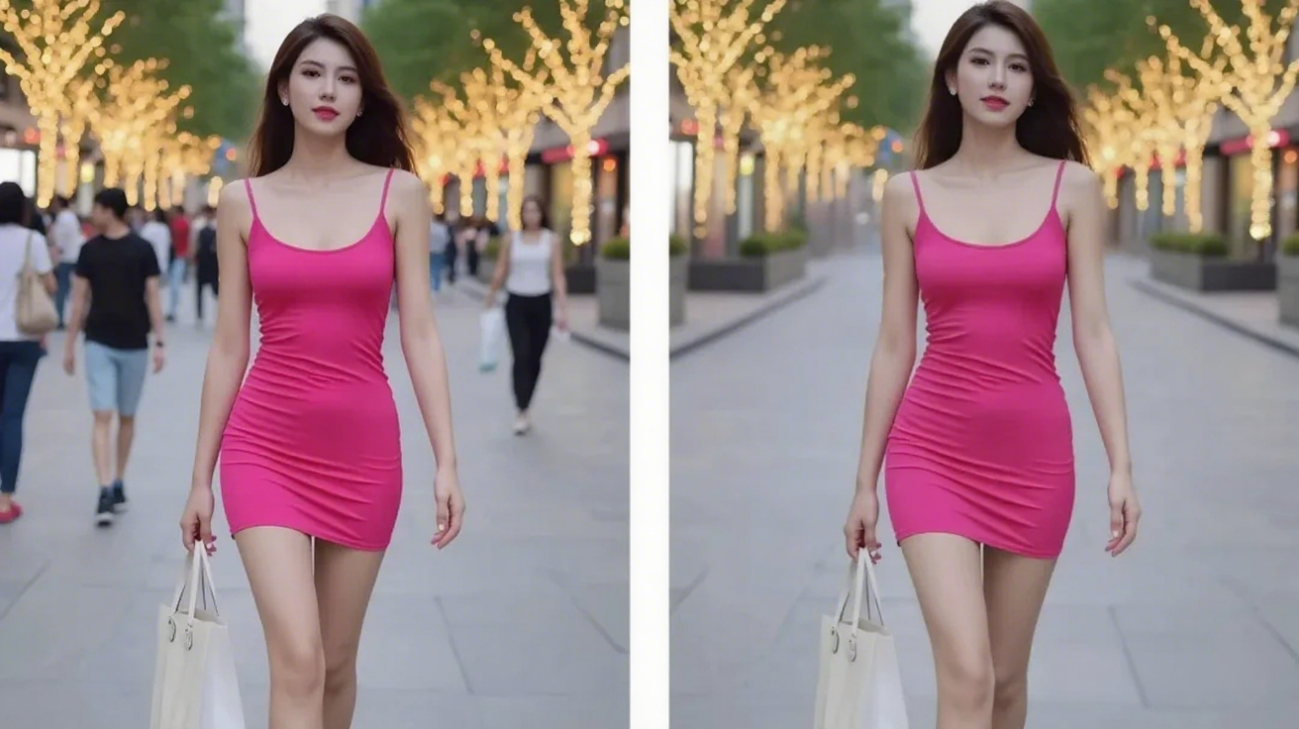
9.Erasing Photobombers
When taking photos at scenic spots outdoors, it's almost inevitable that random passers-by will appear in the frame, distracting from the main subject.
Post-processing to remove them is always tedious, but with Kontext, you can effortlessly eliminate the background walls (and other unwanted elements) from your photos.
Prompt: Remove background people from the photo.
How to Use
FLUX.1 Kontext offers two models:
- Kontext Pro: For image editing and style conversion
- Kontext Max: For high-performance, speed optimization, and layout tasks
Access methods:
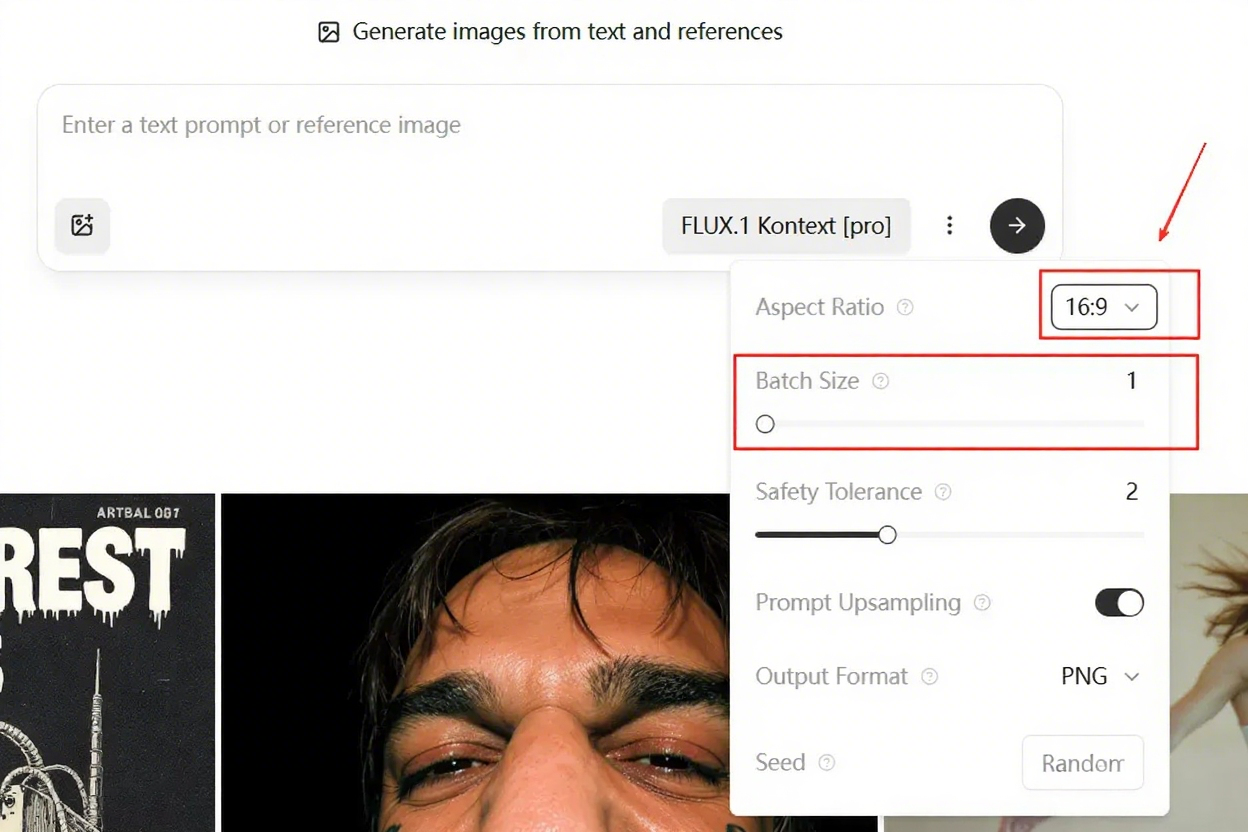
1. Official Playground (recommended for beginners):
- New users get 200 credits (4 credits per image).
- Tip: Set Batch Size to 1 and adjust aspect ratio (default is 16:9).
2. Krea AI:
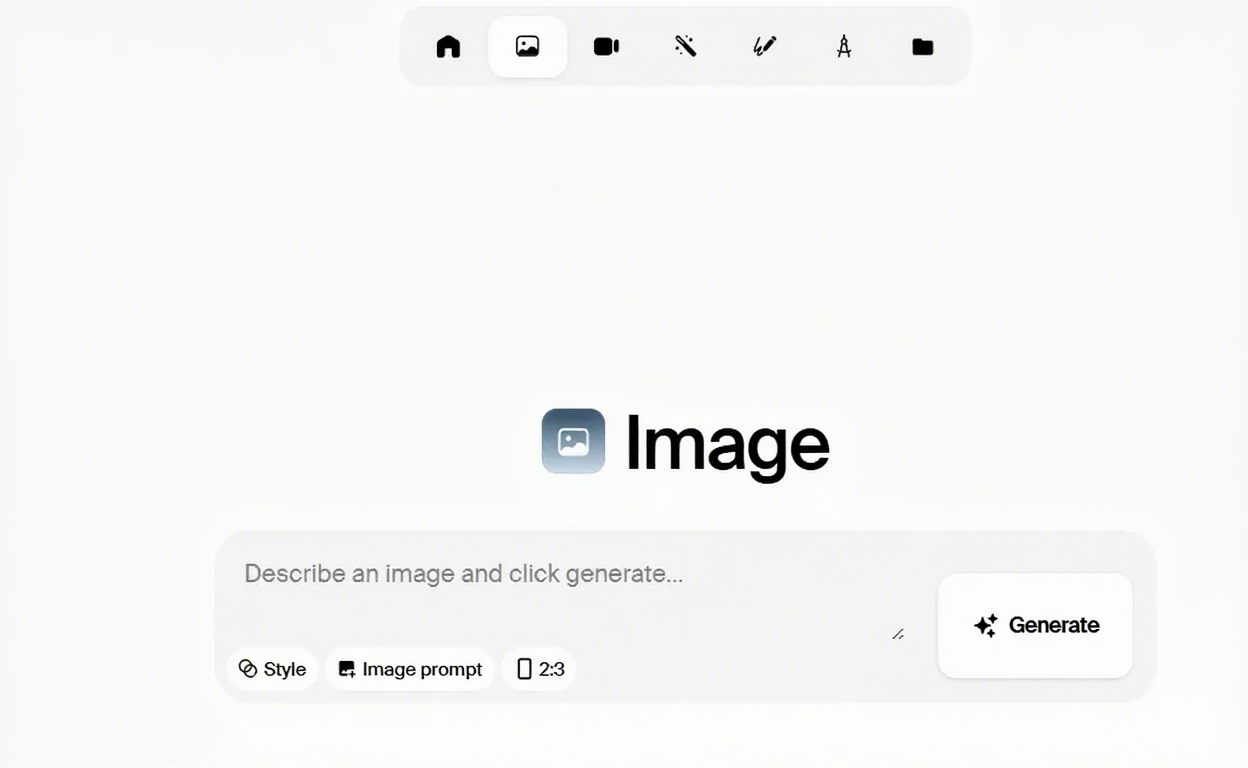
Krea AI supports the FLUX Kontext model, and it's very easy to use. Just upload a picture and enter a prompt.
Final Thoughts
1.Intuitive commands: Edit specific elements or entire scenes with simple prompts, maintaining character consistency.
2.Superior character coherence: Solves the consistency issues that plagued AI video creation.
3.Precise local editing: Remove clutter or adjust colors in specific areas without affecting the rest.
4.Easy style referencing: Generate new scenes based on any reference image’s aesthetic.
FLUX.1 Kontext and GPT4o each shine in different areas—choose the tool that fits your needs!
GPT Image 2.5 Prompting Guide: 4 Real Examples for Creators
A campaign image can look beautiful and still miss the brief. The headline might compete with a face, a product diagram might become unreadable on mobile, or an outfit edit might change more than the clothes.
By Skylar一Sep 18, 2026- Text-to-Image
- AI Image Generator
- GPT Image 2.5

Best GPT Image 2 Prompt Examples: 8 Creative Ideas for Photos, Posters, UI, and Storytelling
Explore 8 GPT Image 2 prompt examples for photos, posters, UI mockups, characters, storytelling, and image editing, with tips to adapt each idea.
By Gabriel一Apr 27, 2026- Text-to-Image
- ChatGPT

Google Nano Banana 2 Review: Pro-Grade Image Generation at Flash-Level Pricing
When Google’s CEO Sundar Pichai publicly called Nano Banana 2 “our best image model yet,” it wasn’t just marketing bravado. With immediate deployment across Gemini App, Google Search (in 141 countries), Flow, and preview access via Google AI Studio and Vertex AI, Google made it clear: this isn’t an experimental release.
By Harrison一Feb 26, 2026- Text-to-Image
- AI Image Generator
- Nano Banana 2