


Subtitles vs Dubbing vs Lip-Sync: Which to Choose?
Compare subtitles, dubbing, and lip-sync for video translation. Learn which format fits YouTube, training, marketing, and creator videos.
- AI Translator
- AI Video Translator
- Lip-Sync Video
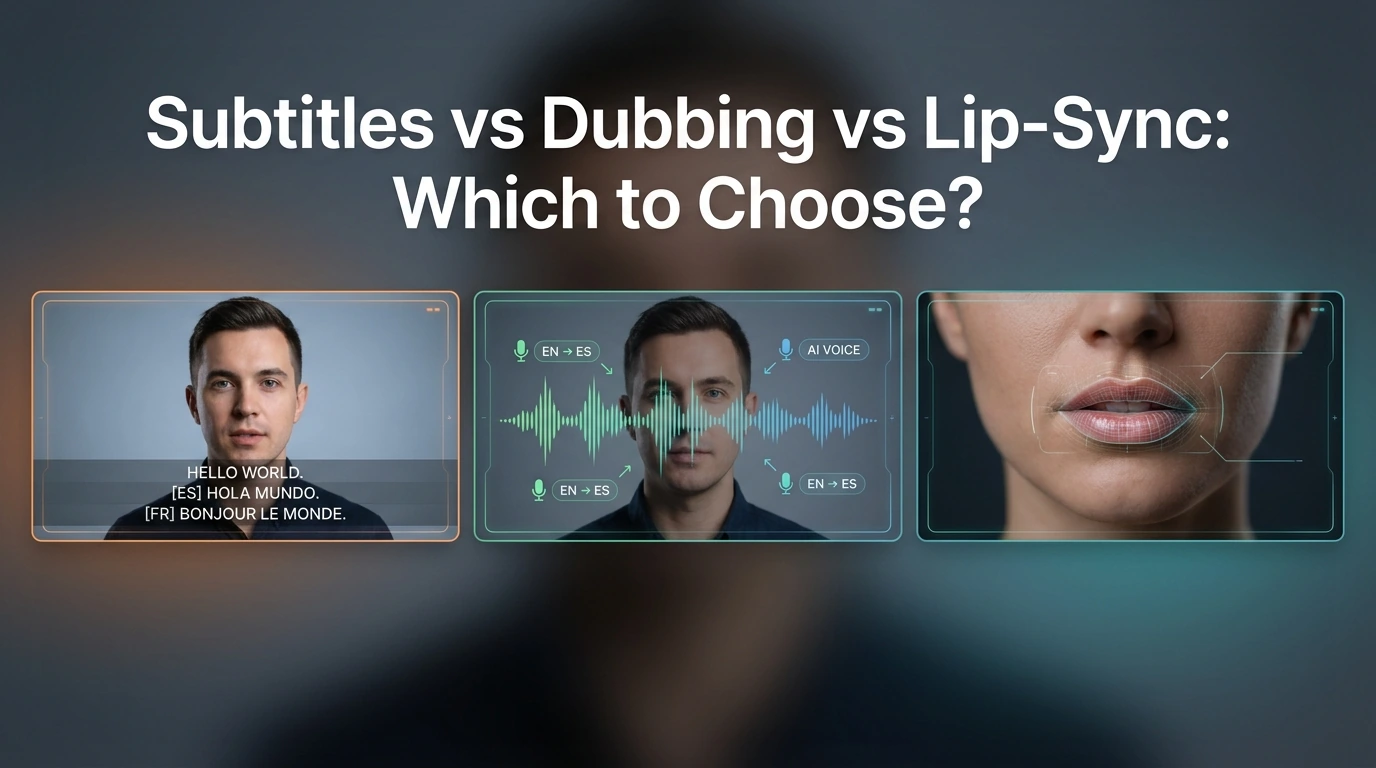
The practical answer is simple. Choose subtitles when speed, cost, and accessibility matter most. Choose dubbing when you want people to listen instead of read. Choose lip-sync when the speaker’s face is part of the message, and a more natural on-screen result really matters.
The big mistake is treating lip-sync as the automatic “best” option. It is often the most immersive option, but it also needs better source footage, clearer face visibility, and a smoother editing process. Current product guides make that trade-off pretty clear.
This guide is for creators, marketers, educators, and video teams that need to pick the right format before they translate a video. The best choice depends less on hype and more on what your viewers need to do: read, listen, or trust the person on screen.
Quick verdict
If you need the fastest workflow, use subtitles.
If you need easier viewing for long or dense content, use dubbing.
If you need a face-led video to feel natural in another language, use lip-sync.
At a glance: what each format is best at
Based on current platform guides and accessibility standards, this is the clearest way to compare the three formats.
| Format | Best for | Main strength | Main weakness | Viewer effort | Production friction |
|---|---|---|---|---|---|
| Subtitles | Fast publishing, budget control, multilingual reach, accessibility | Fastest and cheapest to ship | People must read while watching | High | Low |
| Dubbing | Training, explainers, long-form content, screen demos | Easier to follow without reading | Can still feel visually “translated” | Medium | Medium |
| Lip-sync | Founder videos, creator content, ads, talking-head videos | Most natural and immersive result | More constraints, more rework cost | Low | High |
What each format changes for the viewer
Subtitles
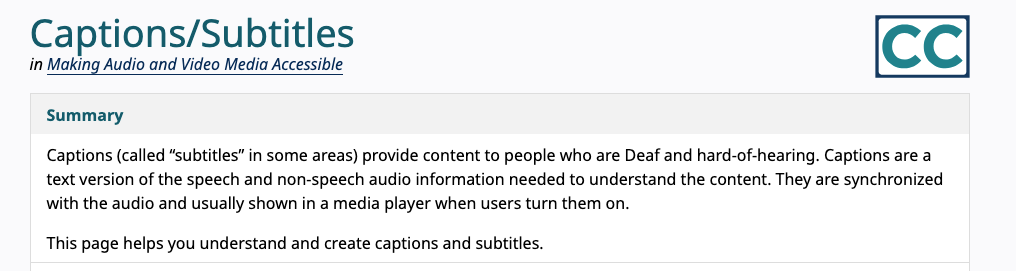
Subtitles keep the original video and original speaking performance. That is a big advantage when you want speed, lower cost, and broad language coverage. They are also close to the accessibility layer people expect from modern video publishing, although W3C draws a distinction between translated subtitles and full captions that include non-speech audio information.
The downside is simple: viewers have to read. That can be fine for short clips, social cutdowns, and lightweight explainers. It becomes less ideal when people also need to watch actions, slides, or software steps at the same time.
Dubbing
Dubbing reduces reading load. People can focus on the visuals and listen at the same time. That is why dubbing often makes more sense for training videos, onboarding videos, and procedural content. Synthesia’s training-focused guide makes this point directly through cognitive load: asking people to read text, listen, and track visuals all at once adds friction to learning.
Dubbing is usually the middle ground. It gives a smoother viewing experience than subtitles, but it does not always make the speaker look native to the new language. The sound changes, but the mouth usually does not.
Lip-sync
Lip-sync goes one step further. It changes the mouth movement so the translated audio feels more matched to the speaker. That can make a big difference when the face is prominent, such as creator videos, founder messages, sales videos, or ads where trust and presence matter.
But lip-sync is not just “better dubbing.” It is a more demanding workflow. HeyGen recommends lip-sync-based translation when the speaker’s face is clearly visible, while audio dubbing is better when the speaker is offscreen, small in frame, or when speed matters more.
When subtitles are the best choice
Subtitles are the best choice when you need to move fast. They work well for multilingual publishing, budget-sensitive teams, and videos where the original voice or original on-screen performance still matters. W3C also makes clear that on-screen text support is a core part of accessible video delivery.
They are also a strong fit for video libraries, help centers, short social posts, and content that people may watch with sound off. In those cases, subtitles add reach without forcing a more expensive workflow. This is often the smartest default for early localization.
Subtitles start to break down when the video is dense, instructional, or visually busy. If the viewer needs to watch a product demo, follow a training sequence, or absorb many steps in order, reading can become the extra task that makes the whole video feel harder.
When dubbing is the better choice
Dubbing makes more sense when you want viewers to follow the message without reading. That is why it is a strong fit for training videos, onboarding flows, explainers, internal enablement, and long videos with lots of visual detail.
It is also a better fit than lip-sync when the speaker is not the main visual focus. If the person is offscreen, small on screen, or the video cuts often between slides, screens, and product shots, audio dubbing usually gets you most of the benefit with less effort. HeyGen says this directly in its current translation guidance.
The weakness is that dubbing does not fully remove the “translated” feel. The voice may sound right, but the viewer can still see that the mouth is not matching the speech. For many use cases, that is fine. For face-led content, it can weaken the result.
When lip-sync is worth the extra effort
Lip-sync is worth the extra effort when the speaker’s face carries meaning. That includes founder videos, creator explainers, social ads, UGC-style videos, and other talking-head content where viewers judge the message partly through facial performance.
It is also the strongest option when the translated video still needs to feel polished enough for public distribution. A face-led ad with plain subtitles can work. A dubbed version can work better. A good lip-sync result can feel much closer to a native-language version.
Still, lip-sync has real friction. Kapwing’s help documentation says you first dub the video, then apply lip-sync. It also says that if you edit subtitles and regenerate the dubbing, you need to re-apply lip-sync, and that re-lip-syncing counts the whole video toward limits.
That is the hidden cost many teams miss. Lip-sync is not only about output quality. It is also about how expensive revisions become once the workflow is in motion.
Which format should you choose for each video type?
YouTube explainers
Use subtitles if speed matters and the audience is already used to reading on screen.
Use dubbing if the video is longer and you want easier viewing.
Use lip-sync if the video is built around the presenter’s face and personality.
Training and SOP videos
Dubbing is usually the best choice here. It reduces reading load and helps viewers keep their attention on the action. Subtitles can still support accessibility, but they are often not the best primary format for training-heavy content.
Marketing videos and social ads
If the speaker is central to persuasion, lip-sync is often worth it. If the ad is more visual and less face-driven, standard dubbing may be enough. If you are testing fast variations across many markets, subtitles can still be the right first step.
Interviews and podcasts
For podcasts with simple visuals, dubbing often makes more sense than lip-sync. For interviews where the face is always visible, lip-sync can add polish, but only if the footage is clean enough and the edit is stable.
UGC and creator-led short-form video
This is where lip-sync has the clearest upside. Short-form creator video depends heavily on presence, rhythm, and facial timing. When that presence matters to conversion or engagement, lip-sync can make a visible difference.
Who should choose what?
Choose subtitles if you are a solo creator, a small team, or an early-stage localization team that needs reach fast and cannot afford heavy rework. They are also the safest default when accessibility is a major concern.
Choose dubbing if you care more about comprehension than visual realism. This is often the best fit for educators, internal training teams, SaaS onboarding teams, and companies localizing explainers or demo content.
Choose lip-sync if you publish face-led content and want the translated version to feel closer to native production. That usually matters most for creators, marketers, sales teams, and brand videos.
Wait or use a hybrid approach if your footage is messy, your scripts change often, or the speaker is not visible enough for lip-sync to pay off. In those cases, subtitles or standard dubbing usually give a better cost-to-value ratio.
Where each format still falls short
Subtitles can slow people down. They can also split attention when the viewer needs to watch the screen closely.
Dubbing can improve comfort but still look slightly off. That is fine for many workflows, but less ideal for trust-heavy face-led videos.
Lip-sync can look great, but it is not universal. ElevenLabs, for example, says lip-sync is not part of its dubbing product right now. That matters because it shows that “dubbing” and “lip-sync dubbing” are still separate capabilities across the market.
How Dreamface fits into this decision
Dreamface fits most naturally in the lip-sync and creator-video side of this decision. Its current site highlights Video Lip Sync, avatar video tools, and AI video translation pages that describe translation, dubbing, and timing alignment. That makes it a more natural recommendation for face-led or creator-style video workflows than for plain accessibility-first subtitle publishing.
That does not mean Dreamface is the answer to every translation job. If your real need is simple multilingual reach, fast turnaround, or low-friction internal training, subtitles or standard dubbing may still be the smarter first move. Dreamface makes the most sense when you are trying to make translated video feel more presentable and engaging, not just understandable.
Final recommendation
For most teams, the safest default is this: start with subtitles when you need speed, move to dubbing when the viewing experience matters more, and only pay for lip-sync when the face on screen is part of the value.
That rule will not cover every edge case, but it works for most real production decisions.
A simple way to choose is to ask one question: Does this video ask the viewer to read, to listen, or to believe the person on screen?
If the answer is read, choose subtitles.
If the answer is listen, choose dubbing.
If the answer is believe the person on screen, choose lip-sync.
FAQ
Is lip-sync always better than dubbing?
No. Lip-sync is only better when visual realism matters enough to justify the extra work. If the speaker is offscreen, small on screen, or the content is mainly instructional, standard dubbing is often the smarter choice.
Are subtitles better for accessibility?
Usually yes, at least as part of the accessibility layer. W3C makes clear that captions are important for people who are Deaf or hard of hearing, and subtitles alone are not the same thing as full accessibility support.
Which format is best for YouTube videos?
It depends on the video style. Subtitles are strong for fast publishing. Dubbing is strong for longer explainers. Lip-sync is strongest when the creator’s face and delivery are central to the video.
Which format is best for training videos?
Dubbing is usually the best primary format for training videos. It reduces reading load and lets viewers focus on the lesson or the workflow on screen.
When is lip-sync not worth the extra effort?
Lip-sync is often not worth it when scripts still change, footage is weak, the speaker is barely visible, or the team needs the fastest turnaround. In those cases, subtitles or standard dubbing usually give better efficiency.
Can you combine subtitles with dubbing or lip-sync?
Yes, and many teams should. Subtitles can still help with accessibility, silent viewing, and viewer control even when the main experience is dubbing or lip-sync.
Dreamface vs HeyGen for Video Translation
Compare Dreamface and HeyGen on lip-sync, voice preservation, workflow, language coverage, and team control to choose the right video translator.
By Aiden一Apr 17, 2026- AI Translator
- AI Video Translator
How to Keep Your Original Voice in AI Video Translation
Learn how to preserve your voice, tone, and speaking style when translating videos with AI, and when subtitles or re-recording are the better choice.
By Kitty一Apr 17, 2026- AI Translator
- AI Video Translator
How to Create a Multilingual Talking Avatar or Photo
Learn how to make a talking avatar or talking photo in multiple languages, choose the right workflow, and avoid lip-sync, voice, and subtitle mistakes.
By Jonathan一Apr 17, 2026- AI Video
- AI Translator
- AI Video Translator