


Which is the Best AI Video Generator Without a Watermark?
AI-powered video generation has revolutionized content creation, making it easier than ever to produce high-quality videos without complex editing software. However, many AI video generators come with
- AI Video Generator
- Photo To Video
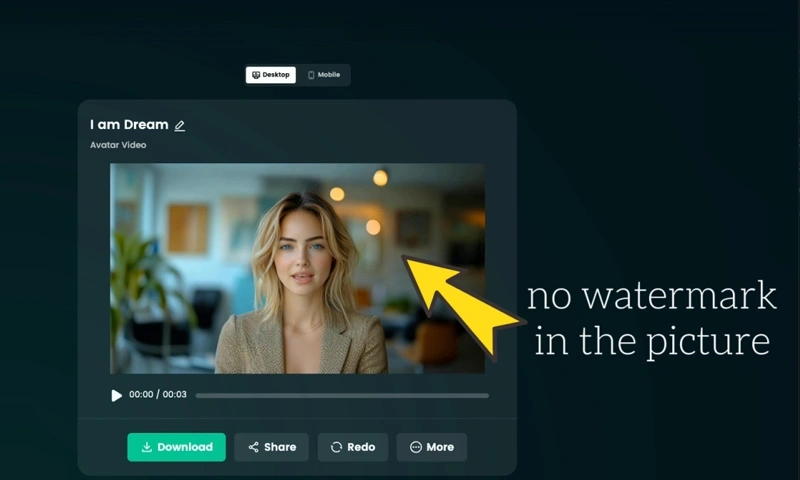
AI-powered video generation has revolutionized content creation, making it easier than ever to produce high-quality videos without complex editing software. However, many AI video generators come with a drawback—watermarks that can diminish the professionalism of your content. If you're looking for the best AI video generator that produces videos without a watermark, DreamFace is your ideal solution.
Why Choose an AI Video Generator Without a Watermark?
For businesses, marketers, and content creators, a watermark-free video is crucial. Whether you're making YouTube content, marketing ads, or social media posts, having a clean and professional video enhances brand credibility and viewer engagement. Many AI tools offer free trials but leave intrusive watermarks, making them unsuitable for professional use.
DreamFace stands out by providing no watermark AI tools that allow users to generate high-quality videos without brand imprints. This makes it the perfect choice for AI tools for video creation without watermark concerns.
DreamFace: The Best AI Video Generator Without a Watermark
DreamFace is a powerful AI video generator designed for creators who want a seamless, watermark-free experience. Here’s why it’s the best choice:
1. High-Quality AI-Generated Videos
DreamFace ensures that all videos maintain high resolution and lifelike animation, making it one of the best free AI video editing tools available.
2. Limited Free Access Without Watermarks
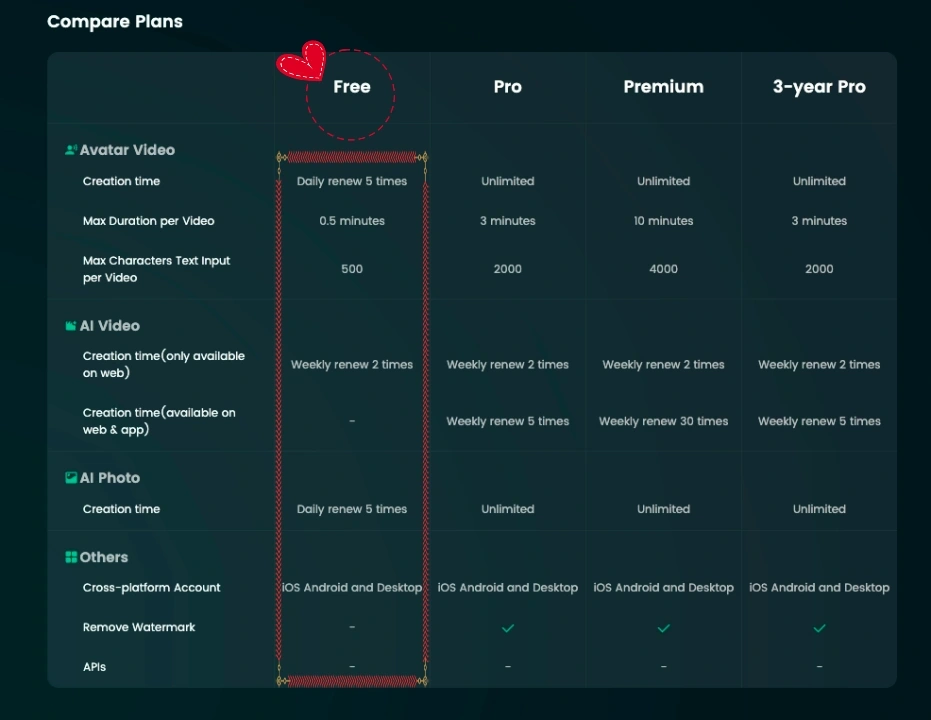
Unlike other AI tools that require a premium subscription to remove watermarks, DreamFace offers a free AI video generator with two free watermark-free video generations. Additionally, users on the web version receive two extra free creations per week compared to the app version, allowing more opportunities for free, high-quality content generation.
3. AI-Powered Customization
With DreamFace, users can animate faces, generate lip-sync videos, and create engaging content with a few simple steps. Whether you're looking for AI tools for marketers and creators or casual fun, DreamFace delivers versatility.
4. Fast and Easy to Use
The user-friendly interface allows anyone to create AI-generated videos effortlessly. Simply upload images or video inputs, select an animation effect, and let AI do the rest.
DreamFace vs. Other AI Video Generators
When comparing DreamFace to other AI video generators, several key aspects make it the superior choice:
No Watermark on Free Videos: Most AI video generators require payment to remove watermarks, but DreamFace offers two free watermark-free videos, plus additional two free creations per week on the web version.
High-Quality Video Output: DreamFace ensures crisp resolution and natural-looking animations, surpassing many alternatives.
Feature-Rich Customization: From AI-driven face animation to lip-sync effects, DreamFace provides more tools than standard AI video generators.
Ease of Use: DreamFace’s intuitive platform allows for effortless video creation, making it accessible to both beginners and professionals
How to Create Videos Without a Watermark Using AI
Wondering how to create videos without watermark using AI? Follow these simple steps using DreamFace:
Upload Your Images or Video Clips – Select the visuals you want to animate.
Choose an AI Effect – Pick from face animation, lip-sync, or other available options.
Generate the Video – Let DreamFace process the input and create a high-quality AI-generated video.
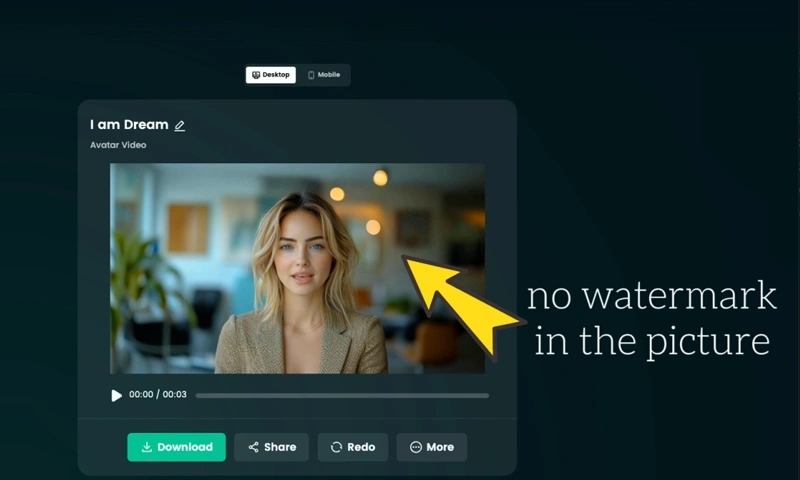
Download Without a Watermark – Save your video and use it for any project, watermark-free (up to two free creations, with additional two free uses per week on the web version).
Best Use Cases for DreamFace AI Video Generator
DreamFace is not just for fun—it’s a powerful tool for various industries:
YouTube & Social Media Creators – Generate content effortlessly and maintain professional quality.
Digital Marketing & Advertising – Create engaging promotional videos without distracting watermarks.
Educational & Training Videos – Produce AI-enhanced instructional content quickly.
Entertainment & AI-Driven Storytelling – Animate old photos or bring historical figures to life.
E-commerce & Branding – Use AI-generated videos to enhance product presentations and advertisements.
Conclusion: The Best Free AI Video Generator
If you're searching for free AI tools for YouTube videos or a best AI video generator without annoying watermarks, DreamFace is your best choice. It offers a seamless experience for video creation, making it the go-to solution for marketers, creators, and businesses alike.
With free chances of watermark-free generation, additional free uses on the web version, and high-quality AI-powered video effects, DreamFace sets itself apart as the ultimate AI video creation tool.
Try DreamFace today and experience AI-powered video generation like never before!

Best AI Video Generator 2026: Why Multi-Model AI Platforms Are Winning
AI video generation has entered a completely new era in 2026. What started as short experimental clips has rapidly evolved into cinematic storytelling, AI anime production, virtual influencers, talking avatars, and fully AI-generated social media content.
By Bentley一May 26, 2026- AI Video Generator
- AI Video
How to Make a Mother’s Day Talking Photo with AI
Turn a single photo into a Mother’s Day greeting video with AI. Learn the easiest workflow, message ideas, common mistakes, and when to use a filter first.
By Riley一Apr 20, 2026- AI Video
- Photo To Video
- Avatar Video
HappyHorse vs Kling 3.0 vs SkyReels V4: Which Video Model Fits Builders?
Compare HappyHorse-1.0, Kling 3.0, and SkyReels V4 on quality, audio, control, access, and production readiness to choose the right AI video stack in 2026.
By ruslana一Apr 08, 2026- AI Video
- AI Video Generator
- HappyHorse