


How to Create a Video with 2.98 Million Views: A Step - by - Step Guide Using DreamFace
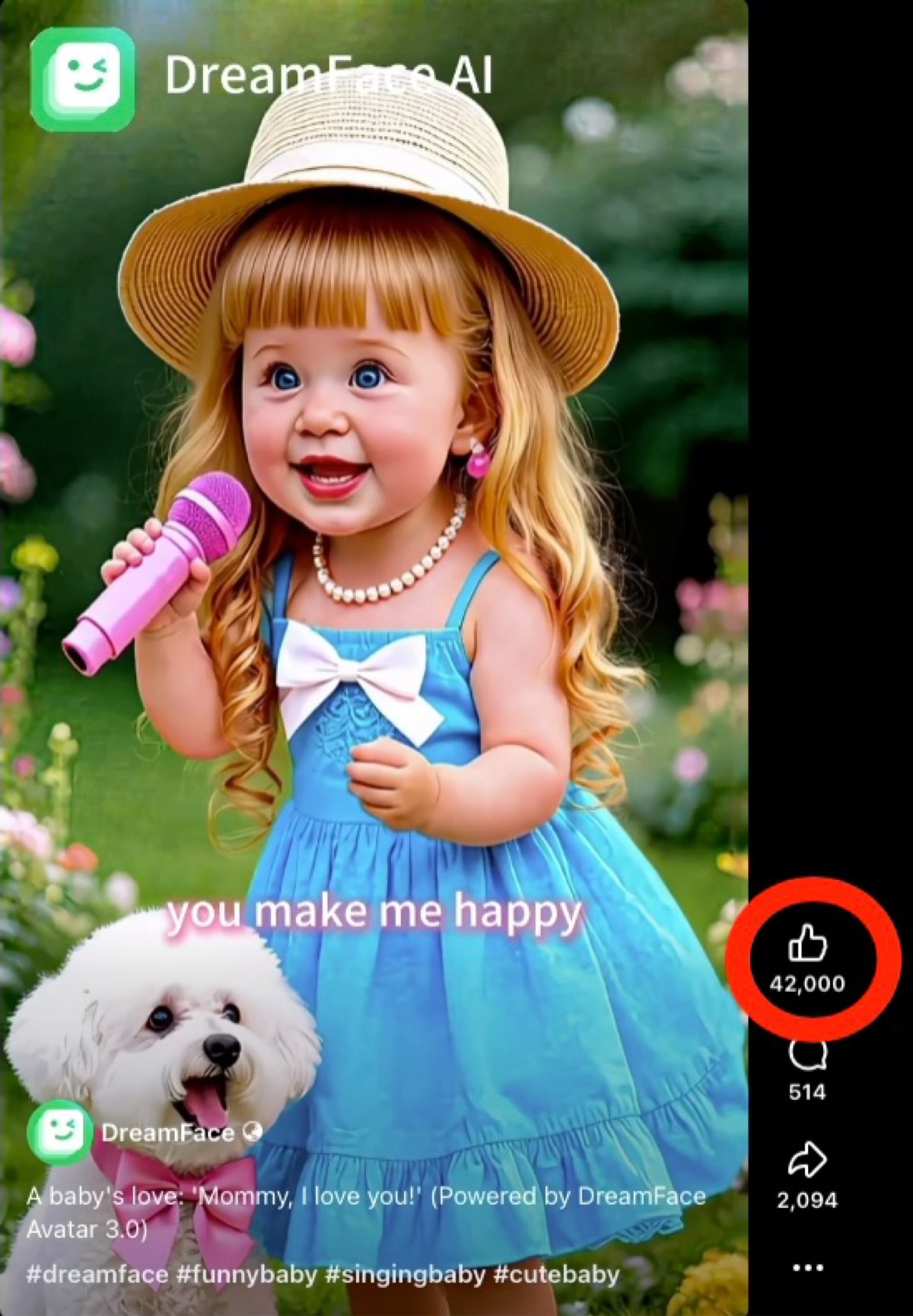
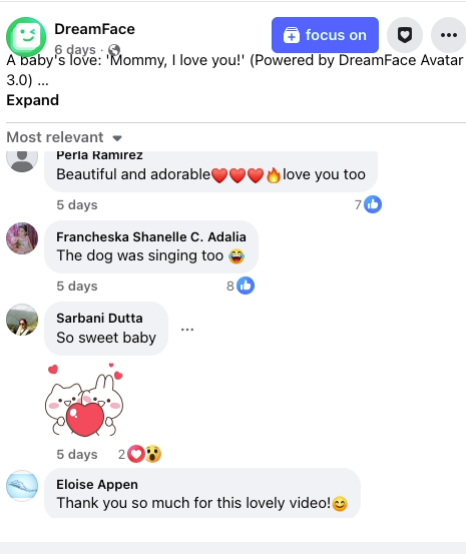
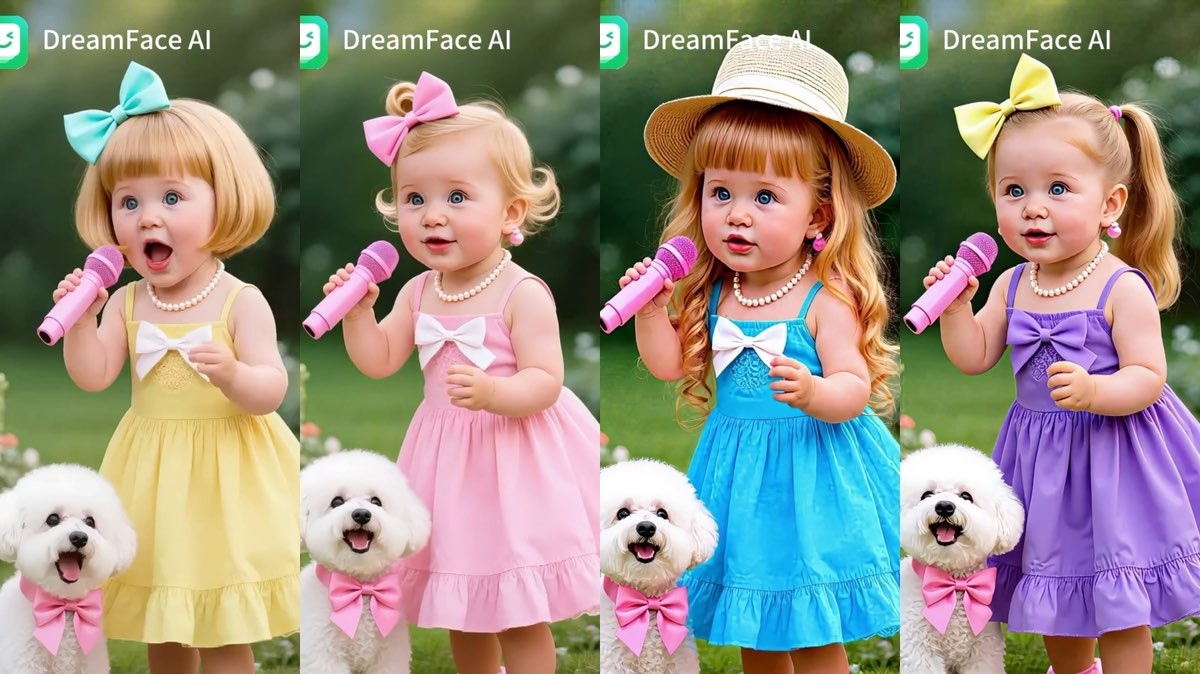
Have you seen those adorable singing baby videos taking over social media? One amazing video, featuring a cute child singing while her hair and outfit magically change, has already earned over 42,000 likes, 514 comments, and 2,094 shares on platforms like Facebook! You might think it requires complex editing skills, but the secret is out: you can create this exact effect in just minutes using DreamFace.
- Avatar Video
- Singing Photos
- Photo Animation

Have you seen those adorable singing baby videos taking over social media? One amazing video, featuring a cute child singing while her hair and outfit magically change, has already earned over 42,000 likes, 514 comments, and 2,094 shares on platforms like Facebook! Do you want to create your own popular video just like it? You might think it requires complex editing skills, but the secret is out: you can create this exact effect in just minutes using DreamFace.
Now, let's get into the specific tutorial!
This guide will show you exactly how to use DreamFace’s powerful Text to Image and Dream Avatar features to turn a single photo into a dynamic, share-worthy video. Let's get started!
Part 1: Create the Looks (Image Editing)
First, we need to create different versions of your original photo with new hairstyles and outfits. This is where the magic begins.
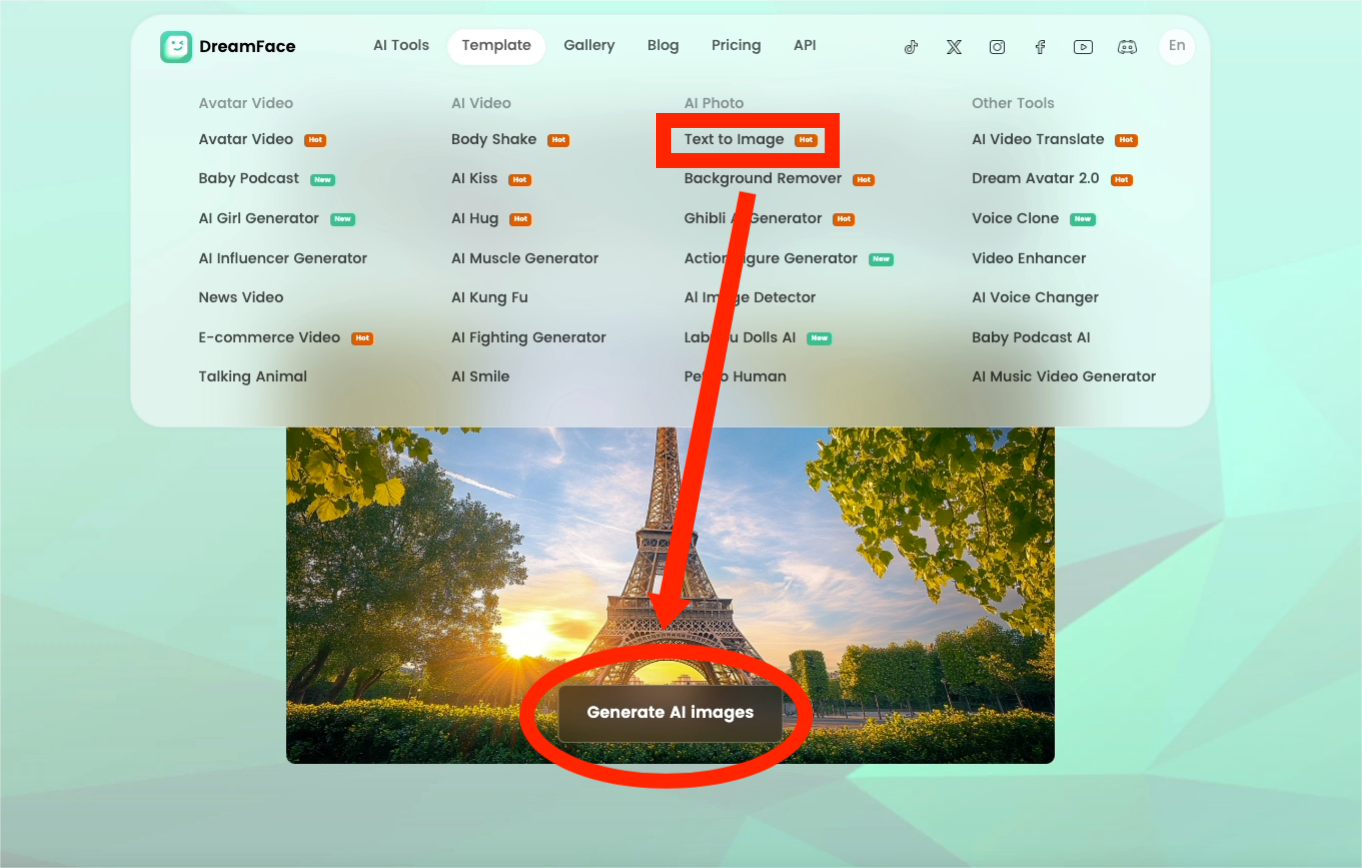
1.Select "Text to Image" : On the DreamFace homepage, find and click on the “Text to Image” tool.
2.Upload Your Photo: Click the "+" button to upload the photo you want to edit.
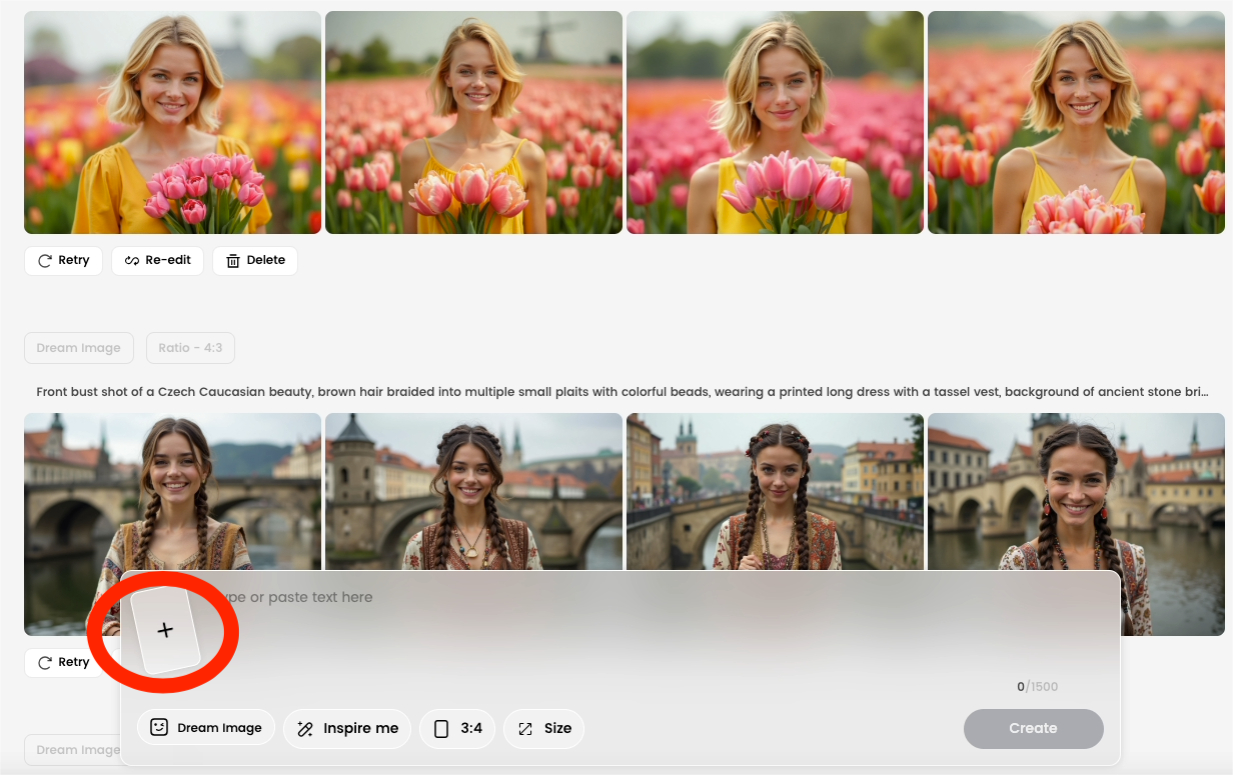
3.Use a Magic Prompt: In the text box, describe the changes you want to make. You can change hair, clothes, or anything else you can imagine! To ensure the person and background stay the same, it's best to be specific.
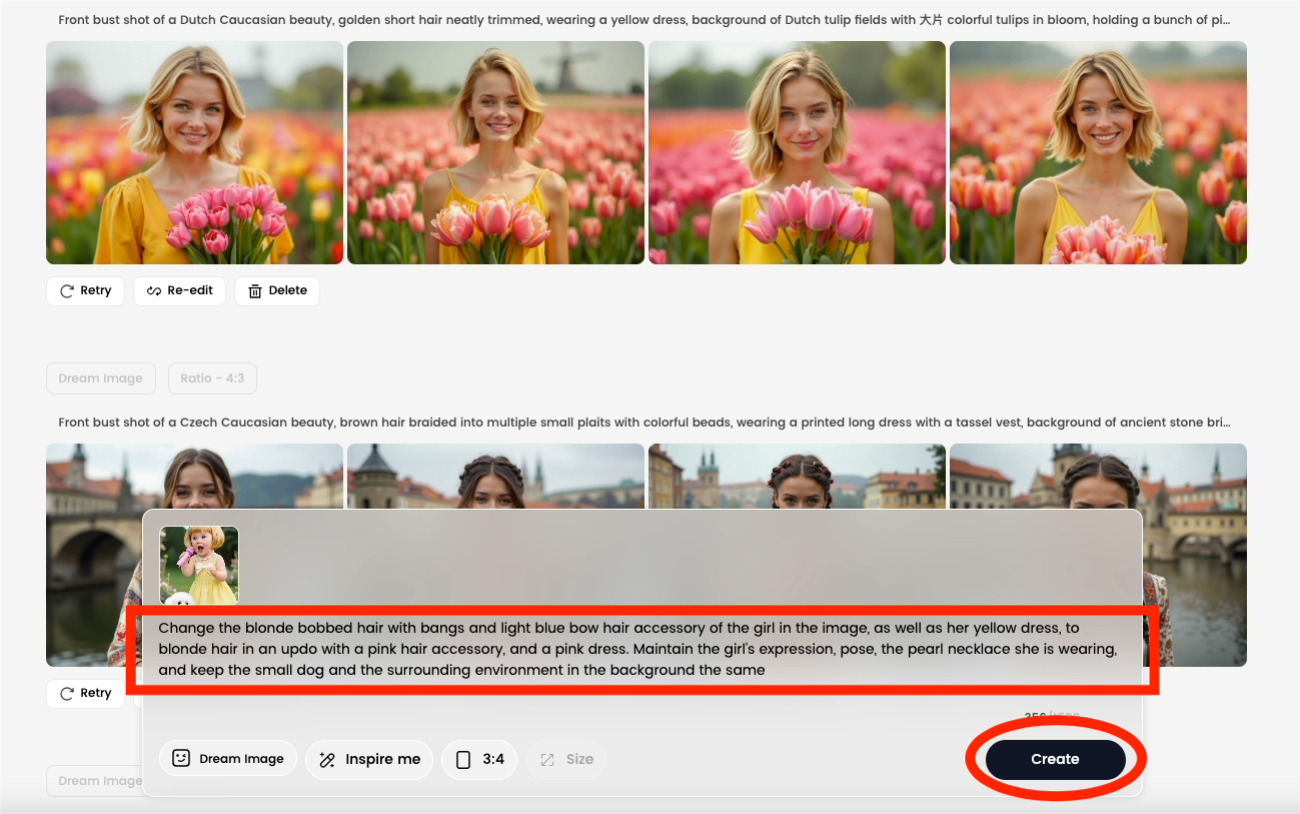
【Pro Tip】You can use this proven prompt template to keep your character and background consistent. Just copy, paste, and modify it to fit your needs:
"Change the [original hair and accessory] of the girl in the image, as well as her [original dress], to [new hair and accessory], and a [new dress]. Maintain the girl's expression, pose, the pearl necklace she is wearing, and keep the small dog and the surrounding environment in the background the same."
4.Generate and Save: Click “Create” to generate your new image. Save the picture, then repeat this process to create several different looks.
Part 2: Bring Your Photos to Life (Making Them Sing)
Now that you have all your images, it’s time to make them sing.
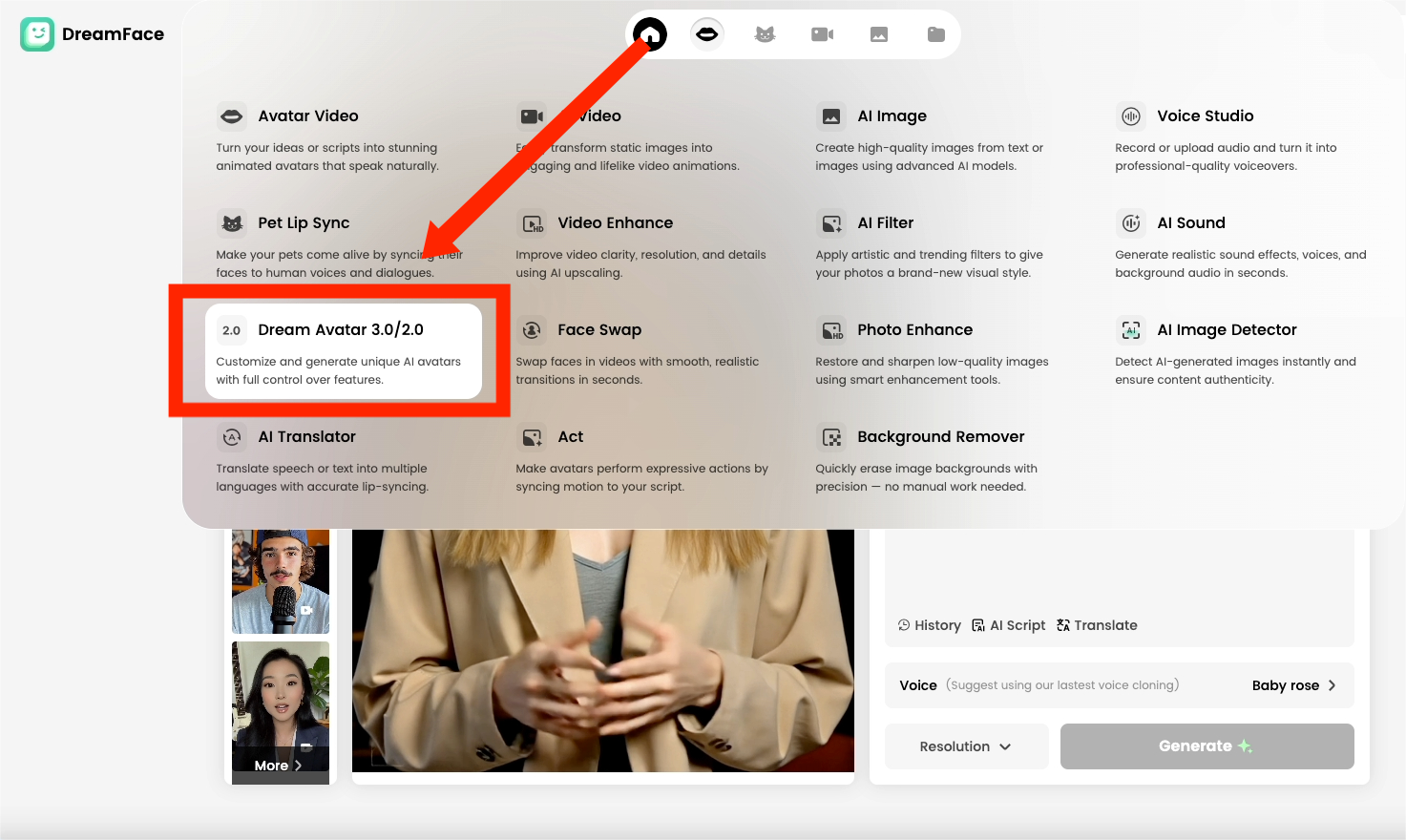
1.Select "Dream Avatar 3.0/2.0" : Go back to the DreamFace homepage and choose “Dream Avatar 3.0/2.0”.
2.Upload All Photos: In the "Photos" section, upload your original picture plus all the new versions you just created.
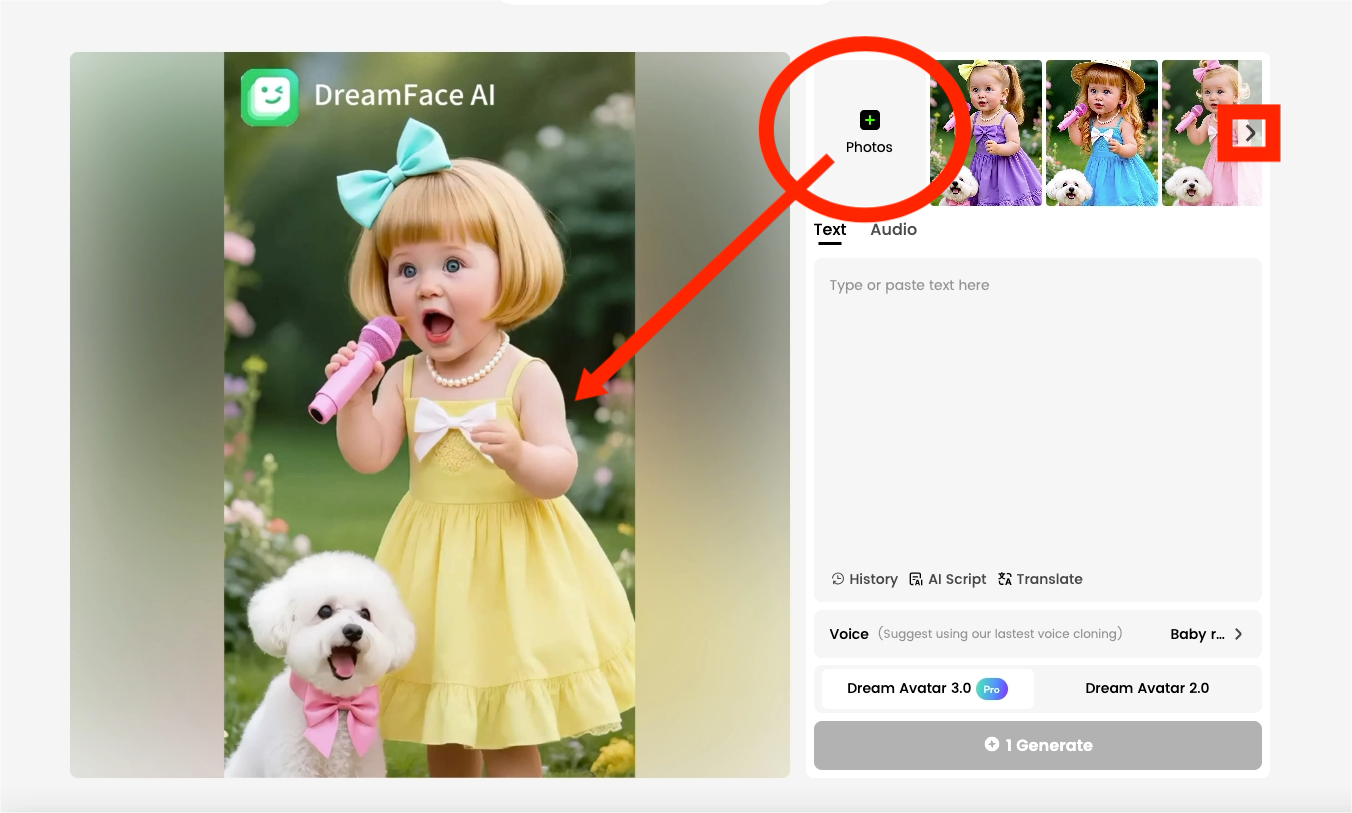
3.Add Your Audio: You have three great options:
- Upload Audio or Video: Upload a pre-recorded song or sound file.
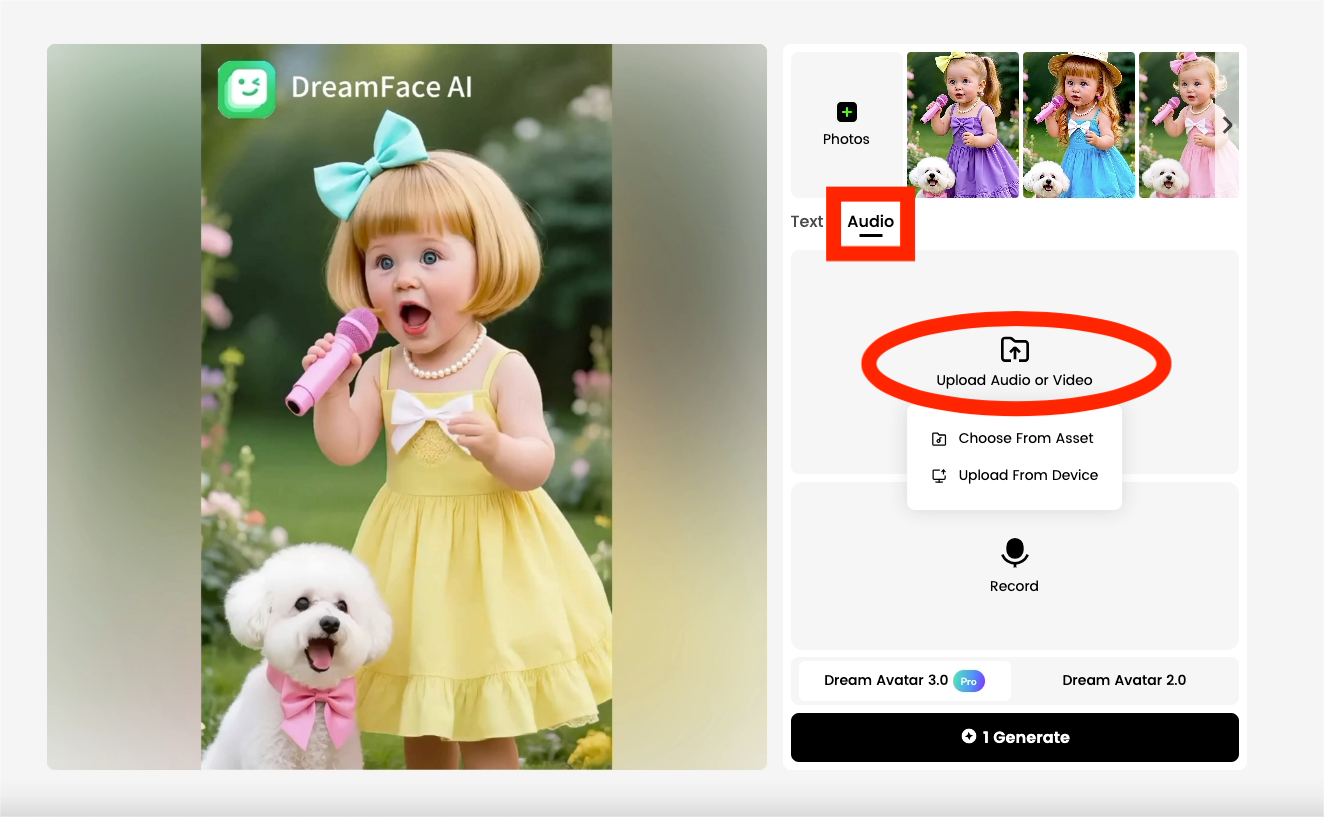
- Record: Record your voice directly on the site.
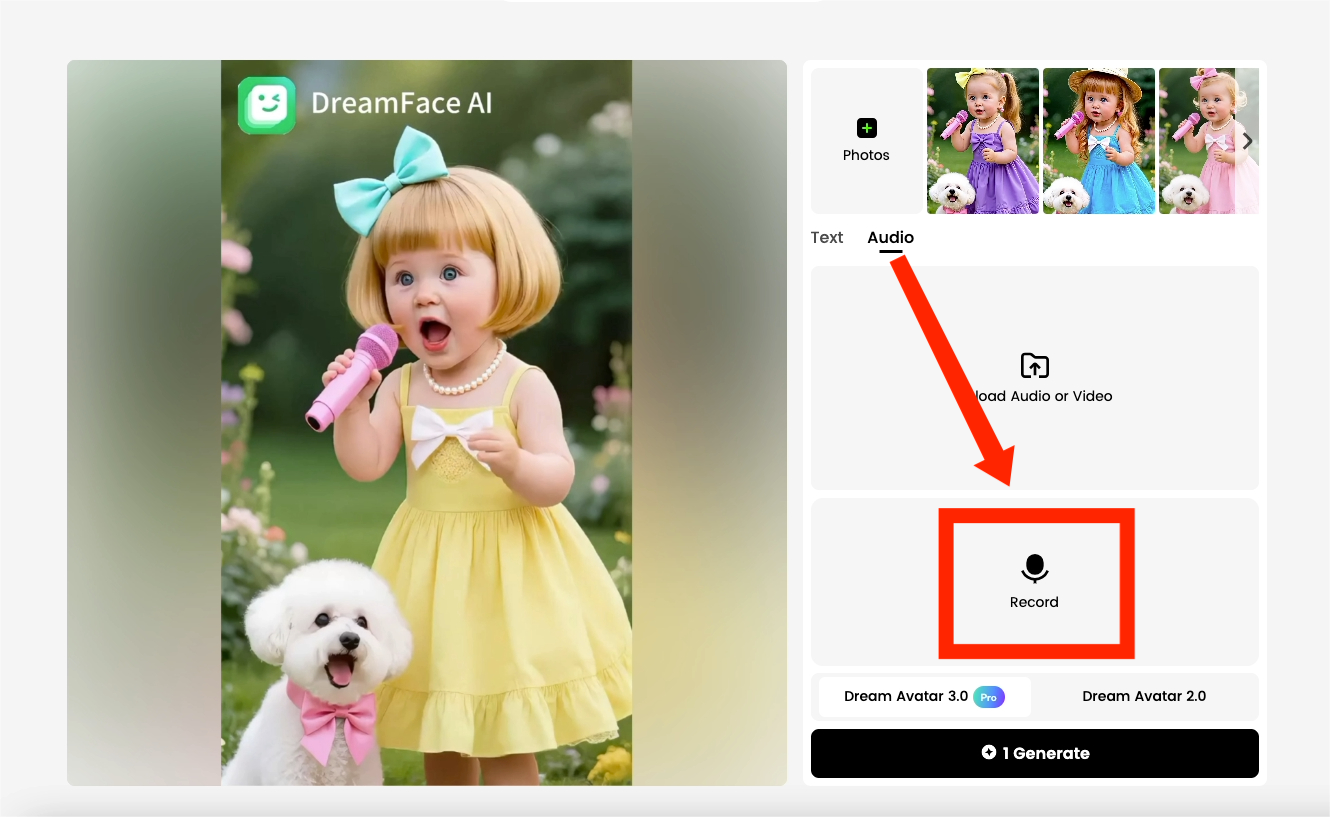
- Text-to-Speech: Type in lyrics or a script and choose a voice. You can even create a new voice clone if you wish.
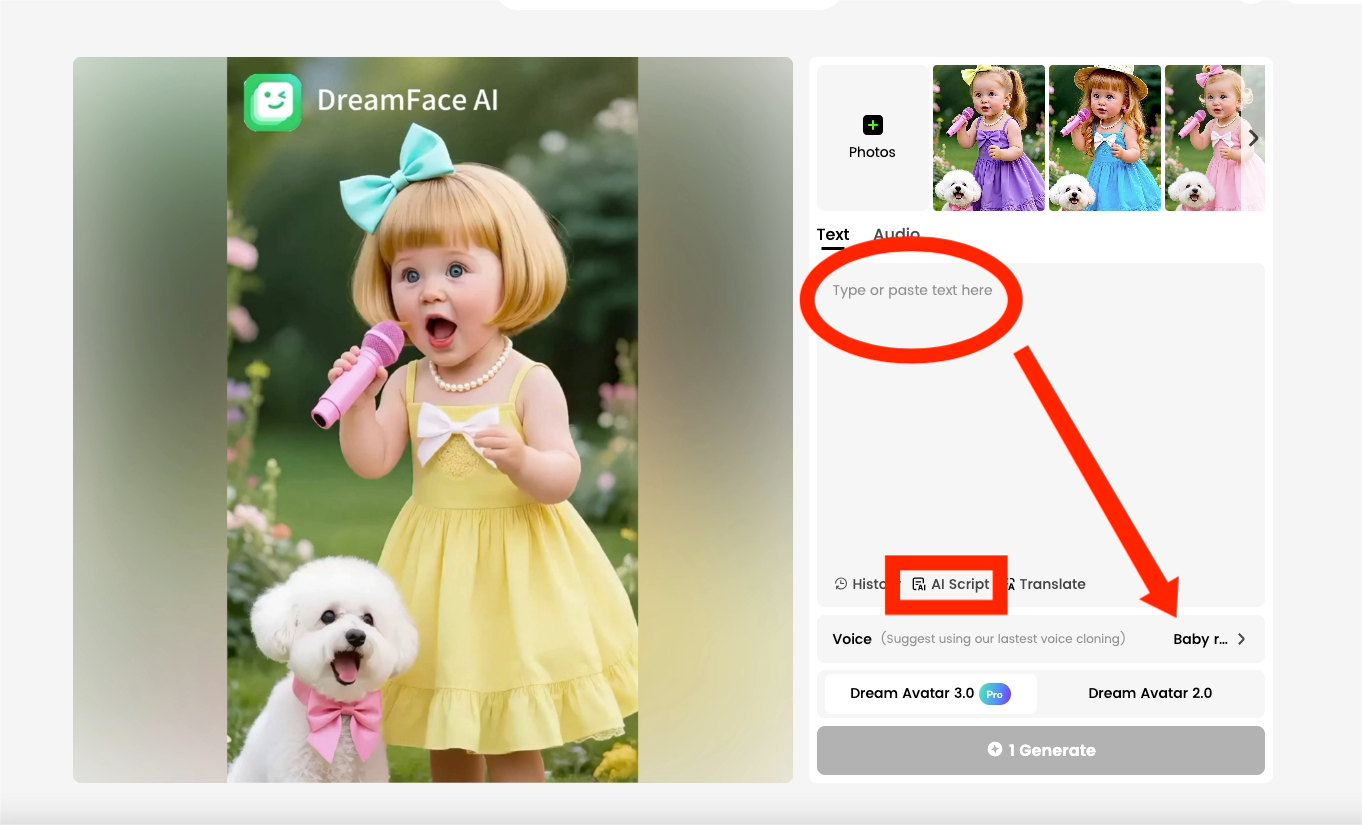
4.Generate Your Video Clips: After adding your audio, click “Generate”. DreamFace will create a singing video for the selected photo. Repeat this for each of your edited photos using the same audio.
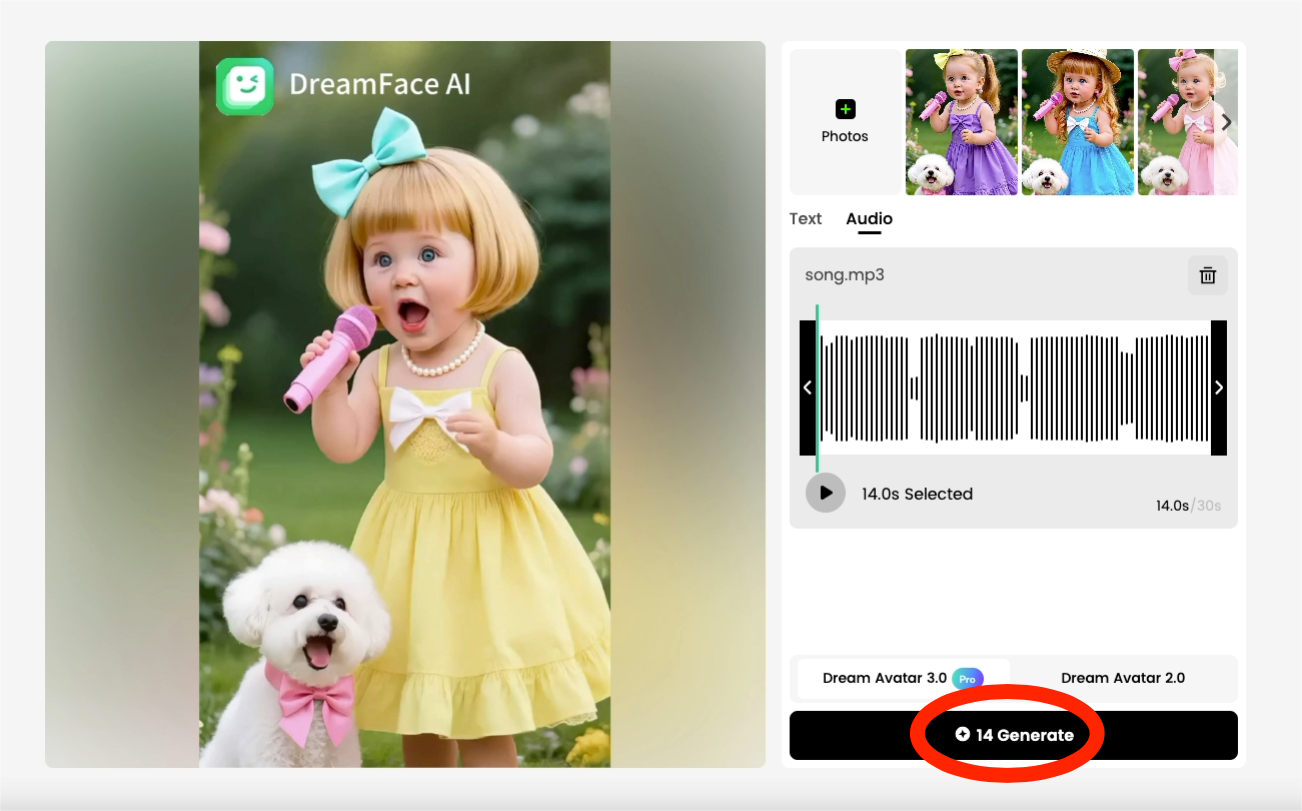
Part 3: The Final Touch
You now have several short video clips, each with a different outfit but the same song.
To get the viral "one line, one look" effect, simply join these clips together using any video editing software (like CapCut, iMovie, or others). This final step combines all your work into one seamless, amazing video.
You're Ready to Go Viral!
See? It's that simple. In just a few minutes, you’ve gone from a simple photo to a professional-looking AI video, ready to capture hearts and views online. The creative possibilities are endless.
What are you waiting for? Your social media masterpiece is just a few clicks away. Head over to DreamFace AI now and bring your ideas to life!
How to Make a Mother’s Day Talking Photo with AI
Turn a single photo into a Mother’s Day greeting video with AI. Learn the easiest workflow, message ideas, common mistakes, and when to use a filter first.
By Riley一Apr 20, 2026- AI Video
- Photo To Video
- Avatar Video
How to Create a Baby Angel AI Singing Video
A baby angel AI singing video is created by animating a photo with AI-powered lip sync and gentle singing audio. To create this type of video, users upload a clear image, add a soft vocal track, and generate facial animation that matches pitch and rhythm. Angel-themed AI singing videos are popular on platforms like Facebook Reels because their calm, emotional visuals encourage replays and sharing.
By Matthew一Jan 19, 2026- AI Video
- Photo Animation
- Avatar Video
How to Create a Viral AI Singing Avatar Video
An AI singing avatar video is created by animating a photo with AI-powered lip sync and singing voice generation. To create a viral AI singing avatar video, users upload a clear image, add a singing audio source, and generate facial animation that matches pitch and rhythm. This type of content has become especially popular on social platforms like Facebook Reels, where expressive and unexpected visuals drive engagement.
By Elizabeth一Jan 20, 2026- Photo Animation
- AI Video
- Avatar Video